🚀 Get Your PyJanitor Python Project from Techie Projects
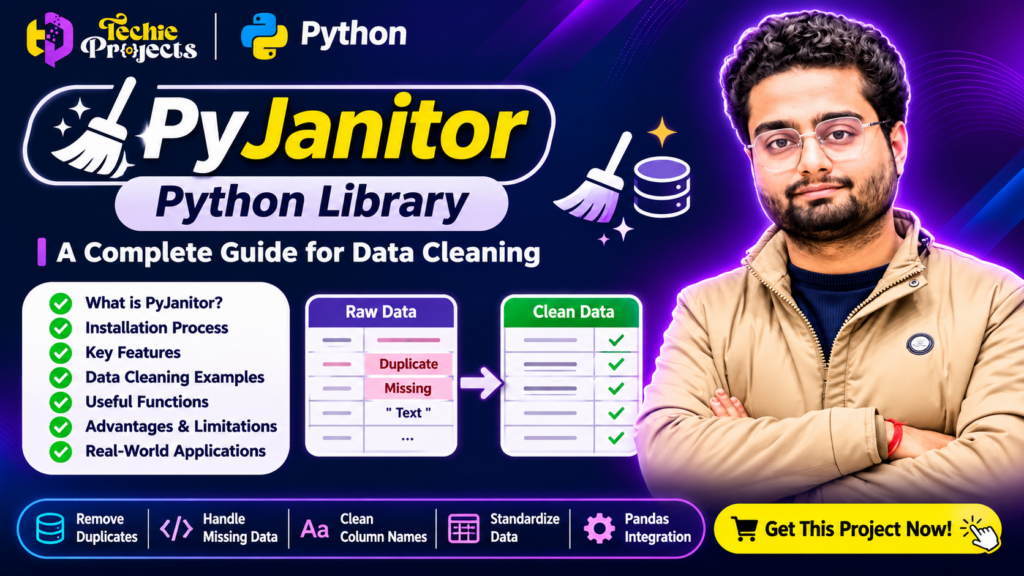
Are you looking for a practical Python project based on data cleaning, data preprocessing, and data analysis? Get your PyJanitor Python Library Project from Techie Projects and explore how professional data-cleaning techniques can simplify complex datasets.
Working with raw datasets can be challenging, especially when they contain duplicate records, missing values, inconsistent column names, incorrect data types, and unnecessary information. Manually cleaning large datasets takes significant time and effort. The PyJanitor Python Library provides convenient functions that make data cleaning easier, faster, and more organized.
🎓 Want to develop a practical data science project for your college submission? Techie Projects provides Python-based project solutions for engineering students, computer science students, and data science learners.
Whether you are preparing a final-year engineering project, learning data analytics, or exploring machine learning workflows, this project can help you understand real-world data preprocessing techniques.
📞 Contact / WhatsApp: +91 94600 60699
🌐 Website: www.techieprojects.com
📸 Instagram: @pythonprojects_
🎬 Watch the PyJanitor Project Demo
Explore the PyJanitor Python Library tutorial and understand how Python-based data cleaning works through practical demonstrations.
Watch the embedded Techie Projects video on this page to learn about installation, important functions, and practical examples.
Interested in getting the project? Contact Techie Projects to discuss the available project package, requirements, and customization options.
📌 What Is PyJanitor?
PyJanitor is an open-source Python library built on top of Pandas. It provides additional data-cleaning functionality through convenient and readable methods.
The library follows a method-chaining approach, allowing developers to perform multiple data-cleaning operations in a structured manner.
The PyJanitor Python Library is particularly useful for people working in:
- Data Science
- Machine Learning
- Artificial Intelligence
- Data Analytics
- Business Intelligence
- Statistical Analysis
- Research and Development
Instead of writing lengthy code for every preprocessing operation, developers can use convenient functions to simplify common data preparation tasks.
For example, consider a dataset containing customer information with duplicate rows, missing values, and inconsistent column names. Cleaning this information manually can become complicated.
PyJanitor helps organize these operations into a more readable workflow.
⭐ Why Is PyJanitor Important in Data Science?
Data quality plays an important role in machine learning and data analytics.
A machine learning model trained using inaccurate or incomplete information may produce unreliable results. Therefore, data preprocessing is an essential step before model development.
The PyJanitor Python Library helps developers perform common cleaning operations efficiently.
Some important benefits include:
- Simplified Data Cleaning: Provides convenient functions for frequently performed cleaning tasks.
- Readable Code: Supports method chaining to create organized workflows.
- Pandas Integration: Works with Pandas DataFrames.
- Time Efficiency: Reduces repetitive coding for common preprocessing operations.
- Better Data Organization: Helps standardize column names and handle inconsistent datasets.
- Flexible Workflows: Can be incorporated into broader data science pipelines.
For students developing Python-based academic projects, understanding these operations is valuable because data preprocessing is required in many real-world applications.
💻 Installation of PyJanitor in Python
Before using the library, install Python and the required dependencies on your computer.
You can install PyJanitor using the following command:
pip install pyjanitorYou can also install Pandas separately:
pip install pandasAfter installation, import the required libraries:
import pandas as pd
import janitor
Now you can start working with DataFrames and explore the available cleaning functions.
Basic Example
import pandas as pd
import janitor

data = {
    "Customer Name": ["Rahul", "Amit", "Priya"],
    "Customer Age": [22, 25, 23],
    "Customer City": ["Jaipur", "Delhi", "Jodhpur"]
}

df = pd.DataFrame(data)

cleaned_df = df.clean_names()

print(cleaned_df)
The clean_names() method helps convert column names into a consistent format.
This is useful when working with datasets containing spaces or inconsistent naming conventions.
🔥 Important Features of PyJanitor
The PyJanitor Python Library provides several functions that make data-cleaning workflows more convenient.
Let’s understand some important capabilities.
1. Clean Column Names
Datasets collected from different sources often contain column names with spaces, uppercase letters, and special characters.
The clean_names() function helps standardize column names.
Example:
import pandas as pd
import janitor

df = pd.DataFrame({
    "First Name": ["Amit", "Rahul"],
    "Last Name": ["Sharma", "Verma"],
    "Customer Age": [22, 24]
})

df = df.clean_names()

print(df.columns)
This operation creates more consistent column names that are easier to use in Python programs.
2. Remove Duplicate Records
Duplicate records can affect data analysis and produce misleading results.
You can use Pandas functionality alongside PyJanitor to remove duplicate rows.
import pandas as pd

df = pd.DataFrame({
    "Name": ["Amit", "Rahul", "Amit"],
    "Age": [22, 24, 22]
})

df = df.drop_duplicates()

print(df)
Removing duplicate records helps maintain dataset quality.
3. Handle Missing Values
Missing values are common in real-world datasets.
For example, a customer dataset may contain missing names, ages, or contact information.
You can use Pandas operations within your PyJanitor workflow.
df = df.fillna({
    "age": 0,
    "city": "Unknown"
})
The appropriate replacement depends on the meaning of the data and the requirements of the analysis.
4. Remove Unnecessary Columns
Sometimes datasets contain columns that are not required for analysis.
You can remove unnecessary columns using:
df = df.drop(columns=["unnecessary_column"])This makes the dataset more manageable and focused.
5. Data Type Conversion
Incorrect data types can create problems during mathematical calculations and statistical analysis.
For example, numerical information may be stored as text.
You can convert columns using Pandas:
df["age"] = pd.to_numeric(
    df["age"],
    errors="coerce"
)
This helps prepare numerical information for further analysis.
6. Method Chaining
One of the useful concepts associated with the PyJanitor Python Library is method chaining.
It allows developers to perform multiple operations in a structured sequence.
Example:
import pandas as pd
import janitor

df = pd.DataFrame({
    "First Name": ["Amit", "Rahul"],
    "Age": [22, 25]
})

cleaned_data = (
    df
    .clean_names()
    .drop_duplicates()
)

print(cleaned_data)
Method chaining improves code readability and makes preprocessing workflows easier to understand.
📊 Practical Applications of PyJanitor
Data cleaning is required in almost every data-driven industry.
The PyJanitor Python Library can be useful in several practical applications.
1. Customer Data Analysis
Businesses collect customer information from websites, applications, surveys, and marketing campaigns.
This information may contain duplicate records and inconsistent formats.
Data-cleaning techniques help organize customer information before analysis.
2. Financial Data Processing
Financial datasets may contain missing information, inconsistent date formats, and incorrect values.
Cleaning operations help prepare financial information for reporting and analysis.
3. Healthcare Data Analysis
Healthcare datasets often contain large amounts of information collected from different sources.
Proper preprocessing is important before conducting statistical analysis or developing machine learning models.
4. Sales Data Analysis
Companies use sales information to understand revenue, customer behavior, and product performance.
Cleaning sales datasets can help improve reporting accuracy.
5. Machine Learning Applications
Before training a machine learning model, developers generally need to prepare the dataset.
The PyJanitor Python Library can support the data-cleaning stage of a machine learning workflow.
🎓 PyJanitor Python Library Project for Engineering Students
Are you an engineering student looking for a practical Python project?
A data-cleaning project based on PyJanitor can be an interesting choice for students studying:
- Computer Science Engineering
- Information Technology
- Artificial Intelligence
- Data Science
- Computer Applications
- Machine Learning
The project introduces important concepts used in professional data science workflows.
Students can explore how raw datasets are transformed into structured information suitable for analysis.
What Can You Learn from This Project?
By studying and implementing this project, students can understand:
- Python programming fundamentals
- Pandas DataFrame operations
- Data preprocessing techniques
- Missing-value handling
- Duplicate record management
- Column-name standardization
- Data transformation
- Dataset preparation
- Practical data analysis
These concepts are useful when working on advanced machine learning and artificial intelligence applications.
🛒 Purchase PyJanitor Python Project from Techie Projects
Looking for a practical Python project for your academic requirements?
Get your PyJanitor project from Techie Projects!
We focus on developing technology-based projects across multiple domains, including Python, Artificial Intelligence, Machine Learning, Data Science, Computer Vision, NLP, and Web Development.
Our objective is to help students explore practical technologies through project-based learning.
Why Choose Techie Projects?
- 🎓 Projects for engineering and computer science students.
- 💻 Python and machine learning-based solutions.
- 🤖 Artificial Intelligence and Data Science projects.
- 📚 Practical learning and project demonstrations.
- 🛠️ Project-related technical assistance.
- 📞 Direct communication for project enquiries.
- 🚀 Opportunities to explore different technology domains.
Who Can Purchase This Project?
This project may be suitable for:
- B.Tech Computer Science students.
- B.Tech Information Technology students.
- Artificial Intelligence students.
- Data Science students.
- MCA and MSc Computer Science students.
- Python programming learners.
- Students interested in data analytics.
The exact project deliverables, pricing, and customization options can be discussed before placing an order.
📲 Interested in purchasing the PyJanitor Python Library project?
Contact our team today to discuss your requirements.
👉 Get Your Project Now – Contact on WhatsApp
🌐 Visit www.techieprojects.com
⚙️ Advantages of Using PyJanitor
Some important advantages include:
- Easy integration with Pandas.
- Convenient data-cleaning functions.
- Improved code readability.
- Support for structured preprocessing workflows.
- Reduced repetitive coding.
- Useful for educational and practical applications.
- Suitable for exploratory data analysis workflows.
These advantages make the PyJanitor Python Library a useful tool for people learning data science and Python programming.
⚠️ Limitations of PyJanitor
Although the library provides useful features, developers should understand its limitations.
- Pandas Dependency: It is designed to work with Pandas DataFrames.
- Not a Complete Data Platform: It does not replace complete data engineering or database systems.
- Data Quality Decisions: Developers must decide how missing and incorrect values should be handled.
- Large Dataset Considerations: Memory and performance depend on the underlying Pandas workflow and available hardware.
- Learning Requirements: Users should understand basic Python and Pandas concepts to use it effectively.
Understanding these limitations helps developers select appropriate tools for their requirements.
🔗 PyJanitor vs Pandas
PyJanitor and Pandas are closely related but serve different purposes.
| Feature | Pandas | PyJanitor |
|---|---|---|
| DataFrames | Yes | Uses Pandas |
| Data cleaning | Yes | Additional convenient methods |
| Data analysis | Extensive | Not its primary purpose |
| Method chaining | Yes | Yes |
| Column cleaning | Available | Convenient helper functions |
| Data transformation | Yes | Supports cleaning workflows |
Pandas is a comprehensive data manipulation library, while PyJanitor adds convenient functionality for common cleaning operations.
Both can be used together in Python projects.
🚀 Future Scope of PyJanitor-Based Projects
Data preparation continues to be an important part of modern software development.
As organizations collect more information, the demand for reliable data-cleaning workflows continues to grow.
Students can extend a basic PyJanitor implementation into a more comprehensive data-cleaning application.
Possible future enhancements include:
- Automated dataset cleaning.
- Interactive data-cleaning dashboards.
- CSV and Excel file processing.
- Missing-value visualization.
- Duplicate-record detection.
- Data quality reports.
- Integration with machine learning pipelines.
- Automated preprocessing workflows.
These enhancements can turn a basic educational implementation into a more comprehensive practical application.
💡 Recommended Projects
Interested in exploring more Python and Data Science projects? Check out these related project ideas from Techie Projects:
- Customer Segmentation Using Machine Learning – Group customers based on purchasing behavior and demographic information.
- Sales Prediction Using Machine Learning – Predict future sales using historical business data.
- Fake News Detection Using Machine Learning – Classify news articles using natural language processing.
- Stock Price Prediction Using Python – Analyze historical stock market information and build forecasting models.
- Student Performance Prediction – Predict academic performance using machine learning algorithms.
- Data Analytics Dashboard Using Python – Create interactive dashboards for exploring datasets.
- House Price Prediction Using Machine Learning – Estimate property prices using regression techniques.
Explore more project ideas at www.techieprojects.com.
❓ Frequently Asked Questions (FAQs)
1. What is PyJanitor in Python?
PyJanitor is an open-source Python library built on top of Pandas. It provides additional functions that simplify common data-cleaning and preprocessing operations.
2. Is PyJanitor free to use?
PyJanitor is an open-source library. Its availability and licensing terms can be checked through its official project repository.
3. How do I install PyJanitor?
You can install it using the command pip install pyjanitor.
4. Is PyJanitor useful for machine learning?
Yes. It can help prepare datasets before machine learning model training by simplifying common data-cleaning operations.
5. Can beginners learn PyJanitor?
Yes. Beginners with basic Python and Pandas knowledge can start learning its functions through practical examples.
6. Can I purchase a PyJanitor-based project from Techie Projects?
Yes. You can contact Techie Projects to discuss the available project implementation, requirements, pricing, and customization options.
7. Who should use this project?
Computer Science, IT, Artificial Intelligence, Machine Learning, and Data Science students can explore this project to understand data preprocessing.
🎯 Conclusion
Data cleaning is an essential part of data science, machine learning, and artificial intelligence development. Inconsistent datasets, duplicate records, missing values, and incorrect formatting can affect the quality of data analysis.
The PyJanitor Python Library provides convenient functionality that helps developers simplify common data-cleaning operations while working with Pandas.
For engineering students and Python learners, exploring this library through a practical project can provide valuable knowledge of real-world data preprocessing techniques.
If you are looking for a practical Python-based project, contact Techie Projects to discuss purchasing your PyJanitor project.
🚀 Start exploring practical technology projects and strengthen your programming knowledge with Techie Projects!
Visit: www.techieprojects.com
Instagram: @pythonprojects_