
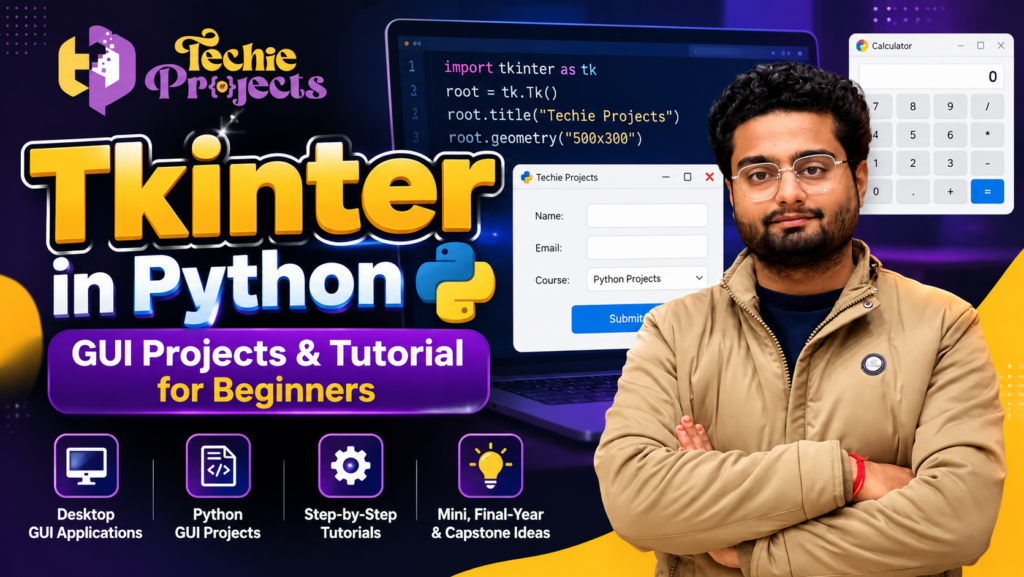
Are you looking to learn Tkinter in Python and build interactive desktop applications? Tkinter in Python is a standard GUI toolkit that helps developers create desktop software with windows, buttons, labels, forms, menus, and other interactive components.
Learning Tkinter in Python is useful for beginners, programmers, and engineering students who want to develop practical Python applications. It can also support engineering projects, mini projects, final-year projects, and capstone projects that require a graphical user interface.
At Techie Projects, you can explore Python projects and application ideas suitable for academic assignments, software development practice, and final-year engineering projects. Whether you want to create a calculator, student management system, billing application, or database-driven desktop tool, Tkinter provides a practical starting point.
🚀 Benefits of Tkinter in Python for GUI Projects
Tkinter in Python makes it possible to develop desktop applications without building every graphical component from scratch. Its widgets can be used to create interactive interfaces for data entry, calculations, record management, and other common software tasks.
For students, Tkinter in Python can be useful for developing engineering mini projects and final-year projects that demonstrate Python programming concepts. Developers can connect GUI components to Python functions and databases to build more practical applications.
Tkinter in Python for Engineering and Final-Year Projects
Engineering students can use Tkinter in Python to build desktop interfaces for student management systems, inventory applications, billing software, attendance tools, and data analysis utilities.
For larger capstone projects, a graphical interface can be combined with database connectivity, image processing, or machine learning functionality when the project requirements justify those technologies.
🎓 What Is Tkinter in Python?
Tkinter is Python’s standard interface to the Tk GUI toolkit. It is commonly used to create desktop applications with graphical components without requiring a separate GUI framework installation in many standard Python distributions.
With Tkinter, developers can create applications that allow users to enter information, click buttons, view results, select options, and interact with data through a graphical interface.
Common Tkinter components include:
- Label: Displays text or images.
- Button: Performs an action when clicked.
- Entry: Accepts single-line user input.
- Text: Accepts or displays multiple lines of text.
- Frame: Organises interface components.
- Checkbutton: Allows users to select options.
- Radiobutton: Lets users choose from a group of options.
- Listbox: Displays a list of selectable items.
- Menu: Creates application menus.
Tkinter is suitable for learning GUI programming and building small or medium-sized desktop applications.
With Tkinter in Python, students can create interactive desktop tools, data-entry forms, calculators, and database-driven applications while practising essential programming concepts.
🚀 Why Learn Tkinter for Python Projects?
Tkinter helps students understand how a Python application responds to user actions. Instead of running everything through a command-line interface, you can create an application with forms, buttons, input fields, and result screens.
For beginners, Tkinter in Python provides a useful foundation for building practical applications before moving on to more advanced software development frameworks.
Benefits include:
- Beginner-friendly GUI programming.
- Integration with Python functions and modules.
- Support for forms and interactive desktop tools.
- Integration with databases such as SQLite.
- Opportunities to build useful academic mini projects.
- A foundation for understanding event-driven programming.
For larger applications, you may need additional architecture, testing, security controls, or a different GUI framework depending on the requirements.
💻 Popular Python GUI Project Ideas Using Tkinter
If you are searching for Python GUI projects, consider starting with a calculator or to-do list and progressing to database-driven applications. Tkinter in Python can support projects such as a student record management system, library management software, expense tracker, inventory management system, and desktop data visualization tool.
These ideas can be adapted for engineering projects, final-year projects, and capstone projects according to your course requirements and programming experience.
💻 Best Tkinter Python Project Ideas for Students
Here are some project ideas you can develop using Tkinter and other Python tools. The required complexity depends on the features you implement.
1. Student Management System Using Tkinter
Create a desktop application to add, update, search, and manage student records. You can include student names, course details, contact information, and record-search features.
Suggested technologies: Python, Tkinter, SQLite.
2. Personal Expense Tracker
Build an application to record income and expenses, categorise transactions, and display summaries for selected dates. Add charts or export options if required.
Suggested technologies: Python, Tkinter, SQLite, Matplotlib.
3. Library Management System
Develop a GUI to manage book details, member records, issue dates, and returns. Database integration can help maintain records between application sessions.
Suggested technologies: Python, Tkinter, SQLite or MySQL.
4. Desktop Calculator
Create a calculator with buttons for arithmetic operations, input validation, and a clear interface. This is a suitable introductory project for learning events and layout management.
Suggested technologies: Python, Tkinter.
5. Password Generator
Build a utility that generates random passwords based on selected length and character options. Include appropriate warnings and avoid storing generated passwords unnecessarily.
Suggested technologies: Python, Tkinter, secrets.
6. Quiz Application
Create a quiz interface with multiple-choice questions, a scoring system, and a final result screen. You can add question categories and a timer as optional features.
Suggested technologies: Python, Tkinter, JSON or SQLite.
7. Inventory Management Application
Build a desktop tool for maintaining product records, stock quantities, prices, and inventory updates. Search and reporting features can make it more useful.
Suggested technologies: Python, Tkinter, SQLite.
8. Weather Information Desktop App
Create an interface that displays weather information obtained from a suitable weather API. Include error handling for network problems and invalid locations.
Suggested technologies: Python, Tkinter, Requests, a weather API.
9. Image Processing GUI
Develop an application that lets users open an image and apply operations such as resizing, grayscale conversion, rotation, or basic filtering.
Suggested technologies: Python, Tkinter, Pillow or OpenCV.
10. Machine Learning Prediction Interface
Create a graphical interface where users enter input values and receive predictions from a previously trained machine learning model. The model must be trained and evaluated separately.
Suggested technologies: Python, Tkinter, Pandas, Scikit-learn.
🛠️ Technologies Used with Tkinter
Tkinter can be combined with other Python libraries to create more useful applications.
- Python: Application logic and data processing.
- Tkinter: Desktop graphical interface.
- SQLite: Lightweight local database storage.
- MySQL: Database support for applications requiring a database server.
- Pandas: Data manipulation and analysis.
- Matplotlib: Charts and visualisation.
- Pillow: Image loading and processing.
- OpenCV: Computer vision and image-processing functionality.
- Scikit-learn: Machine learning model development and prediction.
- Requests: HTTP requests to external APIs.
Choose only the libraries your project actually needs. A basic calculator, for example, does not require a machine learning framework.
🎓 Tkinter Engineering Projects and Final-Year Projects
Tkinter can provide the desktop interface for engineering projects across several domains. The backend may use a database, machine learning model, API, or data-processing pipeline.
Students can use Tkinter in Python to build the graphical interface for engineering mini projects, final-year projects, capstone projects, and research-inspired applications.
Python Engineering Mini Projects
Smaller projects can focus on one main function, such as student record management, a calculator, an expense tracker, or a simple inventory tool.
Python Final-Year Projects
A final-year project may combine a Tkinter interface with database management, data analytics, machine learning, or image processing. Confirm the expected scope, testing, documentation, and demonstration requirements with your department.
IEEE-Inspired Python Projects
Students looking for IEEE-related project work can explore research-inspired areas such as machine learning, computer vision, predictive analytics, and intelligent desktop applications. If your institution requires an implementation based on a specific IEEE paper, verify the original paper and its methodology before selecting the project.
Python Capstone Projects
A capstone project may combine a GUI, database, analytics engine, and external services into a more complete application. Examples include a smart inventory platform, student analytics dashboard, or desktop interface for a machine learning model.
These are potential project directions, not claims of approval by IEEE or any academic institution. Your final topic should meet your college’s requirements.
📦 What to Check Before Purchasing a Tkinter Project
Before purchasing a Python GUI project, confirm that the solution fits your academic needs and technical environment.
Use this checklist when enquiring with Techie Projects:
- Confirm the project title, objectives, and features.
- Check the Python version and required dependencies.
- Ask whether the source code is included.
- Confirm the database and setup requirements, if applicable.
- Ask whether a working demonstration is available.
- Confirm whether documentation, a report, or presentation materials are included.
- Clarify the price, delivery timeline, and support arrangements.
- Check your college’s rules on external assistance and project submissions.
The exact deliverables may vary by project. Confirm all inclusions before placing an order.
🎬 Project Demo
A project demonstration can help you understand how a Tkinter application looks and behaves, including its forms, buttons, data entry, and main features.
Explore the available demonstrations from Techie Projects and ask about a project that matches your interests. Review the application’s functionality and requirements before deciding whether it is suitable for your learning goals.
🎓 Recommended Projects
Explore related project areas on Techie Projects:
- Python Projects: Desktop tools, automation, and Python applications.
- Machine Learning Projects: Prediction and classification applications.
- Computer Vision Projects: Image processing and object detection.
- Artificial Intelligence Projects: Intelligent applications and decision-support tools.
- Data Science Projects: Data analysis, visualisation, and reporting.
- NLP Projects: Text classification, sentiment analysis, and document processing.
Browse the relevant categories on the Techie Projects website to compare ideas and technologies.
💡 Why Choose Techie Projects?
Choosing the right project involves more than selecting a title. You should understand the project’s features, implementation approach, technical requirements, and expected deliverables.
Techie Projects helps students explore project ideas and enquire about available project solutions. Whether you need a Python GUI mini project or a more advanced application combining Tkinter with databases or machine learning, share your requirements before making a decision.
When contacting us, include your course, branch, preferred topic, deadline, and any specifications provided by your college. This helps clarify the project scope and the support you may need.
📲 Enquire About a Python GUI Project
Looking for a Tkinter project for your college assignment, engineering mini project, or final-year project?
Contact Techie Projects to enquire about available topics, source code, installation requirements, project demonstrations, pricing, and deliverables.
Discuss your requirements before purchasing.
- Website: https://techieprojects.com/
- WhatsApp: https://wa.me/919460060699
- Instagram: https://www.instagram.com/pythonprojects_/
Send your preferred project topic, course, and deadline. Confirm availability, pricing, delivery time, package inclusions, and support arrangements before placing an order.
Frequently Asked Questions About Tkinter in Python
1. Is Tkinter included with Python?
Tkinter is Python’s standard interface to the Tk GUI toolkit and is commonly included with standard Python installations. On some Linux distributions, it may need to be installed separately.
2. Can I build engineering projects using Tkinter?
Yes. Tkinter can be used as the graphical interface for student management systems, inventory tools, data dashboards, and applications that use databases or machine learning models. The project scope should match your course requirements.
3. Is Tkinter suitable for final-year projects?
It can be suitable when a desktop GUI is appropriate for the project. More advanced final-year projects may combine Tkinter with a database, computer vision, machine learning, or analytics components.
4. Can Tkinter be used with machine learning?
Yes. A Tkinter interface can collect user inputs, pass them to a trained machine learning model, and display its predictions. Model accuracy and limitations should be evaluated separately.
5. Can I get source code for a Tkinter project?
Ask Techie Projects about source-code availability for your chosen project. Confirm the included files, dependencies, documentation, setup instructions, and applicable usage terms before ordering.
6. How do I purchase a Tkinter project?
Visit https://techieprojects.com/ or contact https://wa.me/919460060699. Share your project requirements and confirm the price, deliverables, timeline, and support arrangements before making payment.
Start Building Python GUI Applications Today 🐍
Tkinter is a practical way to learn desktop GUI development and turn Python code into interactive applications. Explore the project ideas, choose a topic that matches your requirements, and contact Techie Projects to discuss available solutions.
Tkinter in Python is a practical starting point for creating interactive desktop applications and developing useful Python GUI projects.
Explore. Learn. Build with Python and Techie Projects.