
👉 “Flair Python Library: Complete NLP Guide with Examples (2026)”
Flair is a powerful NLP (natural language processing) framework built on PyTorch that enables developers to perform tasks like Named Entity Recognition, sentiment analysis, and text classification using state-of-the-art models. It supports for multiple languages and easy to use interface; FLAIR library makes it to develop smart NLP Software’s.
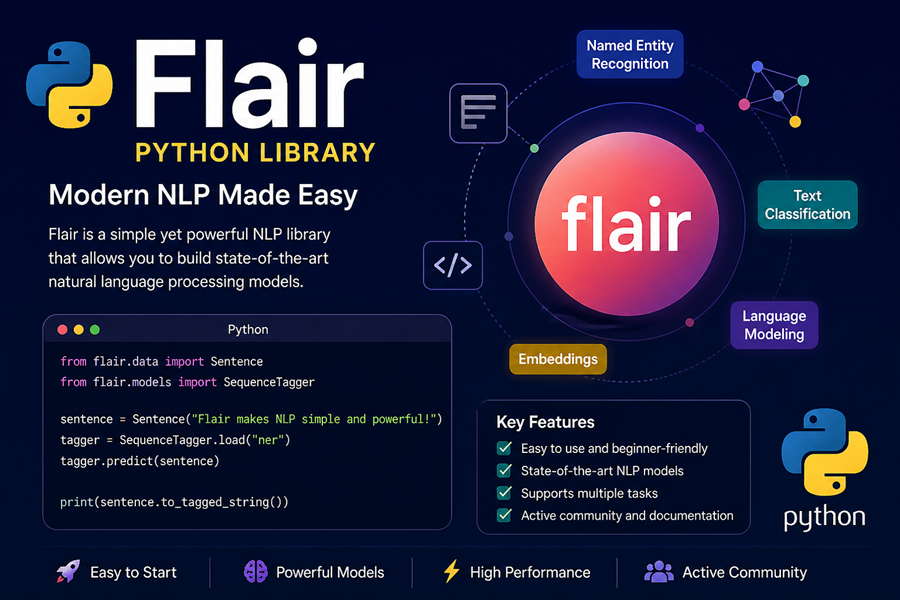
Table of Contents:
- Introduction
- Library Installation
- Key Features
- Implementation
- Conclusion
How to Install ?
You should have Python Installed and Python>=3.6. FLAIR can be installed in anaconda as well as command prompt or any code editor like PyCharm.
pip install flair
OR
conda install -c flair
“Flair Python library tutorial”
Key Features: –
- Pre-Trained Models: Flair (NLP library in Python) provides many models that is ready to use & for POS tagging, NER and text classification in many languages. So model training time consumes, otherwise takes huge time to train model for any specific tasks.
- Fine Tuning and Easy model training: From few lines of code, you can train your own models. FLAIR supports custom datasets making and ideal for low resource NLP Projects.
- Contextual String Embedding: It uses character level language models to produce context sensitive word representation. It means same word have different embedding that depends on improving model understanding, context.
- Stackable Embeddings: User can combine different embedding like BERT, ELMo, GloVe and Flair own embedding. It helps to boost model performance in diverse NLP tasks.
Implementation: –
FLAIR offers two types of objects:
i). Tokens
ii). Sentence
import flair
from flair.data import Sentence
a= Sentence('Techie Projects: Helps to build projects')
print(a)- Word Embedding:
Word Embeddings give embedding for each word of text. FLAIR library supports many of word embedding combining of own Flair Embeddings.
- Classic Word Embedding
- FLAIR Embedding
- Stacked Embedding
- Document Embedding
- Training a Text Classification Model using FLAIR
- NER Tags:
Below code uses Flair NLP library to perform NER (Named Entity Recognition Python) on given sentence. That loads a pre trained NER Tagger apply to sentence and print name entities along with confidence score with labels.
“Try this code”
from flair.data import Sentence
from flair.nn import Classifier

sentence = Sentence("Techie Projects")
tagger = Classifier.load("sentiment")
tagger.predict(sentence)

print(sentence)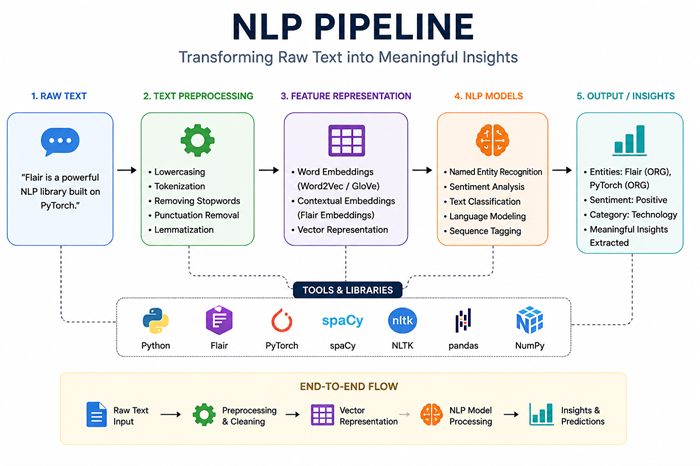
Applications: –
- Text Classification: It mostly used in email filtering, sentiment analysis and content moderation to interpret huge text data and organize automatically.
- Part of Speech Tagging (POS): It involves to assign word in sentence a grammatical category like verb, noun and adjective, etc. POS Tagging helps machines to understand the syntactic structure of sentence.
- Named Entity Recognition (NER): NER is the process of classifying and locating key information in text to predefined categories such as locations, organization and people.
- Dependency Parsing: It identifies the sentence of grammatical structure by establishing relationship with head words and departments.
Real-World Use Cases: –
- Chatbots
- Resume parsing
- Sentiment analysis
- AI assistants
Pros:
- Easy to use
- Powerful embeddings
- Pretrained models
Cons:
- Slower than spaCy
- Less popular than Transformers
| Feature | Flair | spaCy | NLTK |
|---|---|---|---|
| Ease of Use | Medium | Easy | Easy |
| Speed | Slow | Very Fast | Slow |
| Accuracy | High (deep learning) | Good | Moderate |
| Use Case | Research, advanced NLP | Production apps | Learning, basics |
| Pretrained Models | Yes | Yes | Limited |
| Deep Learning | ✅ Yes | ❌ Limited | ❌ No |
🚀 When to Use What?
✅ Use Flair if:
- You want high accuracy NLP models
- Working on research or deep learning projects
- Need contextual embeddings
⚡ Use spaCy if:
- You need fast processing
- Building real-time apps (chatbots, APIs)
- Want industry-ready solution
📘 Use NLTK if:
- You are a beginner
- Learning NLP concepts
- Doing text preprocessing tasks
☎️ Contact Us For More Queries:-
📲 Call/WhatsApp: +91-9460060699
🌎 Website: www.techieprojects.com
📺 Instagram: @pythonprojects_
💡 Checkout Related Projects:-
1. Android App:- Click Here
2. Java Projects:- Click Here
3. OpenCV Projects:- Click Here
4. Data Science Projects:- Click Here
5. Data Analytics Projects:- Click Here
5. Deep Learning Projects:- Click Here
6. Cyber Security Projects:- Click Here
7. Machine Learning Projects:- Click Here
8. Image Processing Projects:- Click Here
9. Web Development Projects:- Click Here
10. Game Development Projects:- Click Here
11. Artificial Intelligence Projects:- Click Here
12. Database Management System:- Click Here
💬 If you found this helpful, share it with your friends!
#Python #NLP #Deeplearning #Engineering #Assignment