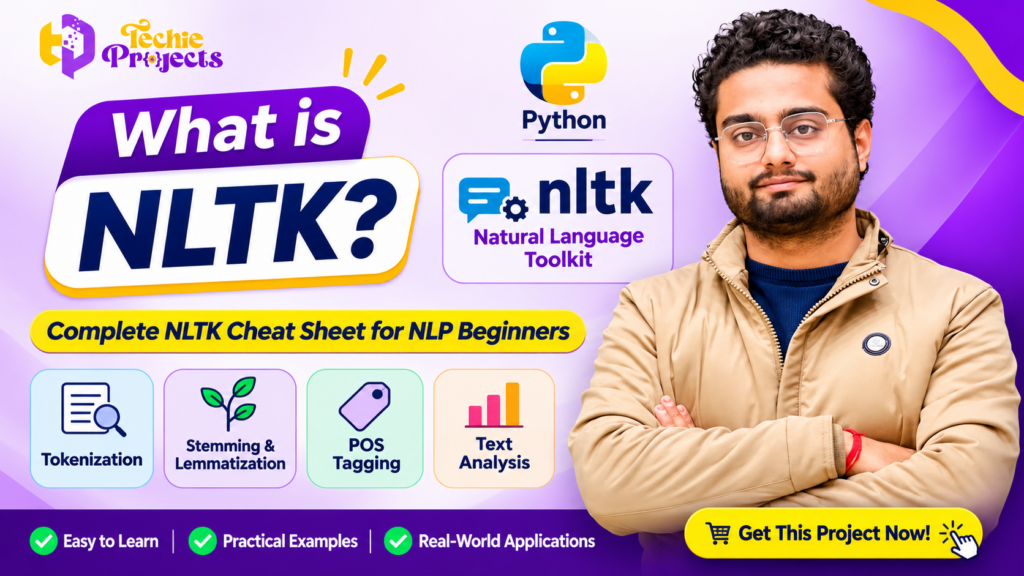
🚀 Looking for an NLP Project in Python? Explore NLTK and Get Your Project Today!
NLTK in Python is an essential library for developers who want to build practical Natural Language Processing applications. It provides powerful tools for analyzing text, processing language, and developing intelligent Python-based solutions.
Are you searching for a practical Natural Language Processing (NLP) project in Python for your final-year engineering submission, academic assignment, or portfolio? Techie Projects helps students explore Python-based Artificial Intelligence and Machine Learning projects with practical implementation and learning support.
NLTK in Python is one of the most useful technologies for understanding how computers process, analyze, and interpret human language. From text classification and sentiment analysis to tokenization and document processing, NLTK provides powerful tools for developing Natural Language Processing applications.
If you want to learn NLP through practical implementation or purchase a Python-based NLP project, explore the available solutions at Techie Projects.
🎓 Whether you are a B.Tech student, computer science engineer, Python developer, or AI enthusiast, this guide will help you understand the NLTK library, its features, installation, working process, applications, and project opportunities.
📞 Contact Techie Projects for Project Enquiries
Looking for a ready-to-explore NLP project, Python source code, or a customized academic project?
Techie Projects provides project development and learning solutions across Artificial Intelligence, Machine Learning, Python, Data Science, Deep Learning, Computer Vision, and Natural Language Processing.
📞 Contact / WhatsApp: +91 94600 60699
🌐 Website: www.techieprojects.com
📸 Instagram: Techie Projects
Contact our team to discuss project availability, pricing, demonstrations, and customization requirements.
📚 1. What Is NLTK in Python?
One of the biggest advantages of NLTK in Python is its collection of built-in NLP functionalities. Developers can perform different language-processing operations without implementing every algorithm from scratch.
NLTK stands for Natural Language Toolkit. It is a popular Python library developed for working with human language data. It provides different tools and resources that help developers perform various Natural Language Processing operations.
NLTK in Python makes it easier to process large amounts of text and extract meaningful information. It includes functionalities such as tokenization, stemming, lemmatization, part-of-speech tagging, parsing, classification, and corpus analysis.
For example, consider the following sentence:
“Artificial Intelligence is transforming the technology industry.”
Using NLTK, developers can divide this sentence into individual words, identify linguistic structures, and perform different text-processing operations.
NLTK is particularly useful for:
- Natural Language Processing applications.
- Text classification and categorization.
- Sentiment analysis.
- Text preprocessing.
- Language analysis.
- Word frequency distribution.
- Information extraction.
- Educational NLP projects.
The library is widely used by students, researchers, and developers who want to understand the fundamental concepts of Natural Language Processing.
⚙️ 2. Important Features of NLTK in Python
NLTK in Python supports multiple text-processing techniques, making it suitable for students who want to understand the fundamentals of Artificial Intelligence and Natural Language Processing.
NLTK offers several useful features that make it suitable for NLP learning and development.
🔤 2.1 Tokenization
Tokenization is the process of dividing text into smaller units called tokens. These tokens can be words, sentences, or other meaningful elements.
Using NLTK in Python, developers can tokenize paragraphs, sentences, and individual words to prepare textual information for further analysis.
For example:
Input: “Python is a powerful programming language.”
Output:
- Python
- is
- a
- powerful
- programming
- language
Tokenization is an important preprocessing step in many NLP applications.
🌱 2.2 Stemming
NLTK in Python makes text normalization easier through stemming and lemmatization techniques. These operations help improve the quality of text preprocessing.
Stemming reduces words to their root or base form by removing prefixes or suffixes.
For example:
- Playing → Play
- Played → Play
- Studies → Studi
Stemming helps reduce variations of words during text analysis.
📖 2.3 Lemmatization
Lemmatization converts words into their meaningful dictionary form.
For example:
- Running → Run
- Better → Good
- Studies → Study
Unlike basic stemming, lemmatization considers linguistic information to produce meaningful base words.
🏷️ 2.4 Part-of-Speech Tagging
Part-of-Speech tagging identifies the grammatical category of individual words.
Some common categories include:
- Noun
- Verb
- Adjective
- Adverb
- Pronoun
- Preposition
This technique is useful for understanding sentence structure and grammatical relationships.
📊 2.5 Frequency Distribution
NLTK provides tools to calculate how frequently words appear in a text.
This feature is useful for identifying commonly occurring words, analyzing documents, and exploring text datasets.
📚 2.6 Text Corpora
NLTK provides access to various text corpora and linguistic resources that developers can use for experiments, research, and educational applications.
These resources help students understand how NLP techniques work with real-world language data.
💻 3. How to Install NLTK in Python
After installing the library, you can start developing applications with NLTK in Python using simple commands and predefined linguistic resources.
Before working with NLTK, you need to install Python on your computer.
Follow these steps to get started.
Step 1: Install Python
Download Python from the official website:
https://www.python.org/downloads
Install Python and configure the PATH environment variable if required.
Step 2: Install the NLTK Library
Open Command Prompt, Terminal, or your preferred code editor and execute:
pip install nltkStep 3: Import NLTK
Create a Python file and import the library.
import nltk

print("NLTK installed successfully!")
Step 4: Download Required NLTK Resources
Some NLTK operations require additional datasets and linguistic resources.
import nltk

nltk.download('punkt')
nltk.download('stopwords')
nltk.download('wordnet')
nltk.download('averaged_perceptron_tagger')
Note: Resource names and availability can vary between NLTK versions. If a resource is missing, check the relevant NLTK documentation.
🧠 4. Practical Examples of NLTK in Python
The practical implementation of NLTK in Python helps beginners understand how NLP algorithms work with real-world textual information.
Let’s understand how NLTK works through some basic Python examples.
Example 1: Word Tokenization
import nltk
from nltk.tokenize import word_tokenize

text = "Natural Language Processing is interesting."

tokens = word_tokenize(text)

print(tokens)
Output:
['Natural', 'Language', 'Processing', 'is', 'interesting', '.']This example demonstrates how a sentence can be divided into individual tokens.
Example 2: Sentence Tokenization
from nltk.tokenize import sent_tokenize

text = """
Python is easy to learn.
NLTK is useful for NLP applications.
"""

sentences = sent_tokenize(text)

print(sentences)
Sentence tokenization helps separate a paragraph into individual sentences.
Example 3: Removing Stopwords
Stopwords are commonly occurring words that may not contribute much to a particular text-analysis task.
import nltk
from nltk.corpus import stopwords
from nltk.tokenize import word_tokenize

text = "Python is one of the most popular programming languages."

words = word_tokenize(text)

stop_words = set(stopwords.words('english'))

filtered_words = [
    word for word in words
    if word.lower() not in stop_words
]

print(filtered_words)
This technique is useful in text preprocessing and document analysis.
Example 4: Stemming
from nltk.stem import PorterStemmer

stemmer = PorterStemmer()

words = ["playing", "played", "plays", "playing"]

for word in words:
    print(word, ":", stemmer.stem(word))
Stemming helps normalize word variations before further processing.
Example 5: Word Frequency Analysis
from nltk import FreqDist
from nltk.tokenize import word_tokenize

text = "Python is useful for NLP. Python supports NLP applications."

tokens = word_tokenize(text.lower())

frequency = FreqDist(tokens)

print(frequency.most_common(5))
Word frequency analysis can help identify frequently occurring terms in a document.
🎯 5. Applications of NLTK in Real-World Projects
Many educational and research applications use NLTK in Python for text classification, sentiment analysis, document processing, and language understanding.
NLTK is useful in different industries where processing human language is important.
5.1 Sentiment Analysis
Sentiment analysis identifies whether a particular text expresses positive, negative, or neutral opinions.
Businesses use sentiment analysis to understand customer feedback, product reviews, and social media comments.
5.2 Chatbot Development
NLP techniques help chatbots understand user messages and identify meaningful words and phrases.
NLTK can be used for text preprocessing and basic language-analysis components in chatbot applications.
5.3 Text Classification
Text classification automatically assigns predefined categories to documents.
Examples include:
- Spam email detection.
- News categorization.
- Customer query classification.
- Document classification.
5.4 Search Engine Applications
Text-processing techniques help search systems analyze queries and identify relevant terms in documents.
5.5 Document Analysis
Organizations process large amounts of textual information. NLP techniques can help extract useful information from reports, documents, and customer communications.
5.6 Educational Applications
Students and researchers use NLTK to understand language processing, computational linguistics, and fundamental AI concepts.
🔍 6. NLTK vs spaCy: Which Python NLP Library Should You Choose?
Both NLTK and spaCy are popular Python libraries, but they serve somewhat different purposes.
| Feature | NLTK | spaCy |
|---|---|---|
| Main purpose | NLP learning and research | Production-oriented NLP |
| Tokenization | Yes | Yes |
| Stemming | Yes | Not a primary built-in pipeline feature |
| Lemmatization | Yes | Yes |
| POS tagging | Yes | Yes |
| NLP pipelines | Flexible components | Integrated pipelines |
| Learning | Beginner-friendly | Developer-oriented |
| Applications | Research and education | Production NLP applications |
NLTK is a good choice when you want to understand individual NLP techniques and experiment with linguistic resources.
spaCy is particularly useful when building efficient NLP pipelines for real-world applications.
Your choice should depend on project requirements, performance expectations, and the type of NLP functionality you need.
🏗️ 7. Build an NLP Project Using Python and NLTK
Building an NLP project with NLTK in Python is an excellent opportunity for engineering students to gain practical experience in Python programming and Artificial Intelligence.
Learning concepts is important, but implementing them in a practical project provides valuable development experience.
An NLP project using NLTK can include multiple text-processing components that work together to analyze textual information.
Suggested Project Workflow
Step 1: Collect Text Data
Collect textual information from sample documents, datasets, or user input.
Step 2: Text Preprocessing
Clean the text by removing unnecessary characters, punctuation, and unwanted elements.
Step 3: Tokenization
Divide the input into words or sentences.
Step 4: Stopword Removal
Remove commonly occurring words where appropriate.
Step 5: Stemming and Lemmatization
Normalize word variations for further analysis.
Step 6: Text Analysis
Apply frequency analysis, linguistic processing, and other relevant techniques.
Step 7: Display Results
Present the processed output through a Python interface or visualization dashboard.
This workflow can be extended into applications such as sentiment analysis, document classification, chatbot development, and automated text analysis.
🎓 8. Why Choose Techie Projects for Your Python NLP Project?
At Techie Projects, students interested in NLTK in Python can explore NLP-based project development opportunities and discuss customized Python project requirements.
Are you a final-year engineering student looking for a practical Python NLP project?
Techie Projects focuses on developing technology-based projects across multiple domains, helping students explore practical implementations of modern technologies.
Our project development domains include:
- Artificial Intelligence and Machine Learning.
- Natural Language Processing.
- Python Development.
- Data Science and Data Analytics.
- Deep Learning.
- Computer Vision and Image Processing.
- Web Development.
- Internet of Things (IoT).
Benefits of Exploring Our Projects
1. Practical Learning
Explore how Python libraries and technologies are applied in real-world development scenarios.
2. Project Demonstrations
Discuss available project demonstrations to understand the expected functionality.
3. Customization Options
Discuss project requirements and possible customization according to your academic needs.
4. Technical Guidance
Get information about project implementation, technologies, and setup requirements.
5. Multiple Technology Domains
Explore projects in AI, ML, NLP, Python, IoT, and other emerging technology areas.
Looking to implement NLTK in Python in your final-year project? Contact Techie Projects to explore available Python NLP projects, demonstrations, source-code options, and customization possibilities.
🛒 Get Your Python NLP Project Today!
Don’t spend unnecessary time searching for random project resources when you can discuss your requirements with a project development team.
If you need a Python NLP project for your final-year submission, academic demonstration, or practical learning, contact Techie Projects.
Our team can help you explore available solutions, pricing, source-code options, demonstrations, and customization possibilities.
📞 WhatsApp: https://wa.me/919460060699
🌐 Visit: www.techieprojects.com
💡 9. Recommended Python and NLP Projects
If you are interested in Natural Language Processing and Artificial Intelligence, explore these related project ideas:
- Sentiment Analysis Using Python – Analyze customer opinions and classify text as positive, negative, or neutral.
- Fake News Detection Using Machine Learning – Identify potentially misleading news articles using text-processing and classification techniques.
- AI Chatbot Using Python – Develop a chatbot that processes user queries and generates appropriate responses.
- Text Classification System Using NLP – Automatically classify documents into predefined categories.
- Spam Email Detection Using Machine Learning – Identify unwanted messages using text features and classification algorithms.
- News Article Categorization – Organize news articles according to their topics and content.
- Resume Screening Using NLP – Extract and analyze relevant information from resumes.
Explore more Python and AI projects at www.techieprojects.com.
Whether you are a beginner or an experienced developer, learning NLTK in Python can help you understand text analytics and develop practical Natural Language Processing applications.
🚀 10. Conclusion
NLTK is an important Python library for understanding and implementing Natural Language Processing techniques. It provides several useful tools for tokenization, stemming, lemmatization, part-of-speech tagging, frequency analysis, and text preprocessing.
Learning NLTK in Python gives students and developers a strong foundation in language processing and helps them understand how computers work with human language.
From basic text analysis to educational NLP applications, the library offers many opportunities for experimentation and practical development.
If you are a computer science student or Python developer, learning NLTK can help you build a foundation for more advanced AI and NLP applications.
🎓 Ready to develop or purchase a Python NLP project?
Connect with Techie Projects to discuss your requirements, explore available projects, and find a suitable solution for your academic or development goals.
📞 Contact / WhatsApp: +91 94600 60699
🌐 Website: www.techieprojects.com
📸 Instagram: @pythonprojects_
Start exploring practical Python, Artificial Intelligence, and NLP projects with Techie Projects today!