
Introduction
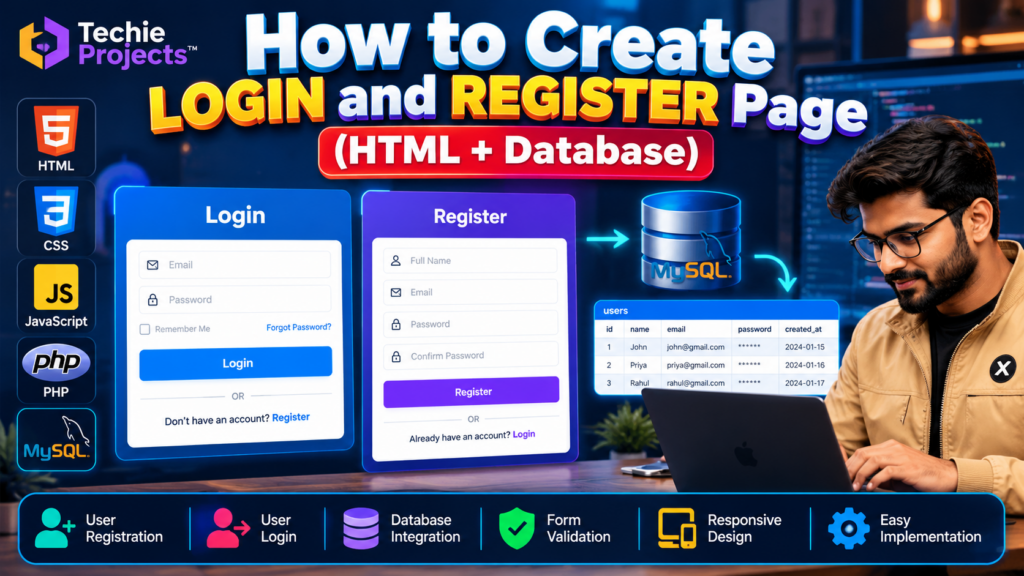
A login and register page in HTML with database is a practical web development project that demonstrates how users can create an account, enter their login credentials, and interact with a database through a web application. This project is suitable for B.Tech, BCA, MCA, computer science students, and beginners who want to understand website authentication and database connectivity.
With this project, students can explore frontend form design, backend processing, database operations, form validation, and user authentication. It can also serve as a foundation for larger applications such as student portals, management systems, and online platforms.
🎬 Project Working Demo
Watch the project demonstration to understand the login and registration interface, its workflow, and the technologies used in the implementation.
The demo provides a practical overview of how a login and registration system can be developed and connected to a database.
Login and Register Page in HTML with Database: Project Overview
The login and register page in HTML with database project demonstrates how to build a web application where users can register an account and log in using their credentials. It helps students understand HTML form design, backend processing, database connectivity, and basic user authentication.
🎯 Objectives of the Login and Registration Project
The main objectives of this project are:
- To design user-friendly login and registration forms.
- To understand how HTML forms collect user information.
- To learn how frontend pages communicate with backend code.
- To store and retrieve user information from a database.
- To understand basic authentication and form validation.
- To develop practical skills in web development and database management.
⭐ Features of the Login and Register Page in HTML with Database
A login and register page in HTML with database can include user registration, login form validation, database record management, and a user-friendly interface. The backend processes submitted information and verifies login credentials against stored account data.
The available features depend on the project’s actual implementation. Students can explore the source code to understand how the registration form, login form, and database work together.
1. User Registration
New users can enter the required details through a registration form. The backend processes the submitted information and stores the permitted user data in the database.
2. User Login
Registered users can enter their credentials to attempt to access the application. The backend checks the submitted credentials against the stored account information.
3. Database Connectivity
The project demonstrates how an application communicates with a database to save and retrieve account information.
4. Form Validation
Input validation helps identify missing or incorrectly formatted information before or during form processing.
5. User-Friendly Interface
HTML and CSS can be used to create a clean layout for login and registration forms. Responsive styling can help the interface adapt to different screen sizes.
6. Backend Integration
A backend technology processes form submissions and performs database operations. The specific backend language and framework depend on the version of the project being implemented.
🛠️ Technologies Used in the Login and Register Page in HTML with Database Project
Developing a login and register page in HTML with database requires HTML for the form structure, CSS for styling, and a compatible backend with database integration. JavaScript may also be used for client-side validation and interactive elements.
- HTML: Creates the structure of login and registration forms.
- CSS: Styles the forms, buttons, input fields, and page layout.
- JavaScript: Can provide client-side validation and interactive behaviour.
- Backend language: Processes form submissions and authentication requests.
- Database: Stores account records and supports user-data retrieval.
Important: HTML alone cannot securely authenticate users or connect directly to a server-side database. A backend and appropriate database integration are required. Confirm the exact backend language and database used in the available project before purchasing.
🔄 How the Project Works
The general workflow of a login and registration system is as follows:
- The user opens the web application.
- A new user enters the required details on the registration page.
- The backend validates the submitted information.
- The application stores the required account information in the database.
- A registered user enters their login credentials.
- The backend verifies the credentials against the stored account information.
- If authentication succeeds, the application provides access to the appropriate page; otherwise, it displays an error message.
This workflow helps students understand the relationship between frontend forms, backend logic, and database operations.
💻 Software Requirements
The exact requirements depend on the project implementation. Common tools include:
- A computer running Windows, Linux, or macOS
- A modern web browser
- A code editor such as Visual Studio Code
- A compatible backend runtime or server environment
- The database software used by the project
Check the supplied project documentation for the exact software versions and installation steps.
🎓 Applications of a Login and Registration System
A login and registration system can be used as a starting point for several types of web applications:
- Student management portals
- College and university websites
- Online learning platforms
- Employee management applications
- Customer account portals
- E-commerce websites
- Project dashboards and administration panels
Additional functionality may be required before adapting the project to any of these applications.
✅ Advantages of This Project
- Provides practical experience with frontend web development.
- Demonstrates the connection between forms and databases.
- Helps students understand the basics of authentication.
- Can be extended with additional pages and features.
- Offers a useful foundation for academic demonstrations and web development portfolios.
⚠️ Limitations and Security Considerations
A basic login and registration demonstration should not automatically be treated as production-ready authentication software.
For a real application, use secure password hashing, server-side validation, parameterized database queries, session protection, HTTPS, and appropriate access controls. Never store plain-text passwords or rely only on browser-side validation.
The security features available in the supplied project should be verified before using it with real user information.
🚀 Future Scope
The project can be extended with additional features, depending on the requirements:
- Password reset and account recovery
- Email verification
- User profile management
- Role-based access for administrators and users
- Improved form validation
- Responsive design for mobile devices
- Session management and logout functionality
- Integration with a larger web application
These enhancements can help students explore more advanced web development concepts.
🎓 Who Should Choose This Project?
This project may be suitable for B.Tech, BCA, MCA, diploma, and computer science students who want to learn how login forms, registration pages, backend processing, and databases work together.
It can be used as a learning exercise, a practical demonstration, or a foundation for a larger academic project. Students should review the implementation and understand the code before presenting it.
📲 Get the Login and Register Page in HTML with Database Project
Looking for a ready-to-explore login and registration web development project for your academic work?
Techie Projects can help you enquire about project availability, the implemented features, source code, documentation, setup requirements, and possible customisation options.
Before purchasing, confirm the backend technology, database, included deliverables, and whether the features match your requirements.
📲 Call/WhatsApp: +91-9460060699
🌎 Website: www.techieprojects.com
📺 Instagram: @pythonprojects_
🎓 Recommended Projects
Explore related project topics on Techie Projects:
- Student Management System
- Hospital Management System
- Online Examination System
- Library Management System
- Employee Management System
Add links to the corresponding project pages on your website to help readers explore related topics.
❓ Frequently Asked Questions
1. Can HTML create a login and registration system by itself?
HTML creates the form structure, but a functional system that verifies users and stores account information requires backend processing and database integration.
2. Which database can be used for a login and registration project?
A compatible database depends on the backend implementation. Common choices include MySQL, SQLite, and PostgreSQL.
3. Is this project suitable for final-year students?
It can be a suitable learning project for beginners and students studying web development. For a major final-year submission, additional modules, documentation, testing, and original contributions may be necessary.
4. Can I customise the login and registration pages?
Customisation may include changing the interface, adding form fields, improving validation, and integrating additional modules. Confirm which changes are supported by the available project.
5. How can I enquire about the project price?
Contact Techie Projects through the WhatsApp link above to ask about availability, pricing, source code, documentation, and installation requirements.
Conclusion
A login and register page in HTML with database integration is a useful way to learn the fundamentals of web development. By exploring the frontend forms, backend processing, and database workflow, students can build a foundation for more advanced applications.
If you are interested in obtaining this project for learning or academic demonstration, contact Techie Projects to confirm the available features and deliverables before purchasing.