
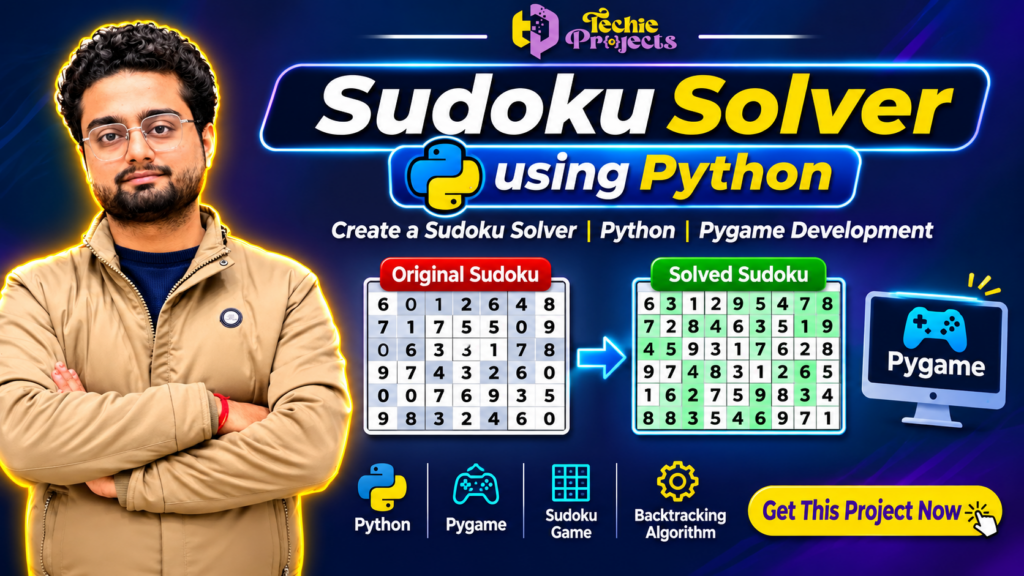
🎓 Looking to purchase a ready-to-run Sudoku Solver using Python project for your final-year engineering project, college submission, or Python development portfolio?
Get your Sudoku Solver using Python project from Techie Projects and explore how Python programming, logical problem-solving, and the backtracking algorithm work together to solve Sudoku puzzles automatically. This project is an excellent choice for B.Tech, BCA, MCA, Computer Science, and IT students who want to understand practical Python application development.
Instead of spending weeks developing the complete application from scratch, you can get a project solution with implementation support from Techie Projects. Whether you need a Python Sudoku game, an automated Sudoku puzzle solver, or a project for academic learning, this solution provides an opportunity to explore real-world programming concepts.
🚀 Get This Project Now! Contact Techie Projects to purchase the Sudoku Solver using Python project and discuss the available source code, project demonstration, documentation, and customization requirements.
📞 Contact Techie Projects for Project Enquiries
📞 Contact / WhatsApp: +91 94600 60699
🌐 Website: www.techieprojects.com
📸 Instagram: @pythonprojects_
🎬 Project Demo: Watch the Sudoku Solver Using Python Project
Explore the project demonstration to understand how the application works, how Sudoku puzzles are displayed, and how the solving algorithm generates the completed puzzle.
Contact us if you want the project demonstration and additional implementation details before purchasing.
🎬 Sudoku Solver Using Python | Complete Project Demo | Python Pygame Project
🚀 Watch the complete demonstration of our Sudoku Solver Using Python Project, developed using Python and Pygame. This project demonstrates how a computer can automatically solve Sudoku puzzles using logical rules, recursion, and the backtracking algorithm.
In this video, we showcase the Sudoku puzzle interface, automatic puzzle-solving functionality, and the working process of the application.
🎓 This project is suitable for B.Tech, BCA, MCA, Computer Science Engineering, and IT students looking for practical Python project ideas.
🎯 What Is a Sudoku Solver Using Python?
A Sudoku Solver using Python is a software application designed to solve Sudoku puzzles automatically using programming logic and mathematical techniques.
Sudoku is a popular number-based puzzle consisting of a 9×9 grid divided into nine smaller 3×3 boxes. The objective is to fill empty cells with numbers from 1 to 9 while following specific rules.
Every completed Sudoku puzzle must satisfy three important conditions:
- Each row must contain numbers from 1 to 9 without repetition.
- Each column must contain numbers from 1 to 9 without repetition.
- Every 3×3 sub-grid must contain numbers from 1 to 9 without repetition.
Solving a Sudoku puzzle manually can require significant logical reasoning. However, a Sudoku Solver using Python automates this process through an algorithm that checks possible numbers and identifies a valid solution.
This project demonstrates how Python can be used to develop interactive applications involving algorithms, conditions, loops, functions, and graphical interfaces.
💡 Why Choose Our Sudoku Solver Using Python Project?
Are you searching for a practical Python project that combines programming logic with an interactive user interface?
The Sudoku Solver using Python project from Techie Projects is designed for students who want to explore application development and understand how an automated puzzle-solving system works.
Key Reasons to Purchase
- 🎓 Academic Project: Suitable for computer science and IT students.
- 💻 Python Development: Understand practical Python programming concepts.
- 🧠 Algorithm Implementation: Explore backtracking and recursive problem-solving.
- 🎮 Interactive Application: Experience a graphical Sudoku interface.
- 📚 Learning Opportunity: Understand how a real-world Python application is developed.
- ⚙️ Practical Implementation: Explore the connection between algorithms and graphical interfaces.
- 🚀 Project Customization: Discuss modifications according to your academic requirements.
By purchasing this Sudoku Solver using Python project, you can explore the implementation and use it as a learning reference for your own programming knowledge.
⚙️ Features of Sudoku Solver Using Python
The project focuses on providing an interactive environment where users can work with Sudoku puzzles and explore automated puzzle-solving functionality.
1. Sudoku Puzzle Grid
The application displays a structured Sudoku puzzle consisting of 81 cells arranged in a 9×9 grid.
Users can understand how individual cells represent puzzle values and how the application organizes the complete Sudoku board.
2. Automatic Puzzle Solving
One of the major features of the Sudoku Solver using Python project is its automatic solving functionality.
The application uses a logical algorithm to identify empty cells, check possible values, and determine whether a particular number satisfies Sudoku rules.
3. Backtracking Algorithm
The project demonstrates the backtracking algorithm, an important technique used in computer science for solving constraint-based problems.
The algorithm tries possible values and moves forward when a valid choice is found. If a choice creates a conflict, it returns to the previous position and tries another possibility.
4. Graphical User Interface
The graphical interface makes the application easier to understand and interact with.
Instead of displaying only command-line output, the project provides a visual representation of the puzzle and its solution.
5. Interactive User Experience
The application provides an environment for interacting with Sudoku puzzles and understanding the relationship between user input and algorithmic processing.
6. Logical Validation
Sudoku rules are used to validate possible numbers before placing them in the puzzle grid.
The validation process checks rows, columns, and 3×3 sub-grids to prevent invalid number placement.
7. Educational Implementation
The project is useful for understanding recursion, conditional statements, functions, arrays, and algorithmic problem-solving through a practical example.
🧠 Technology Used in Sudoku Solver Using Python
The Sudoku Solver using Python project combines programming technologies and algorithmic concepts.
1. Python
Python is the primary programming language used to develop the application.
It provides a simple programming structure and supports the implementation of algorithms, graphical interfaces, and logical operations.
2. Pygame
Pygame is a Python library used for developing interactive graphical applications and games.
It can be used to create the Sudoku interface, display puzzle grids, manage visual elements, and handle user interactions.
3. Backtracking Algorithm
Backtracking is the main logical approach used for solving the Sudoku puzzle.
It explores possible solutions systematically and returns to previous decisions whenever a conflict occurs.
4. Recursion
Recursive functions help implement the puzzle-solving process by repeatedly checking available cells and possible values.
5. Conditional Statements and Loops
Python conditions and loops are used to validate Sudoku rules, iterate through puzzle cells, and control the execution of the application.
🔍 How Does the Sudoku Solver Work?
The Sudoku Solver using Python project follows a systematic process to solve a puzzle.
Step 1: Initialize the Sudoku Grid
The application begins with a 9×9 Sudoku grid.
Predefined numbers represent the existing puzzle values, while empty positions indicate cells that need to be solved.
Step 2: Find an Empty Cell
The algorithm searches the Sudoku grid to identify an empty position.
An empty position represents an opportunity to insert a valid number.
Step 3: Check Possible Numbers
The application checks possible numbers between 1 and 9.
Before inserting a number, it verifies that the number does not already exist in the corresponding row, column, or 3×3 box.
Step 4: Insert a Valid Number
If a number satisfies all Sudoku rules, the algorithm temporarily inserts it into the empty cell.
Step 5: Continue Solving
The algorithm moves to the next empty cell and repeats the validation process.
Step 6: Apply Backtracking
If no valid number is available for a particular position, the algorithm returns to the previous cell and changes the earlier selection.
This process continues until a valid solution is found or all possible combinations have been explored.
Step 7: Display the Completed Puzzle
After finding a valid solution, the application displays the completed Sudoku grid through its graphical interface.
📊 Understanding the Backtracking Algorithm
The backtracking algorithm is one of the most important concepts in this Sudoku Solver using Python project.
It is widely used in computer science for solving problems where multiple possible choices must be evaluated against certain constraints.
The general backtracking process includes:
- Identify the next available position.
- Generate possible candidate values.
- Check whether a candidate satisfies the constraints.
- Select a valid candidate.
- Continue with the next position.
- Return to an earlier position if the current path fails.
- Repeat until a solution is found.
Advantages of Backtracking
- Provides a systematic problem-solving approach.
- Reduces unnecessary invalid selections.
- Works effectively for constraint-based puzzles.
- Demonstrates recursion and logical reasoning.
- Can be adapted to other computational problems.
The algorithm also helps students understand how intelligent search techniques can solve complex problems through systematic exploration.
🎓 Applications of Sudoku Solver Using Python
The project is not limited to solving number puzzles. It also demonstrates several important programming concepts that can be applied in other software development applications.
1. Educational Applications
Students can use the project to understand Python programming, recursion, algorithms, and graphical application development.
2. Puzzle Game Development
The same programming concepts can be extended to develop interactive puzzle games and other logic-based applications.
3. Algorithm Learning
The project provides a practical example of how search algorithms and constraint validation work.
4. Computer Science Projects
The application can be used as a learning reference for subjects involving data structures, algorithms, and software development.
5. Interactive Software Development
The graphical interface demonstrates how programming logic can be connected with user interaction.
💻 Software and Hardware Requirements
Before purchasing and running the Sudoku Solver using Python project, review the following general requirements.
Software Requirements
- Programming Language: Python
- Graphical Library: Pygame
- Operating System: Windows 10 / Windows 11
- Development Environment: Python IDE or Visual Studio Code
- Algorithm: Backtracking
- Additional Packages: As specified in the project setup instructions
Hardware Requirements
- Processor: Intel or AMD processor
- RAM: 4 GB or higher recommended
- Storage: Sufficient space for Python and project files
- Input Devices: Keyboard and Mouse
- Display: Standard computer monitor
Actual requirements may vary depending on the supplied project version and installed dependencies.
📦 What Do You Get When You Purchase This Project?
At Techie Projects, we aim to help students understand and implement practical engineering projects.
When enquiring about the Sudoku Solver using Python project, you can discuss the available project deliverables and support options.
Depending on the selected package, available deliverables may include:
- Python project source code.
- Project execution and setup guidance.
- Project demonstration.
- Implementation explanation.
- Technical information.
- Documentation availability.
- Customization assistance.
Please confirm the exact deliverables, documentation, and support included in your selected package before placing your order.
💰 Why Purchase Your Python Project from Techie Projects?
Choosing a suitable engineering project provider is important when you need practical implementation support and a project that matches your academic requirements.
Techie Projects specializes in developing software and engineering projects across multiple technical domains.
Our project development areas include:
- Artificial Intelligence and Machine Learning.
- Python Development.
- Data Science and Data Analytics.
- Computer Vision and Image Processing.
- Deep Learning.
- Natural Language Processing.
- Internet of Things (IoT).
- Web Development.
- Android Application Development.
- Cyber Security.
Whether you are searching for a basic Python application or an advanced machine learning implementation, Techie Projects can help you explore suitable project solutions.
Benefits of Choosing Techie Projects
1. Multiple Project Domains
Explore different engineering projects according to your academic specialization.
2. Practical Project Development
Understand how programming concepts are applied in real software applications.
3. Project Enquiry Support
Discuss your requirements directly with our team through WhatsApp.
4. Customization Discussions
Share your project requirements and discuss possible modifications.
5. Demonstration Before Purchase
Ask about the available project demo to understand the implementation and functionality.
🚀 Who Should Purchase This Project?
The Sudoku Solver using Python project is suitable for students and programming enthusiasts interested in Python application development.
B.Tech Computer Science Students
Computer Science Engineering students can explore this project to understand programming logic, recursion, algorithms, and graphical application development.
BCA Students
BCA students can use this project as a practical learning reference for Python programming and application development.
MCA Students
MCA students interested in software development and algorithm implementation can explore the project.
IT Students
Information Technology students can understand how a graphical application uses algorithms to process and solve problems.
Python Beginners
Beginners who want to improve their Python programming skills can study the project structure and understand its implementation.
🔧 Future Enhancements and Project Customization Ideas
The Sudoku Solver using Python project can be extended with additional functionality depending on your requirements.
Some possible enhancement ideas include:
- Difficulty Levels: Add easy, medium, and hard Sudoku puzzles.
- Puzzle Generator: Generate new Sudoku puzzles automatically.
- Timer Functionality: Add a timer to measure puzzle-solving time.
- Hint System: Display hints for selected empty cells.
- User Score: Introduce a scoring system based on solving performance.
- Solution Animation: Display the solving process step by step.
- Database Integration: Store puzzles and user progress.
- Improved GUI: Enhance the interface with additional visual elements.
- Error Detection: Highlight incorrect number placements.
- Multiple Puzzle Modes: Support additional puzzle configurations.
These enhancements can help transform a basic Sudoku application into a more advanced interactive software project.
❓ Frequently Asked Questions (FAQs)
1. What is a Sudoku Solver using Python?
It is a Python-based application that automatically solves Sudoku puzzles using logical rules and algorithms such as backtracking.
2. Which programming language is used in this project?
Python is the primary programming language used for implementing the puzzle-solving logic and application functionality.
3. Does the project use the backtracking algorithm?
Yes. Backtracking is the main algorithmic approach used to explore possible number combinations and identify a valid Sudoku solution.
4. Is this project suitable for B.Tech students?
Yes. It is suitable as a practical learning project for B.Tech Computer Science, IT, and related engineering students.
5. Does the project include a graphical interface?
The showcased implementation uses a graphical application interface. The exact interface features should be confirmed with the project team.
6. Can beginners understand this project?
Yes. Students familiar with basic Python concepts can use the project as a learning reference for recursion, loops, functions, and logical problem-solving.
7. Can I customize the Sudoku Solver project?
Customization options can be discussed with Techie Projects according to your requirements.
8. How can I purchase the project?
You can contact Techie Projects through WhatsApp at +91 94600 60699 to enquire about the project price, available deliverables, and purchasing process.
9. Can I request a project demonstration?
Yes. Contact our team to ask for the available demonstration before purchasing.
10. Why is backtracking useful in Sudoku solving?
Backtracking systematically explores possible values and reverses previous choices when a particular combination cannot produce a valid solution.
💡 Recommended Projects
If you are interested in the Sudoku Solver using Python project, you may also explore other programming and engineering projects from Techie Projects.
- Python Game Development Projects.
- Artificial Intelligence Projects.
- Machine Learning Projects.
- Image Processing Projects.
- Computer Vision Projects.
- Data Science Projects.
- Deep Learning Projects.
- Android Application Development Projects.
- Web Development Projects.
- Natural Language Processing Projects.
- Data Analytics Projects.
- Python Automation Projects.
Explore more engineering project ideas at www.techieprojects.com.
🛒 Get This Project Now – Purchase Sudoku Solver Using Python
Ready to explore Python-based application development with a practical Sudoku project?
Get started with the Sudoku Solver using Python project from Techie Projects.
Whether you need a Python project for B.Tech, BCA, MCA, or your programming portfolio, our team can help you discuss the available project package and implementation requirements.
🎯 Why wait? Enquire today and take the next step toward your Python project.
📞 Contact / WhatsApp: +91 94600 60699
🌐 Website: www.techieprojects.com
📸 Instagram: @pythonprojects_
Techie Projects – Your Destination for Innovative Engineering Projects!
Learn. Develop. Innovate. Build Your Future with Techie Projects.