
Introduction
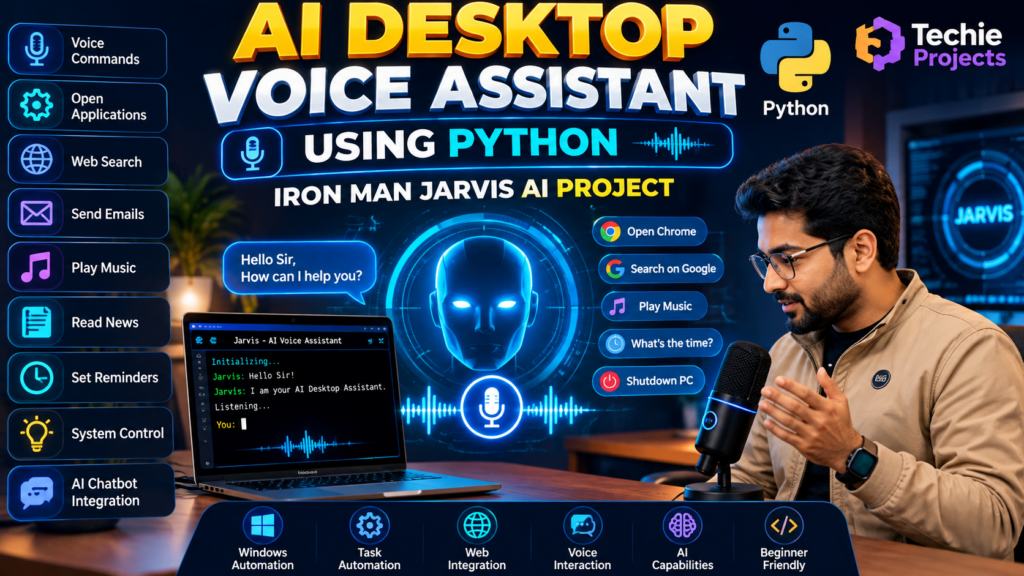
The AI desktop voice assistant using Python is an artificial intelligence project that demonstrates how voice commands can be used to interact with a computer and automate supported tasks. Inspired by virtual assistants such as Jarvis, this project is suitable for B.Tech, B.E., BCA, MCA, and computer science students interested in Python programming, speech recognition, and AI-based automation.
A desktop voice assistant can accept spoken commands, process user requests, and perform predefined operations. Depending on the implementation, it may open applications, search the web, play music, read news, tell the time, or provide responses through a voice interface.
This AI desktop voice assistant using Python project helps students understand how speech recognition, text-to-speech, Python functions, and optional AI integrations can work together to create an interactive desktop application.
🎥 Watch the AI Desktop Voice Assistant Using Python Working Demo
Watch the AI Desktop Voice Assistant Using Python Project Demo to see how the assistant responds to voice commands and performs supported desktop operations.
The demonstration helps students understand the user interface, command-processing workflow, and implemented features. It also provides a practical overview of how Python can be used to develop a Jarvis-inspired desktop voice assistant.
Watch the video below to explore the project in action.
What Is an AI Desktop Voice Assistant Using Python?
An AI desktop voice assistant is a software application that allows users to interact with a computer using voice commands. It processes input, identifies supported commands, and performs the associated actions.
Python provides libraries for speech recognition, text-to-speech, automation, and connecting to external services. By combining these technologies, developers can create a virtual assistant that responds to commands and performs selected desktop tasks.
The exact capabilities depend on the source code, installed libraries, operating system, and external services used by the project.
🎯 Objectives of the Project
The main objectives of the AI desktop voice assistant project are:
- Develop a desktop assistant using Python.
- Understand speech recognition and voice input processing.
- Convert text responses into speech when text-to-speech is implemented.
- Execute supported desktop operations through voice commands.
- Explore task automation and human-computer interaction.
- Integrate web services or AI APIs where required.
- Demonstrate practical applications of Python and artificial intelligence.
✨ Key Features of the AI Desktop Voice Assistant
1. Voice Command Recognition
The assistant can receive spoken commands through a microphone when speech recognition is configured. Recognized speech is converted into text for further processing.
2. Open Applications
The application can launch selected programs or execute predefined commands, depending on the operating system and permissions.
3. Web Search
A web-search feature can forward supported user queries to a search engine to help retrieve online information.
4. Text-to-Speech Responses
If a text-to-speech library is integrated, the assistant can speak its responses rather than displaying text only.
5. Play Music
The assistant may open a music application or play supported audio files when the relevant functionality is implemented.
6. Read News
A news feature can retrieve headlines from a supported service or website if the required integration is available.
7. Time and Date Information
The assistant can provide the current time and date using Python’s built-in functionality.
8. Task Automation
Python functions can automate selected desktop operations, such as opening websites or performing predefined actions.
9. AI Chatbot Integration
An external AI model or API can be integrated to support more flexible conversational responses. This requires the appropriate implementation and, where applicable, API access.
Important: Confirm which features are actually included in your project before advertising them as fully functional.
🛠️ Technologies Used
The following technologies may be used in an AI desktop voice assistant project, depending on the implementation:
- Python: Main programming language for application logic and task automation.
- Speech Recognition: Converts spoken commands into text.
- Text-to-Speech: Converts text responses into spoken audio.
- PyAudio or Compatible Audio Tools: May be required for microphone input, depending on the selected libraries.
- Operating System Libraries: Support selected desktop operations.
- APIs: Enable optional features such as news, weather, web search, or AI responses.
- GUI Framework: A graphical interface can be developed using a suitable Python GUI toolkit if included.
The exact libraries and versions should be verified against the supplied source code.
⚙️ How the AI Desktop Voice Assistant Works
The project generally follows these steps:
- Voice Input: The user speaks a command into a microphone.
- Speech Recognition: The speech recognition component converts the audio into text.
- Command Processing: Python processes the recognized text and determines the intended action.
- Task Execution: The application calls the appropriate function for a supported command.
- Response Generation: The assistant prepares a result or response.
- Voice Output: If text-to-speech is enabled, the response is converted into audio.
- User Interaction: The user can provide another command and continue interacting with the assistant.
This workflow demonstrates how audio processing, Python programming, and automation can be combined in one application.
💻 Software Requirements
Typical requirements may include:
- Operating System: Windows or another supported platform
- Programming Language: Python
- Code Editor: Visual Studio Code, PyCharm, or IDLE
- Required Libraries: Based on the supplied source code
- Microphone: Required for voice input
- Speakers or Headphones: Required for spoken output
- Internet Connection: Required for online search, external APIs, or cloud-based AI services when used
The exact requirements depend on the project’s implementation and selected integrations.
🎓 Applications of the AI Desktop Voice Assistant
An AI desktop voice assistant can demonstrate several applications:
- Voice-controlled desktop interaction
- Personal productivity automation
- Speech recognition experiments
- Text-to-speech applications
- AI chatbot integration
- Human-computer interaction research
- Educational Python and AI demonstrations
This project can help students explore how virtual assistants interact with users and execute supported commands.
✅ Advantages of the Project
- Demonstrates practical Python programming.
- Introduces speech recognition and speech synthesis.
- Helps students understand desktop automation.
- Can integrate multiple technologies in one application.
- Supports experimentation with AI-based conversational features.
- Can be extended with additional commands and integrations.
🚀 Future Scope
The AI desktop voice assistant can be extended with additional features, depending on the project architecture:
- Improved speech recognition
- Multilingual voice commands
- More natural conversational responses
- Integration with an AI language model
- Personalized user preferences
- Calendar and reminder integrations
- Improved graphical user interface
- Smart home integrations where supported
- Enhanced command validation and error handling
These enhancements may require additional libraries, APIs, hardware, or development work.
🛒 Purchase the AI Desktop Voice Assistant Project
Are you looking for an AI desktop voice assistant using Python for your final-year engineering project, college assignment, or Python portfolio?
Techie Projects can help you enquire about project availability, source code, installation requirements, included features, and customization options.
Contact us to discuss your academic requirements and confirm which features are included in the available project before purchasing.
📲 Call/WhatsApp: +91-9460060699
🌎 Website: www.techieprojects.com
📺 Instagram: @pythonprojects_
🔗 Explore Related Projects
Explore these related project categories for more ideas:
❓ Frequently Asked Questions
1. What is an AI desktop voice assistant using Python?
It is a Python application that accepts voice commands, processes supported requests, and performs selected desktop tasks using speech-processing and automation techniques.
2. Is this project inspired by Iron Man’s Jarvis?
Yes, it is inspired by the concept of a Jarvis-like virtual assistant. Its actual capabilities depend on the features implemented in the project.
3. Which technologies are used in this project?
Python, speech recognition, text-to-speech, and desktop automation libraries may be used. External APIs can provide additional features if integrated.
4. Does the assistant work without an internet connection?
Basic commands may work offline if their required libraries and resources are available locally. Online search, cloud-based AI, and external services generally require an internet connection.
5. Can I customize the desktop voice assistant?
Customization may include adding commands, changing the interface, integrating APIs, or extending automation features, depending on the source code.
6. How can I purchase the project?
Contact Techie Projects through WhatsApp to enquire about source code, included features, installation support, and pricing.
Conclusion
The AI desktop voice assistant using Python project demonstrates how speech recognition, text-to-speech, and desktop automation can be combined to create an interactive virtual assistant. It offers a practical learning opportunity for students interested in Python development and artificial intelligence.
If you want this project for your academic work, contact Techie Projects to discuss the available implementation, source code, customization options, and pricing.