
🚀 Looking for a ready-to-use Human Activity Recognition Using TensorFlow project for your final-year engineering submission? Get your Python-based human pose detection project from Techie Projects!
If you are a B.Tech, BCA, MCA, Diploma, or Computer Science student searching for an interesting artificial intelligence project, this is an excellent opportunity to explore deep learning, computer vision, human pose estimation, and activity recognition in one practical application.
Instead of spending weeks struggling with Python libraries, model configuration, pose detection algorithms, and implementation, enquire about the Human Activity Recognition Using TensorFlow project from Techie Projects. Get information about the available source code, project documentation, demonstration, implementation requirements, and technical support options.
Human activity recognition is an important research area in artificial intelligence. It focuses on understanding human movements and activities from visual information collected through cameras or other supported sensors. With computer vision and deep learning, a system can analyze body positions, identify important body landmarks, and study movement patterns.
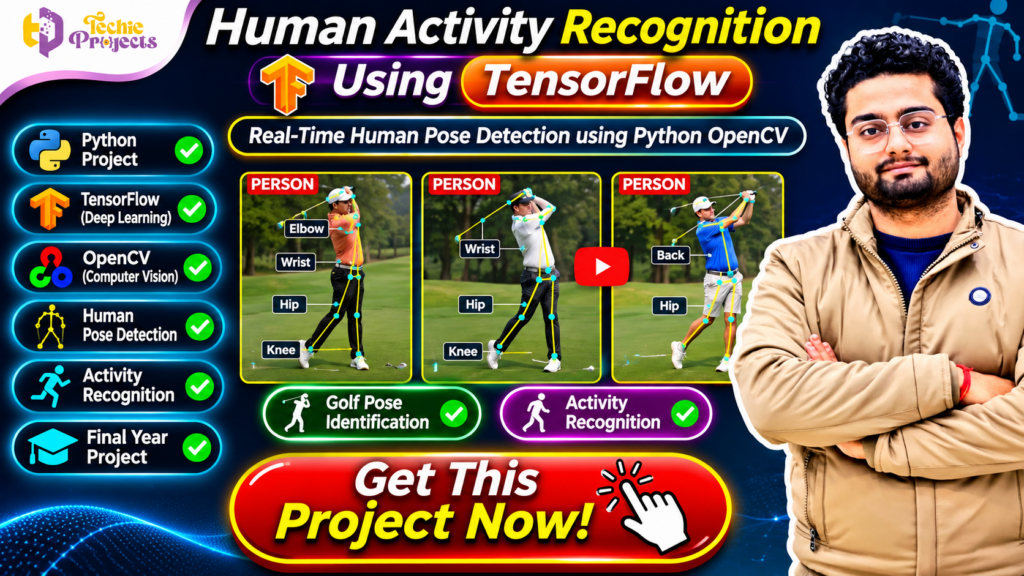
This project demonstrates human pose detection and activity analysis using Python, TensorFlow-based technologies, and OpenCV. The featured demonstration highlights golf pose identification, showing how body landmarks such as the wrist, elbow, hip, and knee can help analyze a person’s posture.
Whether you are preparing a mini project, major project, or final-year engineering submission, this project offers a practical way to understand how artificial intelligence can be applied to human movement analysis.
📞 Contact Techie Projects for Project Enquiries
Want to purchase the Human Activity Recognition Using TensorFlow project? Contact Techie Projects to discuss the available package and your academic requirements.
- 📱 WhatsApp: https://wa.me/919460060699
- ☎️ Contact Number: +91 94600 60699
- 🌐 Website: https://techieprojects.com/
- 📸 Instagram: https://www.instagram.com/pythonprojects_/
Enquire today about Python source code, model files, documentation, installation guidance, project demonstration, and available technical support.
🎬 Watch the Human Activity Recognition Using TensorFlow Project Demo
Explore the Human Activity Recognition Using TensorFlow project demonstration to understand how human pose detection and activity analysis can be performed using computer vision.
The demonstration highlights golf pose identification through visual body landmarks. It shows how important body joints and positions, including the wrist, elbow, hip, and knee, can be represented and analyzed during a movement.
Students can use the demonstration to understand the project workflow, observe the pose detection output, and learn how computer vision techniques contribute to human movement analysis.
The demo is also useful when preparing an academic presentation because it provides a visual explanation of the system’s input, processing, and output.
🤖 What Is Human Activity Recognition Using TensorFlow?
Human Activity Recognition Using TensorFlow is an artificial intelligence application that analyzes human movement and attempts to identify activities or poses using visual information.
The system can use a camera feed or recorded video as input, depending on the implementation. Computer vision techniques detect the person and identify important body landmarks. These landmarks can then be used to understand posture and movement patterns.
For example, a human pose estimation system may identify body points such as:
- Head and shoulders.
- Elbows and wrists.
- Hips.
- Knees.
- Ankles.
The relative positions of these landmarks provide useful information about the person’s posture.
A pose-based activity recognition system can analyze these body points to identify supported activities or compare a movement with predefined pose patterns.
In this project, golf pose identification is demonstrated as an example of analyzing human body posture. The same general concepts can be explored in other activity recognition applications, depending on the model and training data.
🎯 Why Choose This Human Activity Recognition Project?
Choosing a suitable final-year project is an important decision for engineering students. A good project should provide practical learning opportunities and demonstrate how technical concepts can be applied to a real-world problem.
Here are some reasons to consider this project.
🧠 1. Learn Artificial Intelligence
Understand how artificial intelligence techniques can be used to analyze human movement and visual information.
📷 2. Explore Computer Vision
Learn how computer vision systems process images and video frames to detect people and analyze body positions.
🦴 3. Understand Human Pose Estimation
Explore how body landmarks such as wrists, elbows, hips, and knees can be detected and represented.
🐍 4. Work with Python
Gain practical exposure to Python programming and libraries used in computer vision and machine learning applications.
⚙️ 5. Explore TensorFlow-Based Technologies
Understand how TensorFlow and compatible deep learning tools can support model development and prediction workflows.
🎓 6. Prepare an Academic Demonstration
Use the project workflow and supported output to explain human pose detection and activity analysis during a college presentation.
🚀 7. Expand the Project
Explore additional activities, pose categories, visualization methods, and model improvements depending on your academic requirements.
⚙️ Key Features of Human Activity Recognition Using TensorFlow
The following features describe common capabilities of a human pose detection and activity recognition application. The exact functionality depends on the selected project implementation.
📹 1. Video or Camera Input
The application can process video input or a camera stream when the selected implementation supports it.
🧍 2. Human Detection
A supported computer vision model can identify the presence and location of a person in an image or video frame.
🦴 3. Human Pose Detection
The system can identify important body landmarks and represent them as points or keypoints.
📍 4. Body Landmark Visualization
Detected points such as the wrist, elbow, hip, and knee can be displayed on the person’s body to make pose analysis easier to understand.
🏌️ 5. Golf Pose Identification
The featured project demonstration highlights golf pose identification. Body landmark positions can help analyze the posture and movement involved in a golf swing.
🧠 6. Activity Recognition
A supported recognition model can classify predefined activities or poses based on the available model and implementation.
🎥 7. Real-Time Processing
Where camera input and suitable processing support are included, the system can analyze video frames as they arrive.
📊 8. Visual Output
The application can display detected pose points, labels, and other supported visual information.
💻 9. Python-Based Implementation
Python provides the programming environment for connecting video input, computer vision operations, model inference, and output visualization.
🔍 10. Movement Analysis
The detected body landmarks can be used to study posture and movement patterns for supported activities.
🧰 Technologies Used in Human Activity Recognition Using TensorFlow
This project combines Python programming, computer vision, and deep learning concepts.
🐍 Python
Python is widely used in artificial intelligence and computer vision because it offers a large collection of libraries and development tools.
It can be used to manage video input, process image frames, connect models, and display recognition results.
🧠 TensorFlow
TensorFlow is a machine learning framework used to develop and execute deep learning models.
Depending on the implementation, TensorFlow can support model training, model loading, and prediction operations.
📷 OpenCV
OpenCV is a computer vision library that supports image and video processing.
It can be used for:
- Reading video frames.
- Capturing camera input.
- Resizing images.
- Converting color formats.
- Displaying processed frames.
- Drawing visual markers and lines.
🦴 Human Pose Estimation
Human pose estimation techniques identify important body landmarks from images or video frames.
These landmarks help represent the structure and position of the human body.
🔢 NumPy
NumPy supports numerical operations and array processing that are commonly required in computer vision applications.
📊 Matplotlib
Matplotlib can be used to visualize model performance, training results, or experimental data where applicable.
💻 Development Environment
Depending on the selected package, the project may use:
- Python.
- TensorFlow.
- OpenCV.
- NumPy.
- Matplotlib.
- Compatible pose estimation tools.
- Visual Studio Code or another Python IDE.
- Windows or another supported operating system.
Important: Confirm the exact framework versions, model dependencies, camera requirements, and hardware compatibility before purchasing the project.
🔄 How Does Human Activity Recognition Using TensorFlow Work?
A typical pose-based activity recognition system follows a sequence of processing steps.
Step 1: Capture an Image or Video
The system receives visual input through a camera or a stored video file, depending on the supported input method.
Step 2: Read Video Frames
If video input is used, the application extracts individual frames for processing.
OpenCV can be used to read and manage these frames.
Step 3: Preprocess the Input
The frame may be resized, converted into the required color format, and prepared according to the input requirements of the pose estimation model.
Step 4: Detect the Person
A supported detection or pose estimation model processes the frame to identify the person and locate relevant body regions.
Step 5: Extract Body Landmarks
The system identifies important body points, such as the shoulders, elbows, wrists, hips, knees, and ankles.
Step 6: Visualize the Pose
The detected landmarks can be displayed as points and connected using lines to create a visual representation of the body posture.
Step 7: Analyze the Movement
The positions and relationships between body landmarks can be examined to understand the person’s posture or movement pattern.
Step 8: Recognize the Activity
A classification model or rule-based recognition method can identify a supported activity using the extracted pose information.
Step 9: Display the Result
The application displays the detected pose, activity label, or other available output.
Step 10: Continue Processing
For video or camera-based implementations, the process can continue across successive frames to analyze movement over time.
This workflow helps students understand how computer vision and deep learning can work together to recognize human poses and activities.
🦴 Understanding Human Pose Estimation
Human pose estimation is an important component of many computer vision applications.
It focuses on identifying the positions of important body landmarks in an image or video frame.
🔹 1. Keypoint Detection
The model identifies important body locations such as shoulders, elbows, wrists, hips, knees, and ankles.
🔹 2. Landmark Coordinates
Each detected keypoint can be represented using coordinates in the image.
🔹 3. Skeleton Representation
The detected keypoints can be connected to form a skeleton-like representation of the human body.
🔹 4. Pose Interpretation
The arrangement of body landmarks can be used to understand posture and movement.
🔹 5. Activity Classification
A recognition model can use pose information to classify supported activities.
For example, a golf pose analysis application may examine the relative positions of the arms, shoulders, hips, and legs during different stages of a golf swing.
This makes human pose estimation useful for sports analysis, fitness applications, gesture recognition, and other computer vision research areas.
🏌️ Golf Pose Identification Using Python OpenCV
One interesting application demonstrated in this project is golf pose identification.
Golf involves coordinated body movements, including shoulder rotation, arm positioning, wrist movement, hip rotation, and leg positioning.
A pose estimation system can identify body landmarks and visualize the golfer’s posture during different stages of a swing.
Important Body Landmarks
- Shoulder: Helps represent upper-body position.
- Elbow: Helps analyze arm positioning.
- Wrist: Provides information about hand and arm movement.
- Hip: Helps represent body rotation and alignment.
- Knee: Helps analyze leg positioning.
- Ankle: Helps represent lower-body posture.
Potential Uses of Golf Pose Analysis
- Visualizing a golfer’s body posture.
- Studying body landmark positions.
- Comparing different movement frames.
- Exploring pose classification techniques.
- Demonstrating computer vision in sports applications.
The output depends on the pose estimation model, input quality, and implementation. It should be treated as an educational movement-analysis demonstration rather than professional sports coaching or a guaranteed assessment of technique.
🌍 Applications of Human Activity Recognition
Human activity recognition has applications across several industries and research fields.
🏃 1. Fitness and Exercise Monitoring
Pose detection can be explored to analyze body posture during selected exercises.
🏌️ 2. Sports Analysis
Computer vision can help study body movements and posture in sports such as golf, cricket, badminton, and other physical activities.
🏥 3. Rehabilitation Research
Pose estimation techniques can be studied in experimental rehabilitation and movement analysis applications. Clinical use requires appropriate validation and professional oversight.
🏠 4. Smart Environments
Human movement analysis can be explored in smart environments using supported camera-based systems.
🛡️ 5. Safety Monitoring
Activity recognition can be researched for identifying selected movement patterns in workplace safety applications.
🎮 6. Gesture-Based Applications
Body landmarks can support gesture recognition and human-computer interaction experiments.
🎓 7. Academic Research
Students and researchers can use pose estimation to explore machine learning, computer vision, and human movement analysis.
📊 How to Evaluate a Human Activity Recognition Model
Model evaluation helps students understand how well a recognition system performs.
Depending on the implementation, the following metrics may be useful.
Accuracy
Accuracy measures the percentage of correctly classified samples among all evaluated samples.
Precision
Precision measures how many predictions assigned to a particular activity category were correct.
Recall
Recall measures how many actual samples belonging to a category were correctly identified.
F1-Score
The F1-score combines precision and recall into one metric.
Confusion Matrix
A confusion matrix helps identify which activity categories are correctly classified and which categories are being confused.
Processing Speed
For real-time applications, students can measure the time required to process each frame or the number of frames processed per second.
Landmark Detection Quality
Students can also study how consistently the model detects body landmarks across different frames and input conditions.
Evaluation should use appropriate test data. Good performance on a limited demonstration does not guarantee accurate recognition in every environment.
🚀 Future Scope of Human Activity Recognition Using TensorFlow
Students can extend this project with additional features and advanced techniques.
1. Multiple Activity Recognition
The system can be extended to recognize additional activities if suitable training data and classification models are available.
2. Advanced Pose Estimation
Different pose estimation architectures can be compared to study landmark detection performance.
3. Sports Movement Analysis
The project can be extended to explore posture analysis for different sports and physical activities.
4. Mobile Application Integration
A trained model may be integrated into a mobile application using a suitable deployment framework.
5. Web-Based Pose Detection
A web application can be developed to provide an interface for uploading videos or accessing supported camera input.
6. Activity History
A database can be introduced to store supported activity predictions and related information.
7. Performance Optimization
Model optimization and frame processing improvements can be explored to reduce computational requirements.
8. Explainable AI
Visualization techniques can be explored to understand which body landmarks or movement features contribute to an activity prediction.
9. Multi-Person Pose Detection
An advanced implementation may support the detection and analysis of multiple people in the same frame.
10. Real-Time Dashboard
A dashboard can be developed to display activity labels, pose landmarks, and supported analysis results.
These improvements depend on the availability of suitable datasets, models, hardware, and development resources.
🎓 Benefits of This Project for Engineering Students
Human Activity Recognition Using TensorFlow provides an opportunity to explore multiple technical concepts through one practical application.
- Python programming: Understand how Python is used in AI and computer vision.
- Deep learning: Explore how trained models process visual information.
- Computer vision: Learn image and video processing.
- Pose estimation: Understand body landmark detection.
- Activity recognition: Study how movements can be classified.
- OpenCV: Gain experience with camera input and video frames.
- Model evaluation: Learn accuracy, precision, recall, and F1-score.
- Project development: Understand how different libraries work together.
- Academic presentation: Explain the project workflow and demonstrate the output.
- Resume development: Showcase practical exposure to artificial intelligence and computer vision.
This project can be particularly useful for students interested in AI, machine learning, sports technology, and computer vision.
💼 Why Purchase Your Human Activity Recognition Project from Techie Projects?
Developing a final-year project involves several stages, including understanding the problem statement, selecting suitable technologies, implementing the model, testing the application, and preparing documentation.
Students may find it challenging to manage all these activities within their academic deadlines.
Techie Projects provides project-related solutions across multiple engineering and computer science domains.
When you enquire about Human Activity Recognition Using TensorFlow, you can discuss your requirements and ask about the available project package.
📦 What Can You Enquire About?
Depending on the selected package, ask about:
- Python source code.
- TensorFlow-related model files.
- Pose estimation implementation.
- Project documentation.
- Installation and execution instructions.
- Dataset availability, where applicable.
- Demonstration and output screenshots.
- Model architecture details.
- Customization options.
- Technical support availability.
Please confirm the exact deliverables before purchasing. In particular, check whether the package includes real-time camera input, golf pose identification, additional activity categories, trained model files, and documentation.
🎯 Who Can Purchase This Project?
This project may be suitable for:
- B.Tech Computer Science students.
- B.Tech Information Technology students.
- BCA students.
- MCA students.
- Artificial Intelligence students.
- Machine Learning students.
- Data Science students.
- Computer Vision students.
- Diploma engineering students.
- Final-year engineering students.
Students should review their college guidelines and understand the project implementation before submitting it.
🛒 Get Human Activity Recognition Using TensorFlow Project Now!
🚀 Ready to build an AI-based human pose detection project for your college submission? Enquire about Human Activity Recognition Using TensorFlow from Techie Projects today!
Get information about the available Python source code, TensorFlow model implementation, OpenCV integration, project documentation, demonstration, and technical support options.
Whether you need a mini project, major project, or final-year engineering project, our team can discuss your academic requirements and help you understand the available package.
Don’t wait until your submission deadline approaches. Start planning early, confirm the project features, and choose a package that matches your requirements.
📱 WhatsApp: https://wa.me/919460060699
☎️ Call: +91 94600 60699
🌐 Website: https://techieprojects.com/
📸 Instagram: https://www.instagram.com/pythonprojects_/
Contact Techie Projects today and take the next step toward your Human Activity Recognition project!
❓ Frequently Asked Questions (FAQs)
1. What is Human Activity Recognition Using TensorFlow?
It is an artificial intelligence application that analyzes visual information and attempts to identify human activities or poses using machine learning and computer vision techniques.
2. Which programming language is used in this project?
Python is commonly used for developing the application and connecting video processing, pose estimation, and model inference.
3. What is the role of TensorFlow?
TensorFlow provides tools for developing and executing machine learning and deep learning models.
4. Why is OpenCV used?
OpenCV supports image and video processing, camera input, frame extraction, and visualization.
5. What is human pose estimation?
Human pose estimation is a computer vision technique that identifies important body landmarks, such as the shoulders, elbows, wrists, hips, knees, and ankles.
6. Can this project recognize golf poses?
The featured demonstration highlights golf pose identification. The exact supported poses and recognition capabilities depend on the included implementation.
7. Can the system work in real time?
Real-time processing may be supported when the implementation includes camera input and the required model and hardware configuration.
8. Is this project suitable for final-year engineering students?
It may be suitable for B.Tech, BCA, MCA, and other relevant students, subject to their institution’s project requirements.
9. Can additional activities be added?
Yes. Additional activity categories can be explored by collecting suitable data and extending or retraining the recognition model.
10. Where can I purchase this project?
Contact Techie Projects through WhatsApp at +91 94600 60699 or visit https://techieprojects.com/ to enquire about the available project package.
🔗 Explore Related Python and AI Projects
Looking for more final-year engineering projects? Explore related categories at Techie Projects.
- 🤖 Artificial Intelligence Projects
- 🧠 Machine Learning Projects
- 📷 Computer Vision Projects
- 🐍 Python Projects
- 🎥 Image Processing Projects
- 🦴 Human Pose Detection Projects
- 📊 Data Science Projects
- 🎓 Final Year Engineering Projects
Visit https://techieprojects.com/ to explore more project ideas and find a suitable project for your academic requirements.
🏆 Conclusion
Human Activity Recognition Using TensorFlow is an interesting computer vision project that demonstrates how Python, deep learning, OpenCV, and human pose estimation can be combined to analyze human movement.
The project introduces students to video processing, body landmark detection, pose visualization, and activity classification. Its golf pose identification demonstration provides a practical example of how body landmarks can be used to study posture and movement.
Students can further explore sports analysis, exercise monitoring, gesture recognition, and other activity recognition applications.
If you are looking for a practical AI and computer vision project for your college submission, contact Techie Projects to enquire about the available source code, documentation, demonstration, and technical support options.
📞 Enquire today and get your Human Activity Recognition Using TensorFlow project from Techie Projects!
📲 Call/WhatsApp: +91-9460060699
🌎 Website: www.techieprojects.com
📺 Instagram: @pythonprojects_