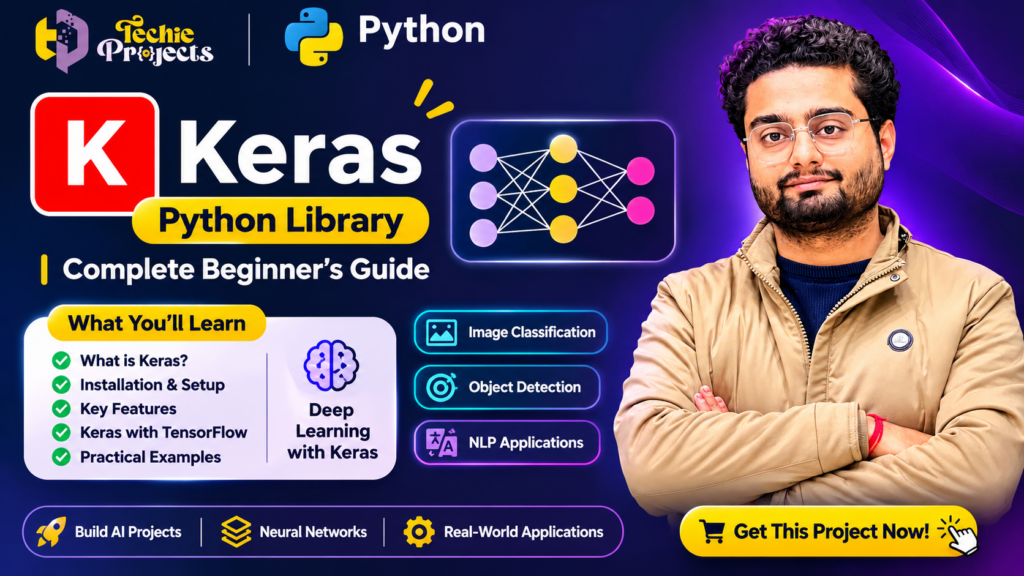
The Keras Python Library makes deep learning development easier by providing powerful tools for building neural networks, training machine learning models, and developing intelligent applications. Students can use this technology to explore practical Artificial Intelligence solutions and understand how modern deep learning systems work.
🚀 Looking to build a powerful Artificial Intelligence or Deep Learning project using Python? Get professionally developed Keras-based projects from Techie Projects and turn your academic project requirements into working AI applications!
The Keras Python Library is one of the most popular tools for developing deep learning models, artificial neural networks, image classification systems, object detection applications, and intelligent AI solutions. Whether you are an engineering student preparing for your final-year project or a beginner exploring Artificial Intelligence, learning Keras can help you develop practical machine learning applications.
At Techie Projects, we help engineering students explore real-world AI technologies through practical project development. If you need a ready-to-run Deep Learning project, source code, implementation guidance, or a customized Python-based solution, you can contact our team to discuss your requirements.
📞 Contact Techie Projects for Project Enquiries
Looking for a complete Python Deep Learning project for your college submission? Techie Projects provides project development assistance across Artificial Intelligence, Machine Learning, Deep Learning, Computer Vision, NLP, and Data Science.
- 📞 Contact / WhatsApp: +91 94600 60699
- 🌐 Website: www.techieprojects.com
- 📸 Instagram: @pythonprojects_
Get your project developed with relevant source code, implementation support, and technical guidance. Contact us today to discuss availability, features, pricing, and customization options.
🎬 Watch the Keras Python Library Project Demo
Want to understand how a Deep Learning application works before choosing a project?
Explore our Python and Artificial Intelligence project demonstrations to understand model implementation, training workflows, predictions, and real-world applications.
Students interested in purchasing a Keras-based project can contact Techie Projects to request an available demonstration and discuss the project deliverables.
📚 Table of Contents
- What Is Keras?
- Why Use Keras for Deep Learning?
- Important Features of Keras
- Keras Installation and Setup
- Understanding How Keras Works
- Building a Neural Network Using Keras
- Applications of Keras in Artificial Intelligence
- Keras Project Ideas for Engineering Students
- Benefits of Purchasing a Keras-Based Project
- Keras vs TensorFlow vs PyTorch
- Why Choose Techie Projects?
- Frequently Asked Questions
- Recommended Python and AI Projects
- Conclusion
1. 🤖 What Is Keras?
The Keras Python Library provides developers with a simplified approach to neural network development. Its high-level interface allows programmers to create different deep learning architectures, configure training processes, and evaluate model performance using Python.
Keras is a high-level deep learning API used to develop, train, and evaluate artificial neural networks. It provides a beginner-friendly programming interface that makes complex neural network development easier.
Modern Keras supports multiple computational backends, including TensorFlow, JAX, and PyTorch, depending on the Keras version and configuration.
The Keras Python Library allows developers to build deep learning architectures without manually implementing every mathematical operation involved in neural network training.
It is particularly useful for:
- Image classification
- Object detection workflows
- Natural Language Processing
- Sentiment analysis
- Handwriting recognition
- Face recognition systems
- Medical image analysis
- Predictive analytics
- Recommendation systems
For engineering students, Keras provides an excellent starting point for understanding how AI models learn from data and generate predictions.
2. 💡 Why Use Keras for Deep Learning?
One major advantage of the Keras Python Library is its flexibility. Beginners can start with simple classification models, while experienced developers can build advanced architectures for computer vision, NLP, and predictive analytics.
Developing deep learning applications can be challenging, particularly for beginners who are unfamiliar with neural network architectures and mathematical operations.
Keras simplifies the development process through high-level APIs, reusable layers, model-building utilities, and training functions.
Here are some important reasons to use it.
Beginner-Friendly Development
The simple programming interface makes it easier to understand neural networks and develop models using Python.
Faster Model Development
Developers can create neural network architectures using predefined layers rather than implementing every operation manually.
Flexible Model Architecture
Keras supports different approaches to model development, including Sequential models and Functional API architectures.
Integration with Python Ecosystem
It works alongside popular Python libraries such as NumPy, Pandas, Matplotlib, and other machine learning tools.
Suitable for Academic Projects
Students can use Keras to develop practical applications involving classification, prediction, image processing, and deep learning.
3. ⚙️ Important Features of Keras
With the Keras Python Library, developers can use predefined layers, optimizers, loss functions, and evaluation metrics. These components help simplify the development of deep learning applications and reduce the amount of code required.
The Keras Python Library provides several features that make it useful for modern AI development.
3.1 Sequential API
The Sequential API is useful when developing neural networks with a straightforward layer-by-layer structure.
3.2 Functional API
The Functional API supports more complex architectures involving multiple inputs, outputs, and connected processing branches.
3.3 Predefined Neural Network Layers
Keras includes commonly used layers such as:
- Dense
- Conv2D
- MaxPooling2D
- Flatten
- Dropout
- LSTM
- Embedding
- BatchNormalization
3.4 Model Training and Evaluation
Developers can compile, train, validate, and evaluate models using convenient functions.
3.5 Model Saving and Loading
Trained models can be saved and loaded for future predictions and deployment.
3.6 Transfer Learning
Developers can use pretrained models and fine-tune them for specific computer vision applications.
These capabilities make Keras suitable for both beginner-level experiments and more advanced AI applications.
4. 💻 Keras Installation and Setup
After installing the required dependencies, you can start exploring the Keras Python Library through simple Python programs. Beginners should first understand model creation, compilation, training, and evaluation before moving toward complex AI applications.
Before developing a deep learning application, you need to configure your Python environment.
Step 1: Install Python
Download a compatible Python version from the official Python website.
Step 2: Create a Virtual Environment
Run the following command:
python -m venv keras_envActivate the environment on Windows:
keras_env\Scripts\activateStep 3: Install Keras
For standalone Keras 3 with a supported backend, install:
pip install kerasFor a TensorFlow-backed installation, use:
pip install tensorflowStep 4: Verify Installation
Run the following Python code:
import keras

print("Keras Version:", keras.__version__)
You should see the installed Keras version displayed.
Important: Keras 3 requires a supported backend. Configure the backend according to your development environment before running deep learning models.
5. 🧠 Understanding How Keras Works
The typical deep learning workflow involves several stages.
Data Collection
Collect the dataset required for the application. It may contain images, text documents, numerical records, or other information.
Data Preprocessing
Clean the dataset and convert it into a format suitable for model training.
Model Building
Create a neural network architecture using appropriate layers.
Model Compilation
Select the optimizer, loss function, and evaluation metrics.
Model Training
Train the neural network using the prepared dataset.
Model Evaluation
Evaluate performance using appropriate metrics such as accuracy, precision, recall, and F1-score.
Prediction
Use the trained model to generate predictions for new input data.
Understanding this workflow is important when developing a complete academic or commercial AI application.
6. 👨💻 Building a Neural Network Using Keras
The Keras Python Library supports neural network development through its Sequential and Functional APIs. These interfaces allow students to experiment with different network architectures and understand how model parameters influence prediction results.
Let’s understand a simple neural network implementation.
The following example demonstrates a basic classification model using the Keras Sequential API.
Python Code Example
import keras
from keras import layers
import numpy as np

# Generate sample training data
X = np.random.random((1000, 10))
y = np.random.randint(0, 2, (1000,))

# Create neural network
model = keras.Sequential([
    layers.Input(shape=(10,)),
    layers.Dense(64, activation="relu"),
    layers.Dense(32, activation="relu"),
    layers.Dense(1, activation="sigmoid")
])

# Compile model
model.compile(
    optimizer="adam",
    loss="binary_crossentropy",
    metrics=["accuracy"]
)

# Train model
model.fit(
    X,
    y,
    epochs=10,
    batch_size=32,
    validation_split=0.2
)

# Generate prediction
prediction = model.predict(X[:5])

print(prediction)
Explanation
- Input layer: Accepts ten input features.
- First Dense layer: Contains 64 neurons.
- Second Dense layer: Contains 32 neurons.
- Output layer: Produces a binary classification probability.
- Adam optimizer: Updates model parameters during training.
- Binary cross-entropy: Calculates classification loss.
- Model.fit(): Trains the neural network.
This example uses randomly generated data for demonstration. For a meaningful application, use a properly prepared dataset with valid labels and a suitable evaluation strategy.
7. 🌍 Applications of Keras in Artificial Intelligence
The Keras Python Library is useful for developing practical applications involving image recognition, medical image classification, text analysis, and recommendation systems. These applications provide excellent opportunities for engineering students to explore real-world AI technologies.
The Keras Python Library supports several practical AI and Deep Learning applications.
7.1 Image Classification
Image classification systems identify objects, animals, plants, vehicles, and other categories from images.
Example projects:
- Plant Disease Detection
- Face Mask Detection
- Animal Classification
- Food Image Classification
7.2 Object Detection
Deep learning models can identify and locate objects within images and video streams.
Example applications include vehicle detection, helmet detection, and traffic monitoring.
7.3 Natural Language Processing
Keras can support neural network architectures used in text classification, sentiment analysis, and language-related applications.
7.4 Medical Image Analysis
Deep learning models can assist research involving medical image classification, including analysis of X-ray and MRI images.
7.5 Recommendation Systems
Neural networks can learn patterns from user interactions and generate personalized recommendations.
7.6 Fraud Detection
Deep learning architectures can be explored for identifying suspicious patterns in transaction datasets.
These applications demonstrate why learning Keras is valuable for students interested in Artificial Intelligence and machine learning careers.
8. 🎓 Keras Project Ideas for Engineering Students
Students interested in developing final-year projects can use the Keras Python Library to implement deep learning models for classification and prediction tasks. Choosing an appropriate dataset and designing a suitable model are important steps in developing a successful project.
If you are preparing a B.Tech, BCA, MCA, or M.Tech project, consider developing an application using deep learning techniques.
Here are some project ideas:
| Project | Technology |
|---|---|
| Plant Disease Detection | CNN, Keras |
| Face Recognition System | Computer Vision, Deep Learning |
| Fake News Detection | NLP, Deep Learning |
| Brain Tumor Classification | CNN, Medical Imaging |
| Traffic Sign Recognition | CNN, Image Processing |
| Emotion Detection | Deep Learning, Computer Vision |
| Handwritten Digit Recognition | MNIST, CNN |
| Skin Cancer Classification | CNN, Image Processing |
The right project depends on your academic requirements, available dataset, implementation time, and technical experience.
9. 🛒 Want to Purchase a Keras-Based Deep Learning Project?
Are you searching for a complete Deep Learning project for your final-year engineering submission?
Instead of spending weeks struggling with installation problems, dataset preparation, model implementation, and debugging, you can discuss a professionally developed project with Techie Projects.
We help students explore practical Python and Artificial Intelligence solutions suitable for academic learning and project demonstrations.
What Can You Get with a Project?
Depending on the selected project package, available deliverables may include:
- Complete Python source code
- Deep Learning model implementation
- Dataset and preprocessing scripts
- Model training and testing workflow
- Project documentation
- Installation instructions
- Output screenshots
- Demonstration video, where available
- Customization assistance
- Technical implementation guidance
The exact deliverables depend on the project you select. Confirm the package details before purchasing.
Why Purchase a Project from Techie Projects?
At Techie Projects, students can explore professionally developed Python and Deep Learning applications using technologies such as the Keras Python Library. Contact our team to discuss available projects, source code, implementation support, and customization options.
1. Practical Implementation
Explore how Python and deep learning concepts work in an actual application.
2. Source Code Availability
Understand the implementation and learn how different modules work together.
3. Academic Project Support
Discuss your project requirements and select an appropriate solution for your academic level.
4. Customization Opportunities
Depending on project feasibility, discuss changes to datasets, features, interfaces, and model functionality.
5. Multiple Technology Domains
Explore projects in AI, ML, NLP, Computer Vision, IoT, Data Science, and Python Development.
💰 Get Your Keras-Based Project Today!
Don’t wait until your final submission deadline to start exploring project options.
Contact Techie Projects to check available projects, pricing, demonstrations, and customization possibilities.
📲 WhatsApp Now: +91 94600 60699
🌐 Explore: www.techieprojects.com
10. ⚖️ Keras vs TensorFlow vs PyTorch
Students often get confused when choosing a framework for deep learning development.
Here is a simple comparison.
| Feature | Keras | TensorFlow | PyTorch |
|---|---|---|---|
| Main purpose | High-level deep learning API | ML and deep learning framework | ML and deep learning framework |
| Learning curve | Beginner-friendly | Moderate | Moderate |
| Model development | High-level APIs | Flexible | Flexible |
| Neural networks | Yes | Yes | Yes |
| Research applications | Yes | Yes | Yes |
| Python support | Yes | Yes | Yes |
Keras is a convenient choice when you want a high-level interface for developing neural networks. TensorFlow and PyTorch provide broader framework capabilities and additional flexibility.
The best option depends on your project requirements and development experience.
11. 🏆 Why Choose Techie Projects for Your AI Project?
Techie Projects focuses on developing technology-based solutions for students and individuals interested in practical software development.
Our project domains include:
- Artificial Intelligence and Machine Learning
- Python Development
- Deep Learning
- Computer Vision and Image Processing
- Natural Language Processing
- Data Science and Analytics
- Web Development
- Internet of Things
- Embedded Systems and Robotics
- Android Application Development
Our Project Development Approach
Requirement Discussion: Understand the student’s academic requirements and preferred technology.
Project Selection: Identify a suitable project based on scope, complexity, and available resources.
Implementation: Develop or customize the selected solution according to the agreed requirements.
Testing: Check the application and verify its expected functionality.
Delivery: Share the agreed project materials and provide the applicable support.
Our goal is to help students understand practical technology applications while making their project development journey easier.
12. ❓ Frequently Asked Questions
Q1. What is the Keras Python Library used for?
It is used to build, train, and evaluate deep learning models, including neural networks for image classification, text processing, and prediction.
Q2. Is Keras suitable for beginners?
Yes. Its high-level APIs and predefined neural network layers make it accessible to beginners learning deep learning.
Q3. Is Keras free to use?
Keras is open-source software and can be used without purchasing a library license. However, professional project development, customization, implementation assistance, and other services may have charges.
Q4. Can I develop a final-year project using Keras?
Yes. Students can develop projects involving image classification, object recognition, medical image analysis, and other deep learning applications.
Q5. Can I purchase a Keras-based project from Techie Projects?
Yes. Contact Techie Projects to discuss available projects, pricing, deliverables, and customization options.
Q6. Will I receive Python source code?
Source code availability depends on the selected project package. Confirm the deliverables before placing an order.
Q7. Can Keras work with TensorFlow?
Yes. Keras supports TensorFlow as one of its backends. Keras 3 also supports other backends, including JAX and PyTorch.
Q8. Do I need a GPU to run Keras?
Not necessarily. Many small models can run on a CPU. Larger datasets and complex models may benefit from GPU acceleration.
13. 💡 Recommended Python and AI Projects
Explore more practical project opportunities from Techie Projects.
- Plant Disease Detection Using Deep Learning – Identify plant diseases using image classification models.
- Brain Tumor Detection Using CNN – Explore medical image classification using convolutional neural networks.
- Fake News Detection Using Machine Learning – Analyze text and classify potentially misleading information.
- Face Recognition Attendance System – Develop an automated attendance application using computer vision.
- Vehicle Detection and Counting – Detect and count vehicles from video streams.
- AI-Based Exam Proctoring System – Explore computer vision techniques for examination monitoring.
- Skin Cancer Detection Using Machine Learning – Build an image-based classification system for educational research.
Interested in any of these projects? Contact our team to check availability, pricing, and project details.
Learning the Keras Python Library can help students build a strong foundation in modern deep learning development. Whether you are exploring neural networks or planning an academic AI application, practical implementation is an important part of the learning process.
14. 🚀 Conclusion
The Keras Python Library is a valuable tool for students, developers, and researchers interested in Artificial Intelligence and Deep Learning. Its high-level APIs, flexible model-building capabilities, and integration with popular Python technologies make it useful for developing practical neural network applications.
From image classification and object detection to NLP and predictive analytics, Keras provides a convenient starting point for exploring modern AI development.
If you are planning your final-year engineering project or want to develop a practical Deep Learning application, explore the project opportunities available at Techie Projects.
🎯 Ready to start your AI project?
Get in touch with Techie Projects today to discuss your requirements, explore available project demonstrations, and purchase a suitable Python or Deep Learning project.
📞 Contact / WhatsApp: +91 94600 60699
🌐 Website: www.techieprojects.com
📸 Instagram: @pythonprojects_
Techie Projects – Turning Technology Ideas into Practical Projects!