
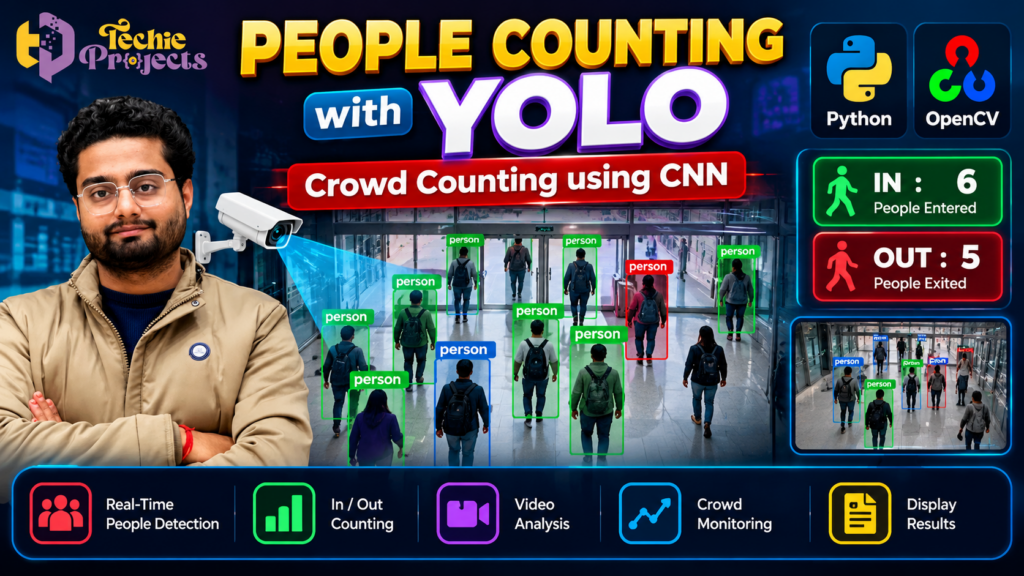
People Counting with YOLO is a practical computer vision project that uses artificial intelligence and object detection to identify people in video footage and estimate crowd size. If you are looking for a Python-based final-year engineering project, this topic offers an opportunity to explore automated people detection, video processing, and crowd monitoring in a real-world context.
Techie Projects helps students explore practical machine learning and computer vision project options. Enquire about the People Counting with YOLO project to check the available implementation, source code, documentation, installation requirements, and package price before purchasing.
🎬 People Counting with YOLO Project Demo
Explore how a people-counting application can detect individuals in video frames and display detection results. The demonstration introduces the key concepts behind person detection and automated crowd analysis.
🤖 What Is People Counting with YOLO?
People counting with YOLO combines a YOLO object detection model with video processing to detect people in images or video frames. A basic implementation can count detected people in a frame, while a more advanced version can use object tracking and line-crossing logic to estimate how many people enter or leave a monitored area.
The results depend on the model, camera angle, lighting, crowd density, and counting method. Students can study these factors while developing their understanding of Python and computer vision.
🎓 Why Choose This Computer Vision Project?
Engineering students often need projects that demonstrate more than basic programming. A computer vision project can bring together model inference, image processing, data handling, and user-facing output.
Here are several reasons to consider this topic:
- Practical AI application: Explore how machine learning models can analyze visual information.
- Python programming: Understand how Python can connect video input, detection, and result display.
- Object detection concepts: Learn about bounding boxes, confidence scores, and person-class detection.
- Video processing: Explore frame reading, image conversion, and continuous processing.
- Project presentation: Explain a recognizable real-world application of computer vision.
- Future development: Investigate tracking, entry-exit counting, dashboards, or analytics as extensions.
The project can be suitable for computer science, information technology, artificial intelligence, and data science students, depending on their syllabus and project requirements.
Before selecting a package, confirm the implementation, model version, required hardware, documentation, and other deliverables available from Techie Projects.
🚀 Benefits of People Counting with YOLO for Engineering Students
People Counting with YOLO gives engineering students an opportunity to explore how artificial intelligence can solve practical monitoring problems. By combining object detection with video processing, students can understand how visual data is converted into useful information.
The project introduces important concepts such as detecting people, drawing bounding boxes, processing video frames, and calculating the number of visible individuals. Students can also investigate how object tracking improves counting when people move across a camera’s field of view.
For final-year students, People Counting with YOLO can provide a practical topic for demonstrating Python programming, computer vision concepts, and machine learning workflows. Testing the application with different videos can also help students understand the effect of lighting, overlapping people, and camera positioning on detection results.
⚙️ How the People Counting System Works
The workflow depends on the model and application design, but a typical implementation follows several stages.
1. Video Input
The application receives visual input from a recorded video file, webcam, or compatible camera stream. The selected input source determines how the system reads frames and how quickly it can process them.
For a student demonstration, a recorded video can make testing repeatable because the same footage can be used for multiple experiments.
2. Frame Processing
Video is made up of individual frames. The program reads frames and prepares them for analysis by the detection model.
Image processing operations may include resizing, color conversion, and other preprocessing steps required by the selected model. Efficient processing helps the application maintain a useful detection speed.
3. Person Detection with YOLO
The YOLO model analyzes each frame and predicts objects that it recognizes. When the model supports person detection, the application can select detections belonging to the person class.
Each detection may contain a bounding box, class label, and confidence score. A confidence threshold can help filter out predictions that are less certain, although it does not guarantee that every remaining detection is correct.
4. Counting Detected People
The simplest counting method counts the person detections in a frame. This can provide an estimate of how many people are visible at a particular moment.
However, counting detections in individual frames is not the same as counting unique people. The same person may appear in many consecutive frames, so adding every detection across a video would count that person repeatedly.
For more reliable movement counting, an implementation can use object tracking and define a virtual line or region. When a tracked person crosses that boundary in a specified direction, the application can update the entry or exit counter.
5. Displaying the Results
The application may draw bounding boxes and labels over the video and show the calculated count on screen. Depending on the implementation, the interface may display separate entry and exit totals or other summary information.
The final output makes the system easier to demonstrate and helps students explain how video input is transformed into meaningful information.
📊 Applications of People Counting with YOLO in Smart Monitoring
People Counting with YOLO can demonstrate how automated visual analysis may support crowd monitoring in different environments. Retail stores may investigate visitor patterns, educational institutions may study occupancy in selected spaces, and event organizers may estimate crowd movement.
A basic model can count people detected in individual frames. For entry and exit analysis, the application generally needs additional tracking logic and a defined counting boundary. This distinction is important because repeatedly counting detections across video frames can produce incorrect totals.
The accuracy of People Counting with YOLO depends on the selected model, video quality, scene complexity, and implementation. These factors provide useful opportunities for testing, evaluation, and future improvements in an academic project.
🚀 Key Features to Explore
The following are common features of this project category. Confirm which are included in the specific Techie Projects package before purchase.
Real-Time or Recorded Video Analysis
A compatible implementation may process live camera input or recorded footage. Performance depends on the model, video resolution, hardware, and processing pipeline.
Automatic Person Detection
A trained object detection model can identify people in supported visual scenes and mark their locations with bounding boxes.
Crowd Size Estimation
The program can calculate the number of detected people visible in a frame. Results may become less reliable when people overlap, are partially hidden, or appear very small.
Entry and Exit Counting
With tracking and a properly defined counting boundary, a system can estimate how many people cross into or out of a monitored zone. This feature requires suitable tracking and counting logic; basic detection alone is not enough.
Visual Detection Output
Bounding boxes, labels, and counters can make the system’s behavior easier to understand during testing and demonstrations.
Potential for Extension
Students can investigate features such as saving count summaries, generating reports, adding a dashboard, or comparing detection results under different conditions.
These possibilities make People Counting with YOLO a flexible topic for practical experimentation rather than simply a model-import exercise.
🧰 Technologies Used
A Python-based implementation may use several tools, depending on its architecture.
| Technology | Purpose |
|---|---|
| Python | Main programming language |
| YOLO | Detecting people in video frames |
| OpenCV | Reading, processing, and displaying video |
| NumPy | Numerical and array operations |
| Object tracking method | Maintaining identities across frames, if included |
| GUI or visualization tools | Displaying detections and counting results, if included |
Not every implementation requires every technology listed above. The precise dependencies should be checked against the project package.
Python
Python is widely used for machine learning and computer vision because it provides libraries for image processing, model inference, and application development. Students can use it to connect individual components into a complete workflow.
YOLO Object Detection
YOLO predicts the locations and classes of objects in an image. A suitable model and configuration are necessary for person detection. Different model versions can have different installation requirements, speed characteristics, and accuracy trade-offs.
OpenCV
OpenCV supports video capture, frame manipulation, drawing bounding boxes, and displaying results. It can act as the bridge between the video source and the detection model.
💻 Software and Hardware Requirements
Before buying or installing a computer vision project, check that your system meets the requirements of the actual implementation.
Possible software requirements:
- Python version compatible with the project’s dependencies
- OpenCV and the required numerical libraries
- Compatible YOLO package and model weights
- A supported operating system, such as Windows or Linux
- A code editor or development environment
Possible hardware requirements:
- A computer with sufficient RAM and storage
- A compatible CPU for basic testing
- A supported GPU if accelerated inference is required
- A webcam or sample video if the application needs video input
A GPU is not automatically required for every YOLO project. Smaller models may run on a CPU, although inference can be slower. Actual performance depends on model size, video resolution, hardware, and implementation.
Ask Techie Projects for the exact Python version, installation instructions, dependency list, model requirements, and recommended system configuration before purchasing.
🌍 Real-World Applications of People Counting
People counting technology can support a range of monitoring and analytical tasks. The suitability of any deployment depends on system performance, camera coverage, privacy requirements, and the environment.
1. Retail Stores
Retailers may use aggregated visitor counts to study busy periods, estimate foot traffic, and plan staffing. A counting system can support these activities when it performs reliably in the store environment.
2. Educational Institutions
Schools, colleges, libraries, and other educational facilities may investigate automated counting to understand occupancy patterns in selected areas. Any deployment should follow the institution’s privacy and security policies.
3. Shopping Malls
Large commercial spaces can use people-counting solutions to estimate visitor flow across entrances or designated zones.
4. Events and Exhibitions
Event organizers may use crowd estimates to understand attendance patterns and identify periods of high activity. A prototype should not be treated as a certified safety system without appropriate validation.
5. Offices and Commercial Buildings
Occupancy estimates can help organizations study how spaces are used and inform resource planning.
6. Transport Facilities
Stations, terminals, and other transport facilities may explore crowd monitoring to understand movement through busy areas. Real-world deployment requires careful testing under changing conditions.
These examples illustrate potential applications, not guaranteed outcomes of a student prototype.
📊 Advantages of Using YOLO for People Counting
YOLO-based detection offers several educational and technical benefits.
- Single-stage detection: YOLO predicts object locations and classes through a unified detection process.
- Video compatibility: A detection model can be applied to frames extracted from video.
- Visual explanations: Bounding boxes help demonstrate where the model detects people.
- Flexible experimentation: Students can compare models, confidence thresholds, and image resolutions.
- Extension opportunities: Tracking and line-crossing logic can be added to support movement counting.
- Portfolio value: The project provides an opportunity to explain an AI application through code and demonstrations.
Performance should still be measured rather than assumed. A model that works well on one video may perform differently in crowded or poorly lit scenes.
⚠️ Limitations and Challenges
Understanding limitations is an important part of a strong engineering project.
Occlusion: People may be partially hidden behind other people or objects, leading to missed detections.
Crowded scenes: Dense crowds can make it difficult to separate individuals accurately.
Lighting conditions: Low light, shadows, glare, and sudden changes in illumination may affect detection.
Camera angle: A camera positioned too high, too low, or too far from the monitored area may produce less reliable results.
Processing speed: High-resolution video and larger models may require more processing power.
Counting accuracy: Basic frame-by-frame detection does not reliably count unique individuals over time. Tracking and boundary-crossing logic may be necessary.
Privacy: Real-world camera deployments should comply with applicable laws, consent requirements, and organizational policies. Store only the information needed for the intended purpose.
These limitations provide useful material for testing, evaluation, future scope, and viva preparation.
🧪 How Students Can Evaluate the Project
A good project presentation should explain not only how the system works but also how its output is evaluated.
Students can test the implementation using sample videos containing different numbers of people, camera angles, and lighting conditions. If reference counts are available, compare the system’s estimates against those counts.
Useful evaluation measures include:
- Counting error: The difference between the predicted count and the reference count.
- Precision: How many detected people correspond to valid person detections.
- Recall: How many people present in the reference data were detected.
- Processing speed: The number of frames processed per second.
- Tracking consistency: Whether the system maintains identities reliably as people move through the scene, if tracking is implemented.
Record the test conditions and explain any errors. Do not claim a particular accuracy percentage unless it has been measured using a defined dataset and evaluation method.
🔮 Future Scope
The project can be extended in several directions as students gain experience with computer vision.
Possible enhancements include:
- Improved tracking: Explore methods that maintain identities across frames.
- Entry-exit analytics: Add directional line-crossing counters.
- Occupancy dashboard: Display counts and trends in a visual interface.
- Report generation: Save aggregate counts for later analysis.
- Model comparison: Evaluate different compatible detection models.
- Edge deployment: Investigate running inference on suitable low-power devices.
- Privacy-aware processing: Minimize stored footage and focus on aggregated results where possible.
These are possible future enhancements, not a promise that all are already included in the project package.
🛒 Purchase the People Counting with YOLO Project from Techie Projects
Looking for a practical Python computer vision project for your academic work? Contact Techie Projects to enquire about the People Counting with YOLO project, available features, system requirements, and pricing.
Before purchasing, confirm whether the package includes source code, installation instructions, project documentation, code explanation, or other deliverables required by your college. Package contents and support options should be verified before payment.
The People Counting with YOLO project can be a useful topic for students who want to study person detection, video processing, and crowd-counting concepts in a practical setting. Before ordering, explain your requirements so you can confirm whether the available implementation matches your college’s expectations.
When making an enquiry, ask about:
- The implemented features and supported input sources
- The Python version and installation requirements
- Whether source code is included
- Whether project documentation and a report are available
- Whether setup assistance or code explanation is offered
- The current price, delivery method, and package contents
Availability of these items may vary, so confirm all deliverables and terms before making payment.
Contact Techie Projects:
- 📲 Call/WhatsApp: +91-9460060699
- 🌎 Website: www.techieprojects.com
- 📺 Instagram: @pythonprojects_
Send a message with your course, project requirements, and preferred technologies to enquire about the available package.
🎓 Explore Related Python Projects
If you are comparing project ideas, explore related areas on Techie Projects:
- Data Science Projects
- Computer Vision Projects
- Machine Learning Projects
- Deep Learning Projects
- Image Processing Projects
- Python-Based AI Projects
You can browse Techie Projects to explore related topics and identify a project that matches your interests, academic requirements, and available computing resources.
❓ Frequently Asked Questions
1. What is People Counting with YOLO?
It is a computer vision application that uses a suitable YOLO object detection model to identify people in images or video and estimate the number of individuals visible in a scene.
2. Which programming language is used?
Python is commonly used because it supports YOLO implementations, OpenCV, and other computer vision tools. The exact dependencies depend on the selected project.
3. Is this project suitable for final-year engineering students?
It may be suitable for computer science, information technology, AI, and data science students, depending on their syllabus and project guidelines. Confirm the expected complexity and deliverables with your department.
4. Can the system count people entering and leaving?
Yes, an appropriately designed system can estimate entry and exit movements using object tracking and line-crossing logic. Basic person detection alone does not provide reliable directional counting.
5. Does the project require a GPU?
Not necessarily. A compatible model may run on a CPU, although processing speed can be lower. Check the implementation’s model size, dependencies, and performance requirements.
6. Can the project be used for real-world crowd monitoring?
It can demonstrate the underlying concepts, but a student prototype should be validated carefully before operational use. Accuracy, privacy, camera placement, and safety requirements must be considered.
7. How can I purchase this project?
Visit Techie Projects or enquire through WhatsApp. Confirm the price, included deliverables, technical requirements, and delivery terms before ordering.
✅ Conclusion
People Counting with YOLO brings together object detection, Python programming, video processing, and crowd-analysis concepts in one practical computer vision topic. It offers students an opportunity to understand how AI can detect people in visual data and how tracking logic can extend simple detection into entry-exit counting.
For engineering students, the greatest value comes from understanding the complete workflow, testing the system with different videos, evaluating its limitations, and explaining the implementation clearly. If you want to explore this project for your academic requirements, contact Techie Projects to check the available package and confirm the deliverables before purchasing.
Start with a clear project objective, verify the technical requirements, and choose an implementation that you can understand, demonstrate, and explain confidently.