
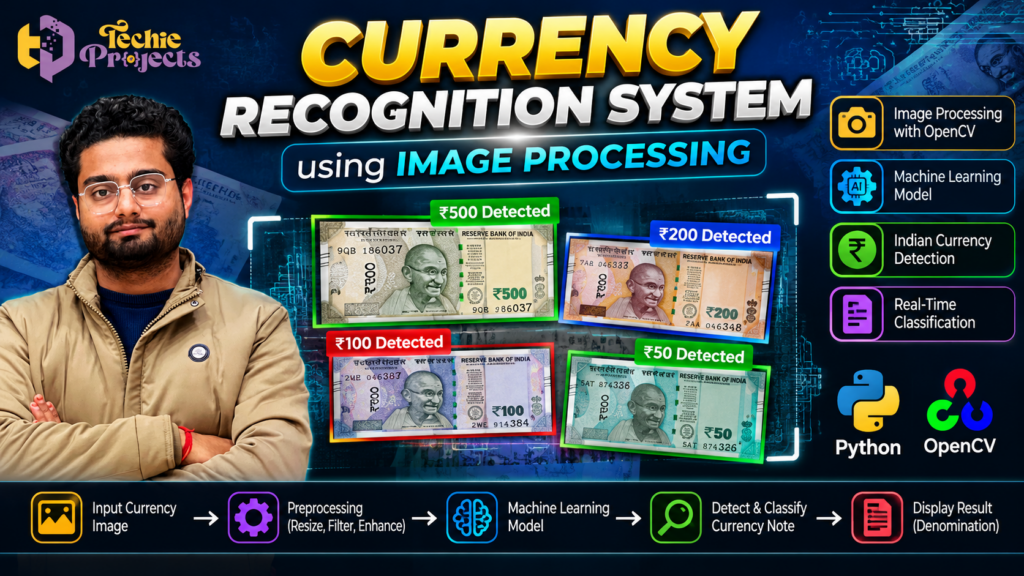
Are you looking for a practical computer vision project that can help you demonstrate Python programming, image processing, and machine learning concepts in your college project presentation? The Currency Recognition System Using Image Processing is an interesting project idea for B.Tech, BCA, MCA, and computer science engineering students who want to explore how software can identify Indian currency notes from digital images.
Instead of spending hours building an entire project from scratch, you can contact Techie Projects to enquire about this project and check the available implementation, source code, installation guidance, and documentation options. Whether you are preparing a minor project, a final-year submission, or a computer vision demonstration, this project can provide a useful starting point for understanding image-based recognition systems.
🎓 Explore the Currency Recognition System Using Image Processing project with Techie Projects and enquire about availability, pricing, and deliverables before purchasing.
🎬 Watch the Currency Recognition System Project Demo
Watch the project demonstration to understand how the system processes currency images and displays a recognition result. The exact output depends on the implementation, supported note denominations, input quality, and recognition method used.
If you are planning to purchase this Python project, review the demonstration carefully and confirm which features are included in the version available from Techie Projects.
🧠 What Is a Currency Recognition System Using Image Processing?
A Currency Recognition System Using Image Processing is a computer vision application designed to analyze an image of a currency note and identify its denomination or category according to the features supported by the implementation.
Image processing involves preparing and transforming digital images so that useful visual information can be analyzed. Python libraries such as OpenCV can support operations such as resizing, color conversion, filtering, thresholding, and feature extraction.
Depending on the approach, a recognition system may use image-processing rules, extracted visual features, template matching, or a trained machine learning model. These methods are not identical, so it is important to verify which method the actual project uses.
For example, a demonstration might accept an image of an Indian currency note and return a predicted denomination. The system’s reliability depends on the quality and diversity of the training or reference data, the condition of the note, image lighting, and the implementation.
This makes the project relevant to students interested in Python, computer vision, image analysis, and introductory machine learning.
💡 Why Choose This Python Project for Your College Submission?
Students often need a project that is understandable, demonstrable, and connected to a real-world problem. A currency recognition application offers a clear workflow that can be explained during a project presentation.
Here are some reasons to consider this topic:
- Practical computer vision: Explore how software analyzes images instead of working only with text or numerical data.
- Python programming: Understand how Python can be used to develop image-processing applications.
- Visual demonstration: Present input images and recognition outputs during a practical demonstration.
- Machine learning concepts: If the implementation includes a trained model, study how data is used for prediction.
- Scope for improvement: Experiment with different image conditions, preprocessing methods, and supported denominations.
- Academic learning: Connect programming, image processing, testing, and documentation in one project.
If you want to save development time, contact Techie Projects to discuss the available project package and confirm its scope before placing an order.
💡 Benefits of Currency Recognition System Using Image Processing
The Currency Recognition System Using Image Processing helps students explore how Python can analyze currency images and classify visual patterns. It combines image preprocessing, feature analysis, and recognition techniques in a practical computer vision application.
Key learning benefits include:
- Understanding image processing operations with Python and OpenCV.
- Exploring how currency images can be prepared for classification.
- Learning how a recognition model or feature-matching method produces predictions.
- Testing how image quality, lighting, and rotation affect results.
- Building a foundation for further computer vision and machine learning projects.
⚙️ How Does the Currency Recognition System Work?
The overall workflow of a Currency Recognition System Using Image Processing generally contains several stages. The precise steps depend on whether the project uses traditional image-processing techniques, machine learning, or a combination of methods.
1. Currency Image Input
The process begins when a user provides a currency note image. The input might come from an existing image file or a camera, depending on the application.
The image should be clear enough to reveal useful details. Blurry photographs, shadows, folded notes, and obstructed regions can affect recognition.
2. Image Preprocessing
Preprocessing prepares the input image for analysis. Common operations include resizing, converting color spaces, reducing noise, and improving contrast.
OpenCV provides functions for performing many of these tasks. Preprocessing can make image characteristics easier to analyze, but it does not guarantee correct recognition.
3. Feature Extraction or Model Prediction
After preprocessing, the system identifies useful visual patterns or passes the image to a trained model.
A traditional approach may compare extracted features with stored references. A machine learning approach may learn patterns from labeled examples. The correct explanation for your presentation should match the technique used in the supplied implementation.
4. Currency Classification
The recognition component produces a predicted class or denomination from the supported categories. For example, a model trained for selected Indian note denominations may classify an input into one of those categories.
The result should not be treated as proof that a note is genuine. Currency denomination recognition and counterfeit detection are different tasks.
5. Displaying the Result
The application displays the predicted denomination or classification result. Depending on the interface, it may also show the input image, processing status, or confidence score.
When evaluating the project, test it with multiple images and record incorrect predictions as well as successful results.
🚀 How Currency Recognition System Using Image Processing Works in Practice
A Currency Recognition System Using Image Processing generally accepts a currency image, prepares it for analysis, and predicts the denomination supported by its implementation. Depending on the approach, the application may compare visual features or use a trained machine learning model.
Students can evaluate the results using different sample images and record correct and incorrect predictions. This testing process helps explain the importance of suitable data, image quality, and model evaluation.
🛠️ Technologies Used in the Project
The following technologies are commonly relevant to this type of application. Confirm the actual requirements and dependencies of the package before purchasing.
| Technology | Purpose |
|---|---|
| Python | Main programming language |
| OpenCV | Image processing and computer vision operations |
| NumPy | Numerical operations and array handling |
| Machine learning library | Optional model training or prediction, depending on implementation |
| Dataset or reference images | Examples used for training, testing, or comparison |
| GUI framework | Optional interface for accepting images and showing results |
A project using a trained neural network may also require a compatible deep learning framework. Do not assume a specific framework is included until you verify the source code and requirements.
✨ Important Features to Check
When reviewing a Currency Recognition System Using Image Processing project, ask whether the available version supports the following functions:
- Image upload or image capture.
- Preprocessing of input images.
- Recognition of selected currency denominations.
- Display of the predicted denomination.
- An understandable user interface.
- Clear instructions for installation and execution.
- A sample dataset or reference images, where required.
- Testing examples that show both successful and unsuccessful predictions.
These are useful evaluation points, not a guarantee that every feature is included in every package. Ask Techie Projects to confirm the exact functionality before making a purchase.
🖥️ Software and Hardware Requirements
The requirements depend on the project’s libraries, model, and user interface. A basic image-processing application may run on a standard laptop without a dedicated graphics card.
Typical software requirements to verify:
- Python version compatible with the project’s dependencies.
- OpenCV, if used by the implementation.
- NumPy and other required Python packages.
- A compatible operating system.
- An editor or IDE such as VS Code or PyCharm.
Typical hardware requirements:
- A laptop or desktop computer.
- Sufficient RAM and disk space for the code, libraries, and dataset.
- A keyboard, mouse, and display.
- A camera only if the application supports live image capture.
Check the project’s actual dependency list before installation. Different Python and library versions can cause compatibility issues, so avoid installing packages randomly or mixing incompatible environments.
📊 How Students Can Test the Project
Testing helps you understand what the system can and cannot do. It also gives you meaningful material for your project report and viva.
Start with clear images of supported currency notes. Then try images captured under different lighting conditions, at different angles, and against different backgrounds.
Record the following for each test:
- The input image and expected denomination.
- The denomination predicted by the application.
- Whether the prediction was correct.
- Any image-quality issue that may have affected the result.
- Changes needed to improve performance.
If you have a labeled test dataset, you can calculate accuracy by dividing the number of correct predictions by the total number of evaluated examples and multiplying by 100. Use a separate test set where appropriate rather than evaluating the model only on images used during training.
Do not claim a specific accuracy percentage unless it has been measured on a suitable test dataset and can be reproduced.
🌍 Applications of Currency Recognition Technology
Currency recognition is a useful learning topic because it connects image analysis with financial and assistive technology concepts.
Potential application areas include:
- Educational demonstrations: Teaching image processing and classification concepts.
- Assistive technology research: Exploring ways to communicate currency denominations to users with visual impairments.
- Retail and cash-handling research: Studying automated note identification workflows.
- Computer vision experiments: Comparing image-processing techniques with machine learning models.
- Prototype development: Testing how recognition behaves under different image conditions.
A student prototype should not be described as a certified financial system. Real-world deployment requires substantially more testing, reliability checks, and consideration of security and accessibility.
🎓 Learning Outcomes for Engineering Students
Working through a Currency Recognition System Using Image Processing project can help students understand the stages of a computer vision pipeline.
Students may learn how to load and prepare images, apply preprocessing operations, work with arrays, organize application logic, evaluate predictions, and explain the limitations of a recognition model.
The project can also support discussions about dataset quality, overfitting, testing methodology, image variation, and responsible use of automated classification.
For a stronger academic presentation, prepare your own explanation of the workflow, include screenshots from the running application, and understand why each major function is used. Your institution’s rules should guide how you use external project resources.
⚠️ Limitations and Challenges
A recognition system is only as reliable as its data, design, and evaluation. Currency images may differ because of lighting, camera quality, rotation, folds, wear, shadows, and background objects.
A system trained on a small set of images may perform well on familiar examples but poorly on new ones. Changes in currency designs may also require updates to the dataset or model.
Other challenges include library compatibility, incorrect input formats, limited supported denominations, and the need for representative test data.
For these reasons, treat the project as a learning prototype unless it has undergone the additional validation required for real-world use. It should not be relied upon to authenticate banknotes or make financial decisions without appropriate verification.
🛒 Get the Currency Recognition System Using Image Processing Project
Looking for a practical Python project for your academic work? Contact Techie Projects to enquire about the Currency Recognition System Using Image Processing project, available features, pricing, and deliverables.
Enquire today:
- 📲 Call/WhatsApp: +91-9460060699
- 🌎 Website: www.techieprojects.com
- 📺 Instagram: @pythonprojects_
Share your course, project deadline, and required deliverables when enquiring. This helps you check suitability before placing an order.
🔗 Explore Related Python Projects
If you are interested in computer vision and machine learning, you can also explore related project topics on Techie Projects:
- Image Processing Projects
- Computer Vision Projects
- Machine Learning Projects
- Python Projects
- Deep Learning Projects
- Artificial Intelligence Projects
- Data Science Projects
Visit TechieProjects.com to explore available topics and find a project aligned with your course and interests.
❓ Frequently Asked Questions
1. What is a Currency Recognition System Using Image Processing?
It is a computer vision application that analyzes currency images and predicts their denomination using image-processing techniques, reference features, or a trained classification model.
2. Which programming language is commonly used?
Python is a common choice because it supports image-processing and machine learning libraries such as OpenCV and NumPy.
3. Is OpenCV required for this project?
OpenCV is frequently used for image preprocessing and computer vision operations. Whether it is required depends on the actual implementation.
4. Can this project recognize every Indian currency note?
Not necessarily. Recognition depends on the denominations supported by the implementation and the data or reference images used to build it. Confirm the supported categories before purchasing.
5. Does currency recognition prove that a banknote is genuine?
No. Identifying a denomination is different from authenticating a banknote. A recognition result should not be treated as counterfeit detection.
6. Can beginners learn from this project?
Yes, students with basic Python knowledge can use it to explore image input, preprocessing, classification, and testing. Beginners may need additional time to understand the libraries and model logic.
7. How can I purchase this project?
Visit Techie Projects or contact us on WhatsApp to enquire about current availability, pricing, and deliverables before ordering.
✅ Conclusion
The Currency Recognition System Using Image Processing is a useful project topic for students who want to explore Python programming, computer vision, and image-based classification. It provides opportunities to study preprocessing, recognition workflows, model evaluation, and the limitations of automated predictions.
If you need a project for your academic work, contact Techie Projects to discuss the available package and confirm that its features, requirements, and deliverables suit your needs. Review the demonstration, understand the implementation, and prepare to explain the project independently during your presentation.
Ready to explore this project? Visit Techie Projects or send your enquiry on WhatsApp.