
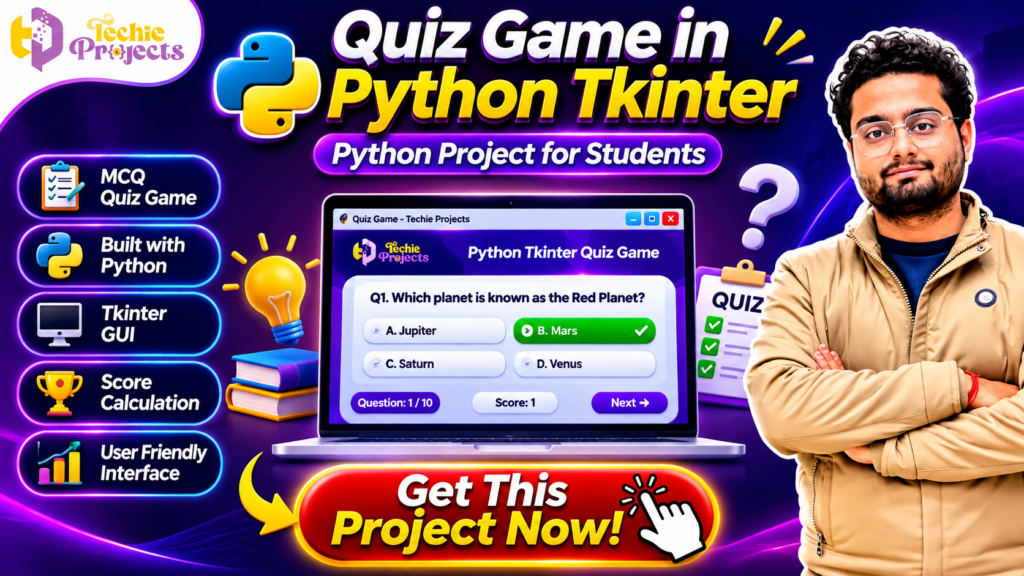
Looking for a ready-to-use Quiz Game in Python Tkinter project for your college submission, final-year project, Python practical, or technical portfolio? Get a practical Python-based quiz application from Techie Projects and make your project work easier! This interactive MCQ quiz game demonstrates how Python programming and Tkinter GUI can be combined to create an engaging desktop application with multiple-choice questions, answer selection, score calculation, and a user-friendly interface.
Instead of spending hours building everything from scratch, you can enquire about our Quiz Game in Python Tkinter project package and get the project resources you need for learning, implementation, demonstration, and academic preparation. Whether you are a diploma student, B.Tech student, BCA student, MCA student, or Python programming enthusiast, this project provides a practical way to understand GUI development and application logic.
Choose Techie Projects for project assistance, source-code enquiries, and technical guidance. Contact us today to discuss the available project package and take the next step towards completing your Python project!
📞 Contact Techie Projects for Project Enquiries
Want to purchase the Quiz Game in Python Tkinter project? Contact our team for project details, availability, pricing, and package information.
- 📲 WhatsApp: https://wa.me/919460060699
- ☎️ Contact Number: +91 94600 60699
- 🌐 Website: https://techieprojects.com/
- 📸 Instagram: https://www.instagram.com/pythonprojects_/
🎬 Watch the Quiz Game in Python Tkinter Project Demo
Watch the project demonstration to understand how the quiz application works, how questions are displayed, how users select answers, and how the score is calculated.
🎯 What Is a Quiz Game in Python Tkinter?
A Quiz Game in Python Tkinter is a desktop-based application that allows users to answer multiple-choice questions through a graphical user interface. The application displays a question along with several answer options. Users select an answer, move to the next question, and receive feedback or a score based on their responses.
Python handles the application logic, while Tkinter provides the graphical interface. This combination makes it possible to develop an interactive desktop application without requiring a complex web development framework.
The project is suitable for students who want to demonstrate their understanding of Python programming, conditional statements, functions, event handling, lists, and GUI components.
A typical quiz application can include:
- Multiple-choice questions.
- Four answer options for each question.
- Answer selection through buttons.
- Next-question navigation.
- Automatic score calculation.
- Question numbering.
- Final score display.
- Interactive graphical interface.
The application can also be extended with additional features such as timers, categories, difficulty levels, user login, and a database-backed question bank.
🚀 Why Choose This Python Quiz Game Project?
A practical project is more valuable when it demonstrates how programming concepts work together to solve a real problem. This quiz application combines user interaction, data handling, and graphical programming in one beginner-friendly project.
By choosing this project from Techie Projects, students can explore a working application concept instead of limiting their learning to theoretical Python examples.
🎓 1. Useful for College Project Submissions
Students often need to demonstrate a working application as part of their practical or academic evaluation. A quiz application provides a clear demonstration of programming logic and user interaction.
It can be considered for Python mini-projects, semester projects, practical assignments, and portfolio demonstrations, depending on your institution’s requirements.
💻 2. Practical Python Programming Experience
The application introduces important Python concepts, including:
- Variables and data types.
- Lists and dictionaries.
- Functions and reusable code.
- Conditional statements.
- Loops and iteration.
- Event-driven programming.
- GUI development using Tkinter.
These concepts are useful for students who want to strengthen their Python programming fundamentals.
🖥️ 3. Interactive Graphical User Interface
Unlike a basic command-line quiz, a Tkinter application allows users to interact with visible buttons, labels, and other graphical components.
The interface makes the application easier to demonstrate and gives students experience with desktop application development.
📊 4. Automatic Score Calculation
The application can evaluate selected answers and update the user’s score. This demonstrates how a program can process user input and produce meaningful results.
📁 5. Expandable Project Structure
The basic application can be extended with more questions, different categories, additional screens, and other features. Students can use it as a foundation for further Python development.
⚙️ Main Features of the Quiz Game in Python Tkinter
The following are the key features of the project concept.
📝 1. Multiple-Choice Questions
The application displays a question with multiple possible answers. Users can select the option they believe is correct.
For example:
Question: Which planet is known as the Red Planet?
- A. Jupiter
- B. Mars
- C. Saturn
- D. Venus
The application checks the selected answer against the correct answer stored in the question data.
🎯 2. Answer Selection
Users can choose an answer through the graphical interface. This makes the quiz interactive and easy to operate.
➡️ 3. Next Question Navigation
After selecting an answer, users can proceed to the next question using the navigation button. The application updates the displayed question and answer options.
🧮 4. Automatic Score Calculation
The application maintains a score based on correct answers. When a user selects the right option, the score can increase automatically.
📊 5. Question and Score Tracking
The interface can display the current question number and the user’s score. For example, the application may show Question 1 of 10 and Score 1.
🎨 6. User-Friendly Interface
Tkinter allows developers to create buttons, labels, frames, and other interface components. These elements help make the application simple to understand and operate.
🏆 7. Final Result Display
At the end of the quiz, the application can display the user’s final score. This gives users a clear summary of their performance.
🛠️ Technologies Used in the Python Quiz Game
The project uses Python and Tkinter as its main development technologies.
🐍 Python
Python is a popular programming language used in automation, software development, artificial intelligence, data science, and desktop applications.
In this project, Python manages questions, answer selection, application logic, and score calculation.
🖥️ Tkinter
Tkinter is Python’s standard GUI toolkit. It allows developers to create desktop interfaces using components such as:
- Labels.
- Buttons.
- Frames.
- Radio buttons.
- Entry fields.
- Message boxes.
Tkinter makes it possible to build an interactive quiz interface with relatively simple Python code.
💻 Development Environment
The project can be developed and executed in a suitable Python environment. Common tools include:
- Python IDLE.
- Visual Studio Code.
- PyCharm.
The exact setup and compatible Python version should be confirmed with the project package before installation.
🔄 How Does the Quiz Application Work?
Understanding the workflow is important for students who want to explain the project during a demonstration or viva.
Step 1: Launch the Application
The user starts the Python application. The Tkinter window opens and displays the quiz interface.
Step 2: Display the First Question
The application loads the first question from the question dataset and displays its answer options.
Step 3: Select an Answer
The user selects one of the available options through the graphical interface.
Step 4: Validate the Answer
Python compares the selected option with the correct answer stored in the application’s data.
Step 5: Update the Score
If the selected answer is correct, the application updates the score according to its scoring logic.
Step 6: Move to the Next Question
The user clicks the Next button to continue the quiz. The application displays the next question.
Step 7: Display the Final Result
After all questions have been completed, the application can show the final score and quiz result.
This workflow demonstrates how user input, conditional statements, data structures, and event handling work together in a desktop application.
🧠 Python Concepts You Can Learn from This Project
The project is useful for students who want to understand how different Python concepts are used in a practical application.
1. Variables: Store the current question number, selected answer, and total score.
2. Lists and Dictionaries: Organize questions, options, and correct answers.
3. Conditional Statements: Check whether the selected answer is correct.
4. Functions: Separate application tasks into reusable blocks of code.
5. Loops: Process question collections and manage repeated operations.
6. Event Handling: Respond to button clicks and other user interactions.
7. GUI Programming: Build the application interface with Tkinter widgets.
These concepts provide a useful foundation for developing more advanced Python applications.
📦 What Can You Enquire About in the Project Package?
If you are planning to purchase this project, contact Techie Projects to confirm the available package contents and support options.
Depending on the selected package, you can enquire about:
- Python project source code.
- Project execution and setup instructions.
- Project documentation, if included.
- Application demonstration.
- Implementation guidance.
- Technical support options.
- Customization possibilities.
Please confirm the exact deliverables, compatibility, and support scope with our team before placing your order.
🎓 Who Can Purchase This Python Project?
The project may be useful for students and learners from different academic backgrounds.
B.Tech Computer Science Students
Computer Science students can explore Python programming, GUI development, and application logic through this project.
BCA and MCA Students
Students studying computer applications can use the project concept to understand desktop application development.
Diploma Students
Diploma students looking for a manageable Python mini-project can explore this application as a practical programming example.
Python Beginners
Beginners can learn how to connect Python logic with a graphical interface and build an interactive application.
Students Preparing Their Resume
A completed and properly understood project can be demonstrated in a technical portfolio or discussed during an interview. Make sure you can explain the code and your own contribution.
💡 Ideas to Upgrade the Quiz Game
Once you understand the basic application, you can explore additional features to make it more advanced.
⏱️ Add a Timer
Introduce a countdown timer for each question to make the quiz more challenging.
📚 Add Different Categories
Create categories such as Python, General Knowledge, Science, Mathematics, Computer Fundamentals, and Technology.
🔐 Add User Login
Allow users to enter their names or log in before starting the quiz.
🗄️ Integrate a Database
Use SQLite or another suitable database to store questions, answers, user details, and quiz results.
🏅 Add a Leaderboard
Display the highest scores to compare user performance.
📈 Add Performance Reports
Show the total questions attempted, correct answers, incorrect answers, and final percentage.
These improvements can help transform a basic quiz application into a more comprehensive learning platform.
🎮 Benefits of Quiz Game in Python Tkinter for Students
The Quiz Game in Python Tkinter project provides an excellent opportunity for students to understand practical Python programming and graphical user interface development.
Some important benefits include:
- Practical Python Learning: Understand variables, functions, loops, lists, and conditional statements.
- GUI Development: Learn how to create interactive desktop applications using Tkinter.
- Score Management: Understand how to calculate and display quiz scores automatically.
- Event Handling: Learn how applications respond to button clicks and user selections.
- Academic Demonstration: Present a working Python application during college practicals and project demonstrations.
- Programming Confidence: Improve your ability to develop and test interactive applications.
A Quiz Game in Python Tkinter also helps beginners understand how different programming components work together to create a complete desktop application.
⚙️ How to Develop Quiz Game in Python Tkinter
Developing a Quiz Game in Python Tkinter involves designing the interface, preparing questions, implementing answer validation, and calculating scores.
The development process generally includes:
- Install Python and configure the development environment.
- Import the Tkinter library.
- Design the quiz window using labels and buttons.
- Create a question-and-answer collection.
- Display multiple-choice questions.
- Implement answer selection and validation.
- Calculate the score for correct answers.
- Display the final quiz result.
These steps demonstrate how a Quiz Game in Python Tkinter application works, from interface development to final result generation.
🌟 Advanced Features to Add to Quiz Game in Python Tkinter
Students can enhance the Quiz Game in Python Tkinter application by adding advanced features.
- ⏱️ Countdown Timer: Set a time limit for answering each question.
- 📚 Question Categories: Add Python, Computer Science, Mathematics, and General Knowledge categories.
- 🏆 Leaderboard: Display users with the highest scores.
- 🔐 User Login: Allow users to enter their names before starting the quiz.
- 🗄️ Database Integration: Store questions, user details, and quiz results.
- 📊 Performance Report: Display correct answers, incorrect answers, and final percentages.
These improvements can make the application more interactive and provide additional learning opportunities.
🛒 Purchase Quiz Game in Python Tkinter Project from Techie Projects
Looking for a practical Python GUI project with source code? Get in touch with Techie Projects to enquire about the Quiz Game in Python Tkinter project package.
You can ask about source code availability, project documentation, installation instructions, demonstration resources, pricing, and technical support.
Our project solutions help students explore practical programming concepts and prepare for academic demonstrations.
👉 GET THIS PROJECT NOW!
📲 WhatsApp: https://wa.me/919460060699
☎️ Contact: +91 94600 60699
🌐 Website: https://techieprojects.com/
❓ Is Quiz Game in Python Tkinter Suitable for Final-Year Students?
Yes, a Quiz Game in Python Tkinter application can be useful for Python mini-projects, GUI programming assignments, and academic demonstrations. Students can extend the basic application with database connectivity, user authentication, timers, multiple categories, and performance reports to increase its technical scope. Final-year suitability depends on the requirements of your institution.
💼 Why Purchase Your Python Project from Techie Projects?
Choosing a project provider is an important decision, especially when you have an academic deadline or need help understanding the implementation.
Techie Projects focuses on engineering projects and software-based project solutions across multiple technical domains.
When enquiring about this project, you can discuss:
- Project requirements and intended academic use.
- Source-code availability.
- Installation and execution.
- Documentation and demonstration resources.
- Technical guidance.
- Possible customization requirements.
Our goal is to help students explore practical project solutions and understand the technologies behind them.
Before purchasing, share your academic requirements and deadline so the team can guide you regarding project suitability and availability.
💰 Get the Quiz Game in Python Tkinter Project Now!
Are you ready to work with a practical Python GUI application?
Don’t spend unnecessary time searching through incomplete project examples. Enquire about the Quiz Game in Python Tkinter package from Techie Projects and discuss the source code, project resources, and available technical assistance.
Whether you need a Python mini-project, a GUI programming example, or a project for your academic portfolio, our team can help you understand the available options.
👉 Get This Project Now!
- 📲 WhatsApp: https://wa.me/919460060699
- ☎️ Call: +91 94600 60699
- 🌐 Visit: https://techieprojects.com/
- 📸 Instagram: https://www.instagram.com/pythonprojects_/
Send us a message with the project name “Quiz Game in Python Tkinter” to enquire about pricing and availability.
❓ Frequently Asked Questions (FAQs)
1. What is a Quiz Game in Python Tkinter?
It is a desktop-based quiz application developed using Python and Tkinter. It displays multiple-choice questions and allows users to select answers and calculate their scores.
2. Which programming language is used in this project?
Python is the primary programming language used to develop the application.
3. What is Tkinter?
Tkinter is a GUI toolkit for Python that helps developers create desktop applications using graphical components such as buttons, labels, and frames.
4. Is this project suitable for beginners?
Yes. The basic quiz application is suitable for learners who understand Python fundamentals and want to explore GUI programming.
5. Can this project be used as a college mini-project?
It may be suitable for a Python mini-project or academic demonstration, depending on your institution’s project guidelines and evaluation requirements.
6. Does the application calculate scores automatically?
The application logic can check selected answers and update the score automatically.
7. Can I add more questions?
Yes. The question dataset can be expanded with additional questions and answer options.
8. Can I add a timer to the quiz?
Yes. A countdown timer can be implemented using Python and Tkinter functionality.
9. Can I add a database to this project?
Yes. SQLite or another database can be integrated to store questions, user information, and quiz results.
10. How can I purchase this project?
Contact Techie Projects through WhatsApp at +91 94600 60699 or visit https://techieprojects.com/ to enquire about pricing, availability, and package details.
🔗 Explore Related Python Projects
Looking for more practical project ideas? Explore additional project categories from Techie Projects:
- 🐍 Python Projects.
- 🤖 Artificial Intelligence Projects.
- 🧠 Machine Learning Projects.
- 📊 Data Analytics Projects.
- 🌐 Web Development Projects.
- 📱 Android App Projects.
- 🖼️ Image Processing Projects.
- 🔤 Natural Language Processing Projects.
- 🔐 Cyber Security Projects.
- 🗄️ Database Management Projects.
Visit https://techieprojects.com/ to explore more engineering projects and software development solutions.
🎯 Conclusion
The Quiz Game in Python Tkinter project is a practical example of how Python programming can be used to develop an interactive desktop application. It combines multiple-choice questions, answer selection, score calculation, and graphical user interface development in one project.
For students, it provides an opportunity to understand important Python concepts through practical implementation. For beginners, it offers a useful introduction to Tkinter and event-driven programming.
If you are interested in purchasing this project, contact Techie Projects to discuss the available source code, documentation, demonstration, and technical support options.
🚀 Get your Quiz Game in Python Tkinter project now and take your Python project work forward with Techie Projects!