
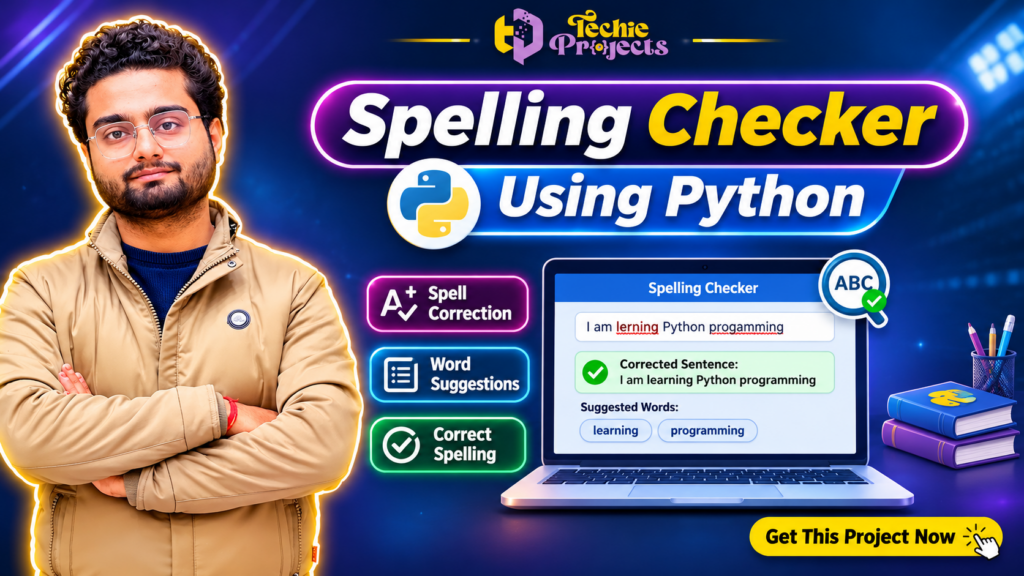
🚀 Looking for a ready-to-use Spelling Checker Using Python project for your final-year submission? Get a complete project solution from Techie Projects and simplify your engineering project development!
Are you an engineering student searching for an interesting Python project that demonstrates real-world application development? The Spelling Checker Using Python project is an excellent choice for students who want to explore Python programming, text processing, spelling correction, and graphical user interface development.
Instead of spending weeks developing everything from scratch, you can purchase this project from Techie Projects and get a practical implementation to study, understand, run, and customize according to your academic requirements.
This project demonstrates how a spelling correction application can identify incorrectly spelled words, suggest suitable alternatives, and help users improve written text. It combines Python programming with text-processing techniques to create a useful desktop application.
🎓 Whether you are pursuing B.Tech, BCA, MCA, Diploma, or Computer Science Engineering, this project can help you understand practical Python application development.
📞 Contact Techie Projects for Project Enquiries
Want to purchase this project? Contact our team today for pricing, availability, source code details, and project assistance.
- 📞 Contact / WhatsApp: +91 94600 60699
- 🌐 Website: www.techieprojects.com
- 📸 Instagram: @pythonprojects_
🎬 Watch the Spelling Checker Using Python Project Demo
Watch the project demonstration to understand the application’s interface, spelling correction functionality, and working process.
The demonstration helps you explore how the application accepts text, identifies possible spelling mistakes, and displays corrected suggestions.
Why watch the demo before purchasing?
- Understand the project interface.
- Explore the spelling correction process.
- See how the application handles incorrect words.
- Understand the overall project workflow.
- Evaluate whether the project matches your academic requirements.
📌 What Is a Spelling Checker Using Python?
A spelling checker is a software application designed to identify spelling mistakes in written text and recommend appropriate corrections.
The Spelling Checker Using Python project demonstrates how programming techniques can be used to process text, compare words against vocabulary resources, and suggest possible corrections.
For example, consider the following sentence:
Incorrect sentence:
“I am lerning Pythn programing.”
Corrected sentence:
“I am learning Python programming.”
The application can identify incorrectly spelled words and provide suggestions that help users improve their sentences.
Python is particularly suitable for this type of application because it provides useful libraries for text processing, natural language processing, and graphical interface development.
The project can be used as a learning example for understanding how intelligent text-processing applications are developed.
🎯 Main Objectives of the Project
The primary objective is to develop a simple and practical spelling correction application using Python.
The important objectives include:
- Identify incorrectly spelled words in user-entered text.
- Provide possible spelling corrections.
- Improve text accuracy through automated suggestions.
- Develop a user-friendly graphical interface.
- Understand Python-based text processing.
- Demonstrate practical application development.
- Explore basic concepts related to natural language processing.
These objectives make the project useful for students interested in Python programming and software development.
⚙️ Key Features of Spelling Checker Using Python
The application demonstrates several useful features that make it suitable for academic learning and project demonstrations.
1. 🔍 Spelling Error Detection
The system checks the words entered by users and identifies words that may contain spelling mistakes.
It compares the entered words against available vocabulary resources to detect possible errors.
2. ✍️ Spelling Correction Suggestions
After identifying an incorrect word, the application can display alternative words that may represent the intended spelling.
For example:
- Pythn → Python
- Lerning → Learning
- Programing → Programming
- Computr → Computer
The suggestions help users understand how spelling correction systems work.
3. 💻 Graphical User Interface
A graphical user interface makes the application easier to operate.
Instead of interacting only through a command-line terminal, users can enter text and view the results through a desktop application.
Python’s Tkinter library can be used to develop such interfaces.
4. 📝 Text Input and Processing
Users can enter individual words or sentences for checking.
The application processes the entered content and identifies possible spelling errors.
5. ✅ Corrected Text Display
After processing the input, the application displays spelling suggestions or corrected text, depending on its implementation.
6. 🎓 Academic Learning
Students can study the programming logic, understand text-processing concepts, and explore how Python libraries are integrated into an application.
🧠 Technologies Used in the Project
The project uses Python-based development technologies.
1. Python
Python is the primary programming language used to develop the application. It provides a simple programming structure and extensive library support.
2. Tkinter
Tkinter is a Python GUI library that helps developers create desktop applications with windows, buttons, text fields, and other interface elements.
3. Text Processing
Text processing techniques help the application analyze words and sentences entered by users.
4. Spelling Correction Library
A spelling correction library or dictionary-based approach can be used to identify possible spelling mistakes and generate suggestions. The exact library depends on the project implementation.
5. Integrated Development Environment
The application can be explored and modified using a Python-compatible development environment such as Visual Studio Code or PyCharm.
🔄 How Does the Project Work?
The basic working process of the application can be explained through the following steps.
Step 1: User Input
The user enters a word, sentence, or paragraph into the application.
Step 2: Text Processing
The application reads the entered content and separates it into individual words for analysis.
Step 3: Word Identification
Each word is checked against the available dictionary or spelling correction resource.
Step 4: Error Detection
If a word is not recognized, the system identifies it as a possible spelling mistake.
Step 5: Suggestion Generation
The application generates alternative words based on spelling similarity or the correction library’s recommendation mechanism.
Step 6: Result Display
The application displays the suggested corrections to the user.
Step 7: User Review
The user reviews the suggestions and selects the appropriate correction.
This workflow demonstrates the basic structure of an automated spelling correction application.
📚 Why Should Engineering Students Choose This Project?
Selecting the right final-year project is important for engineering students. A good project should demonstrate practical programming knowledge and provide opportunities to understand real-world software development.
The Spelling Checker Using Python project offers several academic advantages.
1. Easy to Understand
The basic working process is straightforward, making it suitable for students who want to understand Python application development.
2. Practical Implementation
Students can explore how text-processing logic is converted into a working desktop application.
3. Python Programming Experience
The project provides an opportunity to understand Python functions, conditions, libraries, string operations, and GUI components.
4. Useful for Project Demonstrations
The application has a visible interface and clear input-output functionality, which can make project demonstrations easier.
5. Customization Opportunities
Students can explore additional features such as sentence correction, vocabulary management, improved suggestions, and multilingual spelling support.
6. Suitable for Academic Projects
It can be considered for B.Tech, BCA, MCA, Diploma, and other computer-related academic project work, subject to institutional requirements.
💡 Applications of Spelling Checker Software
Spelling correction applications have several practical uses in everyday digital communication.
1. Educational Applications
Students can use spelling correction tools to identify typing mistakes and improve written communication.
2. Document Preparation
Writers can use spelling checkers while preparing reports, assignments, documentation, and articles.
3. Content Writing
Content creators can use spelling correction applications to review text before publishing.
4. Email Communication
Spelling correction functionality can help users identify mistakes in professional emails and messages.
5. Software Development
Developers can integrate spelling correction functionality into text editors, document management systems, and other software applications.
6. Language Learning
Beginners can use spelling suggestions to understand correct word formation and improve vocabulary.
🛒 Why Purchase the Spelling Checker Using Python Project from Techie Projects?
Are you searching for a reliable source to purchase your Python project?
Techie Projects provides project development solutions for engineering students across multiple technology domains.
Our objective is to help students access practical project implementations that they can study and understand.
When you enquire about the Spelling Checker Using Python project, our team can guide you regarding project availability, deliverables, technical requirements, and pricing.
Benefits of Choosing Techie Projects
- 🎯 Project solutions across multiple technology domains.
- 💻 Python-based software project development.
- 📚 Practical learning-oriented implementations.
- 🎓 Solutions for engineering and computer science students.
- 📞 Direct communication with the project development team.
- 🛠️ Assistance with project-related technical queries.
- 🚀 Opportunities to explore additional project ideas.
We encourage students to understand the implementation rather than simply submitting a project without learning its functionality.
📦 What Should You Confirm Before Purchasing?
Before purchasing, contact our team to confirm the exact package and available deliverables.
Depending on the selected project package, you can enquire about:
- Python source code.
- Project execution instructions.
- Required Python libraries.
- Installation and setup guidance.
- Project demonstration.
- Documentation availability.
- Customization possibilities.
- Technical support availability.
Note: Deliverables and support depend on the selected package. Please confirm the complete inclusions and pricing before placing your order.
💰 How to Purchase the Project from Techie Projects
Getting started is simple.
Follow these steps to enquire about purchasing the application.
Step 1: Explore the Project
Review the project description and watch the available demonstration.
Step 2: Contact Our Team
Send a WhatsApp message to Techie Projects and mention that you are interested in purchasing the Spelling Checker Using Python project.
Step 3: Confirm Pricing
Discuss the project price, available deliverables, and any additional requirements.
Step 4: Confirm Your Requirements
Share your academic requirements, preferred Python version, and any customization needs.
Step 5: Complete Your Purchase
Once the package and payment details are confirmed, proceed with the purchase.
Step 6: Start Learning
Explore the project implementation, understand its functionality, and prepare for your academic demonstration.
🚀 Get This Project Now!
Don’t waste unnecessary time searching for a suitable Python project. Contact Techie Projects to enquire about purchasing the spelling correction application.
📲 WhatsApp: https://wa.me/919460060699
🌐 Website: https://techieprojects.com/
🔧 Future Enhancements
The application can be extended with additional functionality to make it more advanced.
Some possible enhancements include:
- Grammar Checking: Add grammar analysis to identify common grammatical mistakes.
- Sentence Correction: Suggest improvements for complete sentences.
- Multiple Language Support: Explore spelling correction for different languages.
- Vocabulary Database: Maintain a custom vocabulary database.
- Advanced Suggestions: Use more sophisticated language-processing techniques.
- Web-Based Interface: Convert the desktop application into a web application.
- AI-Based Text Correction: Explore machine learning and natural language processing approaches.
These enhancements can help students understand how a basic spelling correction application can be developed into a more advanced software solution.
🎓 Skills You Can Learn from This Project
Working with this application can help students explore several programming concepts.
- Python programming fundamentals.
- String manipulation.
- File handling.
- Dictionary and vocabulary processing.
- Conditional statements and functions.
- GUI development using Tkinter.
- Text-processing techniques.
- Python library integration.
- Software testing and debugging.
These concepts are useful for students preparing for software development internships, academic presentations, and entry-level programming opportunities.
🚀 Why Choose Spelling Checker Using Python for Your Final Year Project?
The Spelling Checker Using Python project is a practical choice for students who want to demonstrate their Python programming and application development skills. It combines text processing, spelling error identification, and correction suggestions in one application. Students can explore the complete workflow and understand how spelling correction software works in real-world scenarios.
💻 Practical Learning with Spelling Checker Using Python
Developing a Spelling Checker Using Python application provides valuable experience in handling textual information. Students can understand how words are analyzed, how spelling mistakes are detected, and how suitable alternatives are generated. This project also introduces students to Python libraries and graphical interface development.
🎓 Academic Benefits of Spelling Checker Using Python
For computer science students, Spelling Checker Using Python offers an opportunity to connect programming concepts with a useful software application. It can help students understand string manipulation, vocabulary resources, text analysis, and GUI development. These concepts are valuable for academic demonstrations and practical programming exercises.
⚙️ Customization Opportunities
The Spelling Checker Using Python application can be extended with additional features according to project requirements. Students can explore grammar correction, sentence analysis, multilingual support, and advanced text-processing functionality. These improvements provide opportunities to understand more advanced Python development concepts.
🛒 Purchase Spelling Checker Using Python from Techie Projects
Looking to purchase a Spelling Checker Using Python project with practical implementation? Techie Projects helps engineering students explore software project solutions across different technology domains. Contact our team to discuss source code availability, pricing, project requirements, and customization options.
📚 Learn Python Application Development
By exploring Spelling Checker Using Python, students can gain practical exposure to desktop application development. Understanding the project workflow can also help them build confidence when working with other Python-based software applications.
⭐ Get Your Spelling Checker Using Python Project Today!
Choose Spelling Checker Using Python to explore an interesting combination of Python programming and text-processing functionality. Contact Techie Projects to enquire about purchasing the project and available deliverables.
📞 Contact / WhatsApp: +91 94600 60699
❓ Frequently Asked Questions (FAQs)
1. What is a Spelling Checker Using Python project?
It is a Python application that identifies possible spelling mistakes in user-entered text and provides alternative spelling suggestions.
2. Is this project suitable for final-year engineering students?
Yes. It can be considered for B.Tech, BCA, MCA, Diploma, and Computer Science students, depending on their academic requirements.
3. Which programming language is used?
Python is the primary programming language used for application development.
4. Can beginners understand this project?
Yes. Students with basic Python programming knowledge can study the project and understand its fundamental working process.
5. Can I purchase the source code?
You can contact Techie Projects to confirm source code availability, package details, and pricing.
6. Can the project be customized?
Customization possibilities can be discussed with our development team according to your requirements.
7. Does the project require Python installation?
Yes. A compatible Python environment and the required project dependencies are needed to execute the application.
8. How can I purchase this project?
Contact Techie Projects through WhatsApp at +91 94600 60699 to enquire about availability and purchasing details.
💡 Recommended Projects
Looking for more interesting Python and software development projects? Explore these related ideas from Techie Projects.
- AI Chatbot Using Python – Develop an interactive chatbot application.
- Text Summarization Using NLP – Generate summaries from large text documents.
- Fake News Detection Using Machine Learning – Identify potentially misleading news content.
- Sentiment Analysis Using Python – Analyze opinions from textual data.
- Language Translation System – Explore automatic language translation.
- Plagiarism Detection System – Identify similarities between text documents.
- Text-to-Speech Converter Using Python – Convert written text into spoken audio.
- Resume Screening Using Machine Learning – Analyze and classify resumes.
🔗 Explore Related Python Projects
Techie Projects provides project development solutions in several technology domains.
Explore more project categories:
- Python Projects
- Machine Learning Projects
- Artificial Intelligence Projects
- Deep Learning Projects
- Data Science Projects
- Natural Language Processing Projects
- Computer Vision Projects
- Web Development Projects
- Android Application Projects
- Game Development Projects
Visit www.techieprojects.com to discover more project ideas and solutions.
📞 Purchase Your Python Project Today!
Are you ready to explore practical Python application development?
The Spelling Checker Using Python project is a useful learning opportunity for students interested in text processing, spelling correction, and desktop software development.
Whether you need a Python project for academic learning, a college demonstration, or a final-year project requirement, Techie Projects can help you explore the available project package.
Don’t wait until your submission deadline approaches. Contact our team, discuss your requirements, and enquire about purchasing the project today.
🚀 Get Your Project Now – Learn, Develop, and Build with Techie Projects!
📞 Contact / WhatsApp: +91 94600 60699
🌐 Website: www.techieprojects.com
📸 Instagram: @pythonprojects_
Techie Projects – Your Partner for Engineering Projects and Technology Solutions.