
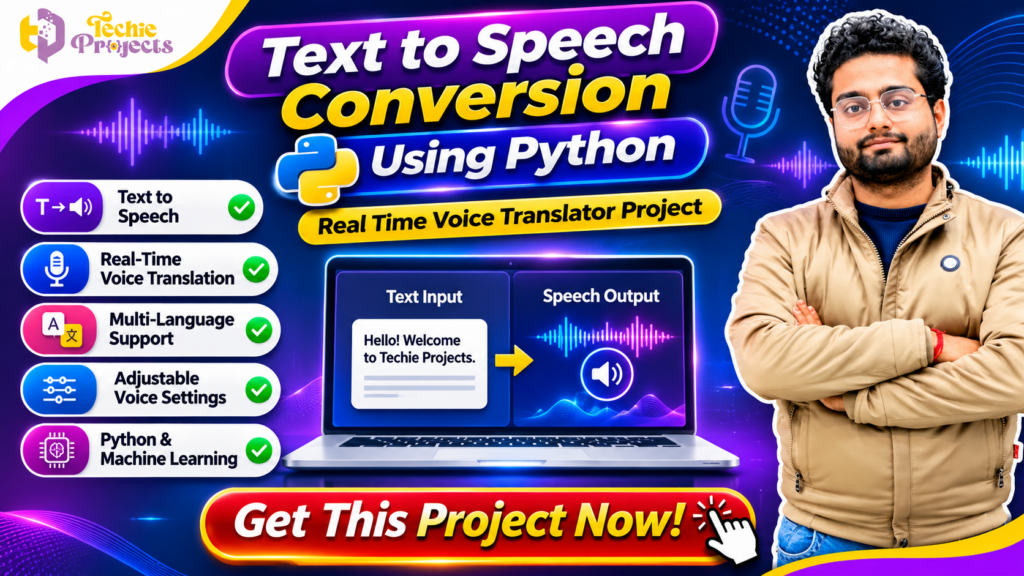
Looking for a ready-to-explore Python project for your final-year engineering submission? 🚀 The Text to Speech Conversion Using Python project is an excellent choice for students interested in Artificial Intelligence, speech processing, machine learning, and voice-based applications.
At Techie Projects, we provide Python-based academic projects designed to help students understand practical implementation, explore real-world applications, and prepare for project demonstrations. If you want to develop a speech-based application without starting everything from scratch, this project can help you understand how text and voice technologies work together.
The project focuses on converting written text into spoken audio and exploring voice-based communication features. Depending on the included implementation, it may also demonstrate speech recognition, language translation, and real-time voice interaction concepts.
Get your Text to Speech Conversion Using Python project from Techie Projects and take the next step toward completing your academic project.
📞 Contact Techie Projects for Project Enquiries
Want to purchase this Python project or know more about its available features?
- 📞 WhatsApp: +91-9460060699
- 🌐 Website: https://techieprojects.com/
- 📸 Instagram: @pythonprojects_
Contact us to discuss source code availability, documentation, project requirements, and technical support.
🎬 Watch the Text to Speech Conversion Using Python Project Demo
Explore the project demonstration to understand its interface, workflow, and voice-processing concept. The demonstration helps students see how a Python application can process text and produce spoken output.
🤖 What Is Text to Speech Conversion Using Python?
Text-to-speech (TTS) is a technology that converts written words into spoken audio. It allows computers and applications to read text aloud using a synthetic voice.
The Text to Speech Conversion Using Python project demonstrates how Python can be used to build an application that accepts text and converts it into speech. Instead of reading information manually, users can listen to the generated audio.
Python provides several libraries and tools for developing speech-based applications. Developers can use these technologies to process text, generate audio, and create interactive user interfaces.
For students, this project provides an opportunity to understand the connection between programming, speech technology, and human-computer interaction.
🔊 How Does Text-to-Speech Technology Work?
A typical text-to-speech system follows a sequence of operations:
- Text Input: The user enters a sentence or paragraph into the application.
- Text Processing: The application prepares the entered text for speech generation.
- Speech Generation: A text-to-speech engine converts the text into audio.
- Audio Output: The generated speech is played through the computer’s audio device.
- User Interaction: The user can enter new text and generate additional speech.
The exact workflow depends on the Python libraries and implementation used in the project.
⚙️ Key Features of the Text to Speech Conversion Using Python Project
The project can demonstrate several useful features related to speech processing and Python application development. The exact features depend on the delivered version.
1. 📝 Text Input Interface
Users can enter words, sentences, or paragraphs through a graphical interface. This input becomes the content that the application processes for speech generation.
2. 🔊 Text-to-Speech Conversion
The main functionality is converting written content into spoken audio. A speech synthesis library or supported TTS engine can generate voice output from the entered text.
3. 🎙️ Voice-Based Interaction
Speech-related components can be used to explore voice input and audio interaction. If speech recognition is included in the implementation, users may also be able to provide spoken input.
4. 🌐 Language Support
Some speech engines support multiple languages and voice options. The available language selection depends on the selected engine, installed voices, and project configuration.
5. 🎚️ Voice Settings
Depending on the implementation, users may be able to adjust settings such as speech speed, volume, or voice selection.
6. 💻 Python-Based Development
The project uses Python as its primary programming language. Students can explore Python functions, libraries, event handling, and application development.
7. 🖥️ Graphical User Interface
A graphical interface can make the application easier to operate. Students can explore how input fields, buttons, and output controls work together.
🧠 Technologies Used in the Project
The Text to Speech Conversion Using Python project combines programming concepts with speech-related technologies.
🐍 Python Programming Language
Python is widely used for application development, automation, data processing, and artificial intelligence. Its readable syntax and extensive library ecosystem make it suitable for speech-based projects.
🔊 Text-to-Speech Libraries
Python supports different text-to-speech solutions. Depending on the implementation, libraries such as pyttsx3 or services such as Google Text-to-Speech (gTTS) can be used.
These tools provide different capabilities. For example, some solutions support offline speech generation, while others may require an internet connection.
🎙️ Speech Recognition
If voice input is included, a speech recognition library can help convert spoken words into text. This can be used as an additional component in a voice-based application.
🖥️ Tkinter GUI
Tkinter is Python’s standard graphical user interface toolkit. It can be used to create windows, text boxes, buttons, and other interactive controls.
🧩 Supporting Python Libraries
Additional libraries may be required for audio processing, voice output, or application integration. The requirements depend on the actual project version.
🔄 Working Process of the Project
Understanding the working process is important for students preparing for a project presentation or viva.
The general workflow of the Text to Speech Conversion Using Python application can be divided into the following stages.
Step 1: Launch the Application
The user starts the Python application. A graphical interface or command-based interface appears, depending on the implementation.
Step 2: Enter Text
The user enters the required sentence or paragraph into the input section.
Step 3: Process the Text
The application receives the text and passes it to the configured speech synthesis engine.
Step 4: Generate Audio
The speech engine converts the input into spoken audio using the selected voice and supported language.
Step 5: Play the Speech
The generated audio is played through the system’s audio output device.
Step 6: Repeat the Process
The user can enter another sentence and generate new speech whenever required.
This workflow helps students understand how a Python application connects user input with an audio-generation system.
🎯 Applications of Text to Speech Technology
Text-to-speech technology is useful in many industries and digital applications.
1. ♿ Accessibility Applications
TTS can help users listen to written content instead of reading it. It is commonly explored in accessibility tools and assistive technology.
2. 📚 E-Learning Platforms
Educational applications can use generated speech to read lessons, instructions, and study materials aloud.
3. 📱 Mobile Applications
Mobile developers can integrate speech output into applications that provide spoken notifications, instructions, or information.
4. 🤖 AI Assistants and Chatbots
Voice output can make conversational applications more interactive by allowing users to hear generated responses.
5. 🚗 Navigation Systems
Navigation applications can use speech synthesis to provide spoken directions and alerts.
6. 🏢 Customer Support Systems
Automated customer service applications can use voice output to communicate information and instructions.
7. 🌍 Language Learning Applications
Speech technology can help language learners listen to words and sentences, supporting pronunciation and listening practice.
🎓 Why Choose This Python Project for Your Final Year?
Selecting an appropriate final-year project is an important decision for engineering students. A good project should offer practical implementation opportunities and help students explain the technology behind the application.
The Text to Speech Conversion Using Python project is useful for students who want to explore the following areas:
- Python programming and application development.
- Speech synthesis and audio processing.
- Artificial intelligence fundamentals.
- Human-computer interaction.
- Graphical user interface development.
- Practical software testing and debugging.
Students can use the project to understand how different components work together to create a functional speech-based application.
📈 Skills You Can Learn
Working with this project can help students develop several technical skills:
Python Programming: Understand functions, variables, modules, and library integration.
Application Development: Learn how to structure a Python application and connect its components.
Speech Processing: Explore how written text can be converted into audio output.
GUI Development: Understand how to build an interface using buttons, input fields, and other controls.
Problem Solving: Identify errors, troubleshoot dependencies, and test application functionality.
🛠️ How to Develop Text to Speech Conversion Using Python
Students interested in understanding the development process can follow these general stages.
1. Install Python
Install a compatible Python version on your computer. Verify the installation by checking the Python version from the terminal or command prompt.
2. Install Required Libraries
Install the libraries required by your selected text-to-speech engine. For example, a basic implementation using pyttsx3 may require:
pip install pyttsx3
The installation requirements can vary depending on the operating system and audio configuration.
3. Create the Python Application
Create a Python file and import the required libraries. Design the application to accept text input and pass it to the speech engine.
4. Connect the Speech Engine
Configure the text-to-speech engine to process the input text and generate spoken output.
5. Create the User Interface
Use Tkinter or another suitable interface framework to create input fields and controls.
6. Test the Application
Enter different sentences and check whether the application generates clear audio output. Test different text lengths and supported voice settings.
7. Improve the Application
Depending on the project scope, additional features can be explored, such as language selection, speech speed controls, and audio file saving.
💡 Advanced Features to Explore
After understanding the basic functionality, students can explore additional improvements.
- Multiple Language Support: Add language options using a compatible speech engine.
- Voice Selection: Allow users to select from available voice profiles.
- Speech Speed Control: Provide controls for adjusting speaking speed.
- Audio Export: Add an option to save generated speech as an audio file, if supported.
- Voice Input: Integrate speech recognition to accept spoken commands.
- Translation Integration: Connect a translation service to explore multilingual voice applications.
- Improved Interface: Design a cleaner and more user-friendly application.
These features can make the project more interesting and provide additional topics for academic discussion. Not every feature is necessarily included in the standard project package, so confirm the available modules before purchasing.
💻 Software and Hardware Requirements
The following are general development requirements. Actual requirements may vary according to the libraries and speech engine selected.
Software Requirements
| Component | Requirement |
|---|---|
| Programming Language | Python |
| Operating System | Windows 10/11 |
| GUI Framework | Tkinter, if used |
| Speech Engine | Compatible Python TTS library |
| Code Editor | VS Code or PyCharm |
| Supporting Tools | Python package manager |
Hardware Requirements
- Computer or laptop.
- Keyboard and mouse.
- Minimum 4 GB RAM recommended for basic development.
- Suitable processor for running Python applications.
- Speakers or headphones for audio playback.
- Internet connection if the selected speech service requires it.
🛒 Purchase Text to Speech Conversion Using Python Project from Techie Projects
Are you looking for a Python-based speech project for your engineering submission? Techie Projects can help you explore project options and understand the available implementation package.
Instead of spending unnecessary time searching for scattered code examples, you can contact our team to discuss the project requirements and available deliverables.
📦 What Can You Enquire About?
Before purchasing, you can ask our team about the availability of:
- Python project source code.
- Project documentation.
- Software installation requirements.
- Project execution instructions.
- Demonstration and implementation details.
- Technical support options.
The exact package contents and support terms should be confirmed before placing your order.
⭐ Why Contact Techie Projects?
Techie Projects focuses on engineering and computer science project solutions across multiple domains, including Python, machine learning, artificial intelligence, image processing, data science, and web development.
We aim to help students explore practical project implementations and understand the technologies used in their academic work.
Whether you are working on a mini project, major project, or final-year submission, you can contact us to discuss a suitable project option.
📲 How to Order the Project
Follow these simple steps:
- Visit Techie Projects.
- Find the project you are interested in.
- Contact us through WhatsApp.
- Ask about the source code, documentation, features, and pricing.
- Confirm the available package details before purchasing.
Ready to get started?
👉 Enquire Now on WhatsApp – +91 94600 60699
📚 Related Python and Artificial Intelligence Projects
Interested in exploring more academic project ideas? Check out related project categories at Techie Projects.
- Python Projects
- Artificial Intelligence Projects
- Machine Learning Projects
- Natural Language Processing Projects
- Data Science Projects
- Image Processing Projects
- Deep Learning Projects
Explore our engineering project collection to discover additional project topics and implementation ideas.
❓ Frequently Asked Questions
1. What is Text to Speech Conversion Using Python?
It is a Python-based application that converts written text into spoken audio using a text-to-speech engine.
2. Which programming language is used in this project?
Python is used as the primary programming language. Additional libraries may be required for speech generation and interface development.
3. Can this project generate voice output?
Yes. The core purpose of a text-to-speech application is to generate spoken audio from text input.
4. Does the project support multiple languages?
Language support depends on the selected speech engine and its available voices. Confirm the supported languages in the project package before purchasing.
5. Can I use this project for my final-year submission?
It can be considered for a mini project or final-year academic project, subject to your institution’s requirements and the project scope.
6. Is Python knowledge required?
Basic Python knowledge is helpful for understanding the code, running the application, and explaining its working process.
7. Can I add speech recognition to the application?
Yes. Speech recognition can be explored as an additional module to accept spoken input. It requires suitable libraries and configuration.
8. Where can I purchase the project?
You can contact Techie Projects through WhatsApp or visit techieprojects.com to enquire about availability and pricing.
🚀 Conclusion
The Text to Speech Conversion Using Python project provides a practical introduction to speech synthesis, Python programming, and voice-based application development. It helps students explore how written information can be transformed into spoken audio through software libraries and speech engines.
From text input and speech generation to interface design and optional voice-based features, this project offers several learning opportunities for computer science and engineering students.
If you are planning to work on a Python-based academic project, contact Techie Projects to enquire about the available source code, documentation, implementation details, and technical support.
🎯 Take the next step toward your project today!
📞 WhatsApp: +91-9460060699
🌐 Website: https://techieprojects.com/
📸 Instagram: @pythonprojects_
Techie Projects – Engineering Projects, Python Projects, AI and Machine Learning Solutions.