
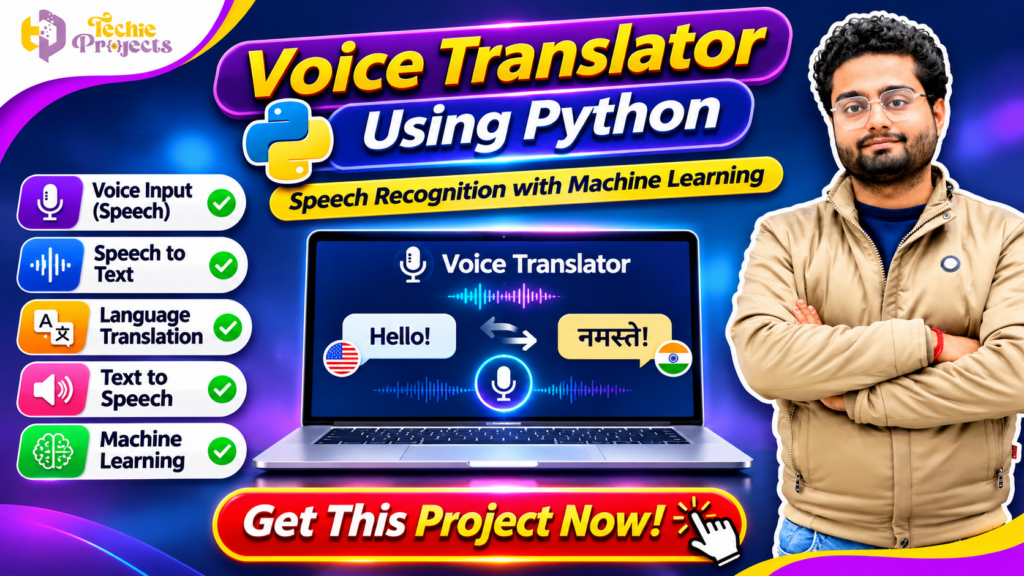
🚀 Get Your Voice Translator Using Python Project from Techie Projects
Want to build an impressive Artificial Intelligence project using Python? Looking for a practical final-year project that demonstrates speech recognition, voice processing, and language translation? Get the Voice Translator Using Python project from Techie Projects!
This project is designed for students who want to explore how computers can process spoken language and convert voice input into text or translated language output. It combines Python programming with speech recognition and language processing concepts to demonstrate an interesting real-world application of Artificial Intelligence.
Instead of spending weeks trying to develop every component independently, you can enquire about our ready-to-explore project package. Techie Projects provides academic project solutions across Python, Machine Learning, Artificial Intelligence, Data Science, and other technical domains.
Whether you are a B.Tech, BCA, MCA, Computer Science, or final-year engineering student, this project can help you understand the practical workflow of voice-based applications.
Purchase your project from Techie Projects and get started with your academic project preparation!
📞 Contact Techie Projects for Project Enquiries
Interested in purchasing the Voice Translator Using Python project? Contact us to discuss source code availability, documentation, implementation details, pricing, and technical support.
- WhatsApp: Chat with Techie Projects
- Contact Number: +91 94600 60699
- Website: https://techieprojects.com/
- Instagram: @pythonprojects_
🎬 Watch the Voice Translator Using Python Project Demo
Explore the project demonstration to understand the application interface and its voice processing workflow.
The demo introduces how a user can provide voice input, process speech, and explore the translation functionality supported by the implementation. It is useful for understanding the project before making a purchase enquiry.
🎤 What Is a Voice Translator Using Python?
A Voice Translator Using Python is an application that processes spoken language and helps convert voice input into text and, where supported, another language.
Voice-based applications are becoming increasingly useful in communication, education, travel, accessibility, and digital services. They allow users to interact with software through speech instead of relying entirely on keyboard input.
A typical voice translation workflow involves several stages:
- Capturing audio through a microphone.
- Processing the recorded voice.
- Recognising spoken words.
- Converting speech into text.
- Translating the recognised text into a selected language.
- Displaying or speaking the translated result.
Python provides libraries and tools that make it possible to develop these components. The exact functionality depends on the selected speech recognition library, translation service, supported languages, and project implementation.
For students, this application is an interesting way to explore how speech recognition and language processing work together in an AI-based system.
🌍 Why Is Voice Translation Important?
Language differences can make communication difficult when people travel, study, work, or interact with individuals who speak different languages.
Voice translation applications aim to reduce this communication barrier by helping users convert spoken information into another language.
Some practical areas where voice translation technology can be explored include:
- Education: Helping learners understand spoken content in different languages.
- Travel: Supporting communication when visiting unfamiliar locations.
- Business: Exploring multilingual communication workflows.
- Accessibility: Providing alternative ways to interact with digital systems.
- Customer Support: Demonstrating multilingual voice-based assistance.
- Language Learning: Helping users explore pronunciation and translated vocabulary.
These applications make voice translation an interesting topic for students studying Python, Artificial Intelligence, and Machine Learning.
⚙️ How Does the Voice Translator System Work?
The application can be understood through a sequence of processing stages.
1. 🎙️ Voice Input Collection
The first step is collecting spoken audio through a microphone. The user speaks into the recording device, and the application captures the audio for processing.
The quality of the microphone, background noise, speaking speed, and pronunciation can influence the recognition process.
2. 🔊 Audio Processing
The recorded audio may need to be prepared before speech recognition.
Depending on the implementation, this stage can involve audio format conversion, noise handling, and recording adjustments.
The objective is to provide suitable audio input to the speech recognition component.
3. 📝 Speech-to-Text Conversion
Speech recognition converts spoken words into written text.
A speech recognition library or supported recognition service processes the audio and attempts to identify the spoken language.
For example, when a user speaks a sentence, the system can produce a text representation of the recognised words.
Recognition quality depends on the audio, language support, pronunciation, and the selected recognition engine.
4. 🌐 Language Translation
After the speech has been converted into text, the translation component can process the recognised sentence.
The user may select a target language, depending on the languages supported by the implementation.
The translation service then attempts to convert the source text into the selected language.
5. 🔈 Translated Voice Output
Some voice translation applications also convert translated text into speech.
This is generally performed using a text-to-speech component. The application can generate audio output so that users can listen to the translated sentence.
Whether this functionality is included depends on the project version.
6. 🖥️ Displaying the Result
The final result can be displayed through the application’s interface.
The interface may show recognised text, translated text, selected language, and other processing information depending on the available features.
🌟 Important Features of Voice Translator Using Python
A voice translation project can combine several useful features. The exact features included in the Techie Projects package should be confirmed before purchasing.
1. 🎙️ Microphone-Based Voice Input
Users can provide spoken input through a connected microphone. This demonstrates how Python applications interact with audio input devices.
2. 📝 Speech Recognition
The speech recognition component attempts to identify spoken words and convert them into text.
This feature demonstrates one of the important applications of Artificial Intelligence in modern communication systems.
3. 🌐 Language Translation
The translation component can convert recognised text into a selected target language when the required translation service and language support are available.
4. 🔊 Text-to-Speech Conversion
A text-to-speech component can convert written output into spoken audio, making the application more interactive.
5. 🖥️ User-Friendly Interface
A graphical interface can make the application easier to operate. Users can interact with recording controls, language options, and output areas.
6. 🐍 Python-Based Development
Python provides access to libraries for audio processing, speech recognition, language translation, and application development.
7. 📚 Academic Demonstration
The project offers an opportunity to demonstrate speech processing, language technology, and Python programming concepts during academic presentations.
🛠️ Technologies and Python Libraries Used
Several Python libraries and tools can be used to develop a voice translation application. The exact dependencies depend on the supplied implementation.
🐍 Python
Python is the main programming language used to connect the audio input, recognition, translation, and output components.
🎤 SpeechRecognition
The SpeechRecognition library provides an interface for working with speech recognition engines. It can help capture audio and process spoken input using supported recognition services.
🔊 PyAudio
PyAudio can be used for microphone input and audio stream handling in compatible environments.
🌐 Translation Library or API
A translation library or external API can be used to translate recognised text into another language. Available language support and usage limits depend on the chosen service.
🗣️ Text-to-Speech Tools
A text-to-speech library can convert translated text into spoken audio when voice output is included.
🖥️ Tkinter or Other GUI Frameworks
Tkinter or another supported interface framework can be used to build the application’s graphical user interface.
Important: These are commonly used technologies for this type of project. Confirm the exact libraries, versions, APIs, and dependencies included in the package before installation.
📌 Applications of Voice Translator Using Python
Voice translation technology has several possible applications in real-world environments.
🎓 1. Educational Applications
Students and language learners can explore how spoken information can be recognised and translated. It can also be used as an academic demonstration of speech processing.
✈️ 2. Travel and Tourism
Travellers may benefit from translation applications when communicating in locations where a different language is spoken.
🏢 3. Business Communication
Businesses operating across different regions can explore voice translation workflows to support multilingual communication.
📱 4. Digital Applications
Voice translation concepts can be integrated into other applications, such as voice assistants, communication platforms, and customer interaction systems.
♿ 5. Accessibility and Communication
Speech-based interfaces can offer alternative interaction methods for users who find typing inconvenient.
The actual usefulness of a deployed system depends on its recognition accuracy, supported languages, translation quality, and operating environment.
🧠 Machine Learning and Artificial Intelligence Concepts
The Voice Translator Using Python project introduces several concepts related to intelligent language applications.
Speech Recognition
Speech recognition attempts to identify spoken words from audio signals. It is an important technology in voice assistants, dictation software, and voice-controlled applications.
Natural Language Processing
Natural Language Processing focuses on how computers process and work with human language. Translation and text analysis are examples of NLP applications.
Text-to-Speech
Text-to-speech technology converts written language into generated speech. It can be used to provide audio output from translated text.
Audio Processing
Audio processing involves preparing and handling recorded sound so that it can be used by recognition or speech generation components.
By studying these concepts, students can understand how multiple technologies work together in a voice-based application.
🏗️ How to Develop a Voice Translator Using Python
Students interested in the development process can follow these general steps.
Step 1: Install Python
Install a compatible Python version and configure the development environment.
Step 2: Install Required Libraries
Install the libraries required for audio recording, speech recognition, translation, and text-to-speech functionality.
Step 3: Configure Microphone Input
Connect a microphone and verify that the application can access the recording device.
Step 4: Implement Speech Recognition
Create a component that captures audio and passes it to the selected speech recognition engine.
Step 5: Convert Speech into Text
Process the audio and obtain the recognised text from the recognition engine.
Step 6: Integrate Translation
Connect the recognised text to the translation component and select the required target language.
Step 7: Generate Voice Output
If supported, use a text-to-speech library to convert the translated text into audio.
Step 8: Build the User Interface
Create an interface with suitable controls for recording, language selection, and displaying results.
Step 9: Test the Application
Test the application with different sentences, speaking speeds, and supported languages. Check how background noise and microphone quality affect recognition.
Step 10: Prepare Documentation
Document the project objective, software requirements, libraries, system architecture, implementation, testing, and limitations.
🎓 Who Can Purchase This Python Project?
This project can be suitable for students and learners interested in voice technology and Python development.
B.Tech Students
Computer Science, Information Technology, Artificial Intelligence, and related engineering students can explore this project for academic learning.
BCA Students
BCA students interested in Python programming and application development can consider this project as a practical demonstration.
MCA Students
MCA students can explore the integration of speech recognition, language processing, and application development.
Artificial Intelligence Learners
Students learning AI concepts can study how speech recognition and translation services work together.
Final-Year Project Students
Students searching for a practical Python-based project can enquire about the available package, documentation, and implementation details.
📈 Advantages of Voice Translator Using Python
There are several academic and technical benefits of exploring this application.
- Practical Python Learning: Understand how different libraries are connected in one application.
- Speech Recognition Experience: Explore how audio input can be converted into text.
- NLP Concepts: Learn about language processing and translation workflows.
- Application Development: Understand how a graphical interface interacts with backend functionality.
- Integration Skills: Explore how multiple software components communicate.
- Testing Knowledge: Learn how to test audio input and language processing.
- Project Presentation: Develop an understanding of a practical AI-based application that can be explained during academic evaluation.
⚠️ Limitations and Important Considerations
A voice translator is a useful demonstration, but it is important to understand its limitations.
- Speech recognition may produce errors because of background noise or unclear pronunciation.
- Translation quality can vary depending on the selected service and language pair.
- Some recognition or translation services require an internet connection.
- External APIs may have usage limits or require authentication.
- Microphone and audio library compatibility can vary across operating systems.
- The application should not be assumed to provide professional-grade translation without appropriate testing.
Understanding these limitations will help students explain the project realistically during demonstrations and viva examinations.
🛒 Why Purchase Your Project from Techie Projects?
Finding a project topic is easy, but preparing the source code, setting up the environment, understanding the implementation, and preparing documentation can take significant time.
Techie Projects provides project solutions for students across multiple technical domains.
When you enquire about the Voice Translator Using Python package, you can discuss the available deliverables and confirm whether they match your academic requirements.
You can ask our team about:
- Python source code availability
- Project documentation
- Software and library requirements
- Installation instructions
- Speech recognition implementation
- Translation functionality
- Text-to-speech support, if included
- Project demonstration
- Available technical assistance
- Pricing and delivery details
The exact package contents and support arrangements should be confirmed before purchasing.
💰 Purchase Voice Translator Using Python Project Now!
Are you ready to work on a Python-based speech recognition and language translation project?
Get the Voice Translator Using Python project from Techie Projects! Contact our team to enquire about the available package, source code, documentation, and implementation support.
Do not wait until the final submission deadline to start preparing your project. Discuss your requirements early and confirm the project details before placing your order.
📲 WhatsApp: Click Here to Enquire
📞 Call: +91 94600 60699
🌐 Website: https://techieprojects.com/
📸 Instagram: https://www.instagram.com/pythonprojects_/
❓ Frequently Asked Questions
1. What is Voice Translator Using Python?
It is a Python-based application that processes spoken input and can convert recognised speech into text and another language, depending on the implemented features.
2. Which programming language is used?
Python is used to develop the main application and connect the speech processing and translation components.
3. Which libraries are required?
Common options include SpeechRecognition, PyAudio, translation libraries or APIs, and text-to-speech tools. The exact requirements depend on the implementation.
4. Does the application support multiple languages?
Multilingual support depends on the speech recognition engine and translation service used in the project. Confirm the supported languages before purchasing.
5. Does voice translation require an internet connection?
Some implementations use online speech recognition or translation services and therefore require internet access. Offline support depends on the selected tools.
6. Is this project suitable for final-year students?
Yes. It can be considered by students studying Computer Science, IT, Artificial Intelligence, and related subjects, subject to their institution’s project guidelines.
7. Can I purchase the project source code?
You can contact Techie Projects to enquire about source code availability, documentation, pricing, and the package details.
8. Can the project be customised?
Possible customisation depends on the available implementation and your requirements. Contact the team to discuss the changes before ordering.
🔗 Explore Related Python and AI Projects
Looking for more project ideas? Explore other categories at Techie Projects:
- Python Projects
- Artificial Intelligence Projects
- Machine Learning Projects
- Natural Language Processing Projects
- Speech Recognition Projects
- Data Science Projects
- Web Development Projects
- Android Application Projects
Visit Techie Projects to discover more academic project solutions.
🎯 Conclusion
The Voice Translator Using Python project is an interesting application for students who want to explore speech recognition, language translation, Natural Language Processing, and Python development.
It demonstrates how voice input can be processed, converted into text, translated, and potentially transformed into spoken output. By understanding its workflow, students can gain practical exposure to several important areas of Artificial Intelligence.
If you are looking for a Python-based project for your academic submission, contact Techie Projects to discuss the available source code, documentation, project features, and technical support.
🚀 Get Your Voice Translator Project Now and start your project preparation with Techie Projects!
📲 Contact Techie Projects on WhatsApp
📲 Call/WhatsApp: +91-9460060699
🌎 Website: www.techieprojects.com
📺 Instagram: @pythonprojects_