
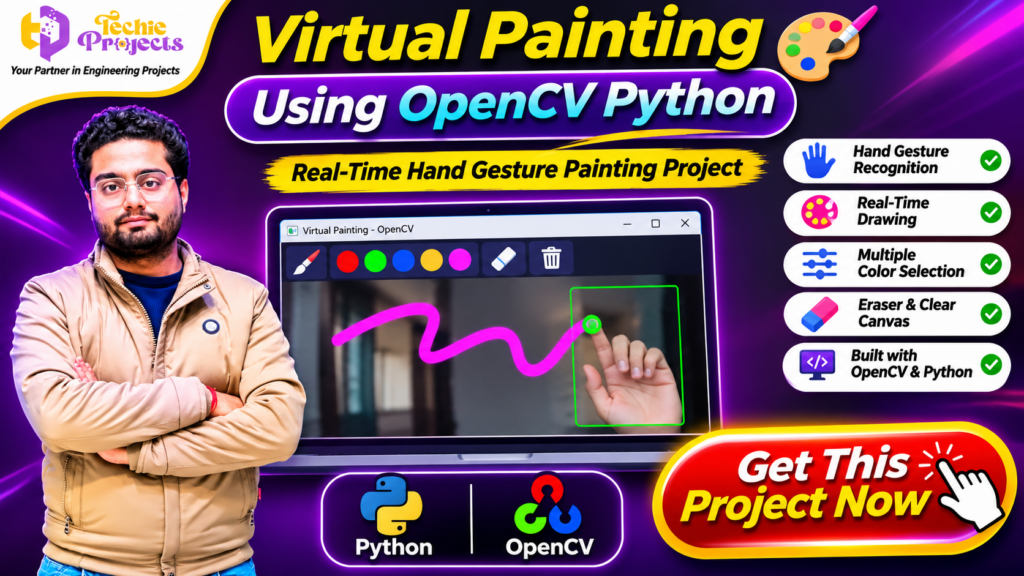
🎨 Virtual Painting Using OpenCV Python – Build a Real-Time Digital Drawing System
Looking for an interesting Computer Vision project for your final-year engineering submission? Virtual Painting Using OpenCV Python is an exciting project that allows users to draw on a digital canvas using hand gestures in front of a webcam. Instead of using a traditional mouse or touchscreen, users can interact with the application through hand movements and create virtual drawings in real time.
If you want to save development time and get a practical Python project for your academic work, Techie Projects can help. Explore the Virtual Painting Using OpenCV Python project and enquire about its source code, implementation details, documentation, and available technical support.
This project demonstrates how Python, OpenCV, and hand gesture recognition techniques can work together to create an interactive drawing experience. It is a suitable topic for students interested in Artificial Intelligence, Computer Vision, Image Processing, and Human-Computer Interaction.
📞 Contact Techie Projects for Project Enquiries
Want to purchase this project or know more about its implementation? Connect with Techie Projects to discuss the available project package and academic requirements.
- 📞 Call/WhatsApp: +91-9460060699
- 🌎 Website: www.techieprojects.com
- 📺 Instagram: @pythonprojects_
🎬 Watch the Virtual Painting Using OpenCV Python Project Demo
Explore the project demonstration to understand how webcam-based hand tracking can be used for virtual drawing. The demo helps you see the application interface and understand its interactive painting workflow.
🧠 What Is Virtual Painting Using OpenCV Python?
Virtual Painting Using OpenCV Python is a computer vision application that enables users to draw digitally through hand gestures captured by a webcam.
The application processes live camera frames and identifies hand movements using a supported hand-tracking approach. Based on the detected finger positions and implemented gesture rules, the system can translate movements into drawing actions on a virtual canvas.
For example, a user may move a finger in front of the camera to create lines on the screen. Depending on the implemented controls, the user can also select different drawing colors, erase existing marks, or clear the canvas.
The project demonstrates an important application of computer vision: allowing people to interact with computers through natural movements instead of relying only on traditional input devices.
🚀 Key Features of the Virtual Painting Project
The following are the major features demonstrated by this type of virtual painting application. Exact functionality depends on the supplied implementation.
1. Real-Time Hand Gesture Recognition
The application uses webcam input to identify hand positions and movements. Hand tracking helps the system understand where the user is pointing and translate that position into drawing operations.
2. Interactive Virtual Drawing
Users can create drawings by moving their hands in front of the camera. The detected movement is converted into strokes on the digital canvas.
3. Multiple Color Selection
The application can provide different color options for drawing. Users can select a preferred color and create colorful patterns or illustrations.
4. Eraser Functionality
An eraser control can help users remove unwanted strokes from the virtual canvas without restarting the application.
5. Clear Canvas Option
The clear canvas feature allows users to remove existing drawings and start a new design.
6. Webcam-Based Interaction
The application uses a camera as the input device. This makes the project useful for demonstrating touch-free computer interaction.
7. Python-Based Implementation
Python provides the programming environment for image processing, camera handling, and application logic. OpenCV supports the processing of video frames and visual output.
⚙️ Technologies Used in Virtual Painting Using OpenCV Python
This project combines different technologies used in computer vision and image processing.
Python
Python is the primary programming language used to develop the application. It provides libraries and tools for handling camera input, image processing, and application logic.
OpenCV
OpenCV is an open-source computer vision library. It supports webcam access, image manipulation, frame processing, drawing operations, and displaying the application’s output.
Hand Tracking Library
A hand-tracking library such as MediaPipe may be used to identify hand landmarks and estimate finger positions. These landmarks can help the application recognize gestures and control drawing operations.
NumPy
NumPy can support image and canvas operations through efficient array processing. It is commonly used alongside OpenCV in image-processing applications.
🔄 How Does the Virtual Painting System Work?
The general working process of the application can be understood through the following steps.
Step 1: Start the Application
The user launches the Python application. The system initializes the webcam and prepares the drawing interface.
Step 2: Capture Live Video
The webcam captures video frames continuously. These frames are supplied to the image-processing module for analysis.
Step 3: Detect the Hand
The hand-tracking component identifies the hand and its important landmarks. These landmarks provide information about finger positions and hand movement.
Step 4: Recognize the Drawing Gesture
The application checks the detected finger positions against its implemented gesture rules. A recognized drawing gesture can activate the virtual painting operation.
Step 5: Convert Hand Movement into Drawing
The system maps the detected finger position to coordinates on the virtual canvas. As the user moves their hand, the application draws corresponding strokes.
Step 6: Select Colors or Erase
Users can interact with the available controls to select colors or erase unwanted marks, depending on the application’s supported features.
Step 7: Display the Final Output
The processed camera frame and virtual drawing are displayed on the screen. Users can continue drawing or clear the canvas to start again.
💡 Applications of Virtual Painting Using OpenCV Python
Virtual painting is more than a basic drawing application. It demonstrates how computer vision can support interactive systems.
Some possible application areas include:
- Digital Learning: Demonstrating drawing concepts through hand-based interaction.
- Interactive Presentations: Using gestures to illustrate ideas during presentations.
- Human-Computer Interaction: Exploring alternative ways to interact with computer applications.
- Creative Drawing: Experimenting with digital artwork without directly touching the screen.
- Computer Vision Education: Understanding webcam processing, hand landmarks, and gesture-based controls.
- Academic Demonstrations: Presenting a practical implementation of image processing and gesture recognition.
These are potential application areas; real-world use depends on the application’s design, accuracy, and testing.
🌟 Benefits of Virtual Painting Using OpenCV Python for Students
Virtual Painting Using OpenCV Python is a practical project for students who want to understand how computer vision can be used in interactive applications. It combines webcam processing, hand tracking, and digital drawing in one implementation.
Some important learning benefits include:
- Computer Vision Skills: Understand how live camera frames are captured and processed.
- Hand Gesture Recognition: Learn how hand landmarks can control application operations.
- Python Programming: Improve practical knowledge of Python libraries and application development.
- Image Processing: Explore drawing operations, canvas manipulation, and frame processing.
- Interactive Application Development: Understand how physical movements can control digital interfaces.
🖌️ Customization Opportunities in Virtual Painting Using OpenCV Python
One of the interesting aspects of Virtual Painting Using OpenCV Python is its scope for customization. Students can explore additional features to improve the application’s usability and demonstrate their programming knowledge.
Possible enhancements include:
- Brush Size Control: Add options to increase or decrease drawing thickness.
- Color Palette: Provide additional colors for creative drawing.
- Undo and Redo: Allow users to reverse or restore drawing actions.
- Save Drawing: Add an option to export the completed artwork as an image.
- Gesture-Based Controls: Implement additional gestures for selecting tools and managing the canvas.
- Improved Interface: Design a user-friendly interface with clearly organized drawing controls.
These enhancements can help transform a basic demonstration into a more feature-rich computer vision application.
💼 Get the Virtual Painting Using OpenCV Python Project for Your College Submission
Searching for a practical Python project with an interesting live demonstration? Virtual Painting Using OpenCV Python can be a suitable choice for students working on Computer Vision, Image Processing, and Artificial Intelligence topics.
Techie Projects provides academic project solutions for engineering students. Before purchasing, enquire about the available source code, documentation, installation requirements, demonstration, and technical support.
Choose Virtual Painting Using OpenCV Python to explore webcam-based interaction, hand tracking, and real-time digital drawing while gaining practical exposure to Python development.
Make your project selection today and take the next step toward your final-year engineering submission.
🎓 Why Choose This Project for Your Final Year?
Students looking for practical Computer Vision projects can consider this topic because it combines several important programming concepts in one application.
Practical Computer Vision Experience
The project introduces webcam-based image processing and real-time frame handling. Students can understand how visual input is captured and processed using Python.
Understanding Hand Tracking
Hand tracking provides an opportunity to learn about landmark detection, coordinate mapping, and gesture-based interaction.
Interesting Project Demonstration
Unlike a basic command-line application, a virtual painting system provides a visual demonstration. Students can show how hand movements produce drawing output on a computer screen.
Scope for Customization
Students can explore additional features such as new drawing tools, gesture controls, canvas customization, and improved user interfaces.
Useful for Technical Learning
The project connects Python programming with image processing, computer vision, and human-computer interaction concepts.
🛠️ How to Develop Virtual Painting Using OpenCV Python
Developing this application involves multiple stages. Understanding each stage can help students learn the complete development workflow.
1. Set Up the Python Environment
Install Python and prepare the required development environment. A code editor such as Visual Studio Code or PyCharm can be used to write and execute the application.
2. Install the Required Libraries
OpenCV and other required Python packages should be installed according to the project’s dependency requirements.
For example:
pip install opencv-python
pip install numpy
If the implementation uses MediaPipe, install a compatible version according to the Python environment and project requirements.
3. Configure Webcam Access
The application needs access to a webcam to capture live video frames. OpenCV can be used to initialize the camera and read frames.
4. Implement Hand Tracking
Integrate the selected hand-tracking solution to detect hand landmarks. These landmarks help identify finger positions for interaction.
5. Create the Virtual Canvas
Prepare a digital canvas where the drawing strokes will appear. The application can combine the canvas with the live camera feed to display the output.
6. Implement Gesture Controls
Define the gesture conditions that activate drawing, color selection, or erasing. The controls should be tested under different hand positions and lighting conditions.
7. Test and Improve the Application
Test the application using different webcam positions, backgrounds, and lighting conditions. Adjust the gesture rules and drawing behavior to improve usability.
💻 Software and Hardware Requirements
The following requirements are typical for a Python-based virtual painting project. Confirm the exact dependencies and specifications against the supplied project package.
Software Requirements
- Programming Language: Python
- Computer Vision Library: OpenCV
- Image Processing: NumPy
- Hand Tracking: MediaPipe or the library used in the implementation
- Operating System: Windows 10/11 or a compatible environment
- IDE: Visual Studio Code, PyCharm, or another Python editor
Hardware Requirements
- Processor: A compatible desktop or laptop processor
- RAM: 4 GB minimum recommended; more memory may improve multitasking
- Storage: Sufficient free disk space for Python, libraries, and project files
- Camera: Webcam for live hand tracking
- Input Devices: Keyboard and mouse for normal computer operation
📈 Future Enhancements for the Virtual Painting Project
Students can extend the basic application with additional features to explore more advanced computer vision concepts.
Save Drawings as Image Files
Add an option to save the completed drawing as an image. This would allow users to access their artwork later.
Add More Drawing Tools
Additional tools such as different brush sizes, shapes, and line styles can improve the drawing experience.
Improve Gesture Recognition
The gesture-control logic can be refined to make drawing actions more consistent and reduce unintended strokes.
Add a Custom User Interface
A more advanced interface can provide clearly organized controls for selecting colors, changing brush sizes, and managing the canvas.
Add More Interaction Modes
Students can experiment with additional gestures for undo, redo, drawing mode selection, and other application controls.
⚠️ Challenges in Developing a Virtual Painting Application
Although the project is interesting, development involves some practical challenges.
- Lighting Conditions: Poor lighting can affect hand detection.
- Camera Quality: Low-resolution webcams may reduce tracking quality.
- Gesture Accuracy: Similar hand gestures can sometimes be difficult to distinguish.
- Processing Speed: Real-time processing requires efficient handling of video frames.
- Background Interference: Complex backgrounds may affect detection performance.
- Coordinate Mapping: Converting camera coordinates into canvas coordinates requires appropriate scaling and positioning.
Understanding these challenges helps students improve their implementation and explain the project during academic presentations.
🛒 Purchase Virtual Painting Using OpenCV Python Project from Techie Projects
Are you searching for a ready-to-explore Virtual Painting Using OpenCV Python project for your college submission, practical demonstration, or final-year engineering work?
Techie Projects provides academic project solutions across Python, Artificial Intelligence, Machine Learning, Computer Vision, Android, IoT, and other technical domains.
Instead of starting your implementation from zero, enquire about the available project package and understand what is included before purchasing.
🎁 What Can You Enquire About?
Depending on the selected package and availability, you can ask about:
- Python project source code.
- Project documentation and report.
- Required libraries and installation instructions.
- Project execution and setup guidance.
- Demonstration and implementation details.
- Available customization and technical support.
⭐ Why Choose Techie Projects?
- Project solutions across multiple engineering domains.
- Practical project ideas for students.
- Source code and documentation options.
- Support for understanding project implementation.
- Assistance with project-related technical queries.
📞 Contact Techie Projects to Purchase
Ready to get started? Contact Techie Projects to enquire about the price, package details, source code availability, and delivery process.
- 📞 Call/WhatsApp: +91-9460060699
- 🌎 Website: www.techieprojects.com
- 📺 Instagram: @pythonprojects_
👉 Enquire now about the Virtual Painting Using OpenCV Python project and take the next step toward your engineering project submission!
❓ Frequently Asked Questions (FAQs)
1. What is Virtual Painting Using OpenCV Python?
It is a computer vision application that allows users to draw digitally using hand gestures captured through a webcam.
2. Which programming language is used in this project?
Python is used as the primary programming language for developing the application.
3. Why is OpenCV used in virtual painting?
OpenCV is used for webcam access, video frame processing, image manipulation, and displaying the virtual drawing output.
4. Is a webcam required?
Yes. A webcam or compatible camera is required for capturing hand movements in a live virtual painting application.
5. Is this project suitable for final-year engineering students?
Yes. It is a useful academic project topic for students interested in Python, Computer Vision, Image Processing, and Artificial Intelligence.
6. Can users select different drawing colors?
The application can support multiple drawing colors through its implemented selection controls.
7. Can the project be customized?
Yes. Depending on the source code and implementation, students can explore additional drawing tools, gesture controls, and interface improvements.
8. Where can I purchase this project?
You can contact Techie Projects through WhatsApp at +91 94600 60699 or visit techieprojects.com to enquire about project availability and package details.
🔗 Explore Related Python and Computer Vision Projects
Interested in exploring more practical engineering projects? Check out related project categories from Techie Projects:
- Python Projects
- Computer Vision Projects
- Image Processing Projects
- Artificial Intelligence Projects
- Machine Learning Projects
- Deep Learning Projects
- Data Science Projects
- OpenCV Projects
- Final Year Engineering Projects
🎯 Conclusion
Virtual Painting Using OpenCV Python is an engaging project that demonstrates how computer vision and hand gesture recognition can create an interactive digital drawing experience. By combining Python, OpenCV, webcam input, and hand tracking, the application provides a practical way to explore real-time image processing and human-computer interaction.
For students interested in developing their technical skills, this project offers opportunities to understand gesture recognition, video processing, and interactive application development. Its visual output also makes it an interesting topic for academic demonstrations and final-year engineering submissions.
Explore the project package from Techie Projects, understand the available features, and choose the implementation support that matches your academic requirements.