
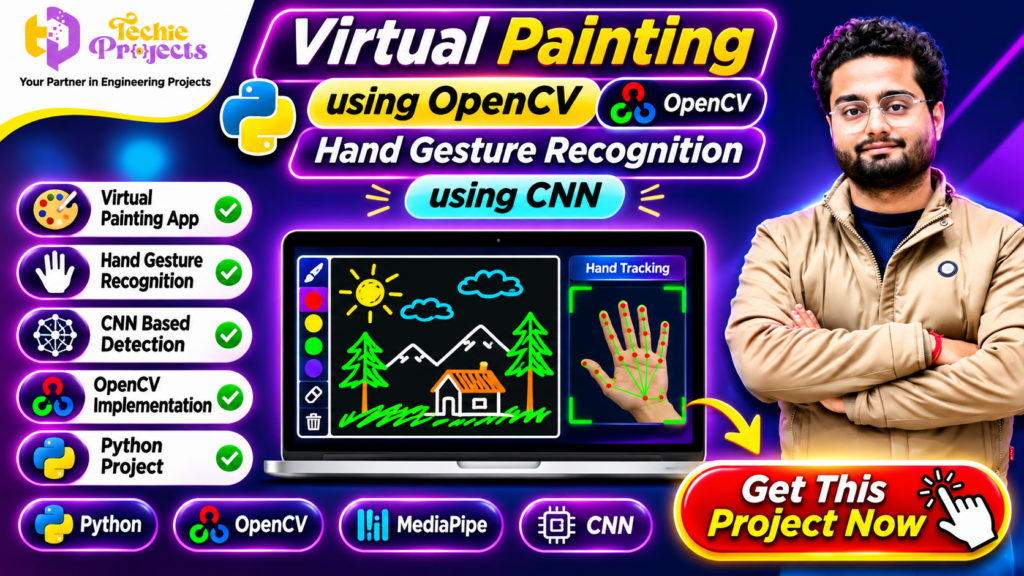
🎨 Get the Virtual Painting Using OpenCV Project – Complete Python Project for Students
Looking for an impressive Python project that combines Artificial Intelligence, Computer Vision, OpenCV, and Hand Gesture Recognition? The Virtual Painting Using OpenCV project from Techie Projects is an exciting option for engineering students, computer science students, and final-year project developers who want to explore interactive applications using modern computer vision techniques.
Instead of drawing with a traditional mouse or touchscreen, this project demonstrates how hand gestures can be used to interact with a virtual painting interface. It combines camera-based hand tracking with image processing techniques to create an interactive drawing experience.
If you are searching for a practical final-year project with Python source code, implementation guidance, and project support, you can enquire about the Virtual Painting Using OpenCV project from Techie Projects.
Get access to project details, check the available source code and documentation package, and discuss your academic requirements before purchasing.
📞 Call/WhatsApp: +91-9460060699
🌎 Website: www.techieprojects.com
📺 Instagram: @pythonprojects_
🎬 Watch the Virtual Painting Using OpenCV Project Demo
Explore the project demonstration to understand how hand gestures can control a virtual painting application.
The demonstration introduces the concept of hand tracking, gesture-based interaction, and digital drawing through a camera. It helps students understand the expected application workflow and how computer vision can be used to create an interactive painting experience.
The project is useful for understanding the practical relationship between Python programming, OpenCV, and hand gesture recognition.
🚀 What Is Virtual Painting Using OpenCV?
Virtual Painting Using OpenCV is a computer vision-based application that demonstrates how users can draw on a digital canvas through hand gestures captured by a camera.
The application processes camera frames and uses hand detection or gesture recognition techniques to identify the user’s hand movements. Based on the implemented gesture logic, the application can translate selected hand movements into drawing operations.
For example, a supported gesture may be used to move a virtual drawing pointer, select a drawing operation, or interact with the canvas.
The project provides an opportunity to explore the combination of computer vision, image processing, and interactive application development.
Unlike traditional drawing applications that rely entirely on mouse input, a gesture-based painting application demonstrates an alternative way to interact with a computer.
⭐ Key Features of Virtual Painting Using OpenCV
The following features describe the main concepts and capabilities of this project. The exact available functionality depends on the supplied implementation.
🎨 1. Virtual Drawing Interface
The application demonstrates drawing on a digital canvas using supported hand gestures. It provides an interactive environment where users can explore gesture-based painting.
✋ 2. Hand Gesture Recognition
Hand gesture recognition is an important part of the application. The system processes camera input to identify hand positions or selected gestures and uses them to control supported operations.
📷 3. Real-Time Camera Input
The application uses camera frames as input for hand detection and gesture processing. This allows users to interact with the system through physical hand movements.
🖥️ 4. OpenCV Implementation
OpenCV provides image processing and computer vision functionality. It can be used to capture camera frames, process images, and display the visual output.
🧠 5. CNN-Based Recognition
Convolutional Neural Networks (CNNs) are commonly used for image classification and visual pattern recognition. In a CNN-based implementation, the model can be used to recognize supported gesture classes from image data.
🐍 6. Python-Based Development
Python is used to connect the different modules and manage application functionality. Students can study the program structure and understand how different computer vision components work together.
🖌️ 7. Interactive User Experience
The project demonstrates an alternative interaction method for digital drawing. It can be useful for learning how computer vision applications respond to user movements.
⚙️ Technologies Used in Virtual Painting Using OpenCV
This project introduces students to several important technologies used in modern computer vision applications.
🐍 Python
Python is the primary programming language used to develop the application. It provides access to libraries for image processing, machine learning, and application development.
👁️ OpenCV
OpenCV is an open-source computer vision library. It supports image processing, video capture, frame manipulation, and other visual computing operations.
✋ MediaPipe
MediaPipe provides tools for detecting and tracking body landmarks, including hand landmarks. Where included in the implementation, it can help identify hand positions and support gesture-based interaction.
🧠 Convolutional Neural Network (CNN)
CNN is a deep learning architecture used for extracting visual features and recognizing image patterns. It can be used in gesture classification when the implementation includes a trained CNN model.
📷 Webcam
A webcam provides the visual input required to capture hand movements. The captured frames are processed by the application to identify supported gestures.
🔍 How Does the Virtual Painting System Work?
Understanding the workflow is important for students preparing project demonstrations, presentations, and viva examinations.
Step 1: Camera Initialization
The application initializes the webcam and begins capturing video frames. These frames provide the visual input for the computer vision process.
Step 2: Image Processing
The captured frames are processed using computer vision techniques. Depending on the implementation, image preprocessing may include resizing, color conversion, filtering, or other operations.
Step 3: Hand Detection
The system identifies the hand in the camera frame. A hand tracking library or a custom detection model may be used to locate important hand regions or landmarks.
Step 4: Gesture Recognition
The application interprets the detected hand position or gesture. If a CNN model is included, it may classify supported gestures based on learned visual patterns.
Step 5: Canvas Interaction
The recognized gesture is mapped to an application operation. For example, a supported gesture may control the virtual drawing pointer or activate a drawing action.
Step 6: Display Output
The application displays the processed output and the virtual painting canvas. Users can observe how their gestures affect the drawing interface.
This workflow helps students understand the relationship between camera input, image processing, recognition, and interactive output.
💡 Applications of Virtual Painting Using OpenCV
The concepts demonstrated by this project can be explored in several areas.
🎓 1. Academic Learning
Students can use the project to understand computer vision, image processing, Python programming, and gesture recognition concepts.
🖥️ 2. Touchless Computer Interaction
Gesture-based interaction can provide an alternative to conventional mouse-based operations in supported applications.
🎨 3. Digital Drawing Applications
Virtual painting demonstrates how hand movements can be translated into drawing operations on a digital canvas.
🧑🏫 4. Interactive Demonstrations
The project can be used as an educational demonstration to explain how computer vision applications detect and respond to physical movements.
🤖 5. Human-Computer Interaction
The application introduces the concept of human-computer interaction through visual input rather than relying only on traditional input devices.
🏆 Benefits of Choosing This Python Computer Vision Project
The Virtual Painting Using OpenCV project is a useful learning opportunity for students who want to work with practical Python applications.
Some important benefits include:
- Practical Python Experience: Understand how Python libraries can be combined to build an interactive application.
- Computer Vision Knowledge: Explore camera input, image processing, and hand detection.
- Gesture Recognition Concepts: Learn how visual information can be used to recognize supported hand movements.
- Machine Learning Exposure: Understand how CNN-based image recognition can be applied to gesture classification.
- Project Presentation: Demonstrate an interactive application rather than only presenting theoretical concepts.
- Customization Opportunities: Explore additional gestures, drawing controls, and interface improvements depending on the project architecture.
The project can also help students develop a better understanding of how multiple technologies work together in a real-world software application.
🌟 Why Choose Virtual Painting Using OpenCV for Your Final Year Project?
Choosing an innovative project can make your academic presentation more interesting. Virtual Painting Using OpenCV combines Python programming, computer vision, and gesture-based interaction in one practical application. Students can demonstrate how a webcam captures hand movements and how image processing techniques convert visual input into digital actions.
Another advantage of Virtual Painting Using OpenCV is its learning potential. Students can explore hand tracking, gesture recognition, image processing, and interactive application development while understanding how these technologies work together.
🧠 Practical Learning Opportunities in Virtual Painting Using OpenCV
Working with Virtual Painting Using OpenCV helps students understand the practical implementation of computer vision concepts. They can study camera initialization, frame processing, hand landmark detection, gesture interpretation, and canvas interaction.
The project also provides opportunities to experiment with different drawing operations and improve the application’s interface. Students interested in Artificial Intelligence and Python development can use these concepts as a foundation for further learning.
💼 Get Virtual Painting Using OpenCV Source Code from Techie Projects
Ready to explore this project for your academic requirements? Techie Projects offers project solutions for students interested in Python, Artificial Intelligence, Machine Learning, and Computer Vision.
Enquire about the Virtual Painting Using OpenCV project to check source code availability, documentation, pricing, and the deliverables included in the package.
🛠️ Software and Hardware Requirements
Before installing or running the project, review the requirements of the supplied implementation.
Software Requirements
- Programming Language: Python
- Computer Vision Library: OpenCV
- Hand Tracking: MediaPipe, if included
- Deep Learning: CNN model, if included
- Operating System: Windows or another compatible Python environment
- Development Environment: VS Code, PyCharm, or another Python IDE
Hardware Requirements
- Computer or laptop
- Webcam
- Keyboard and mouse
- Compatible processor
- Sufficient RAM for the selected libraries and model
The actual hardware requirements depend on the implementation, model size, and installed dependencies.
📚 What Can Students Learn from This Project?
The project offers an opportunity to explore multiple technical topics in one application.
Students can understand how video frames are captured, how image processing is performed, and how hand landmarks or gesture classes are identified.
They can also study how a recognized gesture is converted into an application command.
For computer science and engineering students, these concepts can support learning in subjects such as:
- Artificial Intelligence
- Machine Learning
- Deep Learning
- Computer Vision
- Image Processing
- Python Programming
- Human-Computer Interaction
The Virtual Painting Using OpenCV project can also be extended as a learning exercise by experimenting with new gestures, improving recognition accuracy, or developing additional canvas controls.
🔧 Future Scope and Enhancement Ideas
The basic project concept can be extended with additional functionality depending on the existing application architecture.
Possible enhancement ideas include:
🎨 Multiple Brush Colors
Add different brush colors so users can create more varied drawings.
🖌️ Brush Size Adjustment
Allow users to change the drawing thickness through supported gestures or interface controls.
🧽 Eraser Functionality
Add an eraser operation to remove unwanted portions of a drawing.
💾 Save Drawing Option
Provide an option to save completed drawings as image files.
✋ Additional Hand Gestures
Expand the gesture set to support additional application commands.
🖥️ Improved User Interface
Develop a more user-friendly interface with clear controls and visual indicators.
These enhancements can help students understand how an existing computer vision project can be customized and developed further.
💼 Purchase Virtual Painting Using OpenCV Project from Techie Projects
Are you searching for a ready-to-study Python computer vision project for your college submission or final-year engineering requirements?
Techie Projects provides academic project solutions across Python, Artificial Intelligence, Machine Learning, Computer Vision, IoT, and other engineering domains.
You can enquire about the Virtual Painting Using OpenCV project and discuss the available package according to your requirements.
Before placing your order, confirm the project deliverables, including:
- Python source code
- Project documentation, if included
- Installation and execution instructions
- Demonstration details
- Technical support availability
- Any additional deliverables required by your college
Our team can help you understand the available project package and discuss your requirements before purchase.
📞 Contact Techie Projects for Project Enquiries
Want to purchase this project? Contact us today!
📞 Call/WhatsApp: +91-9460060699
🌎 Website: www.techieprojects.com
📺 Instagram: @pythonprojects_
Send your project name and requirements through WhatsApp to enquire about availability, pricing, and deliverables.
🎓 Who Can Choose This Project?
The project can be explored by students pursuing:
- B.Tech Computer Science Engineering
- B.Tech Information Technology
- BCA
- MCA
- M.Tech Computer Science
- Diploma in Computer Engineering
It may be suitable for students interested in Python, Artificial Intelligence, Machine Learning, Deep Learning, and Computer Vision.
Students should confirm that the project scope and implementation meet their institution’s academic guidelines.
❓ Frequently Asked Questions
1. What is Virtual Painting Using OpenCV?
It is a Python-based computer vision application that demonstrates how hand gestures can be used to interact with a virtual drawing canvas.
2. Which programming language is used?
Python is the primary programming language used for developing the application.
3. What is the role of OpenCV?
OpenCV is used for computer vision operations such as camera capture, image processing, and displaying visual output.
4. Is a webcam required?
A webcam is generally required because the application uses camera input to capture hand movements.
5. What is the role of CNN in this project?
A CNN can be used to classify hand gestures when the implementation includes a trained convolutional neural network model.
6. Is MediaPipe used in the project?
MediaPipe may be used for hand landmark detection and tracking, depending on the supplied implementation.
7. Can students customize the project?
Yes. Students can explore enhancements such as additional gestures, brush controls, color selection, and drawing options, depending on the project structure.
8. Can I purchase the project from Techie Projects?
Yes. You can contact Techie Projects to enquire about the available source code, documentation, project package, pricing, and support.
🔗 Explore Related Python and AI Projects
Looking for more interesting engineering projects? Explore other project categories available at Techie Projects.
- Python Projects
- Artificial Intelligence Projects
- Machine Learning Projects
- Deep Learning Projects
- Computer Vision Projects
- Image Processing Projects
- OpenCV Projects
- Final Year Engineering Projects
Visit Techie Projects to explore more project ideas and solutions for your academic requirements.
🎯 Conclusion
The Virtual Painting Using OpenCV project demonstrates how Python, computer vision, hand gesture recognition, and CNN-based techniques can be combined to create an interactive digital painting application.
It provides students with an opportunity to understand camera-based input processing, hand detection, gesture recognition, and virtual drawing operations through practical implementation.
If you want to explore an interactive Python project for your academic work, this project is worth considering. It can also provide a foundation for learning more about computer vision and human-computer interaction.
Looking for the project source code and implementation details? Enquire with Techie Projects today and discuss the available package for your requirements.
Techie Projects – Your Partner in Engineering Projects!