
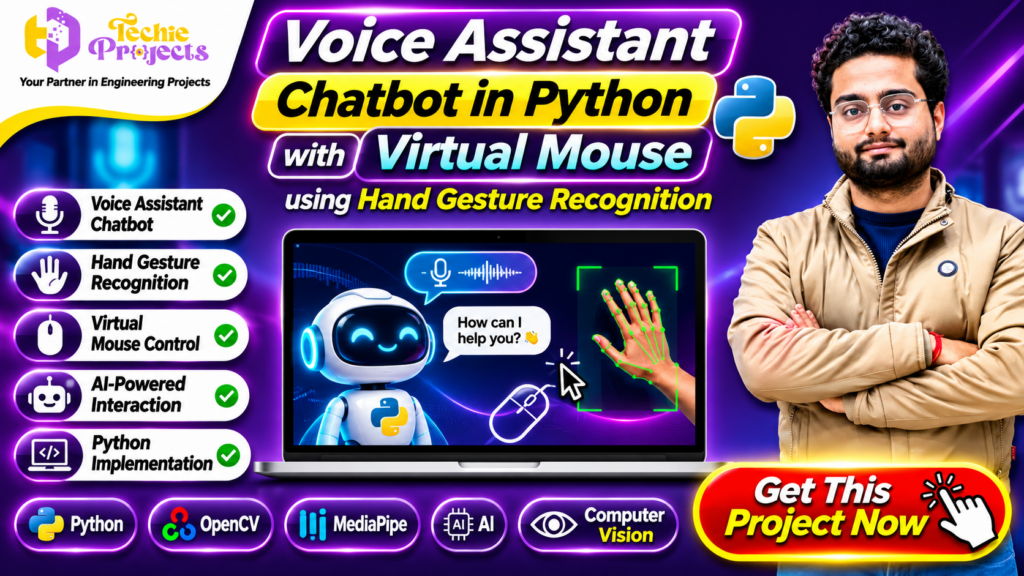
🚀 Buy Voice Assistant Chatbot in Python Project – Complete Python Project for Students
Want to purchase an innovative Python project that combines voice-based interaction, chatbot functionality, and gesture-controlled mouse operations? Explore the Voice Assistant Chatbot in Python project from Techie Projects. This project brings together multiple exciting technologies, including Python programming, artificial intelligence concepts, speech interaction, computer vision, and hand gesture recognition.
Instead of developing separate applications for voice commands and mouse control, this project demonstrates how different interaction methods can be explored within one software application. Users can interact with a voice assistant and explore virtual mouse operations through hand gestures, depending on the implemented functionality.
If you are a B.Tech, BCA, MCA, diploma, or final-year computer science student, this project can be a useful choice for understanding practical Python development.
Why start from scratch when you can explore an organized project package? Get in touch with Techie Projects to enquire about the project source code, documentation, demonstration, installation guidance, and available technical support. Choose a project that helps you understand modern human-computer interaction while supporting your academic learning.
📞 Call/WhatsApp: +91-9460060699
🌎 Website: www.techieprojects.com
📺 Instagram: @pythonprojects_
🎬 Watch the Voice Assistant Chatbot in Python Project Demo
Explore the project demonstration to understand how the voice assistant and virtual mouse interface work.
The demonstration introduces the application concept, voice-based interaction, hand gesture recognition, and mouse control through computer vision. It can help students understand the overall workflow before discussing the project package.
Project Demo: Voice Assistant Chatbot and Virtual Mouse Using Python – Techie Projects
Watch the available demonstration and contact our team if you want to know more about the source code, implementation, and project deliverables.
📌 What Is Voice Assistant Chatbot in Python?
A voice assistant chatbot is a software application that allows users to interact with a computer through spoken commands. Instead of entering every instruction manually, users can provide voice input and receive responses through the application’s supported interaction system.
The Voice Assistant Chatbot in Python project demonstrates how Python can be used to develop voice-based interaction and chatbot functionality. It can be combined with a virtual mouse module that explores computer control through hand gestures.
The virtual mouse concept uses a camera to capture hand movements. Computer vision techniques can then identify hand landmarks or gestures and map supported movements to mouse operations.
Combining these technologies provides an interesting example of human-computer interaction. Students can explore speech processing, Python application development, computer vision, and gesture recognition within a single academic project.
⭐ Main Features of the Project
The application combines different interaction concepts. The exact commands and available operations depend on the selected implementation.
🎙️ 1. Voice Assistant Functionality
The voice assistant module allows users to interact with the application through supported voice commands.
Possible functionality includes:
- Capturing voice input through a microphone.
- Processing supported spoken commands.
- Identifying user instructions.
- Generating responses through the assistant.
- Performing configured actions.
- Supporting voice-based application interaction.
This module helps students understand how speech input can be connected with Python application logic.
🤖 2. Chatbot Interaction
The chatbot component provides a conversational interface for interacting with the application.
Depending on the implementation, it may support:
- Processing user queries.
- Responding to predefined questions.
- Providing information through configured responses.
- Connecting user input with application functions.
- Supporting basic conversational workflows.
Students can explore how chatbot logic works and how Python can be used to create interactive software.
✋ 3. Hand Gesture Recognition
Hand gesture recognition is an important component of the virtual mouse functionality.
The application can use a webcam to capture hand movements and process visual information. A hand landmark detection approach can identify important points on the hand and support gesture-based interaction.
Possible operations include:
- Detecting a hand through the camera.
- Identifying finger positions.
- Tracking hand landmarks.
- Recognizing configured gestures.
- Mapping supported gestures to computer actions.
This module demonstrates how computer vision can be applied to real-world interaction problems.
🖱️ 4. Virtual Mouse Control
A virtual mouse allows users to explore mouse operations without relying entirely on a physical mouse.
Using supported hand gestures, the application can map hand movements to cursor movement and selected mouse actions.
Depending on the project implementation, operations may include:
- Moving the cursor.
- Performing a mouse click.
- Supporting drag-related actions.
- Detecting configured finger gestures.
- Controlling cursor movement through hand tracking.
This functionality makes the project an interesting demonstration of gesture-based computer interaction.
💻 5. Python-Based Implementation
Python is the main programming language used to develop the application logic.
Students can explore how different Python modules work together to process voice input, handle application commands, detect gestures, and control mouse operations.
The modular structure also provides opportunities to understand functions, libraries, event handling, and application integration.
🎨 6. Interactive Application Interface
An organized interface helps users understand the available functionality and interact with the application.
Depending on the selected version, the interface can display voice assistant information, camera input, gesture recognition results, and other supported application features.
🧰 Technologies Used in Voice Assistant Chatbot in Python
The project can demonstrate the integration of several technologies used in Python application development.
🐍 Python Programming
Python is the primary programming language used to implement application logic. It offers libraries for speech processing, automation, computer vision, and interactive application development.
Students can understand:
- Python functions and modules.
- Library integration.
- Event handling.
- Application logic.
- Input and output processing.
- Integration of different components.
👁️ OpenCV
OpenCV is a computer vision library used for image and video processing.
In a virtual mouse application, OpenCV can help access webcam frames, process images, and display camera output.
Students can explore how real-time camera input is handled in Python.
✋ MediaPipe
MediaPipe provides tools for detecting and tracking hand landmarks.
When integrated into a gesture recognition application, it can help identify hand positions and finger movements. These landmarks can be used to interpret supported gestures for virtual mouse operations.
🎙️ Speech Recognition
Speech recognition technology converts spoken input into text or another machine-readable representation.
A Python speech recognition library may be used to capture and process voice commands, depending on the selected implementation and supported configuration.
🔊 Text-to-Speech
Text-to-speech functionality converts text responses into spoken audio.
If included in the project, this component can allow the voice assistant to respond verbally instead of displaying text alone.
🖱️ PyAutoGUI
PyAutoGUI is a Python automation library that can be used to control mouse and keyboard operations.
In a virtual mouse implementation, it can help translate recognized gestures into supported cursor movements and mouse actions.
⚙️ How the Project Works
The general working process can be divided into two major interaction workflows.
Workflow 1: Voice Assistant
Step 1: Start the Application
The user launches the Python application.
Step 2: Capture Voice Input
A microphone captures the user’s spoken instruction.
Step 3: Process the Command
The speech processing component converts or interprets the voice input.
Step 4: Identify the Instruction
The application checks the recognized command against the supported commands and configured actions.
Step 5: Generate a Response
The assistant provides an appropriate response through the available output method.
Workflow 2: Virtual Mouse Using Hand Gestures
Step 1: Access the Webcam
The application accesses the webcam to capture live video frames.
Step 2: Detect the Hand
The computer vision component processes the camera input and identifies the hand when visible.
Step 3: Track Hand Landmarks
The application identifies relevant hand landmarks and finger positions.
Step 4: Recognize Gestures
The detected positions are compared with the supported gesture conditions.
Step 5: Perform Mouse Operations
Recognized gestures are mapped to configured mouse actions, such as cursor movement or clicking.
These workflows demonstrate how voice input and hand gestures can provide alternative ways to interact with a computer.
🎓 Why Choose This Project for Your Final Year?
Selecting an interesting project can help you explore practical software development concepts beyond basic programming exercises.
The Voice Assistant Chatbot in Python project offers multiple areas of learning within one application.
1. Learn Multiple Technologies
Students can explore Python, computer vision, speech processing, and gesture recognition.
2. Understand Human-Computer Interaction
The project demonstrates how users can interact with computers through voice commands and hand gestures.
3. Explore Computer Vision
Students can understand how webcam input, image processing, and hand landmark detection work together.
4. Build Python Programming Skills
The project provides opportunities to understand library integration, functions, modules, and application workflows.
5. Develop Practical Knowledge
Students can explore how different software components communicate and work together.
6. Prepare for Academic Demonstrations
The project can be used to explain voice interaction, gesture recognition, application architecture, and Python implementation during a project presentation.
7. Add a Technical Project to Your Portfolio
After understanding and testing the implementation, students can describe the project and their individual contributions in an academic portfolio or resume.
🛒 Purchase Voice Assistant Chatbot in Python from Techie Projects
Looking for a Python project that combines artificial intelligence concepts with computer vision and interactive application development?
Get in touch with Techie Projects to enquire about purchasing the Voice Assistant Chatbot in Python project.
We help students explore engineering and computer science projects across multiple domains. Our project resources are intended to support academic learning, implementation understanding, and project demonstrations.
🎁 What Can You Get?
Depending on the selected package and confirmed deliverables, project resources may include:
- Python project source code.
- Project documentation.
- Installation and execution instructions.
- Required library information.
- Project demonstration.
- Technical implementation guidance.
- Assistance with understanding the application workflow.
Please confirm the exact deliverables, supported features, and technical support scope with our team before purchasing.
💡 Why Choose Techie Projects?
Techie Projects provides project resources for students interested in different areas of engineering and software development.
Our project domains include:
- Python Projects.
- Artificial Intelligence Projects.
- Machine Learning Projects.
- Computer Vision Projects.
- Web Development Projects.
- Data Science and Analytics Projects.
- IoT and Embedded Systems Projects.
- Java and Android Projects.
Our objective is to help students find suitable academic projects and understand the technologies involved.
🧑🎓 Who Can Purchase This Project?
This project may be suitable for:
- B.Tech Computer Science students.
- BCA students.
- MCA students.
- Diploma engineering students.
- Final-year engineering students.
- Python programming learners.
- Students interested in artificial intelligence.
- Students exploring computer vision and automation.
The project scope and available deliverables can be discussed according to your academic requirements.
📚 Learning Outcomes
Working with this application can help students develop knowledge in several technical areas.
Python Development: Understand how Python supports application logic and component integration.
Computer Vision: Learn how camera input and image processing can be used in interactive applications.
Hand Gesture Recognition: Explore how hand landmarks and finger positions can be used to identify gestures.
Speech Processing: Understand how voice input can be captured and processed.
Automation: Learn how recognized gestures can be mapped to mouse operations.
Software Integration: Explore how multiple libraries and modules can work together in one application.
Project Documentation: Understand how to describe project objectives, requirements, technologies, modules, and implementation.
🚀 Future Enhancements
The project can provide a foundation for exploring additional human-computer interaction features.
Depending on the implementation and available hardware, possible enhancements include:
- More Voice Commands: Add additional commands for supported computer operations.
- Improved Gesture Recognition: Explore more hand gestures and recognition conditions.
- Custom Chatbot Responses: Extend the chatbot’s response logic.
- Multilingual Voice Support: Investigate speech processing for additional languages.
- Improved User Interface: Develop a more organized dashboard for voice and gesture controls.
- Keyboard Gesture Controls: Explore gesture-based keyboard interaction.
- Accessibility Features: Investigate alternative interaction methods for users who may find traditional input devices difficult to use.
These are possible future development ideas, not guaranteed features of the existing package.
💻 Practical Applications of Voice Assistant Chatbot in Python
The Voice Assistant Chatbot in Python project demonstrates how voice commands and gesture recognition can make computer interaction more flexible. It combines different software concepts to help students understand practical applications of Python programming.
Some potential application areas include:
- Desktop Automation: Execute supported computer operations through voice commands.
- Hands-Free Interaction: Explore gesture-based cursor movement and mouse operations.
- Smart Applications: Understand how chatbot functionality can improve user interaction.
- Computer Vision Learning: Experiment with hand detection and landmark tracking.
- Python Automation: Explore how Python libraries can connect user commands with application actions.
The Voice Assistant Chatbot in Python also provides a useful learning opportunity for students interested in developing interactive software applications.
🔍 Important Modules of Voice Assistant Chatbot in Python
Understanding the individual modules makes the application easier to study, explain, and customize.
🎙️ Voice Input and Command Processing
This module captures spoken instructions and processes recognized commands. Students can explore how microphone input, speech recognition, and Python functions work together.
🤖 Chatbot Response Module
The chatbot module handles supported user queries and generates responses according to the implemented conversation logic.
✋ Hand Detection Module
This module processes webcam input and identifies hand landmarks for gesture recognition.
🖱️ Mouse Automation Module
The mouse automation component maps recognized gestures to configured cursor movements and mouse actions.
🔗 Integration Module
The integration module connects the different components to create a combined application. Studying this structure helps students understand the complete Voice Assistant Chatbot in Python workflow.
🏆 Get Your Voice Assistant Chatbot in Python Project Package
Are you looking for a practical project that demonstrates Python programming, speech recognition, chatbot interaction, and virtual mouse control?
Techie Projects can help you explore the Voice Assistant Chatbot in Python project for your academic requirements.
Before purchasing, discuss the available package and confirm the included source code, documentation, installation instructions, demonstration, and technical support.
Whether you are preparing a college project, learning Python automation, or exploring computer vision, this project can help you understand how multiple technologies work together.
Enquire today.
📈 Why This Python Project Is Worth Exploring
The Voice Assistant Chatbot in Python offers an opportunity to study multiple technical concepts through one application. Instead of focusing on only a chatbot or a virtual mouse, students can explore how voice interaction and hand gesture recognition can be integrated.
It can also encourage experimentation with additional commands, improved gesture detection, and interface enhancements. This makes the project a useful starting point for students who want to understand practical Python application development.
❓ Frequently Asked Questions
1. What is a Voice Assistant Chatbot in Python?
It is a Python-based application that allows users to interact with software through voice commands and chatbot functionality. It can also be integrated with gesture-controlled mouse operations.
2. What is a virtual mouse using hand gesture recognition?
A virtual mouse uses a camera and computer vision techniques to recognize hand movements and map supported gestures to mouse operations.
3. Which technologies are used in this project?
Depending on the selected implementation, technologies may include Python, OpenCV, MediaPipe, speech recognition libraries, text-to-speech tools, and PyAutoGUI.
4. Is this project suitable for final-year engineering students?
Yes. It can be considered for computer science and related academic projects, subject to your institution’s requirements.
5. Can I get the source code?
Contact Techie Projects to confirm source code availability and the deliverables included in the selected package.
6. Does the project include documentation?
Documentation availability should be confirmed with our team before purchasing.
7. Can I customize the project?
You can discuss your required features and academic specifications with Techie Projects. Customization depends on technical feasibility and the selected package.
8. Does the virtual mouse require a webcam?
A webcam is generally required for camera-based hand gesture recognition. The exact hardware requirements depend on the implementation.
9. Can the voice assistant and virtual mouse work together?
The project demonstrates the combination of voice-based interaction and gesture-based mouse control. The exact integration and simultaneous operation depend on the selected version.
🔗 Recommended Python and AI Projects from Techie Projects
Interested in exploring more practical software development projects? Check out other project categories available at Techie Projects.
- Python Projects: Learn Python programming through practical applications.
- Artificial Intelligence Projects: Explore intelligent applications and automation.
- Machine Learning Projects: Understand prediction and classification techniques.
- Computer Vision Projects: Explore image processing and object detection.
- Chatbot Projects: Learn conversational application development.
- Data Science Projects: Explore data analysis and visualization.
- Web Development Projects: Understand frontend and backend application development.
- Final Year Engineering Projects: Discover academic project options across different domains.
Visit Techie Projects to explore more project ideas and available packages.
📞 Contact Techie Projects for Project Enquiries
Ready to purchase the Voice Assistant Chatbot in Python project?
Contact Techie Projects to discuss the project source code, documentation, available features, installation requirements, and technical support.
Share your course, semester, project requirements, and preferred technologies so our team can help you understand the available package.
📞 Call/WhatsApp: +91-9460060699
🌎 Website: www.techieprojects.com
📺 Instagram: @pythonprojects_
🎯 Conclusion
The Voice Assistant Chatbot in Python project is an interesting combination of voice-based interaction, chatbot functionality, computer vision, and virtual mouse control. It demonstrates how Python can be used to build interactive applications that explore alternative ways of communicating with a computer.
By working with speech processing, hand gesture recognition, webcam input, and mouse automation, students can explore several important concepts in modern software development. The project also provides opportunities to understand how separate Python libraries and application modules can be integrated into one system.
If you are searching for a practical Python project for your college assignment or final-year submission, contact Techie Projects to enquire about purchasing this project. Get details about the available source code, documentation, implementation, and technical support before confirming your package.
Choose Techie Projects, explore innovative technologies, and take your next step in engineering project development! 🚀