
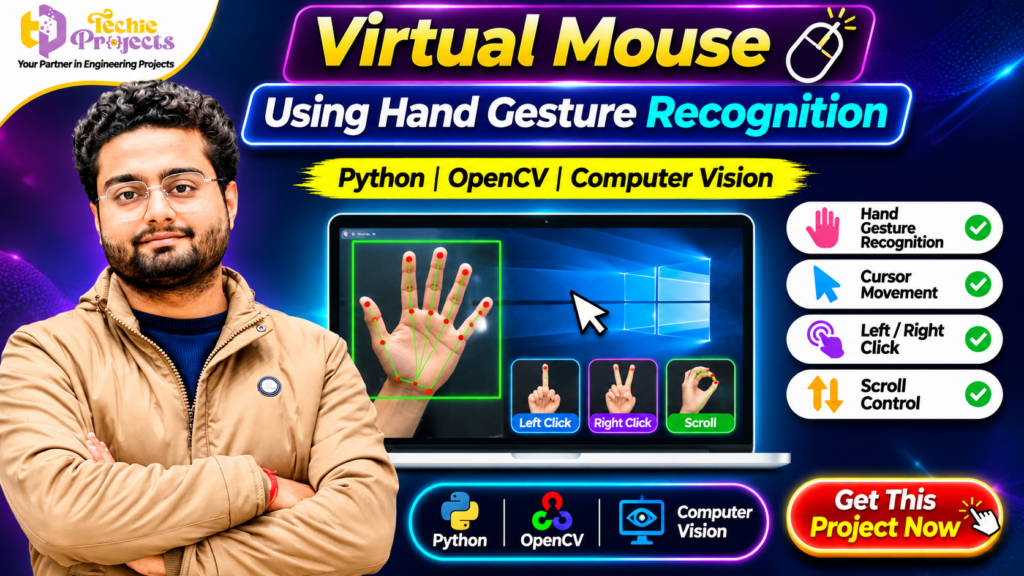
🚀 Want to build an innovative computer vision project that controls a computer mouse using hand gestures? The Virtual Mouse Using Hand Gesture Recognition project is an exciting Python-based application that demonstrates how human hand movements can replace traditional mouse interactions.
This project combines Python, OpenCV, webcam-based hand tracking, and gesture recognition to create an interactive computer control system. Instead of depending entirely on a physical mouse, users can explore cursor movement and supported mouse operations through hand gestures.
Whether you are a B.Tech student, computer science engineering student, or technology enthusiast, this project offers an excellent opportunity to understand real-time computer vision and practical Python application development.
Get your Virtual Mouse Using Hand Gesture Recognition project from Techie Projects! Enquire about the project package, source code, documentation, implementation details, and available technical support.
📞 Contact Techie Projects for Project Enquiries
Interested in purchasing the Virtual Mouse Using Hand Gesture Recognition Project? Contact us to enquire about package availability, pricing, source code, documentation, installation guidance, and technical support options.
💬 WhatsApp Enquiry: Chat with Techie Projects
📱 Contact Number: +91 94600 60699
🌐 Official Website: www.techieprojects.com
📸 Instagram: Follow Techie Projects
🎓 Project Categories: Python, OpenCV, Artificial Intelligence, Computer Vision, Image Processing, and Machine Learning.
✅ Request Project Details: Share your engineering branch, preferred features, and technical requirements to enquire about the most suitable available package.
🚀 Ready to get started? Click here to enquire on WhatsApp and mention Virtual Mouse Using Hand Gesture Recognition Project.
Package contents, pricing, documentation, and support options should be confirmed before purchase.
🎬 Watch the Virtual Mouse Using Hand Gesture Recognition Project Demo
Explore the project demonstration to understand how hand gestures can be used to control mouse operations through a computer vision system.
The demonstration helps students understand the hand tracking process, cursor movement, and supported gesture-based interactions. It also provides a practical introduction to how webcam input can be processed to recognize hand positions.
📌 What Is Virtual Mouse Using Hand Gesture Recognition?
Virtual Mouse Using Hand Gesture Recognition is a Python-based computer vision project that demonstrates controlling a computer mouse through hand movements.
The system uses a webcam to capture hand movements. Image processing and hand tracking techniques are applied to identify hand positions and interpret supported gestures. Based on the recognized gestures, the application can perform mouse-related operations such as cursor movement, left-click, right-click, and scrolling, depending on the implementation.
Traditional mouse devices require physical contact and movement across a surface. A gesture-controlled virtual mouse explores an alternative interaction method by using visual information captured through a camera.
This project is useful for understanding real-time image processing, hand tracking, gesture recognition, and human-computer interaction.
🎯 Objectives of the Virtual Mouse Project
The main objective is to develop a computer vision application that recognizes hand gestures and translates them into mouse operations.
Key objectives include:
- Develop a virtual mouse application using Python.
- Capture real-time video through a webcam.
- Detect and track hand movements.
- Recognize supported hand gestures.
- Control cursor movement using hand positions.
- Implement gesture-based mouse clicking.
- Explore scrolling through hand gestures.
- Understand real-time computer vision applications.
⚙️ How Does Virtual Mouse Using Hand Gesture Recognition Work?
The application follows a sequence of operations to capture, process, and interpret hand movements.
1. 📷 Webcam Video Capture
The process starts by accessing a webcam connected to the computer. The camera continuously captures frames containing the user’s hand movements.
Python libraries such as OpenCV can be used to access the webcam and process incoming video frames.
2. ✋ Hand Detection and Tracking
The captured frames are processed to identify the hand and relevant hand positions.
A hand tracking solution can identify important points on the hand, such as fingertips and joints. These points help the application understand hand position and movement.
3. 🧠 Gesture Recognition
After detecting the hand, the system interprets supported gestures.
Different finger positions and hand movements can be mapped to specific mouse operations. The gesture mapping depends on the project’s implementation.
4. 🖱️ Cursor Movement
The detected hand position is translated into corresponding screen coordinates.
This allows the cursor to move according to the user’s hand movements. Coordinate mapping and movement smoothing can help improve cursor control.
5. 👆 Mouse Click Operations
The application can identify specific gestures to trigger mouse actions.
Depending on the implemented gesture configuration, these actions may include left-click and right-click.
6. ↕️ Scrolling Control
A supported hand gesture can also be mapped to scrolling operations. This demonstrates how different hand movements can be converted into computer interactions.
⭐ Key Features of the Virtual Mouse Project
The project demonstrates several important computer vision and human-computer interaction concepts.
🖐️ Hand Gesture Recognition
The application recognizes supported hand gestures using visual information captured through a webcam.
🎯 Real-Time Cursor Movement
Hand position information can be mapped to screen coordinates to move the mouse cursor.
🖱️ Left and Right Click
Specific gestures can be configured to trigger left-click and right-click operations.
↕️ Gesture-Based Scrolling
The project can demonstrate scrolling using supported hand movements.
📹 Webcam Integration
The webcam provides real-time video input for hand detection and tracking.
💻 Python-Based Development
Python provides the programming environment for implementing video capture, image processing, gesture interpretation, and mouse interactions.
🔍 Computer Vision Implementation
The project provides practical exposure to computer vision concepts and their application in interactive systems.
Note: Available functions and gesture mappings depend on the actual source code and project configuration.
🛠️ Technologies Used in This Project
Python
Python is the primary programming language used to develop the application. It provides libraries and tools for image processing, video capture, and automation.
OpenCV
OpenCV is a computer vision library used for image and video processing. It can capture webcam frames, process images, and support the visual processing workflow.
Hand Tracking Technology
A hand tracking solution can identify hand landmarks and positions. The exact library or implementation depends on the project package.
Mouse Control Library
A suitable Python automation library can translate recognized gestures into mouse operations.
💻 Software and Hardware Requirements
The following are typical requirements for developing and running a Python-based virtual mouse application. Confirm the exact requirements against the supplied project package.
Software requirements:
- Programming Language: Python
- Computer Vision Library: OpenCV
- Hand Tracking: Compatible hand tracking library, if used
- Operating System: Windows 10/11 or compatible system
- Development Environment: Python IDE or code editor
Hardware requirements:
- Computer or laptop
- Webcam
- Keyboard and display
- Compatible processor and sufficient RAM
📚 Applications of Virtual Mouse Using Hand Gesture Recognition
1. Human-Computer Interaction
The project demonstrates an alternative way for users to interact with computers through hand movements.
2. Educational Demonstrations
Students can use this project to explain computer vision, image processing, gesture recognition, and automation concepts.
3. Touch-Free Interaction Research
Gesture recognition can be explored in environments where touch-free interaction is useful. Actual suitability depends on camera placement, lighting, and recognition accuracy.
4. Smart Computing Applications
Gesture-based interaction is an important research area in intelligent systems and modern computing interfaces.
5. Assistive Technology Exploration
Students can study how alternative input methods may support different interaction requirements. This academic demonstration should not be considered a validated accessibility product without further testing.
🎓 Why Choose This Project for Your Final Year?
Selecting a suitable final-year project is important for engineering students. A good project should demonstrate practical programming knowledge, technical concepts, and a working application.
The Virtual Mouse Using Hand Gesture Recognition project offers several academic advantages.
1. Practical Python Implementation: Students can understand how Python is used to develop an interactive application.
2. Computer Vision Experience: The project introduces webcam processing, hand tracking, and visual recognition.
3. Interactive Demonstration: Gesture-based cursor control makes the project suitable for practical classroom or project presentations.
4. Multiple Technical Concepts: Students can explore image processing, coordinate mapping, gesture interpretation, and mouse automation.
5. Scope for Further Development: Additional gestures, improved tracking, and better interaction controls can be explored as future enhancements.
6. Technical Learning: The project provides discussion points about Python programming, computer vision, and application development.
💡 Future Enhancements
Students can explore additional improvements to extend the capabilities of the virtual mouse application.
- Add more customizable hand gestures.
- Improve cursor movement smoothing.
- Introduce gesture sensitivity settings.
- Add a graphical user interface for configuration.
- Improve hand tracking under different lighting conditions.
- Explore multi-hand detection.
- Add visual feedback for recognized gestures.
- Improve compatibility with different screen resolutions.
These enhancements provide opportunities for further experimentation and project customization.
📦 What Do You Get When You Purchase This Project from Techie Projects?
Choosing a ready project package can help students understand the implementation and organize their academic project work.
When enquiring about the Virtual Mouse Using Hand Gesture Recognition project from Techie Projects, ask about the following deliverables:
- Python project source code.
- Project implementation details.
- Software and hardware requirements.
- Project execution guidance.
- Documentation availability.
- Demonstration and explanation support.
- Assistance with understanding the project workflow.
Please confirm the exact package contents and available support before placing your order. Deliverables may vary according to the selected project package.
🛒 Purchase Virtual Mouse Using Hand Gesture Recognition Project from Techie Projects
Are you searching for a practical Python computer vision project for your final-year submission, mini project, or academic demonstration?
Get the Virtual Mouse Using Hand Gesture Recognition project from Techie Projects and explore gesture-controlled computer interaction using Python and OpenCV.
Techie Projects provides engineering project solutions across Artificial Intelligence, Machine Learning, Python, Computer Vision, IoT, Data Science, and other technical domains.
You can enquire about project source code, documentation, implementation details, pricing, and available technical support.
Choose a project that helps you explore practical programming concepts and demonstrate your technical learning.
🔥 Recommended Projects for Engineering Students
Interested in more Python, Artificial Intelligence, and Computer Vision projects? Explore these related project ideas from Techie Projects.
- Virtual Painting Using OpenCV Python – Explore drawing on a screen using hand gestures and computer vision.
- Face Recognition Attendance System – Develop an attendance application using face recognition techniques.
- Hand Gesture Recognition Using Python – Identify and classify different hand gestures using computer vision.
- Real-Time Object Detection Using YOLO – Detect and identify objects from images or video streams.
- AI Exam Proctoring System – Explore computer vision techniques for examination monitoring.
- Number Plate Detection Using Python – Identify vehicle number plates through image processing.
- Helmet Detection Using Machine Learning – Explore object detection for helmet identification.
- Sign Language Recognition Using Python – Develop a gesture recognition application for sign language exploration.
- Human Activity Recognition Using Machine Learning – Classify activities using suitable input data.
- Face Mask Detection Using Deep Learning – Explore image classification and object detection techniques.
Explore more engineering projects at Techie Projects.
❓ Frequently Asked Questions
1. What is a Virtual Mouse Using Hand Gesture Recognition project?
It is a Python-based computer vision application that demonstrates mouse control using hand gestures captured through a webcam.
2. Which programming language is used?
Python is used as the primary programming language.
3. Is OpenCV used in this project?
Yes. OpenCV can be used for webcam access and image or video processing.
4. Can this project move the mouse cursor?
Yes. The project demonstrates cursor movement based on detected hand positions.
5. Can hand gestures perform mouse clicks?
Supported hand gestures can be mapped to mouse actions such as left-click and right-click, depending on the implementation.
6. Is this project suitable for final-year engineering students?
Yes. It is a suitable academic project topic for students interested in Python, Artificial Intelligence, image processing, and computer vision.
7. Can the project be enhanced?
Yes. Students can explore additional gestures, improved tracking, cursor smoothing, and configuration options.
8. Where can I purchase this project?
You can enquire about the Virtual Mouse Using Hand Gesture Recognition project through Techie Projects.
🏁 Conclusion
The Virtual Mouse Using Hand Gesture Recognition project demonstrates how Python and computer vision can be combined to create an interactive mouse control application. By using webcam input, hand tracking, and gesture interpretation, students can explore an alternative approach to traditional computer interaction.
For engineering students, this project provides practical exposure to Python programming, OpenCV, real-time video processing, and gesture-based automation. It also offers opportunities to experiment with additional gestures and improve the application’s interaction capabilities.
If you are interested in developing your knowledge of computer vision and building an interactive Python application, this project is worth exploring for your academic work.