
Introduction
Communication can be challenging for people who use sign language when the people around them do not understand their gestures. Computer vision and machine learning offer exciting ways to explore hand gesture recognition and convert recognized gestures into readable text.
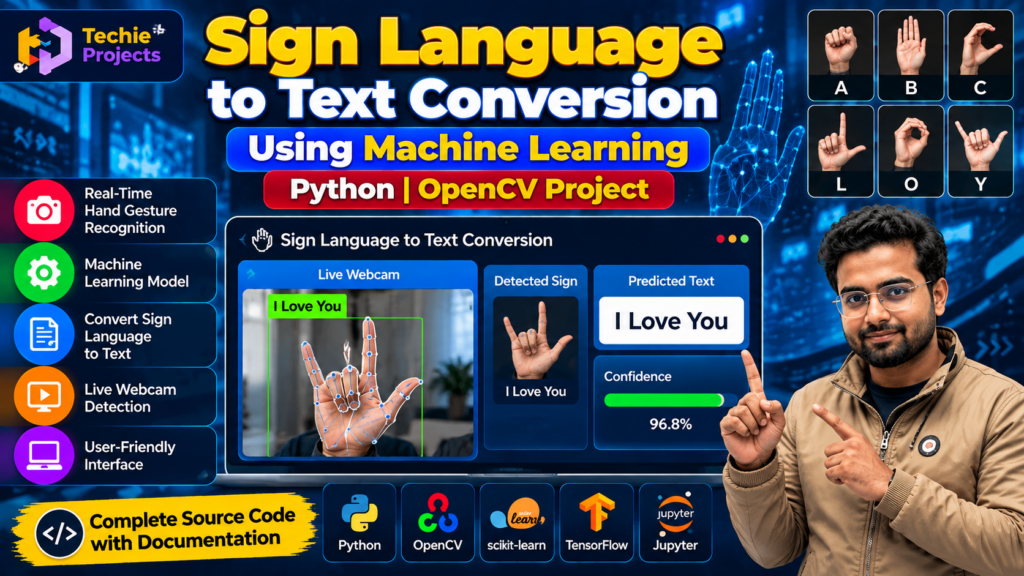
The Sign Language to Text Conversion Using Machine Learning project is a Python-based application that demonstrates how hand gestures can be detected using computer vision and mapped to predefined text labels. It is suitable for B.Tech Computer Science students, final-year engineering students, and learners interested in Python, OpenCV, artificial intelligence, and machine learning.
This project helps students understand real-time image processing, hand tracking, gesture classification, and the development of an interactive application.
This sign language to text conversion using machine learning project demonstrates how Python and computer vision can recognize supported hand gestures and convert them into readable text.
🎬 Project Working Demo
Watch the project demonstration to see how the application detects hand gestures and displays their corresponding text output.
Watch Techie Projects on YouTube
Replace the channel link with the exact project demo video URL before publishing this blog.
🎯 Objectives of the Project
The main objectives of this project are:
- Detect hand gestures from a webcam feed.
- Process hand images or landmarks using computer vision.
- Classify supported gestures using predefined rules or a trained machine learning model.
- Convert recognized gestures into readable text.
- Display results through a user-friendly interface.
- Demonstrate the practical use of Python and OpenCV in gesture recognition.
🖐️ What Is Sign Language to Text Conversion?
Sign language to text conversion is a technology concept that attempts to recognize visual gestures and map them to text labels. Depending on the sign language, application, and dataset, recognition may involve individual hand shapes, hand movements, facial expressions, and body posture.
In this project, the system processes supported gestures and displays their corresponding text output. The accuracy and range of recognized signs depend on the implemented model, training data, lighting conditions, camera quality, and gesture definitions.
A system that recognizes a limited set of static hand gestures should not be described as translating an entire sign language. Real sign languages have their own grammar, movement patterns, and linguistic structures.
⭐ Key Features of the Project
1. Real-Time Hand Gesture Recognition
The application can capture frames from a webcam and analyze visible hand gestures, subject to the capabilities of the implementation.
2. Hand Tracking Using OpenCV
OpenCV can be used for camera access, image processing, and displaying the live video stream. A hand-tracking library such as MediaPipe may also be used if included in the implementation.
3. Gesture Classification
The system identifies supported gestures and maps them to corresponding labels using a trained model or predefined recognition rules.
4. Text Output
After recognizing a supported gesture, the application displays its corresponding word or label on the screen.
5. Interactive Interface
A graphical interface can present the webcam feed, recognized gesture, and text output in an accessible layout.
6. Extendable Gesture Dataset
Additional gestures may be supported by collecting suitable examples, preparing labels, and updating the recognition model or mapping rules.
⚙️ Technologies Used
The exact technology stack depends on the project implementation. Common tools include:
- Python: Main programming language.
- OpenCV: Webcam access and image processing.
- MediaPipe: Optional hand landmark detection.
- NumPy: Numerical operations.
- Scikit-learn or TensorFlow: Optional machine learning model development.
- Tkinter: Optional graphical user interface.
🔄 How Does the System Work?
The sign language to text conversion using machine learning system processes webcam frames, identifies supported gestures, and displays the corresponding text labels.
Step 1: Capture Video
The application accesses a webcam and captures frames containing hand gestures.
Step 2: Process the Image
The frames are prepared for analysis using suitable image-processing operations. Depending on the implementation, the system may detect hand landmarks or extract image features.
Step 3: Identify the Gesture
The detected hand information is passed to the recognition component. The system compares the input with the supported gesture classes using its trained model or recognition rules.
Step 4: Map the Gesture to Text
When a supported gesture is recognized, the system retrieves the associated word or label.
Step 5: Display the Result
The recognized text is shown in the application interface. The system may continue processing subsequent webcam frames to recognize additional gestures.
💻 Software Requirements
- Python 3
- OpenCV
- NumPy
- MediaPipe, if used
- Scikit-learn or TensorFlow, if required by the model
- A compatible Python IDE
- Webcam for real-time gesture input
🖥️ Hardware Requirements
- Laptop or desktop computer
- Webcam
- 4 GB RAM minimum; 8 GB recommended for a more comfortable development experience
- Sufficient storage for source code, libraries, and any datasets
- Compatible operating system
Actual requirements depend on the libraries and model used.
🎓 Applications of Sign Language Recognition
Sign language recognition projects can be useful for:
- Learning computer vision and machine learning.
- Exploring gesture-based human-computer interaction.
- Developing educational demonstrations.
- Experimenting with hands-free interface controls.
- Researching accessibility-focused technologies.
- Building prototypes that recognize a limited set of gestures.
⚠️ Limitations and Challenges
- Recognition can be affected by lighting, camera angle, and background conditions.
- Similar hand shapes may be difficult to distinguish.
- Static gesture recognition may not capture movement-based signs.
- A limited vocabulary cannot represent a complete sign language.
- Recognition performance depends on the quality and diversity of training data.
- Real-world communication requires careful evaluation with users and sign-language experts.
🚀 Future Scope
Potential improvements include:
- Supporting a larger vocabulary of gestures.
- Recognizing dynamic gestures and hand movements.
- Adding text-to-speech output.
- Improving recognition under different lighting conditions.
- Developing a mobile or web-based interface.
- Evaluating the model with more diverse datasets and users.
❓ Frequently Asked Questions
1. What is sign language to text conversion using machine learning?
It is a computer vision application that recognizes supported visual gestures and maps them to corresponding text labels using machine learning or other recognition techniques.
2. Which programming language is used?
Python is commonly used because it supports computer vision, webcam processing, machine learning, and interface development.
3. Is this project suitable for final-year engineering students?
Yes. It can be suitable for students interested in Python, artificial intelligence, machine learning, and computer vision, depending on their academic requirements.
4. Does the project support real-time recognition?
A webcam-based implementation can recognize supported gestures in real time, depending on the model, hardware, and software configuration.
5. Can more gestures be added?
Yes, if the implementation supports extension. Additional gestures may require new samples, labels, model training, or updates to the gesture mapping.
6. Does the project translate every sign language?
No. Recognizing a limited set of gestures is different from translating a complete sign language. Full translation requires handling linguistic structure, context, movement, and other relevant information.
🛒 Get the Sign Language to Text Conversion Project
Looking for a Sign Language to Text Conversion project using Python and machine learning for your final-year engineering submission?
Techie Projects helps students explore academic project options and discuss source-code availability, implementation details, documentation, and customization requirements.
Before purchasing, confirm the supported gestures, recognition method, software dependencies, webcam requirements, and deliverables for the specific project version.
📲 Contact Techie Projects
- 📲 Call/WhatsApp: +91-9460060699
- 🌎 Website: www.techieprojects.com
- 📺 Instagram: @pythonprojects_
Share your course, submission requirements, and preferred features to discuss a suitable project option.
🔗 Recommended Projects
- Hand Gesture Recognition Using OpenCV Python
- Gesture Control Virtual Steering Using OpenCV
- Face Recognition Based Attendance System
- Real-Time Object Detection Using Python
- Sign Language Recognition Using Machine Learning
Conclusion
The Sign Language to Text Conversion Using Machine Learning project provides practical exposure to Python programming, webcam processing, hand gesture recognition, and computer vision. Students can use it to explore how visual input can be mapped to text within a defined set of supported gestures.
If you are looking for a final-year project, contact Techie Projects to discuss availability, source code, documentation, and implementation requirements.
Students interested in sign language to text conversion using machine learning can use this project to explore Python programming, gesture recognition, and computer vision techniques.
Disclaimer: This project is intended for educational and research purposes. Its output should not be treated as a complete sign-language translation service or a replacement for qualified interpreters.