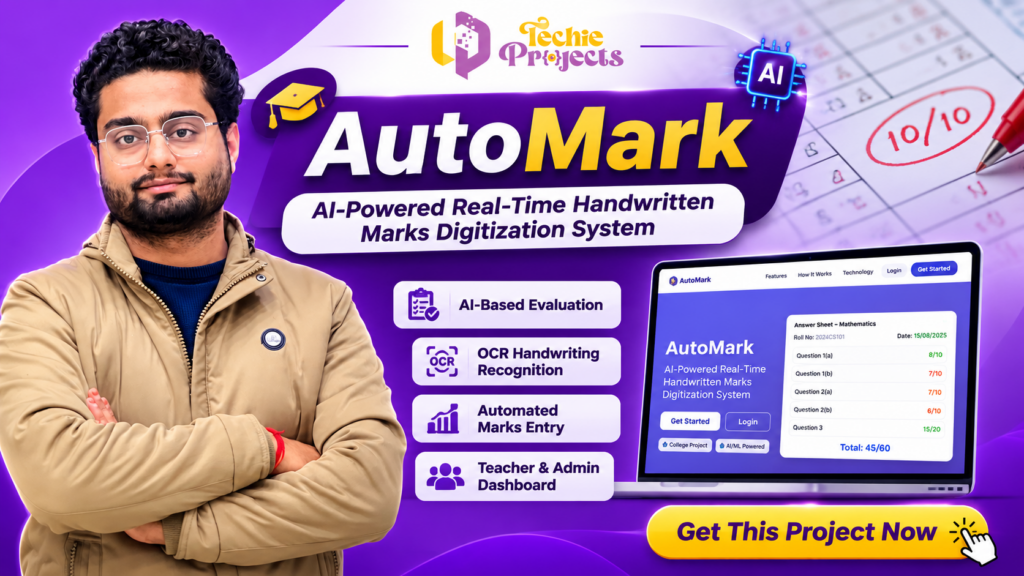
🎓 Looking for an innovative Artificial Intelligence final-year project that solves a real-world educational problem? The Automatic Answer Sheet Checking System is an advanced AI-powered project designed to simplify the process of digitizing handwritten marks from examination answer sheets. Instead of depending entirely on traditional manual marks entry, this system combines OpenAI models, Optical Character Recognition (OCR), and Machine Learning technologies to help process handwritten examination marks digitally.
If you are a B.Tech, M.Tech, MCA, BCA, or Computer Science engineering student searching for an impressive final-year project, AutoMark is an excellent project concept to explore. It demonstrates how Artificial Intelligence can be integrated into an educational workflow through a practical web-based application.
🚀 Get this AI-powered project from Techie Projects and explore its implementation, source code, application workflow, and demonstration. Whether you want to understand AI-based document processing or develop a practical academic project, AutoMark offers an interesting opportunity to work with modern technologies.
📞 Contact Techie Projects for Project Enquiries
Want to purchase the Automatic Answer Sheet Checking System for your final-year academic project?
Connect with Techie Projects to discuss project availability, source code, implementation details, and pricing.
- 🌐 Website: www.techieprojects.com
- 📸 Instagram: Techie Projects
- 💬 WhatsApp: +91-9460060699.
🎬 Project Demo – Automatic Answer Sheet Checking System
AutoMark demonstrates an AI-powered approach to processing handwritten examination marks.
The application includes a public landing page, administrator dashboard, teacher dashboard, subject management, teacher registration approval, and answer sheet uploading functionality.
The demonstration covers the following workflow:
- Register and access the application as a teacher.
- View available academic subjects.
- Select the subject for examination processing.
- Enter the student’s roll number.
- Upload an answer sheet image or supported document.
- Process the uploaded answer sheet using the project’s AI and OCR-based workflow.
- View the digitized marks and associated records.
Project Name: AutoMark – AI-Powered Real-Time Handwritten Marks Digitization System.
Contact Techie Projects to request the project demonstration video.
🤖 What Is an Automatic Answer Sheet Checking System?
An Automatic Answer Sheet Checking System is an AI-based application designed to assist with examination answer sheet processing and marks digitization.
In conventional examination workflows, educational institutions often depend on manual processes to record marks, organize examination information, and maintain student assessment records. These activities can require considerable administrative effort, particularly when institutions handle multiple subjects and examination sheets.
The Automatic Answer Sheet Checking System aims to simplify part of this workflow by integrating intelligent document processing technologies.
AutoMark uses OpenAI models, OCR techniques, and Machine Learning concepts to support the digitization of handwritten marks from answer sheets.
The system provides a web-based interface where teachers can access subjects, upload examination sheets, and process the associated information. Administrators can manage teacher accounts, approve registrations, and organize academic subjects.
The main objective is to demonstrate how modern AI technologies can be applied to educational administration.
🎯 Objectives of the Project
The main objectives of developing an Automatic Answer Sheet Checking System include:
- Automating parts of the handwritten marks digitization workflow.
- Reducing repetitive manual marks entry.
- Applying OCR techniques to handwritten examination documents.
- Integrating OpenAI models into an educational application.
- Providing a centralized platform for teachers and administrators.
- Organizing academic subjects and examination information.
- Maintaining digital records of processed answer sheets.
- Demonstrating the practical application of AI and Machine Learning.
This project is particularly relevant for students interested in Artificial Intelligence, Python development, Machine Learning, and intelligent document processing.
⭐ Key Features of AutoMark
AutoMark includes several modules designed to support its educational workflow.
1. AI-Powered Marks Digitization
The primary feature of the Automatic Answer Sheet Checking System is its AI-assisted handwritten marks digitization functionality.
The application combines OCR techniques and OpenAI models to support the extraction and processing of handwritten marks from examination answer sheets.
This feature demonstrates how intelligent document processing can be integrated into an academic application.
2. Teacher Registration and Login
The system provides a teacher registration and login workflow.
Teachers can create accounts and access the application after the required approval process.
The administrator can review registration requests and manage teacher account statuses.
3. Administrator Dashboard
The administrator dashboard provides an overview of important application information.
It includes:
- Pending teacher approvals.
- Active teacher information.
- Total academic subjects.
- Processed answer sheet statistics.
- User management.
- Subject management.
- Answer sheet management.
- Quick administrative actions.
The dashboard helps administrators manage the application’s main activities from a centralized interface.
4. Teacher Dashboard
Teachers receive a separate dashboard after logging into their accounts.
The dashboard provides access to:
- Available subjects.
- Processed sheet statistics.
- Average processing information.
- Recent activity.
- Subject browsing.
- Answer sheet uploading.
- Results viewing.
This separation of teacher and administrator interfaces makes the application easier to organize.
5. Subject Management
The subject management module allows administrators to create and organize academic subjects.
When adding a new subject, the application provides fields such as:
- Subject Name.
- Subject Code.
- Examination Type.
- Maximum Marks.
- Marking Scheme.
The system supports different examination configurations, such as midterm and final examinations.
Once created, subjects become available to teachers according to the application’s workflow.
6. Answer Sheet Uploading
Teachers can upload answer sheets through a dedicated interface.
The upload form includes:
- Subject selection.
- Student roll number.
- Answer sheet image or document.
- File preview.
The displayed application supports JPG, PNG, and PDF formats, with a maximum file size of 16 MB.
The preview functionality allows users to check the selected document before proceeding with processing.
7. Digital Marks Management
The application is designed to organize digitized examination marks into structured records.
Teachers and administrators can use the available application modules to manage examination-related information.
Digital records can make it easier to access and organize processed examination information compared with scattered manual records.
8. User Approval Management
The administrator can review teacher registrations and approve or reject pending accounts.
The Manage Users interface displays information such as:
- Teacher name.
- Username.
- Email.
- Teacher ID.
- Account status.
- Registration date.
- Available administrative actions.
This feature demonstrates role-based user management in a practical web application.
⚙️ Technologies Used in the Automatic Answer Sheet Checking System
The project combines multiple technologies associated with modern AI-based applications.
Artificial Intelligence
Artificial Intelligence is used as part of the intelligent document processing workflow.
The integration of OpenAI models demonstrates how AI capabilities can be applied to handwritten marks digitization.
Optical Character Recognition (OCR)
OCR technology helps extract information from document images.
In this project, OCR techniques are used as part of the handwritten marks processing workflow.
Machine Learning
Machine Learning concepts support the intelligent processing approach used in the application.
Students can explore how Machine Learning and AI technologies can be incorporated into educational software.
OpenAI Models
OpenAI models are integrated into the project’s AI-powered workflow.
This provides an opportunity to understand how AI models can be used alongside conventional document processing techniques.
Web Application Development
AutoMark provides a browser-based interface with separate administrator and teacher dashboards.
The application includes authentication, forms, subject management, file uploading, and examination-related records.
Note: The exact framework versions, database configuration, and complete dependency list should be confirmed from the supplied project source code.
🔄 How Does the System Work?
Understanding the working process is important for students who want to develop or present this project.
The general application workflow can be understood through the following stages.
Step 1: Teacher Registration
A teacher creates an account using the registration interface.
The registration information is submitted for administrator review.
Step 2: Administrator Approval
The system administrator opens the Manage Users section and reviews pending teacher registrations.
After approval, the teacher can access the application according to the assigned account permissions.
Step 3: Subject Selection
The teacher accesses the dashboard and views available academic subjects.
The teacher selects the appropriate subject for examination processing.
Step 4: Student Information Entry
The teacher enters the student’s roll number.
This information helps associate the uploaded answer sheet with the relevant student record.
Step 5: Answer Sheet Upload
The teacher uploads the examination answer sheet in a supported file format.
The application displays a preview of the uploaded document.
Step 6: AI and OCR Processing
The uploaded document enters the project’s processing workflow.
OCR techniques and integrated OpenAI models support the digitization of handwritten marks.
Step 7: Marks Digitization and Results
The processed information can be organized into digital examination records.
The system provides an application workflow for accessing and managing processed sheet information.
Important: AI-generated extraction should be checked by an authorized teacher before final marks are approved. Handwriting quality, image resolution, document orientation, and unclear writing can affect extraction results.
🏫 Applications of the Automatic Answer Sheet Checking System
The project demonstrates potential applications in different educational environments.
Engineering Colleges
Engineering colleges can explore AI-assisted document processing for academic examination workflows.
Universities
Universities handling multiple academic departments can study the benefits of centralized examination information management.
Schools and Educational Institutions
Schools can explore digital approaches to organizing examination-related records.
Coaching Institutes
Coaching institutes can investigate how document digitization technologies may support their assessment processes.
Educational Technology Development
Developers can use this project concept to explore intelligent educational applications using Python, AI, OCR, and Machine Learning.
The system should be considered an academic project and a demonstration of AI-assisted marks digitization rather than a fully validated replacement for official examination evaluation.
💡 Advantages of an AI-Based Answer Sheet Processing System
There are several advantages to exploring an Automatic Answer Sheet Checking System.
1. Reduced Manual Data Entry
Digitizing handwritten marks can help reduce repetitive information entry in examination workflows.
2. AI Technology Integration
The project provides practical exposure to OpenAI models and OCR-based processing.
3. Centralized Management
Teacher accounts, academic subjects, and examination-related information can be organized through a web application.
4. Improved Digital Record Organization
The application provides a structured interface for managing uploaded and processed answer sheets.
5. Practical Learning Experience
Students can explore the integration of AI, Machine Learning, OCR, and web development technologies in one project.
6. Academic Presentation Value
The project addresses a recognizable educational challenge and offers multiple modules to demonstrate during an academic presentation.
🎓 Why Choose This Project for Your Final Year?
Choosing the right final-year project is important for engineering and postgraduate students.
A strong academic project should demonstrate technical understanding, practical implementation, and the ability to solve a relevant problem.
The Automatic Answer Sheet Checking System offers an interesting combination of technologies and application modules.
It is suitable for students exploring:
- B.Tech Computer Science Engineering.
- B.Tech Information Technology.
- M.Tech Computer Science.
- MCA.
- BCA.
- Artificial Intelligence and Data Science.
- Machine Learning.
- Python Development.
Students can study the system architecture, understand the AI integration, explore the OCR workflow, and demonstrate the application through its different dashboards.
It can also provide a foundation for further development, such as adding additional document formats, improved handwriting recognition, validation interfaces, and examination analytics.
💻 What Will You Learn From This Project?
Working with an AI-based educational application can provide exposure to several practical development concepts.
Python Development
Understand how Python can be used to develop an AI-powered application.
AI and OpenAI Integration
Explore how AI models can be integrated into a document processing workflow.
OCR Implementation
Understand the role of OCR in extracting information from uploaded documents.
Authentication and User Management
Learn about teacher registration, login, account approval, and role-based interfaces.
Dashboard Development
Explore how dashboards can display application statistics and organize information.
File Uploading
Understand how users upload documents and view file previews in a web application.
Database Management
Explore how application records, users, subjects, and examination information are organized in the project’s data layer.
🛒 Get the Automatic Answer Sheet Checking System Project from Techie Projects
Are you searching for an innovative AI and Machine Learning project for your final-year submission?
Get the Automatic Answer Sheet Checking System from Techie Projects and explore a practical AI-powered educational application.
Instead of starting your project journey without a clear implementation reference, explore AutoMark and understand its modules, interface, technologies, and working process.
Techie Projects provides project-related assistance for students looking to explore practical engineering projects.
- 🌐 Website: www.techieprojects.com
- 📸 Instagram: Techie Projects
- 💬 WhatsApp: +91-9460060699.
Why Explore Techie Projects?
- 🎓 Projects for engineering and postgraduate students.
- 💻 Practical Python and AI-based project concepts.
- 🤖 Artificial Intelligence and Machine Learning applications.
- 📚 Project-related technical guidance.
- 🚀 Demonstration and implementation discussions.
- 💬 Enquiry-based project assistance.
Who Can Purchase This Project?
This project may be suitable for:
- B.Tech final-year students.
- M.Tech students.
- MCA students.
- BCA students.
- Computer Science engineering students.
- Artificial Intelligence and Data Science students.
- Students interested in Python and Machine Learning.
How to Purchase?
Follow these simple steps:
- Visit www.techieprojects.com.
- Find the Automatic Answer Sheet Checking System project.
- Contact Techie Projects through the website.
- Ask for the project demonstration and available deliverables.
- Confirm the pricing and project requirements.
- Proceed with your project enquiry and purchase.
Project pricing depends on the selected project package and requirements. Contact us for the latest price and availability.
🚀 Future Scope of the Project
The Automatic Answer Sheet Checking System offers several possibilities for future development.
Some potential improvements include:
1. Advanced Handwriting Recognition
More advanced handwriting recognition models could be explored to improve the extraction of handwritten information.
2. Student Performance Analytics
Additional analytics modules could help visualize examination results and subject-wise performance.
3. Mobile Application Integration
A mobile application could be developed to allow teachers to upload answer sheet images using smartphones.
4. Bulk Answer Sheet Processing
Future versions could explore processing multiple answer sheets in a single workflow.
5. Advanced Validation System
A dedicated teacher verification interface could be developed to review extracted marks and correct recognition errors.
6. Cloud-Based Deployment
The application could be extended to support cloud-based access for educational institutions.
These improvements can help students explore additional areas of AI, software engineering, and educational technology.
💡 Recommended Projects
If you are interested in the Automatic Answer Sheet Checking System, explore other AI, Python, and Machine Learning projects available at Techie Projects.
Here are some related project ideas:
- AI-Based Exam Proctoring System – Explore AI applications for examination monitoring.
- Fake News Detection Using Machine Learning – Develop a system to classify potentially misleading news content.
- DeepFake Detection System – Explore AI techniques for identifying manipulated media.
- Handwritten Digit Recognition Using Deep Learning – Work with image recognition and neural networks.
- Student Performance Prediction Using Machine Learning – Analyze academic data and predict student performance.
- Face Recognition Attendance System – Explore facial recognition for attendance management.
- Handwritten Character Recognition Using Machine Learning – Build a system for automatically categorizing character in documents.
Explore more project ideas at www.techieprojects.com.
❓ Frequently Asked Questions (FAQs)
1. What is an Automatic Answer Sheet Checking System?
An Automatic Answer Sheet Checking System is an AI-powered application designed to assist in processing examination answer sheets and digitizing handwritten marks using technologies such as OCR, OpenAI models, and Machine Learning.
2. Which technologies are used in this project?
The project uses OpenAI models, OCR techniques, Machine Learning concepts, and web application development technologies.
3. Is this project suitable for B.Tech students?
Yes. It is a relevant project concept for B.Tech Computer Science, Information Technology, Artificial Intelligence, and Data Science students.
4. Can MCA and M.Tech students choose this project?
Yes. MCA and M.Tech students interested in AI, Python, OCR, and intelligent document processing can explore this project.
5. Can the system process handwritten answer sheets?
The project is designed to support handwritten marks digitization through its OCR and AI-based processing workflow. Extraction quality depends on handwriting clarity, image quality, and document conditions.
6. Does the project include an administrator dashboard?
Yes. The application includes an administrator dashboard with user management, subject management, answer sheet management, and quick administrative actions.
7. Can teachers upload answer sheets?
Yes. The teacher interface includes an answer sheet upload module with subject selection, roll number entry, supported file formats, and document preview.
8. How can I purchase this project?
Visit www.techieprojects.com and contact Techie Projects for pricing, availability, demonstration, and deliverable details.
🏁 Conclusion
The Automatic Answer Sheet Checking System is an innovative AI-based academic project that demonstrates how Artificial Intelligence, OpenAI models, OCR, and Machine Learning can be combined to support handwritten examination marks digitization.
With its teacher dashboard, administrator dashboard, subject management, teacher approval, answer sheet uploading, and AI-assisted processing workflow, AutoMark offers an interesting practical application for students interested in modern software development.
For B.Tech, M.Tech, MCA, BCA, and Computer Science students, this project provides an opportunity to explore intelligent document processing and educational technology.
If you are planning your final-year project and want to work with practical AI technologies, explore AutoMark from Techie Projects and take the next step toward your academic project development journey.