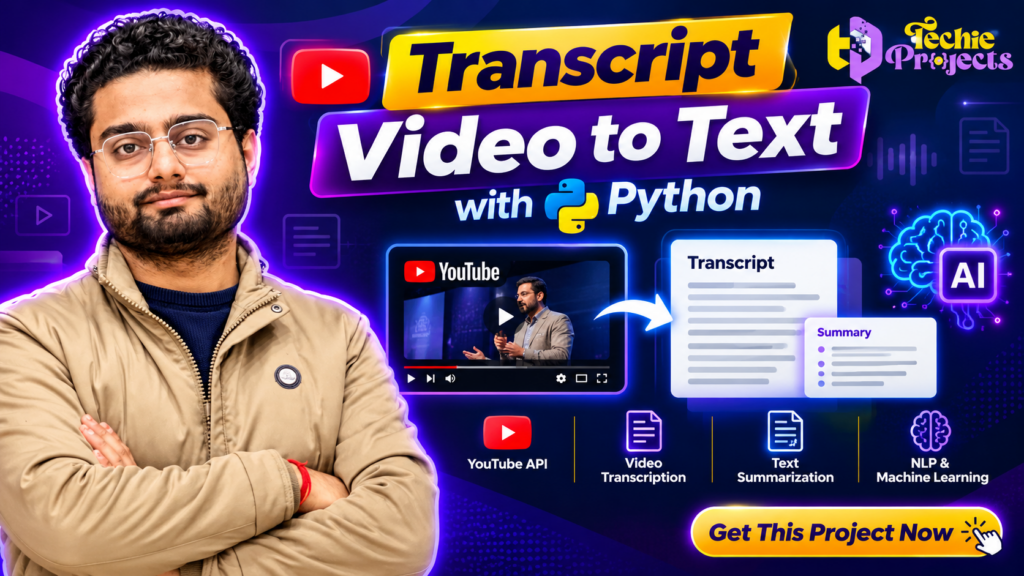
Are you looking for a practical Python project that combines Artificial Intelligence, Natural Language Processing (NLP), YouTube API integration, and automatic text summarization? Get the Transcript Video to Text with Python Project from Techie Projects and explore how video content can be converted into readable text using Python programming.
🚀 Get your Python project solution from Techie Projects! This project is an excellent choice for B.Tech, BCA, MCA, M.Tech, and computer science engineering students who want to develop practical skills in Python development, machine learning, and NLP. Instead of spending weeks searching for different implementations, you can enquire about our project solution, source code, implementation details, and technical assistance.
The Transcript Video to Text with Python project demonstrates how users can extract transcripts from YouTube videos, process textual information, and generate meaningful summaries. It is useful for students interested in developing automation tools and understanding how Natural Language Processing can simplify information retrieval.
📞 Contact Techie Projects for Project Enquiries
Interested in purchasing the IoT-Based Smart Home Automation System Project? Contact us to enquire about package availability, pricing, source code, documentation, installation guidance, and technical support options.
💬 WhatsApp Enquiry: Chat with Techie Projects
📱 Contact Number: +91 94600 60699
🌐 Official Website: www.techieprojects.com
📸 Instagram: Follow Techie Projects
🎓 Project Areas: Robotics, Machine Learning, Arduino, Deep Learning, Artificial Intelligence, and Android App.
✅ Request Project Details: Share your engineering branch, preferred features, and technical requirements to enquire about the most suitable available package.
🚀 Ready to get started? Click here to enquire on WhatsApp and mention IoT-Based Smart Home Automation System Project.
Package contents, prices, hardware availability, and support options should be confirmed before purchase.
🎬 Watch the Transcript Video to Text with Python Project Demo
Explore the project demonstration to understand how the application works, how YouTube video transcripts are extracted, and how text processing and summarization are performed.
The demonstration provides an overview of the application workflow and its major functionalities.
📌 What Is Transcript Video to Text with Python?
Transcript Video to Text with Python is a software application designed to extract textual information from YouTube videos and process it into an easy-to-read format.
Videos are widely used for education, entertainment, tutorials, online courses, technical training, and business communication. However, watching an entire video to find specific information can take considerable time.
This application demonstrates how Python programming and NLP techniques can help simplify this process.
The system uses YouTube API integration to retrieve relevant video transcript information. After extracting the text, the application processes the content and can generate a summarized version using Natural Language Processing techniques.
The main objective of this Transcript Video to Text with Python project is to demonstrate how video information can be transformed into structured textual content.
Students can understand several important concepts, including:
- YouTube API integration.
- Python application development.
- Text extraction and processing.
- Natural Language Processing.
- Text summarization using NLTK.
- Graphical User Interface development.
- Automated information retrieval.
🎯 Objectives of the Project
The primary objective is to develop an application that makes video information easier to access and understand.
The important objectives include:
1. Automatic Transcript Extraction
Retrieve available transcript information from supported YouTube videos through an API-based workflow.
2. Text Processing
Clean and process the extracted textual information to make it suitable for further analysis.
3. Text Summarization
Use NLP techniques and NLTK to demonstrate how lengthy textual content can be converted into a shorter summary.
4. User-Friendly Interface
Provide an interface through which users can enter video information and access the generated transcript and summary.
5. Python Application Development
Demonstrate the integration of different Python libraries and technologies in one practical application.
⚙️ How Does the Project Work?
The application follows a simple workflow that connects video information retrieval with text processing.
Step 1: Enter the YouTube Video Information
The user provides the supported YouTube video URL or relevant video identifier through the application interface.
Step 2: Retrieve Video Transcript
The application uses the configured YouTube API or transcript retrieval integration to access available transcript information.
Transcript availability depends on the video, language, permissions, and supported retrieval method.
Step 3: Extract Textual Information
After retrieving the transcript, the system collects the available textual information for further processing.
Step 4: Clean and Process the Text
The extracted content is processed to remove unnecessary elements and prepare the text for summarization.
Step 5: Generate a Summary
The application uses NLP techniques through the NLTK library to demonstrate text summarization.
The objective is to present the important information in a shorter and more understandable format.
Step 6: Display the Results
Finally, the application displays the extracted transcript and generated summary through its user interface.
This workflow makes the Transcript Video to Text with Python project a useful demonstration of practical Python and NLP integration.
🌟 Key Features of the Project
The application demonstrates several useful functionalities for students and developers.
1. YouTube Video Transcript Extraction
Users can retrieve available transcript information from supported YouTube videos. This feature demonstrates how external APIs and Python applications can work together.
2. Automatic Text Processing
The extracted content can be processed before being presented to the user. Text preprocessing is an important step in Natural Language Processing applications.
3. NLP-Based Text Summarization
The application demonstrates the use of NLTK-based text processing techniques to generate shorter representations of longer content.
4. Easy-to-Use Application Interface
A graphical interface helps users interact with the application without requiring them to execute every operation manually through a command-line terminal.
5. Python-Based Implementation
The project demonstrates how Python libraries can be integrated to develop a complete software application.
6. Educational Demonstration
Students can explore the working of APIs, data extraction, text preprocessing, and NLP through a single project.
7. Practical Learning Experience
The application provides an opportunity to understand how real-world software solutions can automate repetitive information-processing tasks.
🛠️ Technologies and Tools Used
The project demonstrates the integration of Python programming with web technologies and NLP libraries.
Programming Language: Python
Python is the primary programming language used for application development and text processing.
YouTube API
The YouTube API integration helps retrieve relevant video information. Transcript extraction requires a supported transcript retrieval method and depends on the availability of captions.
NLTK Library
Natural Language Toolkit (NLTK) provides tools for text processing and Natural Language Processing. It can be used for tokenization, stopword handling, and other text-processing operations.
HTML and CSS
These technologies can be used to develop and style the web interface.
JavaScript
JavaScript can support interactive interface elements and improve the user experience.
Django
Django can be used as the web application framework for handling application functionality and backend operations.
💻 Software Requirements
The following are the software requirements indicated for the project:
- Programming Language: Python.
- Implementation: Python-based application.
- Operating System: Windows 10/11.
- Text Processing: NLTK.
- API Integration: YouTube API.
- Interface Technologies: HTML, CSS, JavaScript, and Django.
🖥️ Hardware Requirements
The application can be developed and demonstrated using a standard computer system.
- Processor: Intel Pentium or equivalent.
- RAM: 4 GB or higher.
- Hard Disk: 500 GB or sufficient available storage.
- Input Devices: Keyboard and Mouse.
- Display: Standard computer monitor.
Actual requirements may vary depending on the development environment and installed libraries.
🎓 Why Choose This Project for Final-Year Engineering?
Students pursuing B.Tech, BCA, MCA, M.Tech, and other computer-related courses frequently look for projects that demonstrate practical programming skills.
The Transcript Video to Text with Python project combines several important concepts in one application.
It allows students to explore:
- Python programming and application development.
- API integration and data retrieval.
- Natural Language Processing.
- Text preprocessing techniques.
- Automatic text summarization.
- Frontend and backend integration.
- Software testing and debugging.
It can also serve as a practical learning example for students preparing for technical interviews and building their project portfolios.
Rather than focusing only on theoretical concepts, students can explore how different technologies work together to solve a practical problem.
📚 Applications of Video-to-Text Technology
Video-to-text technology has several applications across different industries.
1. Education and Online Learning
Students can use available video transcripts as supplementary study material. Text-based content can make it easier to search for specific topics and review important information.
2. Online Tutorials
Technical tutorials often contain lengthy explanations. Extracted transcripts can help users locate particular concepts without repeatedly watching the entire video.
3. Content Research
Researchers and content creators can use transcript information to organize ideas and review available video material.
4. Digital Content Management
Organizations can explore transcript extraction to make video information easier to organize and search.
5. Meeting and Training Resources
Video transcription workflows can be useful when working with supported recorded training sessions and other audiovisual resources.
6. Accessibility
Text transcripts can provide an alternative way to access spoken content for people who prefer reading or need text-based reference material.
7. Knowledge Management
Extracted textual content can help organize information from educational and training videos into searchable resources.
🧠 Importance of Natural Language Processing
Natural Language Processing is an important field of Artificial Intelligence that focuses on enabling computers to work with human language.
In this application, NLP techniques are used to process the extracted transcript and generate a shorter representation of the content.
Some important NLP concepts students can explore include:
- Tokenization.
- Text cleaning.
- Stopword removal.
- Sentence processing.
- Word frequency analysis.
- Text summarization.
NLTK is particularly useful for understanding fundamental NLP operations and experimenting with text-processing workflows.
The project provides a practical introduction to these concepts and helps students understand how textual data can be processed programmatically.
📈 Advantages of the Project
The application offers several educational and practical advantages.
Saves Time: Users can access available transcript information without manually typing the entire video content.
Improves Information Accessibility: Text-based content can make video information easier to review and search.
Supports Learning: Students can understand the integration of Python, APIs, and NLP techniques.
Demonstrates Automation: The application illustrates how repetitive information-processing activities can be automated.
Practical Python Experience: Developers can gain exposure to application development and library integration.
Expandable Architecture: Students can explore additional features such as multilingual processing, improved summarization methods, and transcript export options.
🚀 Get the Best Transcript Video to Text with Python Project
If you are searching for a practical Transcript Video to Text with Python project for your final-year submission, Techie Projects can help you explore the available project solution. This application demonstrates how Python programming, YouTube API integration, and Natural Language Processing can work together to extract and process video transcripts.
The Transcript Video to Text with Python application is designed to demonstrate automatic transcript extraction and text summarization. Students can explore its implementation, understand the workflow, and learn how different Python libraries are integrated.
💻 Project Implementation and Development
The Transcript Video to Text with Python project provides an opportunity to understand real-world software development. It combines video transcript retrieval, text preprocessing, and NLP-based summarization in a single application.
During implementation, students can explore how the Transcript Video to Text with Python system retrieves available transcript information and prepares it for further processing.
Another important aspect of the Transcript Video to Text with Python project is its integration of different technologies. Python handles the application logic, while NLTK supports text-processing operations.
🎓 Who Should Purchase This Project?
The Transcript Video to Text with Python project is suitable for students pursuing B.Tech, BCA, MCA, and M.Tech courses.
Students interested in Python development, Artificial Intelligence, NLP, and automation can explore this application as an academic learning project.
If you want a Transcript Video to Text with Python project for your final-year submission, contact Techie Projects to discuss source code availability, documentation, pricing, and technical assistance.
⭐ Why Choose This Project?
Choosing the Transcript Video to Text with Python application gives students an opportunity to explore multiple technical concepts through one practical implementation.
It demonstrates how video information can be converted into textual data and processed using Python-based NLP techniques.
Get in touch with Techie Projects today to enquire about purchasing the Transcript Video to Text with Python project and taking your academic project development forward.
🔮 Future Scope of the Project
The project can be extended with additional features to improve its functionality.
1. Multilingual Transcript Processing
Support for different languages can make the application useful for a wider range of users, subject to available transcripts and language-processing tools.
2. AI-Based Summarization
Advanced language models can be integrated to generate more contextual and meaningful summaries.
3. PDF Export
A PDF export feature can allow users to save transcripts and summaries for future reference.
4. Search Within Transcripts
A search feature can help users find specific keywords or sentences within extracted text.
5. Audio-to-Text Integration
Speech recognition technologies can be explored for processing audio when an accessible transcript is unavailable.
6. Improved User Interface
The interface can be enhanced with additional controls, progress indicators, and transcript management features.
7. Cloud-Based Deployment
The application can be extended to a cloud-based environment to improve accessibility and simplify deployment.
These improvements provide opportunities for students to develop more advanced versions of the application.
💼 Why Purchase Your Python Project from Techie Projects?
Choosing a suitable project is an important step in completing your engineering academic requirements.
At Techie Projects, we focus on providing technology-based project solutions across different domains, including Artificial Intelligence, Machine Learning, Python Development, Data Science, Computer Vision, NLP, and Web Development.
When you enquire about the Transcript Video to Text with Python project, our team can discuss the available project package and your academic requirements.
What Can You Enquire About?
- Python project source code availability.
- Project implementation details.
- Software installation requirements.
- Project demonstration.
- Documentation availability.
- Technical assistance.
- Customization requirements.
- Pricing and delivery details.
Our aim is to help students understand project implementation and explore practical software development concepts.
Why wait? Contact Techie Projects today to discuss your project requirements and get started!
🛒 Get This Project Now – Contact Techie Projects
Are you interested in purchasing the Transcript Video to Text with Python project?
Get in touch with Techie Projects to enquire about pricing, source code, documentation, and available support.
🎓 Suitable for: B.Tech, BCA, MCA, M.Tech, and Computer Science Engineering Students.
💻 Domain: Python, Artificial Intelligence, and Natural Language Processing.
🚀 Project Type: Video Transcript Extraction and Text Summarization.
📞 Contact / WhatsApp: +91 94600 60699
🌐 Website: www.techieprojects.com
📸 Instagram: @pythonprojects_
Click the WhatsApp link to enquire about purchasing this project.
Our team can help you understand the available package and discuss your requirements before placing an order.
💡 Recommended Projects
Looking for more interesting Python and Artificial Intelligence projects? Explore these related project domains from Techie Projects:
- Python Projects – Explore Python-based software applications.
- NLP Projects – Discover Natural Language Processing applications.
- Machine Learning Projects – Explore intelligent prediction systems.
- Deep Learning Projects – Learn neural network-based applications.
- Data Science Projects – Work with data analysis and visualization.
- Artificial Intelligence Projects – Explore AI-powered applications.
- Web Development Projects – Discover practical web application development.
- Computer Vision Projects – Explore image and video processing applications.
Visit www.techieprojects.com to explore more engineering project ideas.
❓ Frequently Asked Questions (FAQs)
1. What is Transcript Video to Text with Python?
It is a Python-based application that demonstrates how available YouTube video transcripts can be extracted, processed, and summarized using NLP techniques.
2. Which programming language is used?
Python is the primary programming language used in the project.
3. Which library is used for text summarization?
The project demonstrates NLP-based text processing using the NLTK library.
4. Does the application support YouTube videos?
The application is designed around YouTube video information and transcript retrieval. Actual extraction depends on transcript availability and API or retrieval method compatibility.
5. Is this project suitable for final-year engineering students?
Yes. It is a suitable educational project topic for students interested in Python programming, Artificial Intelligence, and Natural Language Processing.
6. Can the project be customized?
Customization requirements can be discussed with Techie Projects, depending on the requested functionality and project package.
7. How can I purchase this project?
Contact Techie Projects through WhatsApp at +91 94600 60699 or visit www.techieprojects.com to enquire about pricing and availability.
🎯 Conclusion
The Transcript Video to Text with Python project is an interesting educational application that demonstrates how Python programming, YouTube API integration, and Natural Language Processing can work together.
From extracting available video transcripts to processing textual information and generating summaries, the application provides students with practical exposure to several important software development concepts.
It is a useful learning opportunity for students interested in Python, NLP, Artificial Intelligence, and automation-based applications.
If you are searching for a Python-based final-year engineering project, contact Techie Projects to discuss the available solution, source code, documentation, and implementation assistance.
🚀 Ready to get started? Purchase your project from Techie Projects!
📞 Contact / WhatsApp: +91 94600 60699
🌐 Visit: www.techieprojects.com
📸 Follow: @pythonprojects_
Techie Projects – Turning Innovative Ideas into Practical Technology Projects!