
Introduction
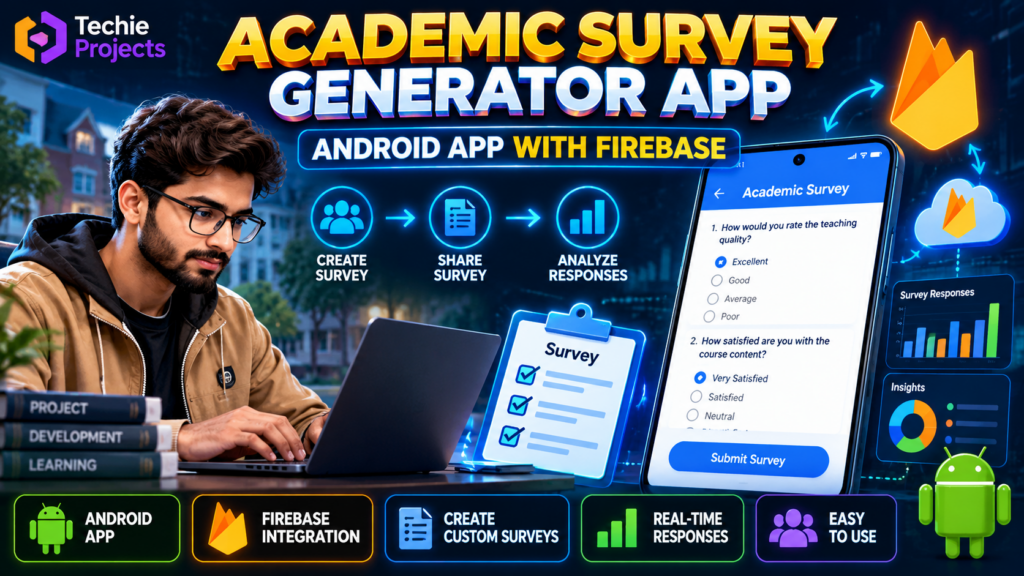
The academic survey generator app with Firebase is an Android application project designed to demonstrate how digital surveys can be created and managed for academic use. The project explores mobile app development, survey creation, data storage, and Firebase integration, making it a useful topic for students interested in Android development and cloud-based applications.
Instead of relying entirely on paper forms, a digital survey application can provide a convenient way to collect responses, organize feedback, and explore survey data through a mobile interface. The exact features available depend on the implemented version of the application.
🎬 Project Demo
Watch the project demonstration to understand the application’s interface, survey workflow, and available functionality.
Review the demonstration before purchasing to confirm that the current implementation matches your academic requirements.
🎯 Objectives of the Academic Survey Generator App
The primary objective of this project is to demonstrate how an Android application can support the creation and management of academic surveys.
Key objectives include:
- Developing a mobile application for academic survey activities.
- Exploring Android application development using Java or Kotlin, depending on the implementation.
- Understanding Firebase integration for supported data operations.
- Organizing survey questions and responses.
- Learning how mobile interfaces can simplify feedback collection.
- Demonstrating a practical application development workflow.
⭐ Key Features
The following are common features of an academic survey application. Confirm which ones are implemented in the project version before purchasing.
1. Survey Creation
A survey generator can allow users to prepare questions for academic feedback, classroom activities, or student opinion collection.
2. Survey Management
Survey management features can help organize available surveys and make them easier to access through the application.
3. Firebase Integration
Firebase can provide cloud-based services for supported application functions, such as storing survey information or managing user authentication when configured.
4. Response Collection
A survey application can collect user responses and store them for later review, depending on the implemented functionality.
5. Android User Interface
The Android interface provides a mobile environment through which users can interact with available survey features.
6. Response Review
If response reporting is implemented, authorized users may be able to review collected feedback and identify common patterns.
⚙️ How Does the Project Work?
The general workflow of an academic survey application involves the following stages:
- Open the application: Launch the Android app on a compatible device or emulator.
- Access survey functions: Navigate to the available survey creation or participation options.
- Prepare survey questions: Enter the questions and options supported by the application.
- Store survey data: The application communicates with Firebase if the relevant database functionality is configured.
- Submit responses: Participants complete the available survey and submit their answers.
- Review results: If implemented, the application displays or retrieves submitted responses for review.
The exact workflow may vary according to the source code and Firebase configuration.
Features of the Academic Survey Generator App with Firebase
The academic survey generator app with Firebase demonstrates how Android technology can support digital survey creation and response management. Depending on the implemented features, users may be able to create questionnaires, collect feedback, and store survey information through Firebase integration. This makes the project relevant for students exploring mobile app development and cloud-based database concepts.
How the Academic Survey Generator App with Firebase Works
The academic survey generator app with Firebase follows a mobile application workflow. Users interact with the Android interface to access survey functions, while configured Firebase services can support data storage or authentication. The precise workflow depends on the source code, database structure, and features included in the project.
🛠️ Technologies Used
The academic survey generator app with Firebase may involve the following technologies, depending on the supplied implementation:
- Android Studio: Development environment for building Android applications.
- Java or Kotlin: Programming language used for the Android application.
- Firebase: Cloud platform for supported data storage, authentication, or other backend functionality.
- XML or Jetpack Compose: Tools for creating the Android user interface, depending on the implementation.
Contact Techie Projects to confirm the exact programming language, libraries, and Firebase services included in the project.
💻 Software and Hardware Requirements
Software Requirements
- Android Studio
- A compatible Java or Kotlin development environment
- Required Android SDK components
- Firebase project configuration, if required
- Android emulator or compatible Android device
Hardware Requirements
- Laptop or desktop computer
- Compatible processor
- Sufficient RAM for Android Studio and the emulator
- Internet connectivity for Firebase services and development downloads, where required
Actual requirements depend on the development environment and project configuration.
🎓 Applications of an Academic Survey Generator App
A survey application can be useful in several academic and educational situations.
- Student feedback: Collect opinions about classroom experiences or academic activities.
- Academic research: Organize questionnaire-based data collection.
- Course evaluation: Gather feedback about course materials or teaching methods.
- College activities: Conduct surveys for events, workshops, and student participation.
- Project demonstrations: Demonstrate Android development and cloud database integration.
These are potential use cases. The application should only be used for the functions supported by its implementation.
✅ Advantages of the Project
- Provides practical exposure to Android app development.
- Introduces cloud integration through Firebase.
- Demonstrates how digital questionnaires can be organized.
- Connects mobile application design with data management concepts.
- Can support a final-year project demonstration and technical presentation.
- Offers opportunities to explore additional survey and reporting features.
⚠️ Limitations
- Features depend on the supplied source code and configuration.
- Firebase services may require account setup and appropriate permissions.
- Response reporting and authentication should not be assumed to exist unless implemented.
- Data collection should follow suitable privacy and access-control practices.
- The application requires testing on supported devices and Android versions.
🚀 Future Scope
The application could be extended with additional features, subject to implementation and testing:
- Custom question types and survey templates.
- User authentication and role-based access.
- Survey sharing through links or other supported methods.
- Charts and response summaries.
- Exporting survey results into supported file formats.
- Improved interface design and accessibility.
- Notifications for survey invitations or submissions.
These are possible enhancements rather than guaranteed existing features.
🎯 Why Choose This Android Project for Your Final Year?
The academic survey generator app with Firebase is a relevant project topic for students interested in Android development, mobile computing, and cloud-based data management.
It provides an opportunity to study how a mobile interface interacts with backend services and how information can be organized through an application workflow. Students can use the project to explore application structure, database integration, testing, and possible improvements.
Before choosing the project, make sure its functionality and deliverables align with your institution’s academic guidelines.
📲 Get the Academic Survey Generator App with Firebase Project
Looking for an Android project for your final-year submission or practical learning? Contact Techie Projects to enquire about the academic survey generator app with Firebase, including its source code availability, documentation, setup requirements, implemented features, and pricing.
Techie Projects can help you enquire about project availability and pricing. Contact us to confirm the source code, documentation, setup instructions, Firebase configuration, and features included in the current package.
📲 Call/WhatsApp: +91-9460060699
🌎 Website: www.techieprojects.com
📺 Instagram: @pythonprojects_
🔗 Explore Related Projects
Explore related project topics on Techie Projects:
- Android Application Development Projects
- Student Management System
- Online Examination System
- College Management System
- Database Management Projects
Link each title to its relevant published project page on your website.
❓ Frequently Asked Questions
1. What is an academic survey generator app?
It is a mobile application concept for creating, managing, and responding to academic questionnaires or surveys.
2. Why is Firebase used in this project?
Firebase can provide cloud services for functions such as data storage and authentication, depending on how the application is configured.
3. Which programming language is used?
The application may use Java or Kotlin. Contact Techie Projects to confirm the language used in the available version.
4. Is this project suitable for final-year students?
It may be suitable for students studying Android development or mobile application development, subject to their course requirements and institution’s rules.
5. Can I purchase the source code?
Contact Techie Projects to confirm source code availability, documentation, installation requirements, and pricing before placing an order.
6. Can additional features be added?
Customization may be possible depending on the current implementation and the requested changes. Contact Techie Projects to discuss your requirements and obtain a quote.
🏁 Conclusion
The academic survey generator app with Firebase demonstrates the concepts behind Android application development, digital questionnaire management, and cloud integration. It can serve as a learning project for students who want to explore mobile applications and backend services.
For project availability, pricing, source code, documentation, and implementation details, contact Techie Projects through WhatsApp before purchasing.