
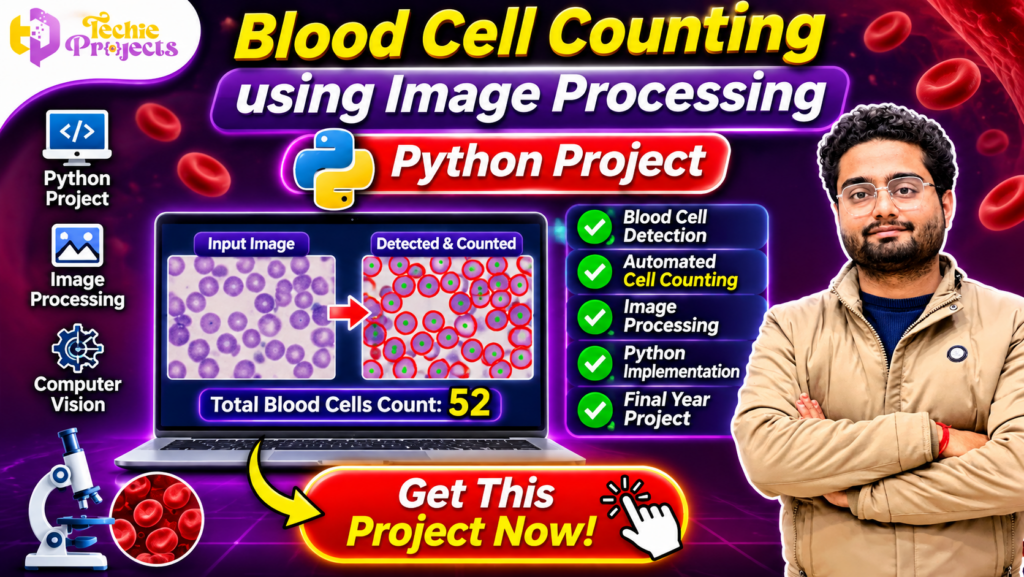
🚀 Looking for an impressive final-year Python project in Artificial Intelligence, Computer Vision, or Image Processing? Get the Blood Cell Counting Using Image Processing project from Techie Projects and explore how Python can analyse microscopic blood images, detect individual cells, and calculate their count automatically.
This project is an excellent choice for B.Tech, BCA, MCA, M.Tech, and Computer Science Engineering students who want to demonstrate practical programming and image analysis skills. Instead of manually examining every cell in an image, the application uses digital image processing techniques to identify and count visible blood cells.
At Techie Projects, we help students explore practical engineering projects through project-related resources, source code packages, documentation, and technical support options. Contact our team to enquire about purchasing this project and receiving the available project deliverables.
📞 Contact Techie Projects for Project Enquiries
Want to purchase the Blood Cell Counting Using Image Processing project? Contact Techie Projects to enquire about pricing, source code availability, documentation, installation instructions, and technical support.
- 📲 WhatsApp: Get Project Details
- 📞 Contact Number: +91 94600 60699
- 🌐 Website: www.techieprojects.com
- 📸 Instagram: @pythonprojects_
🎬 Watch the Blood Cell Counting Using Image Processing Project Demo
The project demonstration presents how a microscopic blood image can be processed to identify individual cells and display the counting result.
Explore the visual workflow, including the input image, image processing operations, detected blood cells, and final counting output. The demonstration helps students understand the project’s interface and its practical implementation using Python.
🔬 What Is Blood Cell Counting Using Image Processing?
Blood Cell Counting Using Image Processing is a computer vision project that applies digital image processing techniques to identify and count blood cells in microscopic images.
Traditional manual counting involves examining images and identifying individual cells. This can require considerable time and attention, particularly when analysing images containing many cells.
An automated image processing application can assist with this task by applying a sequence of operations to a digital image. These operations may include image loading, colour conversion, noise reduction, thresholding, segmentation, contour detection, and object counting.
The project demonstrates how computers can analyse visual information and produce numerical results from microscopic images.
For engineering students, it offers an opportunity to combine Python programming, image processing, mathematical operations, and computer vision in a single practical application.
🎯 Main Objectives of the Project
The primary objective is to develop a Python-based application that can identify and count visible blood cells from a given microscopic image.
The important objectives include:
- Automating the basic process of identifying visible cells in an image.
- Applying image processing techniques to improve image clarity.
- Separating cells from the surrounding background.
- Detecting individual cell regions using computer vision methods.
- Calculating the number of detected objects.
- Displaying the processed image and counting result.
- Understanding practical applications of image analysis in biomedical research.
This project is designed as an educational demonstration. Its output should not be considered a medical diagnosis or a substitute for professional laboratory testing.
⚙️ How Does Blood Cell Counting Using Image Processing Work?
The application follows a sequence of image processing operations to identify individual cells.
1. 📷 Input Image Acquisition
The first step involves providing a microscopic blood sample image to the application. The image acts as the input data for the complete processing workflow.
Image quality is important because unclear images, overlapping cells, uneven lighting, and background noise can affect detection results.
2. 🎨 Image Preprocessing
Preprocessing prepares the image for further analysis. It may involve resizing, colour conversion, noise reduction, and contrast enhancement.
OpenCV provides several functions that can help prepare images for computer vision applications.
3. ⚫ Grayscale Conversion
A colour image can be converted into grayscale to simplify further processing.
Grayscale conversion reduces the image to intensity information, making it easier to apply thresholding and other segmentation techniques.
4. 🔍 Image Thresholding
Thresholding separates foreground regions from the background according to pixel intensity.
This operation can help distinguish visible cell regions from surrounding areas. The thresholding method should be selected according to the image characteristics.
5. 🧩 Cell Segmentation
Segmentation identifies regions of interest within the image.
The application attempts to separate individual cell regions so that they can be analysed independently. Techniques such as morphological operations can help reduce small unwanted regions and improve object separation.
6. 📌 Contour Detection
Contours represent the boundaries of objects in an image.
OpenCV contour detection methods can identify boundaries around segmented regions. These contours can then be analysed to estimate the number of visible cells.
7. 🔢 Blood Cell Counting
After identifying the relevant regions, the application calculates the number of detected objects.
The output can display the processed image with detected regions marked and a numerical count.
The reliability of the result depends on image quality, cell separation, segmentation parameters, and the detection approach used.
⭐ Key Features of Blood Cell Counting Using Image Processing
The project combines several useful features that demonstrate practical computer vision concepts.
📷 Microscopic Image Input
Users can provide an image for processing and analysis. This provides the input required for the automated counting workflow.
🔬 Blood Cell Detection
The application processes the supplied image to identify visible cell regions using image processing techniques.
🔢 Automated Cell Counting
The system estimates the number of detected cell objects and displays the result.
🖼️ Processed Image Display
The application can display the processed image so users can understand how image processing operations affect the original input.
🎯 Cell Boundary Identification
Detected cell regions can be highlighted using contours or other visual markers, helping users inspect the output.
🐍 Python Implementation
Python provides a flexible environment for implementing image processing and computer vision operations.
💻 Educational Project Interface
The application demonstrates the basic workflow of an image analysis system and can help students understand how input images are transformed into useful output.
🛠️ Technologies Used in the Project
The project introduces students to commonly used Python technologies for image analysis.
1. Python
Python is the primary programming language used to develop the application. Its simple syntax and extensive libraries make it suitable for computer vision and image processing projects.
2. OpenCV
OpenCV is a popular computer vision library. It provides functions for image reading, resizing, filtering, colour conversion, thresholding, contour detection, and other image analysis operations.
3. NumPy
NumPy supports numerical operations and array processing. Images can be represented as multidimensional arrays, allowing pixel-level operations and mathematical calculations.
4. Image Processing Techniques
The project can demonstrate grayscale conversion, filtering, thresholding, segmentation, and morphological operations.
The specific techniques available depend on the implementation and selected project package.
💻 Software and Hardware Requirements
The following are general development requirements for a Python image processing application. Confirm the exact versions and dependencies supplied with the selected project package before installation.
Software Requirements
- Programming Language: Python
- Image Processing Library: OpenCV
- Numerical Library: NumPy
- Operating System: Windows 10 or Windows 11
- Development Environment: VS Code, PyCharm, or another Python IDE
- Interface: As provided in the selected implementation
Hardware Requirements
- Processor: Intel or AMD processor
- RAM: 4 GB minimum recommended
- Storage: Sufficient free space for Python, libraries, and project files
- Input Device: Keyboard and mouse
- Display: Standard computer monitor
A dedicated GPU is generally not necessary for a basic image processing implementation.
🎓 Benefits of Blood Cell Counting Using Image Processing for Final-Year Students
Choosing Blood Cell Counting Using Image Processing as an academic project provides students with an opportunity to work on a practical computer vision problem.
1. Practical Python Programming Experience
Students can understand how Python functions, libraries, arrays, and image processing operations work together in a complete application.
2. Understanding Computer Vision
The project introduces important computer vision concepts such as image segmentation, contour detection, object identification, and visual output generation.
3. Useful for Project Demonstrations
A visual application makes it easier to explain the input, processing stages, and output during an academic project demonstration.
4. Interdisciplinary Learning
The project connects computer science with biomedical image analysis, providing an example of how programming can be applied to image-based research problems.
5. Resume and Portfolio Development
Students can discuss their understanding of Python, OpenCV, image preprocessing, and object detection when presenting their academic project experience.
6. Scope for Further Development
Students can explore improvements such as better segmentation, handling overlapping cells, comparison of different detection techniques, and performance evaluation.
🚀 Advanced Improvements for Blood Cell Counting Using Image Processing
Students interested in extending the project can explore additional computer vision methods.
🧠 Improved Cell Segmentation
Different segmentation techniques can be evaluated to improve separation between neighbouring cells.
📊 Detection Accuracy Evaluation
The predicted count can be compared with manually annotated reference images to understand the performance of the algorithm.
🔬 Handling Overlapping Cells
Overlapping cells can make object detection difficult. Students can explore advanced segmentation methods to separate connected regions.
📈 Result Visualisation
Charts and comparison tables can help present counting results across multiple images.
🗂️ Multiple Image Processing
The application can be extended to process multiple images and organise their results.
🌐 Web-Based Interface
A web interface using a suitable Python framework can make image uploading and result visualisation more convenient.
These improvements provide opportunities to explore more advanced computer vision and software development concepts.
🏥 Applications of Blood Cell Counting Using Image Processing
Image processing has several applications in scientific research and biomedical image analysis.
Some related application areas include:
- Biomedical Image Analysis: Studying microscopic images through digital image processing.
- Laboratory Research: Supporting image-based research workflows.
- Computer Vision Research: Testing segmentation and object detection algorithms.
- Educational Demonstrations: Teaching students how image processing can be applied to biological images.
- Automated Image Analysis: Exploring methods for analysing large collections of visual data.
It is important to understand that an academic prototype is not a clinically validated diagnostic system. Medical use requires appropriate validation, qualified professionals, and regulatory compliance.
📦 What Do You Get When You Enquire About This Project?
Techie Projects offers project-related resources for students working on engineering and computer science projects.
Depending on the selected package and availability, the project deliverables may include:
- Python project source code.
- Project documentation.
- Installation and execution instructions.
- Required library information.
- Project demonstration resources.
- Technical guidance and support options.
Please confirm the exact package contents, pricing, and support terms with Techie Projects before placing your order.
💡 Why Choose Techie Projects?
Techie Projects provides engineering and computer science project resources for students interested in practical implementation.
Our aim is to help students explore different technologies and understand how software applications are developed.
Reasons to enquire with Techie Projects include:
- Project resources across Python, AI, machine learning, and computer vision.
- Practical project demonstrations.
- Source code package enquiries.
- Documentation and installation guidance options.
- Assistance in understanding project requirements.
- A wide range of final-year engineering project topics.
Whether you are exploring image processing for the first time or developing your final-year portfolio, our team can help you identify an appropriate project package.
🛒 Get This Blood Cell Counting Project Now!
Ready to explore a practical Python image processing project?
Get in touch with Techie Projects to enquire about the Blood Cell Counting Using Image Processing project. Ask about the available source code, documentation, project demonstration, installation requirements, and technical support options.
Why wait? Choose your project and start exploring computer vision with Python!
📲 Get Project Details on WhatsApp:
https://wa.me/919460060699
🌐 Visit Techie Projects:
https://techieprojects.com/
📞 Call: +91 94600 60699
❓ Frequently Asked Questions (FAQs)
1. What is Blood Cell Counting Using Image Processing?
It is a computer vision project that uses digital image processing techniques to identify and estimate the number of visible blood cells in a microscopic image.
2. Which programming language is used in this project?
Python is used as the primary programming language for implementing image processing and cell detection operations.
3. Which library is used for image processing?
OpenCV is a commonly used library for image reading, preprocessing, thresholding, contour detection, and other computer vision operations.
4. Is this project suitable for final-year engineering students?
Yes. It is a suitable educational topic for students interested in Python programming, computer vision, image processing, and biomedical image analysis.
5. Can this project count blood cells automatically?
The application can estimate the number of detected cell regions in an input image. Its results depend on image quality and the effectiveness of the detection and segmentation methods.
6. Does this project require a GPU?
A basic image processing implementation generally runs on a standard computer without a dedicated GPU.
7. Can I get the source code for this project?
Contact Techie Projects to enquire about source code availability, package details, pricing, and documentation.
8. Can the project be extended with advanced features?
Yes. Possible extensions include improved segmentation, overlapping cell detection, multiple-image processing, result visualisation, and performance evaluation.
9. Is this project suitable for medical diagnosis?
No. This project is an educational image processing demonstration and should not be used as a standalone medical diagnostic tool.
10. How can I purchase the project?
Contact Techie Projects through WhatsApp at +91 94600 60699 or visit the website to enquire about the available project package.
🔗 Explore Related Python and Computer Vision Projects
If you are interested in this project, explore more engineering project topics from Techie Projects:
- Python Projects
- Image Processing Projects
- Computer Vision Projects
- Artificial Intelligence Projects
- Machine Learning Projects
- Deep Learning Projects
- Data Science Projects
- Final-Year Engineering Projects
Visit Techie Projects to explore more project ideas and available packages.
🎯 Conclusion
Blood Cell Counting Using Image Processing is a practical Python project that demonstrates how computer vision techniques can be applied to microscopic image analysis. It introduces students to image preprocessing, segmentation, contour detection, object counting, and visual result generation.
For final-year engineering students, this project provides an opportunity to understand the connection between programming and biomedical image analysis while developing practical technical skills.
If you want to explore this project with source code and project-related resources, contact Techie Projects today. Enquire about the available package and take the next step towards your final-year engineering project.
- 📲 Call/WhatsApp: +91-9460060699
- 🌎 Website: www.techieprojects.com
- 📺 Instagram: @pythonprojects_