
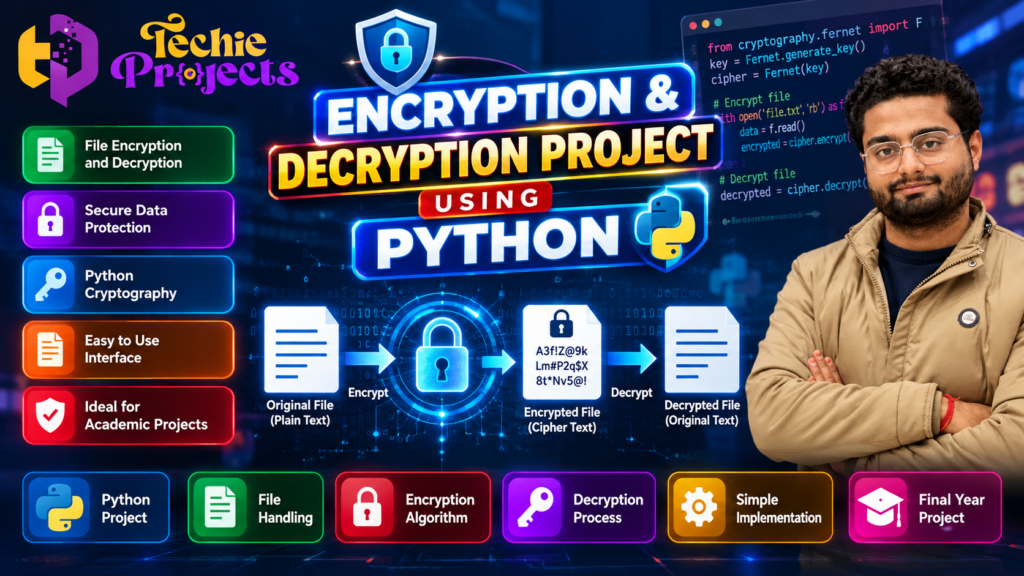
Are you looking for an Encryption and Decryption Project Using Python for your college assignment, minor project, or final-year engineering project? This project introduces essential cybersecurity concepts, including data encryption, decryption, file handling, and secure information processing. It is a practical choice for students who want to understand how Python can be used to demonstrate basic cryptographic techniques.
At Techie Projects, students can explore programming projects designed to support practical learning and project demonstrations. If you are interested in Python programming, information security, or cybersecurity, this project can help you explore how readable information is transformed into an encrypted format and converted back into its original form using the appropriate key.
🎬 Project Demo
Watch the project demonstration to understand the interface, encryption workflow, decryption process, and expected application behaviour.
The demo can help you evaluate whether this project matches your academic requirements before contacting Techie Projects for availability, pricing, and deliverables.
🔍 What Is an Encryption and Decryption Project Using Python?
An Encryption and Decryption Project Using Python demonstrates how data can be transformed into a protected format and subsequently restored by an authorised process. Encryption converts readable information, known as plaintext, into ciphertext. Decryption reverses that transformation when the correct key and algorithm are available.
Python is suitable for educational cryptography applications because its syntax is approachable and its libraries support different security-related operations. Depending on the implementation, a project may demonstrate text encryption, file encryption, key generation, or a simple interface for entering and retrieving information.
An Encryption and Decryption Project Using Python helps students understand how cryptographic techniques protect information during storage and processing. By working with plaintext, ciphertext, and encryption keys, students can explore the basic principles of data confidentiality. This Python project also introduces practical programming concepts that are useful for cybersecurity, information technology, and computer science coursework.
This project is especially relevant to computer science and information technology students who want to learn about data protection through a practical application rather than studying concepts only in theory.
🎯 Objectives of the Project
The main objectives of this project are:
- To understand the basic principles of encryption and decryption.
- To explore how Python supports cryptographic operations.
- To learn how plaintext and ciphertext differ.
- To practise file handling and input validation where implemented.
- To understand the role of encryption keys in protecting information.
- To develop practical programming and debugging skills.
- To prepare a project demonstration for academic evaluation.
The exact features and objectives depend on the version of the project selected.
⚙️ How Does the Encryption and Decryption System Work?
The workflow of an Encryption and Decryption Project Using Python typically includes accepting input, applying an encryption algorithm, generating ciphertext, and decrypting the result with the appropriate key. Students can test different inputs to observe how the application behaves. These practical exercises help explain the relationship between encryption algorithms, key management, and the recovery of original information.
A typical encryption application follows a sequence of operations. The precise workflow depends on the selected algorithm and implementation.
1. Enter the Original Data
The user provides text or selects a file, depending on the application’s supported input options. The original readable information is referred to as plaintext.
2. Select the Encryption Operation
The application receives the input and passes it to the encryption function. Some implementations may also generate or request a key.
3. Generate Encrypted Output
The encryption algorithm transforms the input into ciphertext. The resulting output may look different from the original information and should not be readable as plaintext without the appropriate decryption process.
4. Decrypt the Information
When the correct key and required parameters are provided, the application processes the ciphertext and attempts to restore the original data.
5. Display the Result
The application displays or saves the resulting output according to its design. Students can test the process with sample data to understand the relationship between the original input and the decrypted result.
💻 Technologies Used
When developing an Encryption and Decryption Project Using Python, students can practise Python functions, library integration, input validation, and exception handling. Depending on the implementation, the application may use a cryptography library and a graphical interface to make the encryption process easier to demonstrate. Understanding these components also helps students explain the project’s technical design during an academic presentation.
An Encryption and Decryption Project Using Python may use the following technologies, depending on its implementation.
Python
Python provides the main programming logic for processing input, calling cryptographic functions, and handling results.
Cryptography Libraries
Libraries such as cryptography provide tools for implementing established cryptographic methods. The exact library and algorithm used should be confirmed from the project’s source code.
File Handling
Python file operations can be used when the application supports reading and writing files. Students can learn how data is loaded, processed, and saved.
Graphical User Interface
Some implementations include a graphical interface, while others use a command-line interface. A GUI can make the application easier to demonstrate to teachers and evaluators.
✨ Key Features to Explore
The following are common features in educational encryption applications. Confirm which ones are included in the specific project package before purchasing.
- Text Encryption: Convert supported readable input into ciphertext.
- Text Decryption: Restore encrypted text using the appropriate key and method.
- File Encryption: Process files if file-level encryption is implemented.
- Key Management: Generate, enter, or use encryption keys where supported.
- User-Friendly Interface: Provide an accessible way to enter data and view results.
- Input Validation: Handle missing or invalid input where implemented.
- Error Handling: Display useful messages for unsupported operations or incorrect inputs.
- Practical Demonstration: Show the encryption and decryption workflow using sample data.
These features provide a useful starting point for understanding how security-focused Python applications are structured.
🎓 Why Choose This Python Project for College?
A Python cryptography project can be a useful learning option for students pursuing computer science, information technology, cybersecurity, or related engineering courses.
Practical programming: Students can practise functions, conditional statements, exception handling, and file operations when these concepts are used in the implementation.
Cybersecurity fundamentals: The project introduces confidentiality and the importance of protecting sensitive information.
Demonstration opportunities: A working application can help students explain input processing, encryption, decryption, and testing during an academic presentation.
Scope for enhancement: Students may explore additional functionality, such as improved validation, a more accessible interface, or secure file processing, subject to their syllabus and the project’s design.
Technical understanding: Reviewing the source code and testing different inputs can improve familiarity with the selected algorithm and its limitations.
🧪 Project Testing and Expected Results
Testing is an important part of any encryption application. Students should verify the behaviour of the actual implementation rather than relying only on screenshots or a demonstration video.
Suggested tests include:
- Enter valid sample text and run the encryption operation.
- Check that the application produces encrypted output.
- Decrypt the output using the correct key and parameters.
- Compare the decrypted result with the original input.
- Test empty input and invalid values where applicable.
- Verify how the application handles an incorrect key.
- If file processing is supported, test with suitable sample files.
The expected result is that valid encrypted data can be restored through the corresponding decryption procedure. Actual results depend on the algorithm, implementation, and test conditions.
🛠️ Project Installation and System Requirements
The requirements for this project depend on the included source code and libraries. A typical Python application may require:
- Programming Language: Python
- Development Environment: Visual Studio Code, PyCharm, or another compatible editor
- Operating System: A compatible Windows, Linux, or macOS environment
- Dependencies: The Python packages specified by the project
- Hardware: A standard computer capable of running the selected Python environment
Before purchasing, ask Techie Projects to confirm the Python version, dependency list, installation instructions, supported operating system, and any additional hardware or software requirements.
🚀 Future Enhancements
Students can investigate possible improvements after understanding the existing implementation.
Stronger Cryptographic Methods
An educational implementation can be extended to use an established authenticated encryption method where appropriate. Algorithm selection should be based on security requirements rather than appearance or complexity.
File Encryption and Decryption
If the current project processes only text, file support may be considered as an extension. Proper file handling and secure key management are important for this enhancement.
Improved User Interface
The interface could be improved with clearer status messages, better input validation, and a more accessible layout.
User Authentication
A larger application could explore access controls and authentication, provided these features are designed and implemented securely.
Testing and Documentation
Automated tests, clearer error messages, and structured documentation can make the application easier to maintain and evaluate.
These are possible enhancements, not a guarantee that they are already included in the available project package.
📦 What Should You Confirm Before Buying?
If you plan to purchase this project for academic use, confirm the deliverables before placing an order.
Ask whether the package includes:
- Python source code and the required dependency files.
- Installation and execution instructions.
- A list of implemented features.
- Project documentation or a report, if available.
- A demonstration video or screenshots, if available.
- Code explanation or technical guidance, if offered.
- Any support options, delivery terms, and applicable charges.
Review your institution’s academic integrity rules and use the project in accordance with your college’s requirements. Make sure you understand the implementation and can explain your work during evaluation.
🛒 Purchase the Encryption and Decryption Project Using Python
Choosing an Encryption and Decryption Project Using Python can be a practical way to explore introductory cybersecurity concepts through hands-on development. Before purchasing, students should confirm whether the package includes source code, installation instructions, documentation, and the required Python dependencies. Contact Techie Projects to check the available features, pricing, delivery details, and technical guidance options before placing an order.
Need help selecting a Python project for your assignment, minor project, or final-year demonstration? Techie Projects provides a place to enquire about programming and engineering project options.
Before ordering, share your course, semester, project requirements, and preferred features. You can then confirm the available package, pricing, source code, documentation, installation instructions, and technical support options.
Contact Techie Projects:
- 📲 Call/WhatsApp: +91-9460060699
- 🌎 Website: www.techieprojects.com
- 📺 Instagram: @pythonprojects_
Contact us to check the current availability and details of the Encryption and Decryption Project Using Python.
🎓 Explore Related Python Projects
You can also explore other programming and engineering project topics on Techie Projects:
- Python Projects
- Cyber Security Projects
- Machine Learning Projects
- Data Analytics Projects
- Web Development Projects
- Artificial Intelligence Projects
- Final Year Engineering Projects
Visit https://techieprojects.com/ to explore the available categories and find a project that matches your learning objectives.
❓ Frequently Asked Questions
1. What is an encryption and decryption project?
It is a programming application that demonstrates how readable data can be converted into ciphertext and restored using the corresponding decryption process.
2. Which programming language is used?
Python is the primary programming language for this project. The exact libraries and version requirements depend on the implementation.
3. Is this project suitable for final-year engineering students?
It may be suitable for computer science, IT, or cybersecurity-related coursework, subject to the scope and approval requirements of your institution.
4. Does the project include source code?
Confirm the available deliverables with Techie Projects before purchasing. Do not assume that source code, reports, or support are included unless explicitly confirmed.
5. Can the project encrypt files?
File encryption is possible in Python, but its availability depends on the version of the project being offered. Confirm this feature before ordering.
6. Is this project suitable for real-world security?
An educational demonstration should not automatically be treated as production-ready security software. Real-world use requires appropriate cryptographic design, secure key management, authentication where needed, and careful testing.
7. How can I enquire about the project?
Visit https://techieprojects.com/ or message Techie Projects on WhatsApp at https://wa.me/919460060699 to confirm availability, pricing, and package details.
✅ Conclusion
The Encryption and Decryption Project Using Python introduces important concepts in cryptography, programming, and data protection through a practical application. It gives students an opportunity to explore encryption workflows, test outputs, understand the role of keys, and investigate possible enhancements.
If you are considering this topic for a college assignment or engineering project, review the actual features and requirements before ordering. Contact Techie Projects to discuss the available version and choose a package that fits your academic objectives.
Educational note: This project description is intended for learning purposes. Do not use an unverified student implementation to protect confidential or sensitive data.