
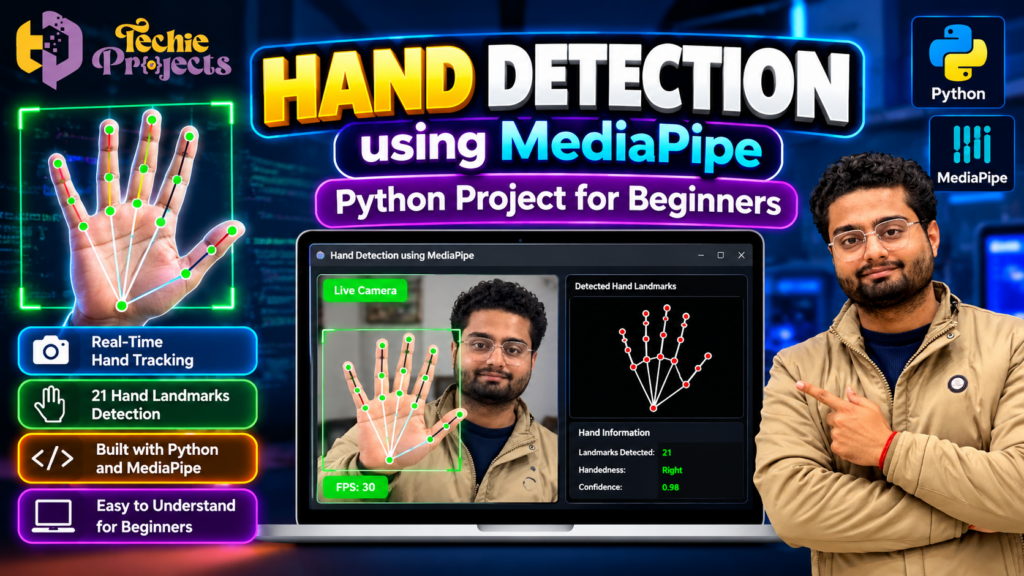
Looking for a practical Python project that demonstrates real-time computer vision and artificial intelligence concepts? 🚀 Hand Detection Using MediaPipe is an excellent project to explore if you want to understand how computers detect hands, identify finger positions, and track hand movements using a camera.
Instead of spending days searching for a suitable engineering project, comparing technical approaches, and assembling development resources, you can contact Techie Projects to enquire about this Python-based hand detection project. Get information about the available implementation, source code, installation instructions, documentation, and pricing before making your purchase.
Whether you are preparing a minor project, a final-year engineering project, or a practical computer vision demonstration, this project offers an opportunity to study real-time hand tracking through Python. 🎓
Ready to explore this project? Contact Techie Projects on WhatsApp to discuss availability, package details, and your academic requirements before ordering.
🎬 Watch the Hand Detection Using MediaPipe Project Demo
The project demonstration helps you understand how a camera captures a hand and how computer vision techniques identify important hand landmarks. You can observe the visual output and explore how real-time hand tracking works in a Python application.
Watch the demonstration video embedded below to see the implementation in action.
For students who learn best through practical examples, a demonstration can make it easier to understand the relationship between camera input, landmark detection, and the displayed output.
🖐️ What Is Hand Detection Using MediaPipe?
Hand Detection Using MediaPipe is a computer vision application that identifies a hand in an image or video stream and can estimate important points on the hand. These points, commonly called hand landmarks, represent locations such as fingertips and finger joints.
MediaPipe provides tools for building perception applications, including hand landmark tracking solutions. When integrated with Python and a camera-processing library such as OpenCV, it can help developers build applications that detect and track hands in real time.
A typical hand detection system follows a simple process:
- Capture frames from a webcam or compatible camera.
- Prepare the frames for processing.
- Detect a hand and estimate its landmarks.
- Display the hand landmarks and connections.
- Continue processing frames to track hand movement.
The exact output depends on the implementation, library version, and configuration used in the project.
🌟 Why Choose This Python Project for Engineering Students?
Choosing the right project can make technical learning more practical and engaging. Hand detection combines visual input, Python programming, and computer vision concepts in a way that is easy to demonstrate.
Here are several reasons to consider this project.
1. Learn Real-Time Computer Vision
Explore how a computer processes video frames and identifies meaningful visual information. This provides an introduction to image processing and perception systems.
2. Understand Hand Landmark Detection
Learn how hand landmarks represent finger joints and fingertips. These points can be used to study finger positions, hand movement, and gesture-based interaction.
3. Develop Python Programming Skills
Explore how Python libraries work together to capture camera input, process frames, and display results.
4. Build a Visual Academic Demonstration
The project can provide an interactive demonstration for a laboratory session, technical exhibition, or suitable engineering project presentation.
5. Explore Future Enhancements
Once the basic implementation is understood, students can investigate gesture recognition, virtual mouse control, sign-language-related research, or other hand-tracking applications.
These possibilities make the project useful for students interested in computer science, artificial intelligence, image processing, and human-computer interaction.
⚙️ How Does the Hand Detection System Work?
Understanding the workflow is important when preparing to demonstrate or explain a computer vision project. A typical Python implementation includes the following stages.
Step 1: Capture Camera Input
The application accesses a webcam and captures a sequence of video frames. These frames provide the visual information required to detect the user’s hand.
Step 2: Process the Video Frames
The frames may be resized, converted between colour spaces, or otherwise prepared for the hand-tracking model. OpenCV is commonly used for camera access and image processing.
Step 3: Detect the Hand
A compatible MediaPipe hand-tracking solution processes the image and estimates hand landmarks when a hand is detected.
Step 4: Identify Hand Landmarks
The system can estimate up to 21 landmarks for each detected hand in the standard MediaPipe hand landmark model. These landmarks represent the wrist, finger joints, and fingertips.
Step 5: Draw the Tracking Output
The application can draw points and connecting lines over the hand in the video feed. This visualisation makes the tracking result easier to observe.
Step 6: Repeat Processing in Real Time
The application continues analysing incoming frames, allowing the displayed landmarks to follow the hand as it moves.
The overall performance depends on the camera, lighting, processing hardware, model configuration, and software implementation.
🧰 Technologies Used in the Project
The following technologies are commonly associated with a Python-based hand detection application. Confirm the exact libraries used in the package available from Techie Projects.
- Python: The primary programming language.
- MediaPipe: A framework that provides hand landmark detection capabilities.
- OpenCV: A library commonly used for camera access, image processing, and displaying video frames.
- NumPy: A library for numerical operations where required.
- Tkinter: An optional library for building a desktop graphical interface.
Not every version requires all these technologies. Check the project’s dependencies and supported versions before installation.
💻 Software and Hardware Requirements
Before purchasing or installing the project, review the requirements of the actual implementation.
Software Requirements
- Python installation compatible with the project’s dependencies.
- MediaPipe or the hand-tracking package used by the implementation.
- OpenCV, if used for video capture and visualisation.
- A compatible code editor or Python IDE.
- Any additional packages listed in the installation instructions.
Hardware Requirements
- A laptop or desktop computer.
- A compatible webcam or camera.
- A keyboard and display.
- Sufficient memory and processing capacity for the selected libraries.
The exact requirements depend on the implementation and package versions. Ask for the installation guide and compatibility details before placing an order.
🚀 Key Features of Hand Detection Using MediaPipe
The following capabilities are typical of hand-tracking projects. Verify the specific features included in the version you intend to purchase.
Real-Time Hand Detection
The application can process camera frames to identify hands in the supported operating environment.
Hand Landmark Visualisation
Detected landmarks can be displayed as points and connected lines, making the hand structure visible on the screen.
Finger Position Tracking
The estimated positions of fingers and joints can be used to examine hand movement and finger configurations.
Live Camera Output
A compatible implementation can display the camera feed alongside the tracking results.
Foundation for Gesture Recognition
Hand landmarks can be used as input to additional logic that recognises selected gestures. Gesture classification is a separate feature and should not be assumed to be included in every basic hand detection implementation.
Expandable Python Architecture
Developers can extend the basic system with additional features, depending on the code structure and technical requirements.
🎓 Academic Benefits and Learning Outcomes
Hand Detection Using MediaPipe offers several useful learning opportunities for engineering students.
By studying the project, students can explore:
- Camera capture and video frame processing.
- Computer vision library integration.
- Hand landmark detection and tracking.
- Python programming and debugging.
- Real-time application workflows.
- Software dependencies and environment setup.
- Testing under different lighting and camera conditions.
- Technical documentation and project presentation.
Students can also investigate the limitations of visual tracking, including partial hand visibility, motion blur, poor lighting, and possible detection errors.
For academic submissions, follow your institution’s rules and make sure you understand the code, methodology, and limitations of the project you present.
🌍 Real-World Applications of Hand Detection
Hand detection technology is useful in a variety of research and development areas.
Gesture-based interfaces: Hand landmarks can provide input for systems that respond to specific finger positions or movements.
Virtual mouse applications: A hand-tracking system can serve as the foundation for controlling cursor movement when combined with suitable gesture logic and mouse automation.
Interactive education: Hand tracking can support demonstrations that teach students about computer vision and visual perception.
Human-computer interaction: Developers can explore alternative ways for people to interact with digital systems.
Sign-language-related research: Hand landmarks can be used as one component of more advanced systems studying sign recognition. A complete sign-language recognition system requires additional modelling, temporal analysis, and language-specific validation.
Research prototypes: Students and developers can use hand tracking as a starting point for experimenting with new computer vision applications.
These are potential application areas, not a guarantee that the basic project provides every listed capability.
🛒 Purchase the Hand Detection Using MediaPipe Project from Techie Projects
Need a practical Python project for your engineering course? Hand Detection Using MediaPipe is worth considering if you want to explore real-time hand tracking and computer vision.
Techie Projects can help you enquire about the currently available project package and determine whether it matches your requirements.
Before purchasing, ask about:
- Source code availability.
- Installation instructions and dependencies.
- Project documentation availability.
- Demonstration video or screenshots.
- Supported Python and MediaPipe versions.
- Actual features included in the implementation.
- Operating-system compatibility.
- Any available setup or explanation assistance.
- Current price and delivery details.
Confirm all deliverables before payment. The exact contents of a project package should be verified rather than assumed.
📲 Contact Techie Projects
- 📲 Call/WhatsApp: +91-9460060699
- 🌎 Website: www.techieprojects.com
- 📺 Instagram: @pythonprojects_
Send a message with your course, project requirements, preferred programming language, and any institutional specifications. This will help you determine whether the available package is appropriate for your needs.
🔗 Explore Related Python Projects
Interested in more practical engineering project ideas? Explore related categories on Techie Projects:
- Computer Vision Projects
- Image Processing Projects
- Artificial Intelligence Projects
- Machine Learning Projects
- Python Projects
- Deep Learning Projects
- Final-Year Engineering Projects
Choose a project that fits your interests, academic requirements, available resources, and ability to explain the implementation.
❓ Frequently Asked Questions
1. What is Hand Detection Using MediaPipe?
It is a computer vision application that uses hand-tracking technology to detect hands and estimate important hand landmarks from images or video.
2. Which programming language is used?
Python is commonly used to integrate MediaPipe with video-processing libraries and build a hand detection application.
3. How many hand landmarks can MediaPipe detect?
The standard MediaPipe hand landmark model estimates 21 landmarks for each detected hand.
4. Does the project require a webcam?
A webcam or compatible camera is generally required for real-time hand tracking. Some implementations may also support processing recorded images or videos.
5. Is gesture recognition included?
Basic hand detection identifies and tracks hand landmarks. Gesture recognition requires additional rules or a classification model and may not be included in every version.
6. Is this project suitable for engineering students?
It can be suitable for students studying computer science, information technology, artificial intelligence, or related fields, subject to their institution’s project guidelines.
7. How can I purchase this project?
Contact Techie Projects through WhatsApp or visit techieprojects.com to enquire about the available package, price, and deliverables.
🎯 Conclusion
Hand Detection Using MediaPipe is a practical Python computer vision project that introduces real-time hand tracking, landmark detection, and visual processing. It can help students explore how camera input and machine learning-based perception tools work together in an interactive application.
If you are looking for a hand detection project for your academic work, contact Techie Projects to discuss availability, technical requirements, and purchasing options. Confirm the package contents before ordering and make sure you understand the implementation well enough to explain its workflow and limitations.
Ready to get started? Enquire with Techie Projects on WhatsApp to discuss your project requirements today.