
Introduction
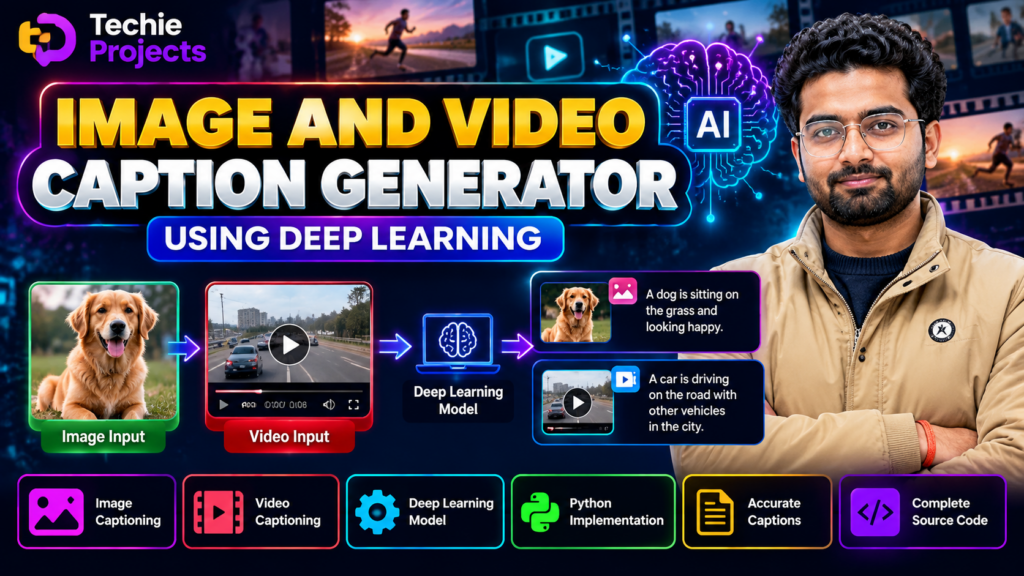
Image and Video Caption Generator Using Deep Learning is an exciting AI-based project that demonstrates how computers can analyze visual content and generate meaningful text descriptions. This project combines computer vision, deep learning, and natural language processing (NLP) to convert image and video content into understandable captions.
The project is suitable for B.Tech, BCA, MCA, computer science, artificial intelligence, and machine learning students who want to explore practical applications of AI. It can also be used as a final-year project to demonstrate image analysis, feature extraction, model inference, and automatic text generation.
If you are looking for an Image and Video Caption Generator Using Deep Learning project with source code, explore the project details below and contact Techie Projects for availability, implementation details, and pricing.
🎬 Image and Video Caption Generator Using Deep Learning – Project Demo Video
Watch the project demonstration to understand how the application processes visual input and generates captions. The demo can help you explore the user interface, processing workflow, and output produced by the implemented system.
What Is an Image and Video Caption Generator Using Deep Learning?
An Image and Video Caption Generator Using Deep Learning is an AI application designed to generate textual descriptions from visual information. It analyzes an image or video frame, identifies relevant visual features, and uses a caption-generation model to produce a sentence describing the content.
For example, an image containing a person riding a bicycle on a road might produce a caption such as “A person is riding a bicycle on the street.” The actual caption depends on the model, its training data, and the input image.
For videos, the application can process selected frames and generate descriptions for individual frames or combine frame-level information into a broader summary, depending on the implemented functionality.
This project demonstrates how deep learning can connect visual understanding with natural language generation.
🎯 Project Objectives
The main objectives of this project are:
- To demonstrate automatic caption generation from images.
- To explore video-frame processing and visual description.
- To apply deep learning techniques to computer vision tasks.
- To understand how image features can be converted into natural-language descriptions.
- To develop a practical AI application with a user-friendly interface.
- To demonstrate the integration of computer vision and NLP in one project.
⭐ Key Features of the Project
The available features depend on the specific implementation and models used.
1. Image Upload and Caption Generation
Users can upload an image and process it through the caption-generation pipeline. The system analyzes the visual content and generates a text description.
2. Video Frame Processing
The application can extract selected frames from a video and process them individually. A video-level summary can be added when supported by the implementation.
3. Deep Learning Integration
The system uses a trained deep learning model to interpret visual features and generate captions. The selected architecture may combine a visual encoder with a language-generation component.
4. Caption Display
Generated descriptions can be displayed in the application interface so users can review the output for each processed image or frame.
5. User-Friendly Interface
A graphical interface can make the project easier to demonstrate during academic presentations, project evaluations, and viva examinations.
6. Extendable AI Workflow
The project can be extended with additional features such as caption history, downloadable results, batch image processing, or support for different caption-generation models.
⚙️ Technologies Used
The technology stack depends on the supplied implementation. A typical version may use the following technologies:
- Programming language: Python
- Deep learning: TensorFlow, Keras, or PyTorch
- Computer vision: OpenCV
- Image processing: Pillow or related Python libraries
- Natural language generation: A compatible caption-generation model
- Interface: Streamlit, Flask, Tkinter, or another supported framework
- Development environment: Visual Studio Code, PyCharm, or Jupyter Notebook
Confirm the exact frameworks and model requirements against the project package before installation or deployment.
🔄 How Does the System Work?
An Image and Video Caption Generator Using Deep Learning typically follows these steps:
- Input selection: The user uploads an image or chooses a video.
- Preprocessing: The application resizes, normalizes, or prepares the input as required by the model.
- Frame extraction: For video input, selected frames are extracted for analysis.
- Visual feature extraction: A computer vision model identifies useful visual representations.
- Caption generation: A compatible language model uses the visual representation to generate a textual description.
- Output display: The generated caption is displayed for the user to review.
The exact workflow varies according to the model architecture and the features implemented in the supplied project.
🧠 Deep Learning Concepts Covered
This project provides an opportunity to study several important AI concepts.
Computer Vision
Computer vision helps a model extract information from images, including objects, scenes, and visual relationships represented in the input.
Convolutional Neural Networks
CNN-based architectures can extract visual features from images. Some caption-generation systems use CNNs, while newer systems may use vision transformers or multimodal models.
Natural Language Processing
Natural language processing is used to generate readable descriptions from visual representations.
Encoder–Decoder Architecture
Some image-captioning systems use an encoder to represent the image and a decoder to generate a sequence of words. Other implementations use transformer-based or multimodal architectures.
💻 Software and Hardware Requirements
Software Requirements
- Python version compatible with the selected model and libraries
- Required deep learning framework and dependencies
- OpenCV or another supported video-processing library
- A supported application interface, if included
- Visual Studio Code, PyCharm, or another Python development environment
Hardware Requirements
- Computer with a compatible operating system
- Recommended 8 GB RAM or more, depending on the model
- Sufficient storage for model files, dependencies, and input videos
- A compatible GPU if required for faster inference
Hardware requirements vary with the model size, input resolution, and processing workload.
🎓 Applications of Image and Video Caption Generation
Image and video captioning techniques can be explored in several areas:
- Accessibility: Generating descriptions that can help users understand visual content.
- Content management: Creating draft descriptions for image collections.
- Digital media: Supporting image and video cataloguing workflows.
- Education: Demonstrating practical computer vision and deep learning concepts.
- Research: Experimenting with multimodal AI and visual-language models.
- Video analysis: Generating descriptions of selected video frames.
Generated captions may contain errors or omit important details. They should be reviewed before being used in critical applications.
📈 Advantages of the Project
- Demonstrates a practical application of artificial intelligence.
- Combines computer vision and natural language generation.
- Helps students understand model inference and visual preprocessing.
- Can be extended with additional features based on project requirements.
- Provides a useful starting point for experimenting with image and video analysis.
- Can support an academic presentation, subject to the actual implementation and evaluation criteria.
⚠️ Project Limitations
Caption quality depends on the model, its training data, the quality of the input, and the complexity of the scene. The system may misidentify objects, miss contextual information, or generate descriptions that are incomplete or inaccurate.
Video captioning may also require substantial processing time when many frames are analyzed. The project should therefore be evaluated using appropriate test images and videos rather than assuming that every generated caption is correct.
🚀 Future Scope
The project can be extended in several ways:
- Add support for multiple images in one session.
- Generate timestamps for video-frame captions.
- Explore transformer-based vision-language models.
- Add caption export options such as TXT or CSV.
- Support additional languages if the selected model permits it.
- Build a web application for easier access.
- Evaluate caption quality using suitable datasets and evaluation metrics.
These improvements depend on the selected model, available resources, and development scope.
💼 Why Choose This Project for Your Final Year?
The Image and Video Caption Generator Using Deep Learning project offers a practical way to explore the relationship between computer vision and language generation. It can help students understand how an AI model processes visual input and produces text output.
It is suitable for students looking for an AI or deep learning project with a demonstrable workflow. Before selecting the project, confirm the included source code, setup instructions, model files, interface, and documentation requirements.
Techie Projects provides project-related assistance for students who want to explore implementation details and available project packages.
🛒 Get the Image and Video Caption Generator Project
Looking for an Image and Video Caption Generator Using Deep Learning project with source code for your final-year submission or academic demonstration?
Contact Techie Projects to enquire about project availability, pricing, included files, setup requirements, and customization options.
Contact us for project details:
- 📲 Call/WhatsApp: +91-9460060699
- 🌎 Website: www.techieprojects.com
- 📺 Instagram: @pythonprojects_
Please mention your course, preferred programming language, and any specific features you need when enquiring.
🎓 Explore Related Projects
Explore these related project categories on Techie Projects to discover more ideas for your academic project.
- Artificial Intelligence Projects
- Deep Learning Projects
- Machine Learning Projects
- Image Processing Projects
- Android App Projects
❓ Frequently Asked Questions
1. What is an Image and Video Caption Generator Using Deep Learning?
It is an AI-based application that analyzes images or video frames and generates textual descriptions using a compatible deep learning and language-generation model.
2. Which programming language is used for this project?
Python is commonly used because it supports deep learning, image processing, video processing, and natural language generation libraries.
3. Can this project be used for a final-year engineering submission?
It can be developed as an academic project for computer science, AI, and related courses. Students should check their institution’s requirements and understand the implementation before submission.
4. Does the project support both images and videos?
Support depends on the implementation. Image captioning and video-frame captioning may use different processing workflows, so confirm which functions are included in the project package.
5. Can I customize the project?
Customization may be possible depending on the source code, selected model, and requested features. Contact Techie Projects to discuss the requirements and feasibility.
6. How can I enquire about the project price?
Use the Techie Projects WhatsApp link to request current pricing and package details.
Conclusion
The Image and Video Caption Generator Using Deep Learning project demonstrates how AI can connect visual analysis with natural-language descriptions. By combining image processing, deep learning, and caption generation, students can explore an engaging application of modern artificial intelligence.
If you want to explore this project for your final-year work, contact Techie Projects for current availability, pricing, implementation details, and customization options.