
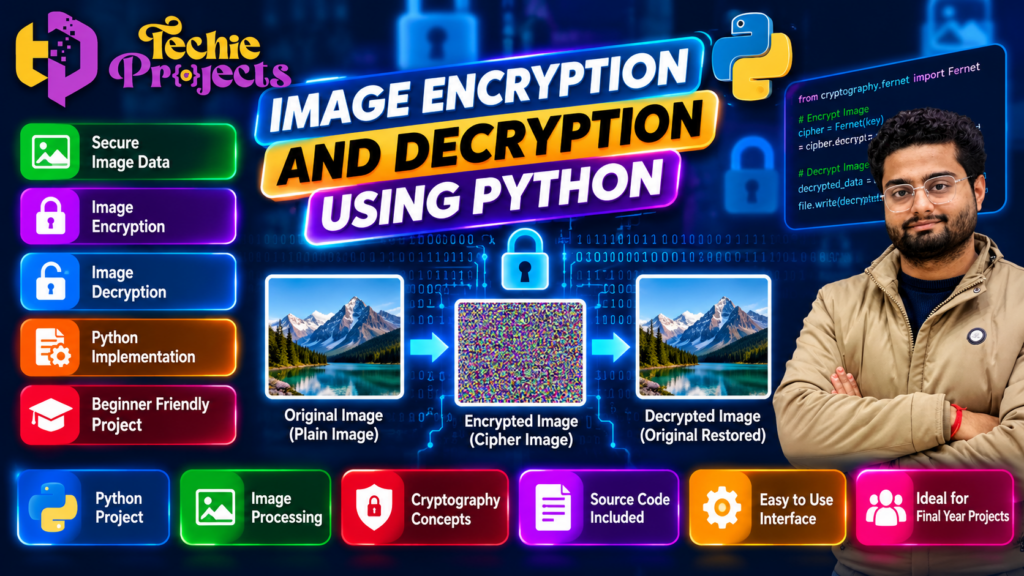
Image security is an important part of modern computing because digital images often contain private, personal, and confidential information. Image Encryption and Decryption Using Python is a practical project that demonstrates how cryptography techniques can help protect image files and restore them for authorized use.
This Python project is suitable for computer science engineering students, information technology students, cybersecurity learners, and beginners who want to understand image processing and data security. It combines Python programming with encryption and decryption concepts to create a useful academic project.
🎓 Looking for a practical Python project for your college submission, mini project, or final-year project? Explore the project details below and contact Techie Projects to confirm the available source code, documentation, installation instructions, and project support options.
🎬 Project Demo
Watch the project demonstration to understand the image encryption and decryption workflow, see how the application operates, and learn how the original image can be recovered after successful decryption.
The demonstration can help students understand the practical implementation before selecting this project for an academic presentation or technical demonstration.
What Is Image Encryption and Decryption Using Python?
Image Encryption and Decryption Using Python is a software project that demonstrates how an image can be transformed into an unreadable or altered representation using an encryption method and then restored using the corresponding decryption process.
Encryption protects information by applying a defined algorithm and key. Decryption reverses the process when the correct key and compatible method are available. In an image-based application, the input is an image file, and the output depends on the selected encryption technique and implementation.
Python is useful for this project because it provides libraries for file handling, image processing, and cryptographic operations. Students can explore how these components work together in a practical application.
The exact security level depends on the algorithm, key management, implementation, and operating environment. A demonstration project is an educational starting point, not automatically a production-ready image security solution.
Objectives of the Python Image Encryption Project
The main objective is to help students understand the practical relationship between programming, image data, and information security.
Key objectives include:
- Understanding fundamental encryption and decryption concepts.
- Learning how Python handles image files.
- Exploring cryptographic keys and reversible transformations.
- Building a simple workflow for protecting and restoring image data.
- Understanding input validation and error handling.
- Practising project installation, execution, and testing.
- Preparing technical explanations for an academic presentation.
- Identifying possible improvements for a more secure implementation.
These objectives make the project relevant to students interested in Python development, image processing, and introductory cybersecurity.
Features of Image Encryption and Decryption Using Python
The Image Encryption and Decryption Using Python project demonstrates how Python programming can be used to transform image data and recover it through a corresponding decryption process. Students can explore image input, encryption, encrypted file storage, and image recovery while understanding the role of cryptographic keys. The project also provides a practical way to learn file handling, error management, and testing in a Python development environment.
1. Image Input
The application accepts a supported image file as input. File validation helps prevent errors caused by unsupported formats or missing files.
2. Image Encryption
The encryption module applies the selected transformation or cryptographic method to the image data. The resulting output should not reveal the original image through ordinary viewing when the method is designed to conceal its contents.
3. Image Decryption
The decryption module uses the appropriate key and process to recover the original image data, provided the input and key are valid and the implementation supports successful recovery.
4. Python-Based Implementation
Python provides a readable programming environment for understanding the project workflow, debugging errors, and extending the application.
5. Simple User Workflow
A basic interface may allow users to select an image, perform encryption, choose the encrypted file, and run decryption. Confirm the exact interface and features before purchasing.
6. Educational Demonstration
The project provides an opportunity to explain how data is transformed, how the key is used, and why secure handling of files matters.
Why Choose This Image Encryption and Decryption Using Python Project?
This Image Encryption and Decryption Using Python project can help engineering students connect theoretical security concepts with practical programming. Before purchasing, contact Techie Projects to confirm the availability of source code, installation instructions, project documentation, technical explanations, and support options. Confirm the package details and price before placing your order.
Benefits of Image Encryption and Decryption Using Python for Students
Image Encryption and Decryption Using Python is a useful educational project for students interested in cybersecurity, cryptography, and Python development. It offers an opportunity to practise programming logic, understand data protection concepts, and demonstrate a working application. Students can also explore improvements such as input validation, a user-friendly interface, better error handling, and automated testing. The actual features depend on the implementation selected.
Technologies Used in the Project
The following technologies may be relevant to an image encryption application. The actual requirements depend on the version of the project you select.
- Programming language: Python
- Image processing: Pillow or OpenCV, if used by the implementation
- Cryptography: A suitable cryptographic library and algorithm
- File handling: Python file operations
- Development environment: Visual Studio Code, PyCharm, or another compatible editor
- Operating system: A compatible Windows, Linux, or other supported environment
Students should confirm the actual Python version, required packages, and hardware or software prerequisites before installation. Do not assume every listed library is included in every version.
How Image Encryption and Decryption Works
The working process of Image Encryption and Decryption Using Python begins with selecting a supported image file. The application processes the image data using the chosen encryption method and saves the encrypted output. During decryption, the program uses the appropriate key and method to recover the original image. Students can test the process with sample images and document the results to understand how encryption and decryption work together.
The basic workflow can be divided into a few understandable steps.
Step 1: Select the Original Image
The user chooses an image file that the application supports. The program checks whether the file exists and can be processed.
Step 2: Prepare the Image Data
The program reads the image or its underlying file data. Depending on the chosen method, it may process pixel values, byte sequences, or the complete file contents.
Step 3: Apply Encryption
The application uses the selected algorithm and key to transform the data. A suitable modern cryptographic method should be used when confidentiality is a real requirement.
Step 4: Save the Encrypted Output
The transformed data is stored in an output file. The application should handle filenames, file extensions, and storage locations carefully.
Step 5: Decrypt the Image
The user supplies the encrypted file and the appropriate key or required information. The decryption process attempts to recover the original data.
Step 6: Verify the Result
The recovered output can be checked to confirm that the image opens correctly and matches the original. Testing should include incorrect keys, invalid files, and interrupted operations.
Importance of Image Encryption in Cybersecurity
Images are widely used in healthcare, education, business, communication, and personal storage. Some images may contain confidential documents, identity information, or other sensitive details.
Encryption can help protect such information when files are stored or transferred. However, security requires more than changing the appearance of an image. A strong implementation should use an appropriate cryptographic algorithm, protect encryption keys, authenticate encrypted data, and avoid insecure custom techniques.
For an academic demonstration, students can compare different approaches and explain their limitations. For real confidential data, use established cryptographic libraries and have the design reviewed before deployment.
Applications of Image Encryption and Decryption Using Python
The concepts demonstrated by Image Encryption and Decryption Using Python are relevant to learning about secure image storage, confidential file transfer, and privacy-focused software. The project can also support academic demonstrations of cryptography and image processing. For real-world security, use established cryptographic methods and secure key management rather than relying on a basic educational implementation.
- Secure file storage: Protecting image files stored on compatible systems.
- Confidential image sharing: Supporting secure transfer when combined with appropriate communication security.
- Educational cybersecurity labs: Demonstrating encryption, decryption, and key handling.
- Image processing research: Studying how security methods interact with digital image data.
- Privacy-focused applications: Exploring ways to protect sensitive images.
- Academic demonstrations: Explaining cryptographic concepts through a working software example.
These are potential application areas, not a guarantee that a basic student project is suitable for production use.
Advantages of This Python Project
Choosing a practical project can help students connect classroom concepts with software development.
The main educational advantages include:
- Learning Python file handling and application structure.
- Understanding introductory cryptography concepts.
- Practising testing and debugging.
- Developing a project that can be explained through a workflow.
- Exploring security-related programming.
- Building a foundation for more advanced cybersecurity projects.
- Preparing for project demonstrations and technical discussions.
Students can also extend the basic application with a better interface, improved error messages, automated tests, and more detailed technical documentation.
Project Modules and Their Purpose
A typical implementation may be organised into the following modules. The exact modules should be checked against the actual project files.
| Module | Purpose |
|---|---|
| Input handling | Selects and validates the image file |
| Encryption | Applies the chosen encryption process |
| Decryption | Attempts to recover the original data |
| File management | Saves and retrieves output files |
| User interface | Provides controls for the workflow, if included |
| Testing | Checks expected results and error conditions |
This modular approach helps students explain the project structure and understand how individual components interact.
System Requirements and Installation
Before running the project, confirm the minimum system requirements and dependencies supplied with the package.
A typical setup process includes:
- Install a compatible version of Python.
- Download or extract the project files.
- Create a virtual environment if appropriate.
- Install the dependencies listed in the project’s requirements file.
- Review the configuration and file paths.
- Run the application’s documented entry point.
- Test encryption and decryption using a sample image.
The exact commands depend on the project structure. Follow the included installation guide rather than assuming a particular filename or command. Always test with non-sensitive sample images before using personal files.
Who Should Choose This Project?
This project may be suitable for:
- B.Tech Computer Science Engineering students.
- Information Technology students.
- Students exploring cybersecurity and cryptography.
- Python programming beginners.
- Students looking for a mini project or final-year project concept.
- Learners who want to practise file handling and testing.
The project should be selected according to your syllabus, faculty requirements, implementation complexity, and learning objectives. Confirm that the available version meets your college’s submission criteria before ordering.
Why Choose Techie Projects?
At Techie Projects, students can explore practical engineering project ideas and request information about project implementations relevant to their academic goals.
Before placing an order, ask us to confirm the specific deliverables available for this Image Encryption and Decryption Using Python project. Depending on the selected package, you may wish to verify the availability of:
- Python source code.
- Installation and execution instructions.
- Project documentation.
- Technical explanation of the implementation.
- Demonstration material.
- Support options and delivery details.
Availability can vary by project package, so confirm the inclusions, price, timeline, and support terms directly before purchasing.
Frequently Asked Questions (FAQs)
1. What is Image Encryption and Decryption Using Python?
It is a Python-based project that demonstrates how image data can be encrypted and later recovered through a corresponding decryption process.
2. Is this project suitable for beginners?
It can be suitable for beginners who understand basic Python programming and want to learn introductory image processing and cryptography concepts. The difficulty depends on the implementation.
3. Which programming language is used?
Python is the main programming language. Additional libraries may be required depending on the project’s design.
4. Can this project be used for a final-year submission?
It may be suitable if the implementation, scope, documentation, and learning outcomes meet your institution’s requirements. Confirm approval with your faculty before purchasing.
5. Does image encryption guarantee complete security?
No. Security depends on the cryptographic algorithm, key handling, implementation, and threat model. A basic educational demonstration should not be treated as a fully secure production system.
6. Can I customise the project?
Customisation depends on the available source code, its structure, and your technical requirements. Ask Techie Projects to confirm the modifications possible before ordering.
7. How can I get project details and pricing?
Contact Techie Projects through WhatsApp or the website to request the current package details, deliverables, pricing, and installation requirements.
🎓 Explore Related Python Projects
If you are interested in Python development and cybersecurity, explore related project categories on Techie Projects:
- Python Projects
- Cybersecurity Projects
- Image Processing Projects
- Machine Learning Projects
- Data Analytics Projects
- Web Development Projects
Choose a project that matches your interests and academic requirements, and confirm the specific features and deliverables before making a purchase.
Purchase Image Encryption and Decryption Using Python
Ready to explore this project for your college or personal learning? Contact Techie Projects to request the current price, available package, source code details, installation instructions, documentation, and support options.
Get in touch:
- 📲 Call/WhatsApp: +91-9460060699
- 🌎 Website: www.techieprojects.com
- 📺 Instagram: @pythonprojects_
Send your course, project requirements, and expected submission date so we can help you check whether the available package is appropriate.
Choose a project that helps you learn, build, test, and explain the technology with confidence.
Educational note: This project is intended to demonstrate programming and cryptography concepts. Do not rely on an unreviewed student implementation to protect confidential or high-value images.