
Introduction
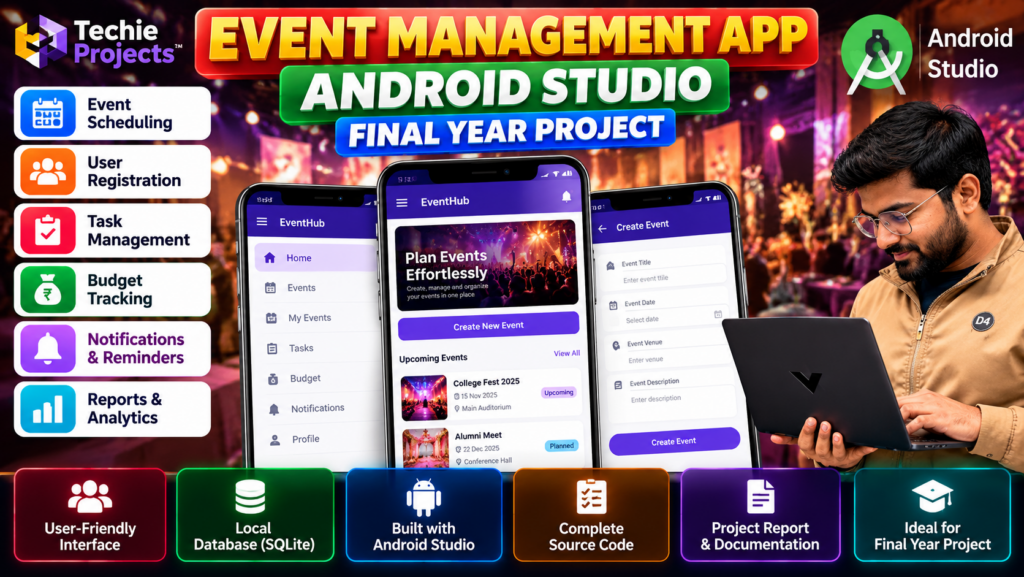
Looking for an event management app in Android Studio for your B.Tech, B.E., BCA, or MCA final-year project? This Android application project demonstrates how mobile technology can help users organize events, manage schedules, coordinate tasks, and maintain event-related information.
The event management app in Android Studio is suitable for exploring Android development concepts, including user interface design, event information management, and database integration, depending on the implemented features.
At Techie Projects, we help students explore engineering project ideas and enquire about project packages, source-code availability, documentation, and implementation support.
If you want to understand how an event management application works before choosing your final-year project, explore the features, workflow, technologies, and requirements described below.
🎬 Project Demo: Event Management App Android Studio
Watch the project demonstration to understand the application’s interface, event management workflow, and major features.
The demo can help you evaluate whether this Android application matches your academic project requirements and interests.
🎯 Objectives of the Event Management App
The main objective of this event management app in Android Studio project is to provide a mobile platform for organizing event details and demonstrating practical Android application development.
- Develop a mobile application for organizing and managing events.
- Provide an interface for viewing and managing event details.
- Demonstrate event scheduling and task organization.
- Help users maintain event-related information in one application.
- Explore Android application development using Android Studio.
- Demonstrate database integration where supported by the implementation.
- Build practical skills in mobile application design and development.
🚀 Key Features of the Event Management App
1. Event Scheduling
The application can organize event information, including event names, dates, venues, and descriptions. Scheduling features help users view planned events in an organized format.
2. Event Information Management
Users can manage event details through the application interface. Depending on the implemented functionality, this may include creating, viewing, updating, or deleting event records.
3. User Registration
A registration or login module can be included to demonstrate user account management. Authentication functionality depends on the actual project implementation.
4. Task Management
Event-related tasks can be organized to help users plan activities and keep track of preparation work.
5. Budget Tracking
A budget management module can help record event expenses and planned costs. The availability of calculations and reports depends on the selected implementation.
6. Notifications and Reminders
Reminder functionality can help users keep track of upcoming events or scheduled activities when supported by the application.
7. User-Friendly Android Interface
The application demonstrates mobile interface design, navigation, input forms, and event information displays using Android development tools.
8. Database Management
A database can be used to store event records and other application information. SQLite is a possible option for local storage if it is included in your project version.
⚙️ How Does the Event Management App Work?
The event management app in Android Studio follows a workflow in which users enter event information, manage available records, and review scheduled activities through the application’s interface.
- Launch the application: The user opens the Android application.
- Access the interface: The user navigates to the available application features.
- Enter event details: Event information such as name, date, venue, and description can be entered.
- Manage event records: The application processes and displays event information.
- Organize tasks and budgets: Additional modules can help manage event preparation and expenses.
- Store information: Event records are saved using the configured storage system.
- Review upcoming events: The user views available event details and planned activities.
The exact workflow depends on the features implemented in the supplied project.
🛠️ Technologies Used
The technologies used in an Android event management project may include:
- Android Studio: Integrated development environment for building Android applications.
- Java or Kotlin: Programming language, depending on the implementation.
- Android SDK: Tools and libraries for Android application development.
- XML or Jetpack Compose: Options for designing the application interface.
- SQLite or another database: Data storage, depending on the project architecture.
- Gradle: Build automation and dependency management for Android projects.
Check the actual project package before installation to confirm the programming language, database, SDK requirements, and dependencies.
💻 Software Requirements
Typical software requirements may include:
- Windows, macOS, or Linux-compatible development environment.
- Android Studio.
- Compatible Android SDK and build tools.
- Java or Kotlin development support, as applicable.
- Required project dependencies and configuration files.
- Android emulator or compatible Android device for testing.
The exact software versions depend on the project configuration.
🖥️ Hardware Requirements
A development computer with the following specifications is a reasonable starting point:
- Processor: Intel Core i3 or equivalent, or better.
- RAM: 8 GB recommended for a more comfortable Android Studio experience.
- Storage: Sufficient free disk space for Android Studio, SDKs, Gradle dependencies, and project files.
- Testing device: Android emulator or compatible Android smartphone.
Actual requirements vary with the Android Studio version and the resources used by the project.
🎓 Advantages of the Event Management App Project
- Provides practical exposure to Android application development.
- Demonstrates mobile user interface design.
- Helps students understand event information management.
- Offers opportunities to explore database integration.
- Can be extended with additional features as an academic exercise.
- Provides a practical topic for project demonstrations and technical discussions.
📌 Applications of an Event Management Application
An event management application can be adapted for:
- College festivals and technical events.
- Workshops and seminars.
- Student club activities.
- Personal event planning.
- Meetings and small organizational events.
- Event scheduling and task coordination.
These are potential applications; they do not imply that every feature is available in the current project.
🔮 Future Scope
The project can be extended, depending on your technical requirements, with features such as:
- Online event registration and booking.
- Email or push notifications.
- Cloud-based database synchronization.
- Event ticket management and QR-code scanning.
- Calendar integration.
- Expense reports and budget summaries.
- Admin and user role management.
- Analytics for event participation.
These improvements can provide opportunities for further Android development and customization.
🎯 Why Choose This Android Project for Your Final Year?
The Event Management App is a relevant project topic for students interested in Android development, mobile application design, and database-driven applications.
It can help you explore application architecture, user interface design, data handling, and software testing. You can also discuss possible extensions and implementation decisions during your project presentation.
Before selecting the project, confirm that its available functionality, technology stack, and documentation meet your college’s requirements.
🛒 Purchase the Event Management App Project
Looking for an event management app in Android Studio with source code for your final-year project? Contact Techie Projects to confirm source-code availability, implemented features, documentation, installation requirements, customization options, and pricing.
📲 Call/WhatsApp: +91-9460060699
🌎 Website: www.techieprojects.com
📺 Instagram: @pythonprojects_
Techie Projects can help you enquire about project availability and the package suitable for your requirements.
Before purchasing, you can ask us to confirm:
- Android Studio project source code availability.
- Programming language and database used.
- Installation and setup instructions.
- Project report and documentation availability.
- Implemented features and application screenshots.
- Customization options and additional requirements.
- Pricing and delivery details.
The package contents and support options should be confirmed before placing your order.
📲 Get Project Details and Pricing on WhatsApp
Contact us to discuss your academic requirements, check the available project package, and request pricing details.
👉 Enquire About the Event Management App on WhatsApp
🌐 Explore More Engineering Projects at Techie Projects
📸 Follow Techie Projects on Instagram
🎓 Recommended Projects
Explore these related project ideas on Techie Projects:
- College Management System Project – An application for managing college-related information.
- Student Management System Project – A project focused on organizing student records.
- Online Voting System Project – A system for demonstrating digital voting workflows.
- Hotel Management System Project – An application for managing hotel-related records.
- Attendance Management System Project in Python – A project for recording and managing attendance.
Explore the corresponding project pages on the website for their technologies, features, and availability.
❓ Frequently Asked Questions
1. What is an Event Management App in Android Studio?
It is an Android application project designed to demonstrate event organization, event information management, and related activities through a mobile interface.
2. Which programming language is used?
The language depends on the project implementation. Android applications may use Java or Kotlin. Confirm the language before purchasing.
3. Is this project suitable for final-year students?
It can be suitable for students studying computer science, information technology, and mobile application development, subject to their college’s project guidelines.
4. Can I get the source code?
Contact Techie Projects to confirm source-code availability and the contents of the current package.
5. Can I customize the application?
Customization may be possible depending on the available source code, required features, and project scope. Discuss your requirements before ordering.
6. What documentation is included?
Documentation and project report availability should be confirmed with Techie Projects before purchase.
7. How can I get the project price?
Use the WhatsApp enquiry link to request current pricing, package details, and availability.
Conclusion
The Event Management App in Android Studio is a practical project topic for students interested in Android application development and event organization. It provides opportunities to explore mobile interface design, event information handling, and database integration.
If you are interested in this project for your final-year submission, contact Techie Projects to verify the available features, source code, documentation, customization options, and pricing.
Start your project enquiry today: Contact Techie Projects on WhatsApp