
Introduction
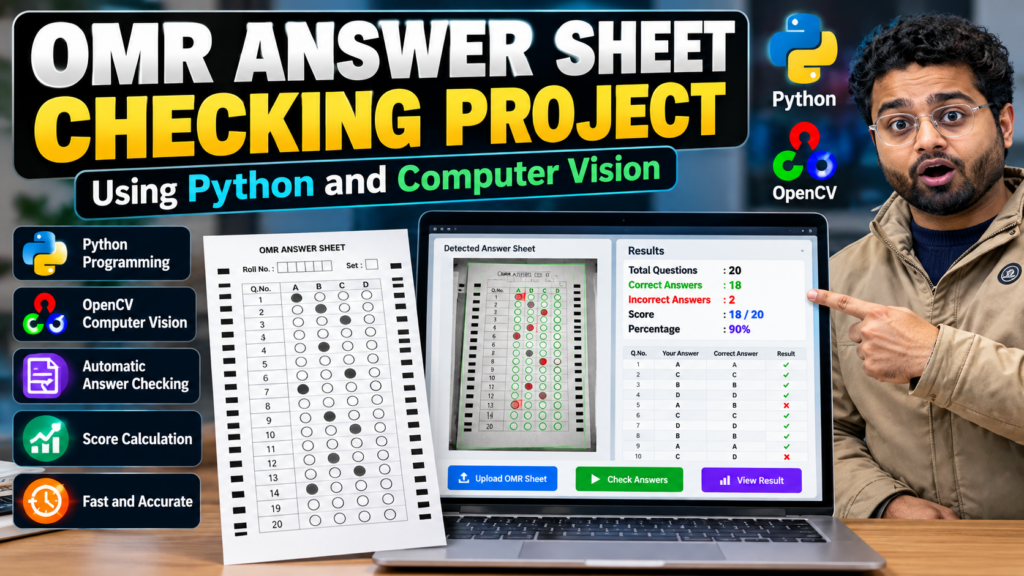
OMR Answer Sheet Checking Using Python and Computer Vision is a computer vision project that automatically evaluates multiple-choice answer sheets by detecting marked bubbles and comparing them with a predefined answer key.
OMR answer sheet checking using Python can automate the evaluation of multiple-choice answer sheets. By combining Python, OpenCV, and image processing techniques, the system can detect marked bubbles, compare answers with an answer key, and calculate the final score.
Traditional OMR evaluation requires dedicated OMR machines or manual checking. This project demonstrates how Python, OpenCV, image processing, and computer vision techniques can be used to build a low-cost automated answer sheet evaluation system.
The system captures or accepts an image of an OMR answer sheet, processes the image, detects the marked answers, compares them with the correct answers, and calculates the student’s score.
This project is suitable for B.Tech, BCA, MCA, Computer Science, Artificial Intelligence, Machine Learning, and Computer Vision students.
Note: This project is intended for educational and demonstration purposes. Accuracy depends on image quality, OMR sheet design, lighting, alignment, and the detection algorithm.
What Is OMR?
OMR stands for Optical Mark Recognition. It is a technology used to detect marked areas on specially designed forms or answer sheets.
OMR systems are commonly used for:
- Multiple-choice examinations
- Competitive examinations
- Surveys
- Feedback forms
- Questionnaires
- Attendance forms
- Educational assessments
In an examination, students generally select an answer by filling or marking a bubble. An OMR system analyzes the sheet and identifies which bubbles have been marked.
Objective of the Project
The main objective of this project is to develop an automated OMR answer sheet checking system using Python and computer vision.
The system aims to:
- Detect an OMR answer sheet from an image.
- Preprocess the input image.
- Detect the answer areas.
- Identify filled bubbles.
- Compare selected answers with an answer key.
- Calculate the student’s score.
- Reduce manual evaluation time.
- Demonstrate practical computer vision techniques.
How OMR Answer Sheet Checking Works
The basic workflow of the system is:
Input Image → Image Preprocessing → OMR Sheet Detection → Perspective Transformation → Bubble Detection → Answer Extraction → Answer Comparison → Score Calculation
Step 1: Input OMR Image
The system accepts an image of the completed OMR answer sheet.
The image can be captured using:
- Mobile camera
- Webcam
- Scanner
- Digital image file
For better results, the answer sheet should be clearly visible and properly aligned.
Step 2: Image Preprocessing
The input image is processed before detecting the answers.
Common preprocessing operations include:
- Resizing
- Grayscale conversion
- Gaussian blur
- Thresholding
- Edge detection
These operations help separate the answer bubbles from the background.
Step 3: Detect OMR Sheet
The system identifies the main contour or boundary of the OMR sheet.
OpenCV contour detection techniques can be used to locate the rectangular sheet.
Step 4: Perspective Transformation
If the OMR sheet is photographed at an angle, the system can apply a perspective transformation.
This converts the distorted sheet into a top-down view.
The process can be represented as:
Original Image → Detect Four Corners → Perspective Transform → Aligned OMR Sheet
This step improves the accuracy of bubble detection.
Step 5: Detect Answer Bubbles
After alignment, the system identifies the answer bubbles.
For example, an OMR question may contain four options:
A | B | C | D
The system analyzes each option and determines which bubble contains the student’s mark.
Step 6: Identify the Selected Answer
The system calculates the amount of dark or filled area inside each bubble.
The option with the strongest valid mark can be considered the selected answer, depending on the project’s detection rules.
For example:
| Option | Filled Area |
|---|---|
| A | 15 |
| B | 185 |
| C | 20 |
| D | 12 |
In this example, B would be detected as the selected answer.
Step 7: Compare With Answer Key
The detected answers are compared with the predefined answer key.
Example:
Answer Key: A, C, B, D, B
Student Answers: A, C, B, A, B
The system compares each answer and identifies the correct and incorrect responses.
Step 8: Calculate Score
The system calculates the final score based on the number of correct answers.
For example:
- Total Questions: 20
- Correct Answers: 18
- Incorrect Answers: 2
- Marks per Question: 1
Final Score = 18/20
The result can then be displayed to the user.
Technologies Used
The project can be developed using the following technologies:
- Python
- OpenCV
- NumPy
- Image Processing
- Computer Vision
- Contour Detection
- Thresholding
- Perspective Transformation
Python Libraries
Important libraries that can be used include:
OpenCV
OpenCV is used for image processing and computer vision operations such as:
- Image reading
- Resizing
- Grayscale conversion
- Blurring
- Thresholding
- Edge detection
- Contour detection
- Perspective transformation
NumPy
NumPy can be used for numerical operations and image-array manipulation.
Software Requirements
- Python 3.x
- OpenCV
- NumPy
- Visual Studio Code, PyCharm, or another Python IDE
- Windows/Linux/macOS
- Web browser, if a web interface is included
Hardware Requirements
- Intel Core i3 processor or above
- Minimum 4 GB RAM
- 500 MB or more available storage
- Scanner, webcam, or smartphone camera
- Keyboard and mouse
OMR Evaluation Workflow
The complete workflow can be summarized as follows:
1. Capture Image
Capture or upload the completed OMR sheet.
2. Preprocess Image
Convert the image into a suitable format for analysis.
3. Detect Sheet
Find the OMR sheet boundary using computer vision.
4. Align Sheet
Apply perspective transformation to correct the viewing angle.
5. Detect Questions
Locate the answer regions on the sheet.
6. Detect Marked Bubbles
Analyze each answer bubble to determine whether it is marked.
7. Extract Answers
Convert the detected bubbles into answer choices such as A, B, C, or D.
8. Compare Answers
Compare the detected answers with the answer key.
9. Calculate Result
Calculate the total number of correct answers and final score.
Example Result
Suppose an OMR sheet contains 20 questions.
| Result | Value |
|---|---|
| Total Questions | 20 |
| Correct Answers | 18 |
| Incorrect Answers | 2 |
| Score | 18/20 |
| Percentage | 90% |
The application can display the result automatically after processing the answer sheet.
Important Computer Vision Techniques
Grayscale Conversion
Converting an image to grayscale simplifies the image and makes further processing easier.
Thresholding
Thresholding separates foreground marks from the background.
It is particularly useful for detecting filled OMR bubbles.
Edge Detection
Edge detection helps identify the boundaries of the OMR sheet and other important regions.
Contour Detection
Contours can be used to detect rectangular structures such as the OMR sheet and answer bubbles.
Perspective Transformation
Perspective transformation corrects the angle of a photographed OMR sheet and produces a standardized view.
Handling Multiple Answer Choices
The system can support different numbers of options depending on the OMR sheet design.
For example:
4 Options:
A | B | C | D
5 Options:
A | B | C | D | E
The bubble coordinates and detection logic should be configured according to the specific answer-sheet template.
Handling Unanswered Questions
The system can also identify questions where no option has been marked.
For example:
Question 5: No answer detected
Such questions can be treated as unanswered and assigned zero marks.
Handling Multiple Marks
A robust OMR system should also identify cases where multiple bubbles are marked for the same question.
For example:
Question 8: A and C both marked
Depending on the examination rules, the system can classify this as an invalid or incorrect response.
Advantages
The OMR answer sheet checking system provides several advantages:
- Faster evaluation
- Reduces manual checking
- Minimizes repetitive work
- Can process multiple answer sheets
- Low-cost implementation
- Uses commonly available hardware
- Demonstrates practical computer vision
- Can be customized for different OMR layouts
- Useful for educational projects
Limitations
The accuracy of an OMR system depends on several factors.
Common limitations include:
- Poor image quality
- Uneven lighting
- Incorrect sheet alignment
- Shadows on the answer sheet
- Very light pencil marks
- Multiple bubbles marked
- Incorrect OMR template configuration
- Overlapping or damaged bubbles
- Different sheet layouts
For production examination systems, extensive testing and validation are required.
Applications
OMR answer sheet checking can be used for:
- School examinations
- College examinations
- Competitive exams
- Practice tests
- Online-to-offline assessment systems
- Surveys
- Feedback forms
- Questionnaires
- Educational assessment systems
Future Scope
The project can be enhanced with several advanced features.
Automatic Answer Key Upload
Allow administrators to upload an answer key instead of manually defining answers.
Multiple Sheet Processing
The system can process multiple OMR sheets automatically.
Result Database
Student results can be stored in a database for future reference.
Student Report Generation
The application can generate detailed result reports containing:
- Student name
- Roll number
- Correct answers
- Incorrect answers
- Unanswered questions
- Total score
- Percentage
Web-Based OMR System
The project can be converted into a web application using Flask or Django.
Mobile Application
A mobile application can allow users to capture OMR sheets using a smartphone camera.
Improved Bubble Detection
Advanced image processing and machine learning techniques can be used to improve detection accuracy under different lighting and image conditions.
Why This Is a Good Final-Year Project
The OMR Answer Sheet Checking Using Python and Computer Vision project is a practical final-year project because it combines multiple areas of computer science.
Students can learn:
- Python programming
- Computer vision
- Image processing
- NumPy
- Contour detection
- Thresholding
- Perspective transformation
- Automated evaluation
- Result processing
The project can also be extended into a complete examination management system.
Suggested Computer Vision & Python Projects
If you are interested in building more practical projects using Python, OpenCV, Artificial Intelligence, and Computer Vision, explore these related project ideas:
- Face Recognition Attendance System Using Python – Automate student attendance using face detection and recognition.
- Vehicle Detection and Counting Using Python – Detect and count vehicles from images or video using computer vision.
- Object Detection and Recognition Using Python – Identify and classify objects from images and real-time video.
- Number Plate Detection Using Python – Detect vehicle number plates using image processing and computer vision.
- Helmet Detection Using Python – Detect whether motorcycle riders are wearing helmets.
- Pothole Detection Using Computer Vision – Identify potholes from road images or video.
Explore More Final-Year Projects
Looking for more Python, Artificial Intelligence, Machine Learning, Deep Learning, IoT, and Computer Vision projects? Explore the complete collection of final-year project ideas and source-code projects on Techie Projects.
Conclusion
The OMR Answer Sheet Checking Using Python and Computer Vision project demonstrates how computer vision can be used to automate the evaluation of multiple-choice answer sheets.
By using Python, OpenCV, image processing, and predefined answer keys, the system can detect marked bubbles, identify student answers, compare them with correct answers, and calculate examination results.
The project provides a practical introduction to computer vision and can be further extended with database integration, web applications, automated report generation, and large-scale OMR processing.
This OMR answer sheet checking using Python project can be extended with better image preprocessing, automatic answer-key management, and report generation.
Frequently Asked Questions
What is an OMR answer sheet checking system?
An OMR answer sheet checking system automatically detects marked bubbles on an answer sheet and compares them with a predefined answer key.
Which programming language is used?
Python is commonly used because libraries such as OpenCV and NumPy provide powerful image-processing capabilities.
Which library is mainly used for OMR detection?
OpenCV is commonly used for image processing, contour detection, thresholding, and perspective transformation.
Can this project check multiple answer sheets?
Yes. The system can be extended to process multiple OMR sheets automatically.
Can the project calculate student marks?
Yes. After comparing the detected answers with the answer key, the system can calculate the student’s score and percentage.
Can this project be developed as a web application?
Yes. Flask or Django can be integrated to create a web-based OMR evaluation system.
Can a mobile camera be used?
Yes. A smartphone camera can be used to capture the OMR sheet, provided the image is sufficiently clear and properly aligned.
Is this project suitable for a final-year project?
Yes. It is suitable for B.Tech, BCA, MCA, Computer Science, Artificial Intelligence, Machine Learning, and Computer Vision students.
☎️ Contact Us For More Queries:-
📲 Call/WhatsApp: +91-9460060699
🌎 Website: www.techieprojects.com
📺 Instagram: @pythonprojects_