
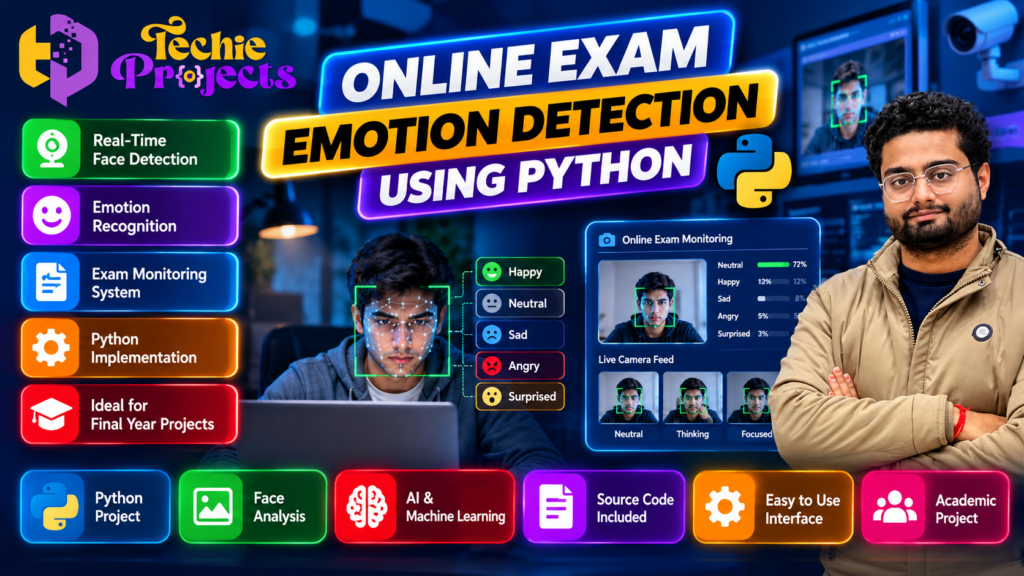
🎓 Looking for an Online Exam Emotion Detection Using Python project for your final-year engineering submission? Explore this AI-based project with Techie Projects and learn how Python, computer vision, and machine learning can be combined to analyze facial expressions in images or video frames.
If you are a B.Tech, B.E., Computer Science, Information Technology, Artificial Intelligence, or Data Science student, this project offers an opportunity to explore practical AI concepts. It can help you understand facial image processing, expression classification, model predictions, and application development.
🚀 Planning to purchase a Python project? Contact Techie Projects to enquire about the available source code, documentation, installation instructions, code explanation, demonstration, pricing, and technical support options. Confirm the deliverables before ordering so you can choose a package that matches your academic requirements.
📲 Enquire on WhatsApp about this project
🌐 Explore more engineering projects at Techie Projects
🎬 Project Demo: Online Exam Emotion Detection Using Python
Watch the project demonstration to understand the interface, workflow, and intended functionality of the application.
The demo can help you explore how a facial expression analysis system may process images and display predicted expression categories. Before purchasing, confirm that the demonstration corresponds to the version being offered and check which features are included in the package.
🤖 What Is Online Exam Emotion Detection Using Python?
Online Exam Emotion Detection Using Python is an educational computer vision project that explores how facial expressions can be classified using image processing and machine learning techniques.
The application may process a facial image or video frame and use a trained model to predict an expression category, such as happy, sad, angry, surprised, or neutral. The exact categories and performance depend on the dataset, model, and implementation.
Python is commonly used for this type of project because it supports image processing, numerical computation, machine learning, and application development. Students can use the project to understand how these components work together in a practical system.
Although the project relates to online examinations, facial expression classification should not be considered a reliable method of determining a student’s actual emotional state, attention, honesty, or academic performance. The project is best presented as an educational AI application.
🎯 Objectives of the Project
The main objectives of the Online Exam Emotion Detection Using Python project may include:
- 🐍 Learning Python programming through a practical application.
- 📷 Understanding image and video frame processing.
- 👤 Exploring face detection techniques.
- 🧠 Learning how machine learning models classify facial expressions.
- 📊 Displaying prediction results through an application interface.
- 🧪 Testing model outputs with different sample images.
- 💻 Understanding the integration of computer vision and machine learning.
- 🎓 Preparing a technical demonstration for an academic project presentation.
- 🔍 Recognizing the limitations and responsible use of AI systems.
These objectives can help students connect theoretical knowledge with a practical implementation.
📚 Learning with Online Exam Emotion Detection Using Python
The Online Exam Emotion Detection Using Python project helps students explore how computer vision and machine learning can work together in an educational application. By studying the workflow, students can learn about facial image processing, expression classification, model predictions, and result visualization. This practical approach also helps learners understand the importance of testing a model with different inputs and evaluating its limitations before drawing conclusions from its predictions.
⚙️ Technologies Used in the Project
The exact technology stack depends on the supplied implementation. The following tools are commonly used in similar Python-based applications.
1. Python 🐍
Python handles the main application logic, connects the processing components, and runs the model. Its readable syntax and extensive library ecosystem make it suitable for student projects.
2. OpenCV 📷
OpenCV can capture webcam frames, read images, resize inputs, convert colour formats, and perform other image processing operations. It may also support face detection when the implementation includes a suitable detector.
3. Machine Learning and Deep Learning 🧠
A trained classification model processes the facial image and generates a predicted expression category. Students can explore model inputs, outputs, training data, and evaluation methods.
4. NumPy 🔢
NumPy supports numerical computation and array operations. Image data is commonly represented as arrays, making these operations useful in computer vision applications.
5. User Interface Development 💻
A suitable interface can display image input, video frames, and model predictions. Depending on the project, the interface may be desktop-based or web-based. Confirm the actual interface before purchasing.
6. Dataset and Model Resources 📚
A facial expression classifier requires suitable training data or an already trained model. Students should understand the source, limitations, and permitted use of the dataset and model included in their chosen implementation.
🔄 How Does the System Work?
A typical Online Exam Emotion Detection Using Python workflow may include the following stages.
Step 1: Capture or Load an Image
The system receives an image or video frame from a supported input source. If live webcam functionality is included, the application may process frames in real time.
Step 2: Preprocess the Input
The image may be resized, normalized, or converted into the format expected by the selected model. Correct preprocessing helps ensure that the input matches the model’s requirements.
Step 3: Detect the Face
A face detection component locates the approximate facial region. The application may then crop or extract that region for expression analysis.
Step 4: Classify the Facial Expression
The prepared image is passed to a trained model. The model generates a predicted expression label based on patterns learned from its training data.
Step 5: Display the Prediction
The interface displays the predicted category. Depending on the implementation, it may also show a confidence score or a visual label.
Step 6: Test and Evaluate the Results
Students can test the system using appropriate sample images and review its limitations. Lighting, camera quality, facial pose, image resolution, dataset bias, and differences between individuals can affect predictions.
This workflow provides a practical introduction to image processing and machine learning.
✨ Key Features of the Project
The following are possible features of an emotion detection application. Availability depends on the actual project version.
- 📷 Image input or webcam capture.
- 👤 Face detection and facial region extraction.
- 🧠 Machine learning-based expression classification.
- 📊 Display of predicted expression categories.
- 💻 User interface for viewing results.
- ⚙️ Image preprocessing and model integration.
- 🧪 Testing with sample images.
- 📚 Opportunities to study model performance and limitations.
Before purchasing: Ask Techie Projects which of these features are implemented in the available package. Do not assume every listed feature is included in every version.
💻 Practical Implementation of Online Exam Emotion Detection Using Python
Developing Online Exam Emotion Detection Using Python involves connecting image input, face detection, preprocessing, and a trained classification model. Students can examine how each component contributes to the final output and identify potential issues caused by lighting, image quality, or model limitations. The project can also provide a foundation for experimenting with different computer vision methods and improving the application’s usability.
🎓 Benefits for Engineering Students
Practical Python Programming
The project provides an opportunity to practise Python syntax, functions, library integration, application logic, and debugging.
Understanding Computer Vision
Students can learn about image loading, resizing, face detection, video frames, and preparing data for machine learning models.
Exploring Machine Learning
The project introduces classification, model predictions, training datasets, and evaluation. Students can investigate why some predictions are incorrect and how the choice of data affects model performance.
Developing Presentation Skills
A working demonstration can help students explain their technical decisions, system workflow, limitations, and testing process during a project presentation or viva.
Building a Technical Portfolio
After understanding and extending the implementation, students may be able to describe the project in a portfolio or résumé. Any claims about the work should accurately reflect their own contribution and understanding.
🏫 Who Can Choose This Project?
This project may be relevant to students pursuing:
- B.Tech or B.E. in Computer Science Engineering.
- Information Technology.
- Artificial Intelligence and Machine Learning.
- Data Science.
- Computer applications and related technical programmes.
- Python-based mini-projects or final-year projects.
It may be particularly interesting to students who want to explore computer vision without starting with an entirely new model architecture. The project difficulty depends on the implementation, available documentation, and the student’s prior experience.
🛠️ Hardware and Software Requirements
A typical development setup may require:
- A laptop or desktop computer.
- A compatible Python installation.
- Required Python libraries and dependencies.
- A code editor or development environment.
- A webcam if live video input is supported.
- Sufficient memory and processing capacity for the selected model.
- A compatible operating system.
The exact requirements depend on the model and implementation. Before installing the project, confirm the supported Python version, dependency versions, operating system, and setup procedure. This can help prevent common issues involving incompatible libraries or missing packages.
📦 What Should You Check Before Purchasing?
Choosing the correct project package is important for a smoother academic experience. Before placing an order with Techie Projects, confirm the following details.
1. Source Code
Ask whether the complete source code is included and whether any components require separate installation or configuration.
2. Installation Guide
Check whether the package includes instructions for setting up Python, installing dependencies, configuring the model, and running the application.
3. Project Documentation
Confirm whether a project report, system workflow, diagrams, or technical documentation is included.
4. Code Explanation
If you need help understanding the implementation, ask whether code explanations or guided support are available.
5. Demonstration and Features
Check the demo carefully and confirm which functions are supported by the actual version being supplied.
6. Compatibility
Verify the supported operating system, Python version, hardware requirements, and any additional dependencies.
7. Pricing and Support
Ask for the final price, delivery method, expected delivery time, and details of any technical support or additional charges.
These checks help you make an informed decision and avoid confusion after ordering.
🛒 Get Online Exam Emotion Detection Using Python for Your College Project
If you need Online Exam Emotion Detection Using Python for your engineering project, contact Techie Projects to enquire about the available package and pricing. Before purchasing, confirm whether the package includes source code, installation instructions, documentation, code explanation, and technical support. You can discuss your course requirements and project deadline to determine whether the available version is suitable for your submission.
📲 WhatsApp: +91-9460060699
🌐 Website: https://techieprojects.com/
💼 Purchase or Enquire About This Project from Techie Projects
Ready to explore the Online Exam Emotion Detection Using Python project for your academic work? Contact Techie Projects to discuss the available version and confirm whether it matches your requirements.
When you enquire, share your course, project deadline, required documentation, preferred input method, and any specific college guidelines. This will help clarify which package may be appropriate for your needs.
📲 Contact Techie Projects
- WhatsApp: https://wa.me/919460060699
- Website: https://techieprojects.com/
- Instagram: https://www.instagram.com/pythonprojects_/
Send a WhatsApp message with the project name “Online Exam Emotion Detection Using Python” to ask about availability, pricing, source code, documentation, installation instructions, and support options.
🎯 Choose your project carefully: Confirm all deliverables before making payment, and make sure you understand the code well enough to explain the implementation during your academic presentation.
🔎 Explore Related Python and AI Projects
Looking for more ideas? Explore these related project topics on Techie Projects and choose one that matches your technical interests.
- Face Recognition Attendance System
- AI-Based Online Exam Proctoring System
- Facial Expression Recognition Using Deep Learning
- Student Performance Prediction Using Machine Learning
- Real-Time Object Detection Using Python
- Human Activity Recognition Using Computer Vision
- Fake News Detection Using Machine Learning
These topics cover different areas of Python programming, machine learning, and computer vision. Check the project scope, requirements, and available deliverables before selecting a project.
❓ Frequently Asked Questions
1. What is Online Exam Emotion Detection Using Python?
It is an educational computer vision project that explores facial expression classification using Python, image processing, and a compatible machine learning model.
2. Which programming language is used?
Python is commonly used to connect image processing components, run the model, and display the results.
3. Is this project suitable for beginners?
It may be suitable for students with basic Python knowledge. Beginners should review the installation instructions and learn how the code works before presenting the project.
4. Does the project require a webcam?
Only if the selected implementation supports live webcam input. An image-based implementation may work with stored images instead. Confirm the supported input method before ordering.
5. Can the system identify a student’s real emotions?
No. The system predicts expression categories from visible facial patterns. These predictions cannot reliably establish a person’s true emotions, attention, honesty, or examination performance.
6. Can I purchase this project from Techie Projects?
You can contact Techie Projects through WhatsApp or the website to enquire about availability, pricing, source code, documentation, and the deliverables included in the available package.
7. Is documentation included?
Documentation depends on the package. Ask Techie Projects to confirm whether a report, installation guide, code explanation, or other materials are included.
8. Can I modify the project?
Modification depends on the code, model, and included resources. Confirm the available files and applicable licence terms before making changes or redistributing any components.
🚀 Conclusion
Online Exam Emotion Detection Using Python is an engaging educational project for students interested in Python programming, computer vision, and machine learning. It demonstrates how facial images can be processed and classified while introducing important concepts such as model evaluation, testing, and responsible AI development.
If this project matches your academic interests, contact Techie Projects to check the available package, pricing, features, and deliverables. Confirm the details before purchasing, and prepare to explain the implementation and its limitations independently.
- 📲 Call/WhatsApp: +91-9460060699
- 🌎 Website: www.techieprojects.com
- 📺 Instagram: @pythonprojects_
Responsible AI note: Facial expression classification is not a reliable measure of a student’s actual emotional state or examination performance. Any real-world use involving students should carefully consider informed consent, privacy, data protection, fairness, and institutional policies.