
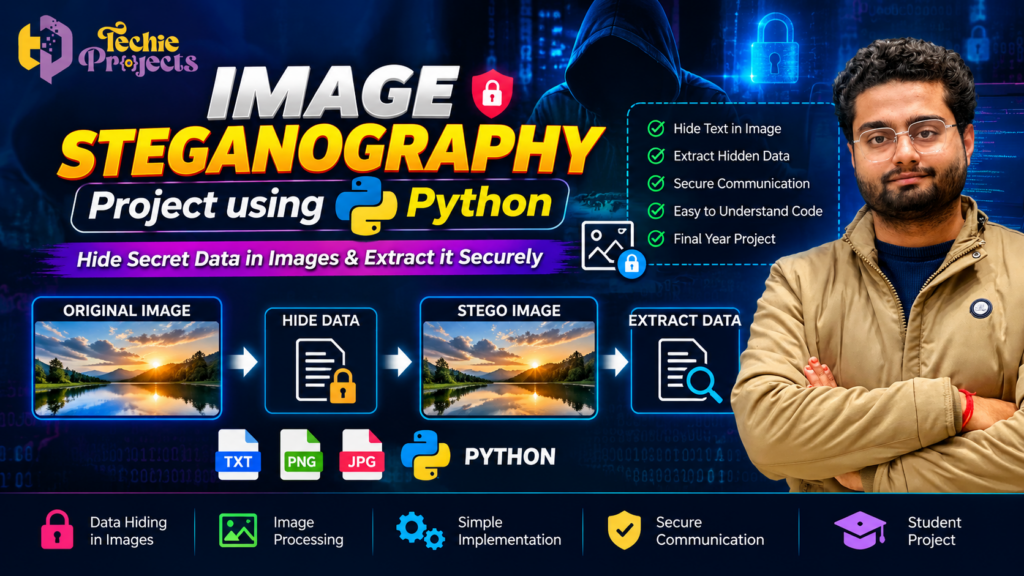
Image Steganography Project Using Python: Hide and Extract Secret Data
Looking for a practical Python project that combines image processing, data hiding, and information security? The Image Steganography Project Using Python is an excellent option for engineering students who want to explore how secret information can be embedded inside a digital image and retrieved later. Instead of building everything from scratch, you can enquire about the project available from Techie Projects and confirm the included code, implementation, documentation, and installation requirements before purchasing.
This project demonstrates an interesting concept in computer science: information can be hidden within an image so that the image appears ordinary to someone who does not know that secret data is present. It provides a practical way to explore Python programming, digital image processing, and the fundamentals of steganography.
For B.Tech, BCA, MCA, diploma, and final-year engineering students, the project can be a useful learning opportunity in information security and Python development. It also offers a clear topic for a project demonstration, technical presentation, and discussion of how data can be embedded and extracted.
Want to explore this project for your academic work? Visit Techie Projects or contact us on WhatsApp to enquire about availability, pricing, supported functionality, and deliverables before placing your order.
🎬 Image Steganography Project Demo Using Python
The Image Steganography Project Using Python demonstrates the basic workflow of hiding information in an image and extracting the hidden information when required.
The demonstration illustrates the concept of selecting an image, embedding data, generating an output image, and retrieving the stored information. The precise workflow and supported file types depend on the implementation.
Review the project demonstration to understand the application interface and how the data-hiding process works. The actual implementation should be checked to confirm which features are available in the version you intend to purchase.
🔐 What Is an Image Steganography Project Using Python?
An Image Steganography Project Using Python is an application that demonstrates how information can be concealed within a digital image. Steganography focuses on hiding the existence of a message, whereas encryption transforms information into a form that is difficult to understand without the appropriate key.
In image-based steganography, a program modifies selected image data to store a message or other information. A compatible extraction process retrieves the hidden content from the resulting image.
One common educational technique is Least Significant Bit (LSB) steganography. In a simplified implementation, the program changes selected least significant bits of pixel values to encode information. Because these changes can be small, the resulting image may look very similar to the original.
However, steganography is not automatically secure. A person who discovers the hidden data may be able to extract it, and some transformations or image compression methods can destroy the embedded information. The actual security depends on the technique, implementation, and any additional protection used.
🎓 Why Choose This Python Project?
Choosing a project involves more than finding a topic with an interesting title. Students need an idea that they can understand, demonstrate, and explain during academic evaluation.
The Image Steganography Project Using Python brings together several important computer science concepts in one practical application.
1. Learn Python Programming
Python is widely used for scripting, automation, image processing, and security-related experimentation. This project provides an opportunity to understand how Python functions, conditional statements, file handling, and data conversion can be used in an application.
2. Understand Digital Image Processing
Digital images consist of pixel data, and image steganography uses selected image information to represent a hidden message. Students can explore image dimensions, pixel values, colour channels, and how small modifications affect image data.
3. Explore Information Security
The project introduces the distinction between hiding a message and protecting its contents. It can help students understand why hiding information alone does not guarantee confidentiality.
4. Build Practical Project Knowledge
By studying the program’s workflow, students can learn how input files are handled, how information is embedded, and how the extraction process is performed.
5. Prepare for Technical Presentations
The project provides several topics for discussion, including the problem statement, system architecture, encoding method, extraction algorithm, limitations, and possible improvements.
Before purchasing, confirm the available implementation and included materials with Techie Projects.
🎓 Benefits of the Image Steganography Project Using Python for Students
The Image Steganography Project Using Python helps students connect theoretical computer science concepts with practical programming. It demonstrates how digital images can store hidden information and how a compatible algorithm can retrieve that information.
Key learning benefits include:
- Python programming: Practise functions, conditions, file handling, and data conversion.
- Image processing: Understand pixel values, colour channels, and image manipulation.
- Information hiding: Learn how messages can be embedded in digital images.
- Algorithm development: Study the steps involved in encoding and extracting data.
- Project presentation: Explain the workflow, limitations, testing process, and potential improvements during academic evaluation.
This project can be considered by B.Tech, BCA, MCA, and diploma students interested in Python development, image processing, or information security.
⚙️ How Does Image Steganography Work?
The process depends on the encoding method used by the application. A typical educational implementation follows these stages.
Step 1: Select the Original Image
The user selects an image to act as the carrier for the secret information. The program loads the image and prepares its pixel data for processing.
The supported image formats depend on the libraries and file-handling logic used in the implementation.
Step 2: Enter the Secret Message
The user supplies the message or information to be hidden. In a basic example, this may be a short text string.
The program converts the message into a suitable representation, such as a sequence of binary values, before embedding it.
Step 3: Encode the Information
The encoding method determines how the message is stored in the image. In an LSB-based method, selected pixel bits are modified to represent the message data.
The implementation must also define how the message ends or how its length is identified during extraction.
Step 4: Generate the Stego Image
The processed image containing the embedded information is commonly called a stego image. It may look almost identical to the original, although changes can exist in the underlying pixel values.
The extent of those changes depends on the amount of data stored and the encoding technique.
Step 5: Extract the Hidden Message
A compatible extraction function reads the relevant image data and reconstructs the encoded information. The recovered content should match the original message when the image and encoding method remain compatible.
Step 6: Test the Results
The program can be tested with different messages and images to examine whether the data is recovered correctly. Students can also investigate what happens when an image is resized, compressed, or saved in a format that changes its pixel values.
This process makes the project useful for learning about data representation, image manipulation, and basic information-hiding techniques.
🔍 How the Image Steganography Project Using Python Works
The Image Steganography Project Using Python typically follows two main operations: embedding a message and extracting it.
During embedding, the program takes an image and a message as inputs. Depending on the implementation, it converts the message into binary data and stores it in selected image pixel values. The resulting image contains the embedded information.
During extraction, the corresponding algorithm reads the encoded image data and reconstructs the hidden message. Successful recovery depends on using a compatible method and preserving the image data required by that method.
Students can test the process with different messages and images to understand data capacity, image quality, and extraction reliability. These experiments also help explain why resizing or lossy compression may damage hidden information.
🛠️ Technologies Used in the Project
The exact technology stack depends on the version supplied by Techie Projects. Common tools used in Python-based image steganography include the following.
Python Programming Language
Python handles the application’s logic, message processing, file operations, and coordination between the embedding and extraction functions.
Image Processing Library
A suitable image library is used to load, inspect, modify, and save image data. Depending on the implementation, this could be Pillow, OpenCV, or another compatible package.
Do not assume that every project uses all these libraries. Confirm the actual dependencies before installation.
Binary Data Processing
A message may be converted into binary form so that its information can be represented through selected pixel bits. The extraction process reverses this operation to reconstruct the original message.
User Interface
Some implementations provide a graphical interface for selecting images, entering messages, and displaying results. Others may use a command-line interface. Confirm the interface included in the available version.
✨ Key Features of an Image Steganography Application
An image steganography application may include several functions, depending on its design.
- Image selection: Load an image to use as the carrier.
- Message embedding: Store supported information inside image data.
- Stego image generation: Save the processed image containing the hidden message.
- Message extraction: Retrieve information using the corresponding decoding method.
- File handling: Read and save supported image files.
- Result display: Show the output image or extracted message.
- Input validation: Check selected inputs and report errors where implemented.
These are common capabilities for this project category, not a guarantee that every feature is included in the package. Contact Techie Projects to confirm the exact feature list.
💻 Software and Hardware Requirements
Correct setup is essential for running a Python project successfully.
Software Requirements
A typical setup may require:
- Python
- A compatible image processing library
- Required Python packages listed by the project
- A compatible operating system, such as Windows, depending on the implementation
- A code editor or terminal for running and testing the application
The exact Python version and package dependencies should be confirmed before installation.
Hardware Requirements
A standard laptop or desktop is generally sufficient for a basic image steganography application. The required memory and storage depend on the image sizes and software environment.
A dedicated GPU is usually unnecessary for simple pixel-based steganography.
🌍 Applications of Image Steganography
Image steganography has several potential applications in information hiding and digital media research.
1. Educational Demonstrations
Students can use the concept to understand pixel manipulation, binary encoding, and data extraction through a practical programming exercise.
2. Digital Communication Research
Researchers can study how hidden messages are embedded into images and examine the limitations of different encoding methods.
3. Digital Watermarking Research
Steganography-related techniques can be explored alongside watermarking methods. However, watermarking often serves different goals, such as identifying ownership or verifying content, and should not be treated as identical to message hiding.
4. Information Security Experiments
The project can be used to compare basic information hiding with encryption and to study why hidden data may still be discovered through analysis.
5. Computer Science Learning
The implementation provides a way to practise file handling, binary data representation, algorithm design, and image processing in Python.
Real-world use requires careful security assessment. A basic academic implementation should not be assumed to provide strong protection for confidential information.
📊 Advantages and Limitations
Advantages
- Introduces a practical application of Python programming.
- Demonstrates image processing and pixel manipulation.
- Helps students understand binary data representation.
- Provides a clear embedding and extraction workflow.
- Supports experiments with image quality and data recovery.
- Offers opportunities to discuss security and algorithm design.
Limitations
- The amount of data that can be hidden depends on the image and encoding method.
- Some image transformations can damage or remove the hidden information.
- Basic steganography does not necessarily encrypt the message.
- Hidden information may be detected through steganalysis.
- Different implementations may support different image formats and message lengths.
Understanding these limitations will help students explain the project accurately during demonstrations and viva examinations.
🚀 Future Enhancements
Students interested in extending the project can investigate possible improvements, subject to their skills and the design of the original implementation.
Potential directions include adding encryption before embedding, supporting additional input validation, comparing different data-hiding techniques, measuring image quality changes, and evaluating how image compression affects extraction.
These enhancements should be treated as possible future development ideas rather than features already included in the purchased project.
🛒 Get the Image Steganography Project Using Python from Techie Projects
Want to explore a practical project involving Python, digital images, and information hiding? Contact Techie Projects to enquire about the availability of the Image Steganography Project Using Python.
Before purchasing, confirm the current price, supported image formats, Python version, source-code availability, installation instructions, documentation, and included features.
Techie Projects helps students enquire about technical project options and determine whether an available implementation suits their requirements. Before placing an order, confirm the current price, supported image formats, interface type, source-code availability, installation instructions, documentation, and any assistance included in the package.
Why Contact Techie Projects?
- Explore Python-based engineering project options.
- Discuss your academic requirements before purchasing.
- Confirm the actual implementation and available features.
- Check software compatibility and included deliverables.
- Enquire about related image processing and security projects.
Interested in purchasing this project? Contact us today.
- 📲 Call/WhatsApp: +91-9460060699
- 🌎 Website: www.techieprojects.com
- 📺 Instagram: @pythonprojects_
When contacting us, share your course, deadline, and required deliverables so you can check whether the available project meets your needs.
🔗 Explore Related Python Projects
Explore other project areas on Techie Projects to find a topic aligned with your interests:
- Python Projects
- Image Processing Projects
- Information Security Projects
- Machine Learning Projects
- Artificial Intelligence Projects
- Data Analytics Projects
- Final-Year Engineering Projects
Compare the technical requirements and learning objectives before selecting a project for your academic work.
❓ Frequently Asked Questions
1. What is an Image Steganography Project Using Python?
It is a Python-based application that demonstrates how information can be embedded inside a digital image and later extracted using a compatible method.
2. Which programming language is used?
Python is used in this project category. An image processing library may also be required, depending on the implementation.
3. What is the difference between steganography and encryption?
Steganography attempts to hide the existence of a message. Encryption transforms a message into an encoded form intended to prevent unauthorized reading. Both techniques can be combined, but they serve different purposes.
4. Is this project suitable for final-year students?
It can be a suitable topic for students studying Python, image processing, and information security. Confirm that its scope and deliverables meet your college’s requirements.
5. Can hidden data be extracted after an image is compressed?
Not always. Lossy compression and other image transformations can change pixel values and damage embedded information. Recovery depends on the encoding method and the transformation applied.
6. Can I purchase this project from Techie Projects?
You can enquire about availability, pricing, and included deliverables through the Techie Projects website or WhatsApp.
7. What should I check before buying?
Confirm the supported image formats, embedding and extraction functions, Python version, dependencies, source-code availability, documentation, and installation requirements.
✅ Conclusion
The Image Steganography Project Using Python offers a practical introduction to data hiding, binary representation, and digital image processing. By studying the embedding and extraction workflow, students can explore how information is stored inside an image and understand why image transformations and security limitations matter.
If you want to explore this topic for your academic project, contact Techie Projects to confirm the available implementation, pricing, and deliverables before purchasing.
Visit Techie Projects or contact us on WhatsApp to enquire about this project and explore other Python-based engineering solutions.