
Introduction
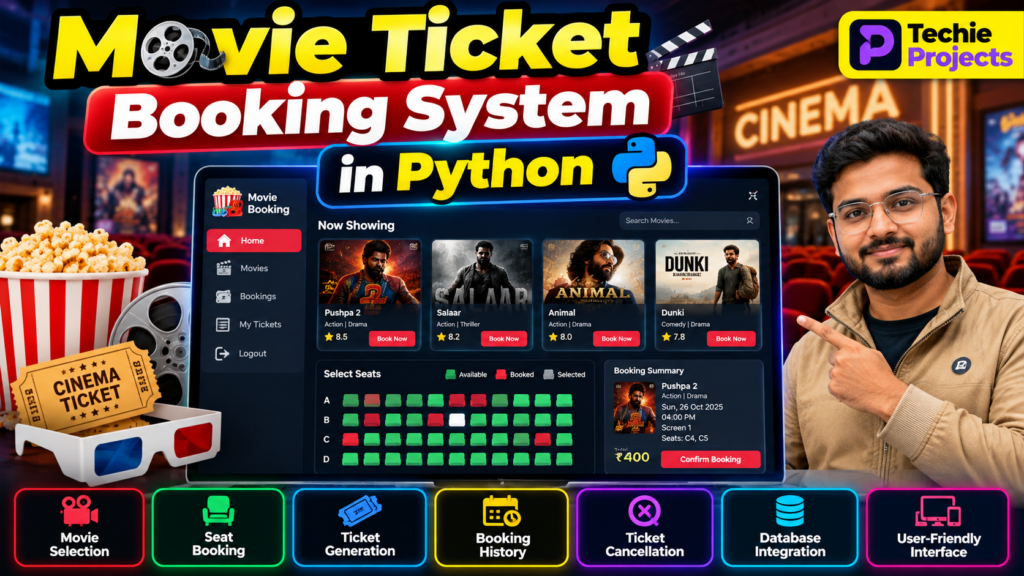
A Movie Ticket Booking System in Python is a software project designed to simplify the process of selecting movies, checking available seats, booking tickets, and managing reservations. This project demonstrates how Python can be used to develop a user-friendly cinema ticket booking application.
Traditional movie ticket booking can involve waiting in queues and manually checking seat availability. A computerized booking system makes the process more organized by allowing users to view movie details, select seats, calculate ticket prices, and confirm bookings through an application interface.
This project is suitable for computer science engineering students, B.Tech final-year students, and beginners who want to learn Python application development, database management, and software design.
🎬 Project Working Demo
Watch the Movie Ticket Booking System in Python working demo to understand how the project operates, from selecting a movie to booking tickets.
In this demonstration, you can showcase the application’s interface, movie selection, showtime options, seat availability, ticket price calculation, booking confirmation, and reservation management, depending on the features implemented in your project.
🎯 Project Objectives
The main objectives of the Movie Ticket Booking System project are:
- Develop a simple movie ticket booking application using Python.
- Display available movies and their show details.
- Allow users to select seats and book tickets.
- Calculate the total ticket price automatically.
- Store and manage booking information.
- Provide options to view or cancel reservations.
- Reduce manual work in the ticket booking process.
⭐ Key Features of the Movie Ticket Booking System
1. Movie Selection
Users can view the list of available movies and select a movie according to their preferences. Movie details may include the title, genre, showtime, duration, and ticket price.
2. Show Selection
The system can display available showtimes for each movie. Users select a suitable show before proceeding to seat selection.
3. Seat Availability
The application displays available and booked seats. Users can choose their preferred seats based on the selected movie show.
4. Online-Style Ticket Booking
Users can enter the required booking details, select seats, and confirm their reservation through the application.
5. Automatic Ticket Price Calculation
The system calculates the total cost based on the number of seats selected and the price per ticket.
Example:
If one ticket costs ₹200 and a customer books three tickets:
Total amount = 3 × ₹200 = ₹600
6. Booking Confirmation
After a successful booking, the application can display a confirmation containing the movie name, showtime, selected seats, number of tickets, and total amount.
7. Booking History
The system can maintain booking records so users or administrators can review previous reservations.
8. Ticket Cancellation
A cancellation feature can allow users to cancel eligible bookings and update seat availability accordingly.
9. Database Management
A database can store movie details, showtimes, seat information, customer details, and booking records. SQLite or MySQL may be used depending on the project implementation.
🛠️ Technologies Used
The technologies depend on the version of the project being developed.
- Programming Language: Python
- GUI Framework: Tkinter for a desktop application
- Database: SQLite or MySQL
- Database Connectivity: Python database libraries
- Development Environment: Visual Studio Code, PyCharm, or another Python IDE
For a web-based version, a framework such as Flask or Django can be used instead of Tkinter.
⚙️ How Does the System Work?
The Movie Ticket Booking System follows a straightforward workflow.
- Launch the application: The user opens the booking interface.
- View movies: The system displays available movies.
- Select a movie: The user chooses a movie and showtime.
- Choose seats: The system displays seat availability.
- Enter booking details: The user provides the necessary information.
- Calculate the price: The application calculates the booking amount.
- Confirm the reservation: The system records the booking and updates the selected seats.
- Display confirmation: The application displays the booking summary.
- Manage reservations: Users can view their bookings or cancel them if supported.
A production-ready system should also prevent two customers from booking the same seat for the same show.
🗄️ Database Design
A database-backed implementation can use the following tables.
Movies Table
Stores movie information.
- Movie ID
- Movie name
- Genre
- Duration
- Description
Shows Table
Stores show-related information.
- Show ID
- Movie ID
- Show date
- Showtime
- Ticket price
Seats Table
Stores seat information and availability for a particular show.
- Seat ID
- Show ID
- Seat number
- Availability status
Bookings Table
Stores reservation details.
- Booking ID
- Customer name or user ID
- Show ID
- Number of tickets
- Total amount
- Booking status
Booking Seats Table
Associates each booking with its selected seats. This structure helps maintain individual seat reservations.
The exact database design may differ depending on whether the application is a basic academic project or a more advanced booking platform.
💻 Software Requirements
The typical software requirements are:
- Windows, Linux, or another supported operating system
- Python 3
- Visual Studio Code, PyCharm, or another Python IDE
- Tkinter, if developing a desktop GUI
- SQLite or MySQL, if database storage is required
- Relevant Python database libraries
🖥️ Hardware Requirements
The project can generally run on a standard computer with:
- A dual-core processor or better
- At least 4 GB RAM
- Adequate storage for Python, project files, and the database
- Keyboard, mouse, and display
The actual requirements depend on the development environment and the features included.
🎬 Project Working Demo
Watch the project working demonstration to understand the interface, movie selection, seat booking, and ticket reservation workflow.
Project Demo: Embed your actual Movie Ticket Booking System demonstration video here.
A working demo helps students understand how the application operates and how its main features connect. Only include features in the description that are demonstrated by the actual implementation.
📈 Advantages of the Project
- Simplifies the movie ticket booking process.
- Helps organize movie and show information.
- Reduces manual booking and record-keeping tasks.
- Calculates ticket prices automatically.
- Maintains booking records in a structured format.
- Provides practical experience with Python programming.
- Demonstrates database operations and user-interface development.
⚠️ Limitations
A basic academic implementation may have some limitations:
- It may support only a limited number of movies and shows.
- Payment processing may not be implemented.
- The system may not support multiple cinemas.
- User authentication may be basic or unavailable.
- Concurrent booking protection may require additional development.
- Real-time seat synchronization requires a properly designed database and application architecture.
These limitations can be addressed as the project becomes more advanced.
🚀 Future Scope
The Movie Ticket Booking System can be enhanced with additional features, including:
- Online payment gateway integration
- Email or SMS booking confirmation
- QR-code-based tickets
- User registration and login
- Admin dashboard for movie and show management
- Dynamic seat selection interface
- Multiple cinema and screen management
- Discount coupons and promotional offers
- Booking reports and analytics
- A responsive web or mobile application
These improvements can make the project more comprehensive and closer to a real-world booking application.
🎓 Why Choose This Python Project?
The Movie Ticket Booking System is a useful academic project because it combines several important software development concepts in one application. Students can practice conditional statements, functions, object-oriented programming, database operations, input validation, and graphical user-interface design.
It can be developed as a beginner-level console application or expanded into a desktop or web-based application. Students should choose the implementation that matches their syllabus, available time, and project requirements.
❓ Frequently Asked Questions
1. What is a Movie Ticket Booking System in Python?
It is a software application developed using Python to manage movie selection, showtimes, seat reservations, ticket pricing, and booking records.
2. Which programming language is used?
Python is the primary programming language. Tkinter may be used for a desktop interface, while Flask or Django can be used for a web application.
3. Which database can be used?
SQLite is suitable for a small standalone project. MySQL is another option for an application requiring a separate database server.
4. Is this project suitable for final-year engineering students?
Yes. It can be developed as a basic or advanced academic project depending on the features, database design, testing, and interface.
5. Can the project generate tickets?
Yes. A suitable implementation can generate a booking confirmation or ticket containing reservation details. QR codes and downloadable tickets can be added as extensions.
6. Can online payment be added?
Yes. Payment gateway integration is possible, but it requires additional development, testing, and secure handling of payment workflows.
7. Does the system support real-time seat booking?
Real-time booking requires a database-backed design that checks seat availability and prevents duplicate reservations. A simple demonstration may not include these safeguards.
🔗 Explore Related Python Projects
Explore related project ideas from Techie Projects:
- Hotel Management System Project in Python
- Restaurant Management System Project in Python
- Hospital Management System Using Python
- Airline Management System Project
- Bank Management System Project in Python
Link each title to its relevant existing page on your website.
📲 Need Help With Your Final-Year Project?
Techie Projects provides information and support for Python, machine learning, artificial intelligence, computer vision, and other engineering projects.
- 📲 Call/WhatsApp: +91-9460060699
- 🌎 Website: www.techieprojects.com
- 📺 Instagram: @pythonprojects_
Contact Techie Projects to discuss your project requirements, implementation options, and available support.
Conclusion
The Movie Ticket Booking System in Python is a practical software project for learning application development, database management, and reservation workflows. By implementing movie selection, seat availability, booking confirmation, ticket calculation, and reservation management, students can gain hands-on experience with important programming concepts.
The project can begin with a simple desktop application and later be extended with online payments, QR-code tickets, user authentication, and real-time seat management. Its modular design makes it a useful learning project for students interested in developing real-world software applications.