
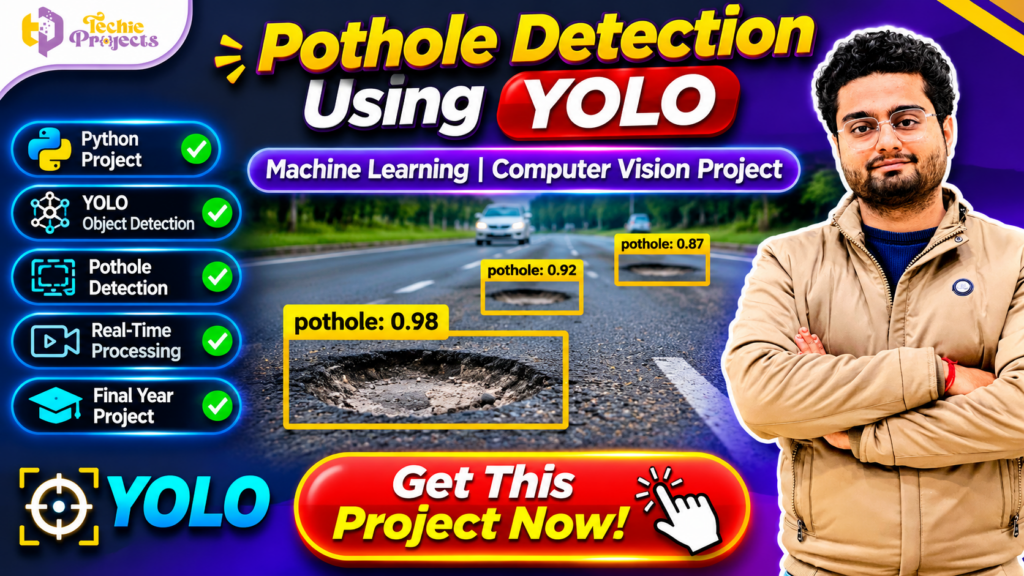
🚧 Looking for a ready-to-use Pothole Detection Using YOLO project for your final-year engineering submission? Get your computer vision project from Techie Projects! If you are a B.Tech, BCA, MCA, Diploma, or Computer Science student searching for an interesting artificial intelligence project, this is an excellent opportunity to explore real-world object detection using Python and deep learning.
Don’t waste your valuable project preparation time struggling to understand every development step alone. Enquire about the Pothole Detection Using YOLO project from Techie Projects and get information about the available Python source code, documentation, project demonstration, and technical support options.
Road potholes are a common transportation infrastructure problem. They can affect road quality, vehicle movement, and driving safety. Computer vision and deep learning provide an interesting way to study road surface conditions by analyzing images and video frames.
This project demonstrates how the YOLO object detection approach can identify pothole regions in road images or video frames. It combines Python programming, image processing, object detection, and machine learning concepts in one practical academic application.
Whether you are preparing a mini project, major project, or final-year engineering submission, Pothole Detection Using YOLO can help you understand how artificial intelligence is applied to road monitoring and computer vision.
📞 Contact Techie Projects for Project Enquiries
Want to purchase the Pothole Detection Using YOLO project? Contact Techie Projects to enquire about source code availability, documentation, implementation details, and technical support.
- 📱 WhatsApp: https://wa.me/919460060699
- ☎️ Contact Number: +91 94600 60699
- 🌐 Website: https://techieprojects.com/
- 📸 Instagram: https://www.instagram.com/pythonprojects_/
Get project details, confirm the available package, and discuss your academic requirements with our team today!
🎬 Watch the Pothole Detection Using YOLO Project Demo
Explore the Pothole Detection Using YOLO project demonstration to understand how the application identifies pothole regions in road images or video frames.
The demonstration can help students understand the input process, object detection results, and visual bounding boxes generated by the model. It also provides an overview of how YOLO-based computer vision applications work.
Use the project demo to understand the application workflow before exploring its source code and implementation.
🚧 What Is Pothole Detection Using YOLO?
Pothole Detection Using YOLO is a computer vision application designed to identify potholes in road images or video frames using a trained object detection model.
YOLO stands for You Only Look Once. It is a family of object detection models designed to identify and locate objects within images. Unlike image classification, which predicts a category for an entire image, object detection also identifies the approximate location of detected objects using bounding boxes.
In a pothole detection application, the model is trained using road images containing potholes and suitable annotations. After training, the model can analyze an input image and predict the location of potholes it has learned to recognize.
The detection output may include:
- Pothole class labels.
- Bounding boxes around detected regions.
- Confidence scores.
- Annotated images or video frames.
The exact output depends on the YOLO version, training dataset, and project implementation.
The main objective of this project is to demonstrate how deep learning and object detection can be applied to road surface monitoring.
🎯 Why Choose Pothole Detection Using YOLO?
Selecting a good final-year project is important for engineering students. A practical project should demonstrate technical knowledge and provide opportunities to understand real-world applications.
Here are some reasons to consider this project.
🚀 1. Learn Modern Object Detection
YOLO is widely studied in computer vision because it performs object detection through a deep learning model. Students can understand how an image is analyzed and how detected objects are localized.
🛣️ 2. Explore a Real-World Problem
Road potholes can create difficulties for drivers and transportation authorities. This project introduces students to the use of computer vision for identifying road surface damage.
🧠 3. Understand Deep Learning
Students can explore how a model learns from labeled training images and uses the learned features to detect potholes in new images.
📷 4. Gain Image and Video Processing Experience
The application can be used to study how road images and video frames are loaded, processed, and passed to an object detection model.
🎓 5. Suitable for Academic Demonstrations
The project can be demonstrated using sample road images or supported video inputs. Students can explain the detection process, model output, and implementation during their project presentation.
💡 6. Expandable Project Scope
Students can explore additional features such as video-based detection, detection statistics, road condition reports, and mapping integration, depending on the project requirements.
⚙️ Key Features of Pothole Detection Using YOLO
The following are common features of a YOLO-based pothole detection application. Actual functionality depends on the supplied implementation and model.
📷 1. Road Image Input
The application can accept road images as input. The image is processed by the trained detection model to identify pothole regions.
🎥 2. Video-Based Detection
A video-processing implementation can analyze individual frames and display detection results. Real-time camera processing depends on whether webcam or live-stream support is included.
🎯 3. Pothole Localization
YOLO can identify the approximate location of a detected pothole using a bounding box around the relevant image region.
🏷️ 4. Class Label Display
The detection output can display a label such as “pothole” for the detected object.
📊 5. Confidence Score
Depending on the model and implementation, the application can display a confidence score associated with each detection.
🖼️ 6. Annotated Detection Output
The application can display an image or video frame with bounding boxes and detection labels drawn over the detected pothole regions.
⚡ 7. Automated Image Analysis
Once an input image or supported video frame is provided, the trained model can perform detection automatically without requiring the user to manually mark potholes.
📁 8. Detection Result Handling
Depending on the implementation, annotated images or other detection results can be displayed or saved for later review.
🧠 Technologies Used in Pothole Detection Using YOLO
This project combines Python programming, computer vision, and deep learning technologies.
🐍 Python Programming Language
Python is the main programming language used to develop the application. It provides libraries for image processing, model execution, and computer vision.
🎯 YOLO Object Detection
YOLO is the core object detection approach used to identify and locate potholes in images. The selected YOLO version and trained weights determine the model’s capabilities.
📸 OpenCV
OpenCV is a computer vision library that can be used to read images, process video frames, resize images, and display detection results.
🧠 Deep Learning Framework
A framework such as PyTorch may be used by the selected YOLO implementation to load and execute the detection model.
📊 Dataset and Annotations
The model requires labeled road images for training and evaluation. Bounding-box annotations identify the location of potholes within the training images.
💻 Development Environment
Depending on the supplied package, the project may use:
- Python.
- Visual Studio Code.
- PyTorch.
- OpenCV.
- YOLO model files.
- A suitable pothole image dataset.
- Windows or another supported operating system.
Confirm the exact Python version, libraries, model weights, and hardware requirements before purchasing.
🔄 How Does Pothole Detection Using YOLO Work?
A YOLO-based pothole detection system generally follows a sequence of steps.
Step 1: Collect Road Images
The first step is to prepare a dataset containing road images with visible potholes. The dataset should represent the detection categories required by the project.
Step 2: Annotate the Images
The pothole regions are marked using bounding boxes. These annotations help the model learn where potholes appear in the images.
Step 3: Prepare the Dataset
The images and annotation files are organized into training, validation, and testing sets. This helps evaluate how well the model performs on images it has not seen during training.
Step 4: Configure the YOLO Model
The selected YOLO model is configured with the required number of classes, image dimensions, and training parameters.
Step 5: Train the Model
The model learns visual patterns associated with potholes from the labeled training images. During training, its parameters are adjusted to improve object detection performance.
Step 6: Evaluate the Model
The trained model is evaluated using separate test images. Metrics such as precision, recall, mean average precision, and detection confidence can help assess its performance.
Step 7: Provide an Input Image or Video
The user provides a road image or a supported video source. The application prepares the input for model inference.
Step 8: Detect Potholes
The trained YOLO model analyzes the input and predicts the locations of potholes it recognizes.
Step 9: Display Detection Results
The application displays the detected potholes using bounding boxes and class labels. Depending on the implementation, confidence values may also be shown.
🏗️ Understanding YOLO Object Detection Architecture
YOLO is designed to detect objects and predict their locations within an image. It processes image features through a deep learning architecture and generates object detection predictions.
🔹 1. Input Image
The road image is provided to the model. It is resized and prepared according to the model’s input requirements.
🔹 2. Feature Extraction
The model extracts visual information from the image. These features can include edges, textures, shapes, and other patterns that help identify objects.
🔹 3. Feature Processing
The model processes the extracted features at different levels to identify important visual information and support object localization.
🔹 4. Detection Prediction
The model predicts bounding boxes, class probabilities, and confidence-related information for possible objects.
🔹 5. Non-Maximum Suppression
Detection implementations commonly use non-maximum suppression or a related method to remove overlapping predictions and retain suitable detections.
🔹 6. Final Output
The application displays the detected pothole regions with labels and bounding boxes.
This architecture helps students understand the difference between image classification and object detection.
🌍 Applications of Pothole Detection Systems
Computer vision-based road monitoring systems have several potential applications.
🛣️ 1. Road Condition Monitoring
Pothole detection models can be explored as tools for analyzing road images and identifying visible road damage.
🏙️ 2. Smart City Research
Smart city projects can investigate how image-based road monitoring may support infrastructure management and maintenance workflows.
🚗 3. Vehicle-Based Road Monitoring
A camera mounted on a vehicle can collect road images or video for later analysis by a suitable detection system.
🏛️ 4. Municipal Infrastructure Research
Researchers can explore how road damage information might be organized to help authorities study road maintenance requirements.
📍 5. Location-Based Reporting
An extended system could associate detections with GPS coordinates, timestamps, and road information. This requires additional hardware, software, and data integration.
🎓 6. Academic Computer Vision Projects
Students can use this project to explore deep learning, object detection, image processing, and transportation-related applications.
Important: A pothole detection model identifies visual patterns in its input. It does not automatically measure pothole depth, determine road safety, or guarantee accurate detection in every environment. Such capabilities require additional methods and validation.
📈 Future Scope of Pothole Detection Using YOLO
The project can be extended with additional capabilities to explore more advanced road monitoring applications.
📹 1. Real-Time Video Detection
A future version can process live camera frames to detect potholes as the camera captures road footage. Performance depends on the hardware, model size, and implementation.
📍 2. GPS-Based Pothole Mapping
GPS integration can associate detected potholes with approximate geographical coordinates. This could help create a map of observed road damage.
☁️ 3. Cloud-Based Road Monitoring
Detection results can potentially be uploaded to a cloud platform for storage, analysis, and visualization.
📱 4. Mobile Application Integration
A trained model can be integrated into a mobile application with suitable model conversion and deployment work.
📊 5. Detection Statistics Dashboard
A dashboard can summarize detected potholes, image records, timestamps, and other available information.
🧠 6. Model Performance Improvement
Students can experiment with different YOLO versions, training parameters, datasets, and image augmentation techniques to study their impact on detection performance.
🚧 7. Road Damage Classification
The project can be extended to identify additional types of road damage if suitable labeled datasets and trained models are available.
📊 How to Evaluate a Pothole Detection Model
Model evaluation is an important part of any machine learning and computer vision project. Students should understand how detection performance is measured.
Precision
Precision measures how many predicted pothole detections are correct.
Recall
Recall measures how many actual potholes in the test data were successfully detected.
Mean Average Precision (mAP)
Mean Average Precision is a common metric for evaluating object detection models. It considers detection precision across classes and confidence thresholds, depending on the evaluation setting.
Intersection over Union (IoU)
IoU measures the overlap between a predicted bounding box and the ground-truth bounding box.
Inference Speed
Inference speed measures how quickly the model processes an image or video frame. It is important when evaluating applications that require fast detection.
These metrics help students understand that a model should be evaluated using appropriate test data rather than relying only on a few successful demonstrations.
🎓 Benefits of Pothole Detection Using YOLO for Students
This project can help engineering students gain practical experience in several technical areas.
- Python programming: Understand how Python is used in computer vision applications.
- Deep learning: Learn how trained models identify visual patterns.
- Object detection: Understand bounding boxes, class labels, and confidence scores.
- Image processing: Explore image loading, resizing, and frame processing.
- Dataset preparation: Learn image annotation and dataset organization.
- Model evaluation: Understand precision, recall, IoU, and mAP.
- Project presentation: Explain the system architecture and detection workflow.
- Resume development: Demonstrate practical exposure to a computer vision application.
The project is particularly relevant to students interested in artificial intelligence, machine learning, robotics, and smart transportation.
💼 Why Purchase Your Pothole Detection Using YOLO Project from Techie Projects?
Searching for a suitable final-year engineering project can be challenging. Students often need to manage coding, installation, documentation, testing, and project presentation within a limited academic schedule.
Techie Projects provides project-related solutions across multiple technical domains, including:
- Artificial Intelligence Projects.
- Machine Learning Projects.
- Deep Learning Projects.
- Computer Vision Projects.
- Python Projects.
- Image Processing Projects.
- IoT Projects.
- Data Science Projects.
- Web Development Projects.
When you enquire about the Pothole Detection Using YOLO project, our team can discuss the available package and your academic requirements.
📦 What Can You Enquire About?
- Python source code availability.
- YOLO model and configuration files.
- Dataset and annotation availability.
- Project documentation.
- Installation and execution guidance.
- Demonstration and output screenshots, where available.
- Technical support options.
- Customization requirements.
The exact deliverables depend on the selected package. Please confirm whether the dataset, trained weights, video processing, and other requested modules are included before purchasing.
🎯 Who Can Purchase This Project?
This project may be suitable for:
- B.Tech Computer Science students.
- B.Tech Information Technology students.
- BCA students.
- MCA students.
- Artificial Intelligence students.
- Machine Learning students.
- Computer Vision learners.
- Diploma engineering students.
- Students preparing final-year projects.
If you want to understand object detection through a practical application, this project can be a useful academic learning resource.
🛒 Get Pothole Detection Using YOLO Project Now!
🚀 Ready to work on your next computer vision project? Enquire about Pothole Detection Using YOLO from Techie Projects today!
Get information about the available Python source code, YOLO model files, project documentation, installation requirements, and technical support options.
Whether you are preparing a college mini project, major project, or final-year engineering submission, our team can help you understand the available project package and discuss your requirements.
Don’t wait until your submission deadline approaches. Start planning your project early and confirm the package that matches your academic needs.
📱 WhatsApp: https://wa.me/919460060699
☎️ Call: +91 94600 60699
🌐 Website: https://techieprojects.com/
📸 Instagram: https://www.instagram.com/pythonprojects_/
Get your Pothole Detection Using YOLO project details from Techie Projects and take the next step in your computer vision learning journey!
❓ Frequently Asked Questions (FAQs)
1. What is Pothole Detection Using YOLO?
Pothole Detection Using YOLO is a computer vision project that uses a trained YOLO object detection model to identify and locate potholes in road images or supported video frames.
2. Which programming language is used in this project?
Python is commonly used to develop the application because it provides libraries for deep learning, image processing, and computer vision.
3. What is YOLO in object detection?
YOLO stands for You Only Look Once. It is a family of object detection models designed to locate and classify objects within images.
4. Can this project detect potholes in videos?
Yes, if video-processing functionality is included in the implementation. The model can process video frames and display detection results.
5. Does the project support real-time pothole detection?
Real-time detection depends on whether live camera processing is implemented and whether the available hardware can run the model at a suitable speed.
6. Which technologies are used in this project?
Depending on the implementation, the project may use Python, YOLO, PyTorch, OpenCV, and a labeled road pothole dataset.
7. Can GPS be added to the pothole detection system?
Yes. GPS integration can be explored as an additional feature to associate detections with geographical coordinates. It requires suitable hardware or location data and additional development.
8. Is this project suitable for final-year engineering students?
Yes. It can be considered by B.Tech, BCA, MCA, and other relevant students, subject to their institution’s project requirements.
9. Does YOLO guarantee 100% pothole detection accuracy?
No. Detection performance depends on dataset quality, lighting, camera angle, model architecture, training, and testing conditions. The model should be evaluated using separate test data.
10. Where can I purchase the Pothole Detection Using YOLO project?
You can contact Techie Projects through WhatsApp at +91 94600 60699 or visit https://techieprojects.com/ to enquire about the available project package.
🔗 Explore Related Computer Vision and Python Projects
Looking for more final-year engineering projects? Explore related technical categories available at Techie Projects.
- 🤖 Artificial Intelligence Projects
- 🧠 Machine Learning Projects
- 🎯 YOLO Object Detection Projects
- 📷 Computer Vision Projects
- 🖼️ Image Processing Projects
- 🐍 Python Projects
- 📊 Data Science Projects
- 🎓 Final Year Engineering Projects
Visit https://techieprojects.com/ to explore more project ideas and find a suitable project for your academic requirements.
🏆 Conclusion
The Pothole Detection Using YOLO project is a practical application of Python programming, deep learning, and computer vision. It demonstrates how an object detection model can analyze road images or video frames and identify visible pothole regions.
By working on this project, students can understand YOLO architecture, image preprocessing, object localization, dataset annotation, model training, and performance evaluation. It also provides opportunities to explore advanced applications such as GPS-based mapping, real-time video processing, and smart road monitoring.
If you are searching for a practical machine learning and computer vision project for your college submission, contact Techie Projects to enquire about the available source code, documentation, and technical support.
📞 Contact Techie Projects today and enquire about your Pothole Detection Using YOLO project!
📲 Call/WhatsApp: +91-9460060699
🌎 Website: www.techieprojects.com
📺 Instagram: @pythonprojects_