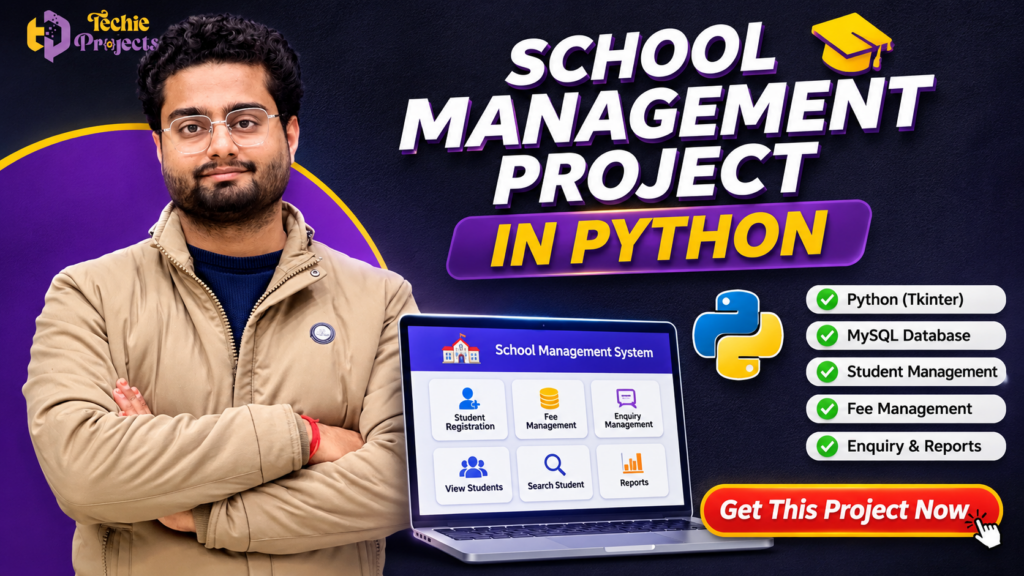
The School Management Project in Python is a useful choice for students who want to understand how a real-world desktop application is developed. It combines Python programming, graphical user interface design and database management in one practical implementation. Students can explore how different modules communicate and how information is stored and retrieved using MySQL.
🎓 Looking for a ready-to-use School Management Project in Python for your college submission, final-year project or practical learning? Get the School Management Project in Python with Source Code from Techie Projects and explore how a school administration system can be developed using Python, Tkinter and MySQL.
Instead of starting your engineering project from scratch, choose a practical application that demonstrates student registration, fee management, enquiry handling and database connectivity. This project is designed to help students understand how Python desktop applications work and how database-driven software can manage school information.
Whether you are a B.Tech Computer Science student, diploma student, MCA student or Python developer looking for a database management project, this School Management System provides an opportunity to explore real-world software development concepts.
🚀 Get this School Management Project now and take your Python mini project or final-year project development forward with Techie Projects!
📞 Contact Techie Projects for Project Enquiries
Interested in purchasing the School Management Project in Python Project? Contact us to enquire about package availability, pricing, source code, documentation, installation guidance, and technical support options.
💬 WhatsApp Enquiry: Chat with Techie Projects
📱 Contact Number: +91 94600 60699
🌐 Official Website: www.techieprojects.com
📸 Instagram: Follow Techie Projects
🎓 Project Areas: Robotics, Machine Learning, Arduino, Deep Learning, Artificial Intelligence, and Android App.
✅ Request Project Details: Share your engineering branch, preferred features, and technical requirements to enquire about the most suitable available package.
🚀 Ready to get started? Click here to enquire on WhatsApp and mention School Management Project in Python Project.
Package contents, prices, hardware availability, and support options should be confirmed before purchase.
🎬 Watch the School Management Project in Python Demo
Watch the project demonstration to understand its interface, available modules and overall working process.
Project: School Management System in Python with MySQL Database
The demonstration helps you explore how the application works and understand its major features before making a purchase enquiry.
🏫 What Is a School Management Project in Python?
A School Management Project in Python is a desktop-based software application developed to organize and manage common school administration activities. It provides a graphical user interface through which users can work with student information, fee records and enquiry-related details.
Traditional record management can involve maintaining registers, searching through paper files and updating information manually. A computerized management application can make these activities more organized by storing information in a database and providing a user-friendly interface.
This project uses Python for application development, Tkinter for the graphical user interface and MySQL for database management.
The application demonstrates how different software components work together:
- Python handles application logic.
- Tkinter provides the graphical interface.
- MySQL stores and manages application data.
- Database connectivity allows the application to communicate with stored records.
For engineering students, it is a useful example of how programming concepts can be applied to develop a practical desktop application.
⭐ Key Features of the School Management System
One important advantage of this School Management Project in Python is its modular structure. Student registration, fee management and enquiry handling represent different administrative activities. Understanding these modules can help learners develop their knowledge of application logic, database operations and software organization.
The School Management Project in Python includes several important modules for demonstrating school administration functionality.
1. Student Registration Module
The student registration module allows users to enter and manage student information through the application’s interface.
Typical student details may include:
- Student name
- Contact information
- Email address
- Academic details
- Registration-related information
A structured registration module helps demonstrate how form inputs can be collected, validated and stored in a database.
2. Fee Management Module
Fee management is an important part of school administration. This module demonstrates how fee-related information can be recorded and managed.
Depending on the configured project version, fee-related records can include student details, fee information and payment-related entries.
It also provides an opportunity to understand how database records can be connected with individual student information.
3. Enquiry Management Module
Schools frequently receive enquiries from prospective students and parents. An enquiry management module can help organize these details.
Users can enter enquiry information and maintain records for future reference.
This feature demonstrates how a software application can collect, store and retrieve information using a database.
4. View Enquiry
The view enquiry functionality helps users access previously recorded enquiry details.
Instead of searching through paper-based records, users can view stored information through the application interface.
5. Student Record Management
Student information is an important part of any school management application.
A student record management feature demonstrates how records can be stored and accessed through database operations. It also helps students understand basic CRUD concepts:
- Create new records.
- Read existing records.
- Update stored information.
- Delete records when required and permitted.
6. Graphical User Interface
The project uses Tkinter to create a graphical user interface.
Tkinter is Python’s standard GUI toolkit and is commonly used for developing desktop applications.
It provides widgets such as:
- Buttons
- Labels
- Text fields
- Input forms
- Windows
- Menus
The interface makes the application easier to operate compared with a command-line-only program.
7. MySQL Database Connectivity
MySQL is used as the database management system for storing application information.
The project demonstrates how Python can connect to a relational database and perform operations on stored records.
Students can explore database connectivity, SQL queries, table structures and record management through this implementation.
💻 Technologies Used in the School Management Project
When developing a School Management Project in Python, selecting the right technologies is important. Python handles the application logic, Tkinter provides the desktop interface and MySQL maintains structured records. This combination demonstrates how programming languages, GUI frameworks and relational databases can work together in a single software application.
The project demonstrates the integration of multiple technologies.
| Technology | Purpose |
|---|---|
| Python | Main programming language |
| Tkinter | Graphical user interface |
| MySQL | Database management |
| Python Database Connector | Communication between Python and MySQL |
| SQL | Database operations |
Python
Python is a popular programming language used in automation, web development, data science, artificial intelligence and desktop software development.
In this project, Python handles the application logic and connects the different modules.
Tkinter
Tkinter allows developers to create desktop applications with graphical interfaces.
It helps developers build forms, buttons, input fields and other interface components without requiring a separate front-end framework.
MySQL
MySQL is a relational database management system used to store structured information.
In this project, it provides a structured way to maintain student and enquiry-related information.
⚙️ How Does the School Management Project Work?
The general working process of the School Management System can be understood through the following steps.
Step 1: Launch the Application
The user starts the Python application. The graphical interface opens and provides access to the available management features.
Step 2: Select a Module
The user selects the required module, such as student registration, fee management or enquiry management.
Step 3: Enter Information
The user enters the required information through the application’s input forms.
Step 4: Process the Information
Python handles the input and performs the required application operations.
Step 5: Database Communication
The application communicates with the MySQL database to store or retrieve information.
Step 6: Display Records
The application displays the relevant information through its interface.
This workflow demonstrates how a desktop application can connect user input, programming logic and database operations.
🗄️ Understanding the Database Structure
A database is an important component of a school management application because it provides a structured way to store and retrieve information.
A typical implementation may use separate tables for different types of records.
For example:
| Table | Purpose |
|---|---|
| Students | Stores student information |
| Fees | Stores fee-related information |
| Enquiries | Maintains enquiry records |
| Users | Stores login or user-related information, if implemented |
The actual table names and fields depend on the supplied project version.
Students can study primary keys, foreign keys, SQL queries and relationships between records to understand how relational databases are used in real-world applications.
🛠️ Software and Hardware Requirements
Before running the School Management Project in Python, prepare a compatible development environment.
Software Requirements
- Programming Language: Python
- GUI Framework: Tkinter
- Database: MySQL
- Operating System: Windows 10 or Windows 11
- Code Editor: VS Code, PyCharm or another Python-compatible editor
Hardware Requirements
- Processor: Dual-core processor or better
- RAM: 4 GB or more recommended
- Storage: Sufficient free space for Python, MySQL and project files
- Input Devices: Keyboard and mouse
Actual requirements may vary depending on the operating system, installed software versions and project configuration.
📥 How to Install and Run the School Management Project
Follow the supplied project documentation and configuration instructions. A typical Python and MySQL setup involves these steps:
Step 1: Install Python
Download and install a compatible Python version from the official Python website.
Website: https://www.python.org/
Step 2: Install MySQL
Install MySQL Server and configure the database environment.
Website: https://dev.mysql.com/downloads/
Step 3: Prepare the Project Files
Extract the supplied project files into a suitable folder on your computer.
Step 4: Install Required Packages
Install the Python packages specified in the project requirements. For example, a MySQL connector may be required for database communication.
Step 5: Configure Database Connectivity
Update the database connection settings according to your local MySQL configuration.
Step 6: Import or Create the Database
Follow the supplied SQL file or database setup instructions, if included.
Step 7: Run the Python Application
Open the project folder in your code editor or terminal and execute the main Python file according to the supplied instructions.
Step 8: Test the Modules
Explore the available modules and verify that the application can communicate with the database.
🎓 Why Choose This Project for Your Engineering Submission?
The School Management Project in Python is relevant to students who want to demonstrate programming, GUI development and database management concepts.
1. Practical Python Application
The project provides an example of how Python can be used to create a desktop-based management application.
2. Database Management Concepts
Students can explore how information is stored, retrieved and updated using MySQL.
3. GUI Development Experience
Tkinter helps students understand event-driven programming and graphical interface design.
4. Software Development Understanding
The project demonstrates how multiple modules can be combined into one application.
5. Useful for Mini Project Learning
It can be considered for Python mini-project learning and academic demonstrations, subject to your college’s project requirements.
6. Scope for Customization
Students can study the existing implementation and explore additional features, depending on their knowledge and project requirements.
🚀 Possible Future Enhancements
A school management application can be extended with additional functionality.
Some possible enhancements include:
- Attendance Management: Add student attendance records and attendance reports.
- Teacher Management: Maintain teacher profiles and related information.
- Timetable Management: Organize class schedules and subject details.
- Examination Management: Maintain examination and result-related records.
- Report Generation: Generate student and fee-related reports.
- Role-Based Access: Provide different access permissions for administrators and other users.
- Backup and Restore: Add database backup and recovery functionality.
- Dashboard: Display useful statistics and management summaries.
These are possible development enhancements and should not be assumed to be included in the current project version.
📚 What Will You Learn from This Python Project?
Working with the School Management Project can help students understand several programming concepts:
- Python functions and modules
- Object-oriented programming concepts, where used
- Tkinter widgets and event handling
- Form validation
- MySQL database connectivity
- SQL queries
- CRUD operations
- Application workflow design
- Error handling
- Desktop application development
These concepts are useful for students who want to build a foundation in Python software development.
🛒 Purchase School Management Project in Python from Techie Projects
If you are searching for a School Management Project in Python with Source Code, review the available modules, database configuration and implementation details before selecting a project. Techie Projects can help you enquire about the available version and its included deliverables for your academic requirements.
Are you looking for a School Management Project in Python with Source Code for your engineering project or practical learning?
Techie Projects provides technology project development and learning solutions across Python, Artificial Intelligence, Machine Learning, Data Science, Web Development, IoT and other technical domains.
Get in touch with our team to enquire about the School Management Project and confirm the available project files, features, database setup instructions and support options before purchasing.
Why Contact Techie Projects?
- 🎓 Engineering mini-project and final-year project solutions.
- 💻 Python and database-based project development.
- 🤖 AI and Machine Learning project solutions.
- 🛠️ Assistance with project-related technical enquiries.
- 📚 Projects across multiple computer science domains.
Get your School Management Project in Python today!
📞 Contact / WhatsApp: +91 94600 60699
🌐 Website: www.techieprojects.com
📸 Instagram: @pythonprojects_
💡 Recommended Python Projects
If you are exploring more Python projects for your engineering studies, consider these related project ideas:
- Student Attendance Management System using Python
- Library Management System using Python and MySQL
- Hospital Management System using Python
- Inventory Management System using Python
- Employee Management System using Python
- Online Examination System using Python
- College Management System using Python
- Banking Management System using Python
- Railway Reservation System using Python
- Student Result Management System using Python
These projects cover different programming concepts, database operations and software development approaches.
🔗 Explore Related Python Projects
Explore more Python projects, tutorials and engineering project ideas on Techie Projects.
❓ Frequently Asked Questions
1. What is a School Management Project in Python?
A School Management Project in Python is a software application designed to demonstrate school-related record management through a graphical interface and database. It can include student registration, fee management and enquiry handling.
2. Which technologies are used in this project?
The project uses Python as its primary programming language, Tkinter for the graphical user interface and MySQL for database management.
3. Is this project suitable for B.Tech CSE students?
Yes, it can be considered as a Python mini-project or an academic learning project for B.Tech Computer Science students, depending on the requirements of their institution.
4. Does the project use a database?
Yes. MySQL is used for database management and storing application records.
5. Can beginners understand this project?
Students with basic Python knowledge can use the project to explore GUI development, database connectivity and application workflows. Beginners should also study the code and documentation to understand how the modules work.
6. Can I customize the School Management System?
The application can be studied and extended with additional modules, depending on the project structure and your programming knowledge.
7. How can I purchase the School Management Project?
Contact Techie Projects through WhatsApp at +91 94600 60699 or visit www.techieprojects.com to enquire about project availability and purchasing details.
8. Is the source code available?
Contact Techie Projects to confirm the source code package, database files, documentation and other deliverables included with the available project version.
🎯 Conclusion
The School Management Project in Python also provides a foundation for exploring more advanced software development concepts. Students can study the existing functionality and consider adding attendance tracking, examination management, teacher records and reporting features as future enhancements.
For engineering students, it offers an opportunity to explore Python programming, GUI development, database connectivity and software application workflows.
If you are searching for a School Management Project in Python with Source Code, contact Techie Projects to learn more about the available version, features and purchasing options.
🚀 Start your Python project journey with Techie Projects today!
📞 Contact / WhatsApp: +91 94600 60699