
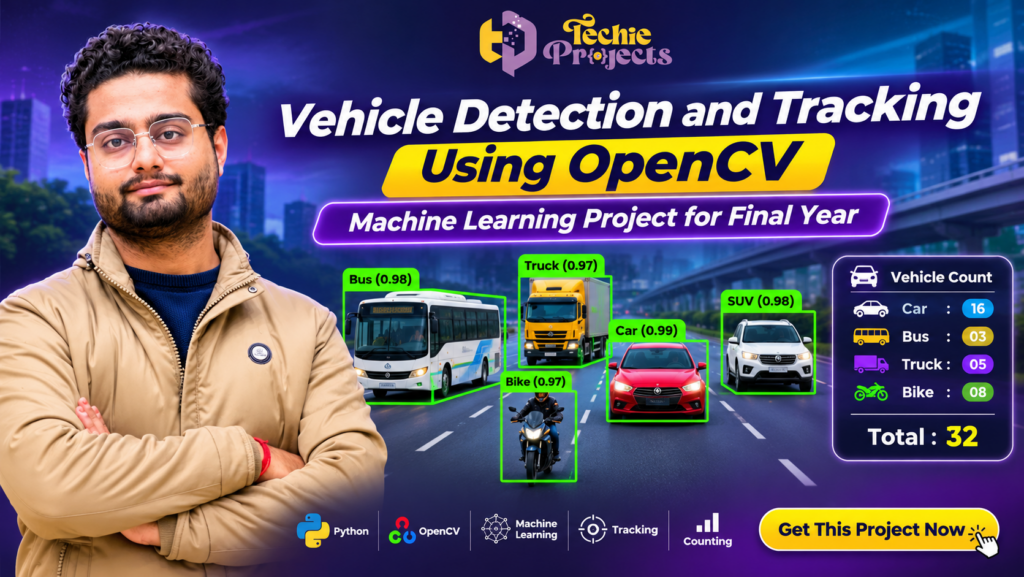
🚗 Looking for a ready-to-explore Vehicle Detection and Tracking Using OpenCV project for your final-year engineering submission? Get a practical computer vision project from Techie Projects and save time on project development, implementation, and understanding. This project demonstrates how Python, OpenCV, and machine learning techniques can be used to detect vehicles, track their movement, classify vehicle types, and count traffic in images or video footage.
Whether you are a B.Tech, M.Tech, BCA, MCA, or diploma student, this project can help you understand real-world applications of artificial intelligence and computer vision. Instead of starting from scratch, you can enquire about the available project package, source code, documentation, and implementation support from Techie Projects.
Get your Vehicle Detection and Tracking Using OpenCV project today! Contact our team to check the current package, included features, and customization options.
📞 Contact Techie Projects for Project Enquiries
Interested in purchasing the Real-Time Object Detection Using YOLO project? Contact us to enquire about package availability, pricing, source code, documentation, installation guidance, and technical support options.
💬 WhatsApp Enquiry: Chat with Techie Projects
📱 Contact Number: +91 94600 60699
🌐 Official Website: https://techieprojects.com/
📸 Instagram: Follow Techie Projects
🎓 Project Categories: Artificial Intelligence, Python, Computer Vision, YOLO, Deep Learning, and Image Processing.
✅ Request Project Details: Share your engineering branch, preferred features, and technical requirements to enquire about the most suitable available package.
🎬 Watch the Vehicle Detection and Tracking Using OpenCV Project Demo
Explore the project demonstration to understand its interface, vehicle detection process, tracking output, and traffic-counting workflow. The demo can help you understand how the application works before enquiring about the project package.
🚘 What Is Vehicle Detection and Tracking Using OpenCV?
Vehicle detection and tracking using OpenCV is a computer vision application designed to identify vehicles in images or video streams and follow their movement across consecutive frames. It uses image processing and object detection techniques to locate vehicles such as cars, buses, trucks, motorcycles, and other supported categories.
The project processes visual input and identifies vehicles using an object detection model. OpenCV can assist with reading video frames, displaying detection results, processing images, and presenting tracking information. Depending on the selected model and implementation, the system may also classify detected vehicles and calculate traffic counts.
The main objective of this project is to demonstrate how computer vision can be applied to traffic monitoring and intelligent transportation systems.
For engineering students, it provides a useful opportunity to explore Python programming, image processing, object detection, machine learning, and real-time video analysis in one application.
🎯 Objectives of the Vehicle Detection and Tracking Project
The project focuses on demonstrating the practical use of computer vision in vehicle monitoring.
Important objectives include:
- Vehicle Detection: Identify vehicles appearing in images or video frames.
- Vehicle Tracking: Follow detected vehicles across multiple video frames when tracking functionality is included.
- Vehicle Classification: Categorize vehicles into supported classes such as cars, buses, trucks, and motorcycles.
- Traffic Counting: Calculate the number of vehicles detected or crossing a defined counting line, depending on implementation.
- Video Processing: Process recorded traffic footage or supported live video input.
- Visual Results: Display detection boxes, labels, confidence values, or tracking identifiers when supported.
- Computer Vision Learning: Demonstrate how Python and OpenCV can be used to develop an intelligent traffic-monitoring application.
These objectives make the project relevant to students interested in artificial intelligence, machine learning, and image processing.
⚙️ How Does Vehicle Detection and Tracking Work?
The working process generally involves several stages. The exact workflow depends on the detection model, tracking algorithm, and software package used.
1. Video or Image Input
The system receives an image, recorded video, or supported camera stream. OpenCV can read the video and extract individual frames for processing.
2. Frame Preprocessing
Each frame may be resized or converted into the format required by the detection model. Preprocessing helps prepare the visual input for object detection.
3. Vehicle Detection
An object detection model identifies vehicles in the frame. Depending on the implementation, a YOLO-based model or another compatible detection architecture may be used.
The model can return information such as:
- Detected object category
- Bounding-box coordinates
- Confidence score
- Vehicle location within the frame
4. Vehicle Classification
After detecting an object, the model can assign it to a supported vehicle category. Common categories include cars, buses, trucks, and motorcycles.
The available classes depend on the model’s training dataset and configuration.
5. Vehicle Tracking
A tracking algorithm can associate detections across consecutive frames. This allows the system to follow a vehicle’s movement and, when supported, assign it a tracking ID.
Tracking helps distinguish individual vehicles as they move through the video.
6. Vehicle Counting
The application may count detected vehicles or calculate how many cross a specified region or virtual line. The counting method depends on the selected tracking and counting implementation.
7. Displaying Results
Finally, the application displays the processed video with detection boxes, class labels, tracking IDs, or counting information, depending on the available features.
🧠 Technologies Used in the Project
The Vehicle Detection and Tracking Using OpenCV project combines several technologies commonly used in computer vision applications.
Python
Python is the primary programming language used to develop the application. It provides a simple development environment and supports several machine learning and image processing libraries.
OpenCV
OpenCV is an open-source computer vision library. It provides tools for image processing, video reading, frame manipulation, and displaying visual results.
YOLO Object Detection
YOLO is a family of object detection models designed to identify objects in images and video frames. A compatible YOLO model may be used to detect vehicle categories, depending on the project implementation.
Machine Learning and Deep Learning
Machine learning and deep learning techniques allow the system to recognize visual patterns and identify objects. The detection model’s performance depends on its architecture, training data, and operating conditions.
Video Processing
Video processing allows the application to examine a sequence of frames and display vehicle detection results over time.
⭐ Key Features of the Vehicle Detection and Tracking Project
The available functionality depends on the selected project package. Common features that can be demonstrated in this type of application include:
- Vehicle detection from supported images or videos.
- Identification of supported vehicle categories.
- Bounding boxes around detected vehicles.
- Vehicle tracking across consecutive frames.
- Vehicle counting functionality.
- Processed video display.
- Python-based implementation.
- OpenCV integration.
- Machine learning-based object detection.
Before purchasing, contact Techie Projects to confirm which features are included in the current package.
📊 Applications of Vehicle Detection and Tracking
Vehicle detection and tracking technology has several practical applications in transportation and computer vision.
1. Intelligent Traffic Monitoring
Traffic-monitoring applications can use vehicle detection to analyze road footage and understand the movement of vehicles.
2. Vehicle Counting Systems
Vehicle counting can help estimate traffic volume on selected roads. This information may support traffic analysis and transportation planning.
3. Smart City Applications
Smart city solutions can use computer vision to study traffic patterns and support data-driven transportation management.
4. Parking Management
Computer vision-based vehicle detection can be explored in parking applications to identify vehicles entering or leaving supported areas.
5. Highway Monitoring
Vehicle detection can help analyze highway footage and identify the presence of different vehicle categories.
6. Research and Academic Projects
Students and researchers can use this type of application to understand object detection, tracking algorithms, image processing, and machine learning.
🎓 Why Choose This Project for Your Final Year?
If you are looking for a practical computer vision topic, Vehicle Detection and Tracking Using OpenCV offers several learning opportunities.
Understand real-world computer vision: Work with images, video frames, object detection, and tracking concepts.
Learn Python and OpenCV: Explore how Python libraries are used to build image and video processing applications.
Explore machine learning: Understand the role of trained object detection models in identifying vehicles.
Develop technical knowledge: Study preprocessing, bounding boxes, object classification, and tracking workflows.
Prepare for project demonstrations: Use the available application and documentation to understand the system before presenting it.
The project can be suitable for B.Tech, M.Tech, BCA, MCA, and other students working on artificial intelligence, machine learning, or computer vision topics.
💻 Software and Hardware Requirements
The following are general requirements for a Python-based computer vision project. Actual requirements depend on the selected model and package.
Software Requirements
- Programming Language: Python
- Computer Vision Library: OpenCV
- Detection Framework: YOLO or another supported model
- Operating System: Windows 10/11 or a compatible environment
- Development Environment: VS Code, PyCharm, or another Python IDE
- Additional Libraries: As specified in the project requirements
Hardware Requirements
- Processor: Modern Intel or AMD processor
- RAM: 8 GB recommended for comfortable development
- Storage: Sufficient free disk space for Python libraries, model weights, and video files
- Graphics: A compatible NVIDIA GPU can help accelerate supported deep learning models, but requirements depend on the implementation
- Input: Keyboard, mouse, and video files or a supported camera
🚀 Benefits of Real-Time Object Detection Using YOLO
Real-Time Object Detection Using YOLO is a useful project for understanding how modern computer vision systems identify objects in images and video streams. It combines object detection concepts with Python programming and deep learning techniques.
Some important learning benefits include:
- Fast object detection: Understand how YOLO models identify multiple objects in a single image or video frame.
- Visual object recognition: Explore bounding boxes, object labels, and confidence scores.
- Practical Python experience: Learn how Python libraries support computer vision applications.
- Deep learning knowledge: Understand the role of trained detection models in recognizing different object categories.
- Real-world applications: Explore object detection in surveillance, traffic monitoring, smart systems, and automation.
Students can use this project to develop practical knowledge of artificial intelligence and computer vision.
🧠 How to Develop Real-Time Object Detection Using YOLO
Developing Real-Time Object Detection Using YOLO involves several important stages, starting from environment setup and ending with the display of detection results.
First, install Python and the required libraries according to the project requirements. Next, configure the YOLO model and load the appropriate trained weights. The application then receives image or video input and processes individual frames.
The detection model identifies supported objects and generates bounding boxes with class labels and confidence scores. These results can be displayed through an OpenCV window or another supported graphical interface.
The development process helps students understand model loading, image preprocessing, inference, and visual output generation.
🎓 Who Should Purchase This YOLO Project?
Real-Time Object Detection Using YOLO can be a suitable academic project for students pursuing B.Tech, M.Tech, BCA, MCA, and diploma courses in computer science and related engineering disciplines.
It is particularly relevant for students interested in:
- Artificial Intelligence and Machine Learning
- Python Programming
- Deep Learning Applications
- Computer Vision
- Image and Video Processing
- Object Recognition Systems
If you need a project for academic learning, demonstration, or further development, contact Techie Projects to check the available package and deliverables.
🛒 Purchase Real-Time Object Detection Using YOLO from Techie Projects
Looking for a practical Real-Time Object Detection Using YOLO project with source code and implementation guidance? Techie Projects provides project solutions for engineering students across multiple technology domains.
Before purchasing, enquire about the included Python source code, trained model files, documentation, installation instructions, demonstration, and technical support options.
Our team can also discuss whether customization is possible according to your academic requirements.
When you enquire about this project, our team can help you understand the available package and its deliverables.
📲 Get This Project Now!
- 📱 Contact Number: +91 94600 60699
- 🌐 Official Website: https://techieprojects.com/
- 📸 Instagram: Follow Techie Projects
Techie Projects – Your Partner in Engineering Projects.
What You Can Enquire About
- Project Source Code: Check the availability of the Python implementation.
- Project Documentation: Ask about the documentation included in the package.
- Project Demonstration: Understand the application’s workflow through the available demo.
- Installation Guidance: Confirm whether setup instructions are included.
- Technical Support: Discuss the support options available with the package.
- Customization: Ask whether changes to the project are possible based on your requirements.
Package contents and support depend on the selected order. Please confirm all deliverables before making a purchase.
🚀 How to Purchase the Vehicle Detection and Tracking Project
Getting started is simple. Follow these steps to enquire about the project.
Step 1: Explore the Project
Read the project details and watch the available demonstration to understand its purpose and workflow.
Step 2: Contact Techie Projects
Send your enquiry through WhatsApp or the website. Mention that you are interested in the Vehicle Detection and Tracking Using OpenCV project.
Step 3: Confirm the Package
Discuss the source code, documentation, installation requirements, included features, and available technical support.
Step 4: Confirm Pricing and Delivery
Our team can explain the available package and payment details before you proceed.
Step 5: Get Started
After confirming your order, follow the supplied instructions to set up and explore the project.
📲 Ready to purchase? Contact Techie Projects on WhatsApp to enquire about the project package.
🔧 Possible Future Enhancements
The project can also provide a starting point for exploring additional computer vision features. Depending on the existing implementation, students may investigate enhancements such as:
- Vehicle Speed Estimation: Estimate vehicle speed using suitable calibration and tracking methods.
- Traffic Density Analysis: Analyze the number of detected vehicles in selected road regions.
- Multiple Camera Support: Explore processing footage from more than one camera.
- Advanced Vehicle Classification: Investigate additional vehicle categories using an appropriate trained model.
- Traffic Data Visualization: Display collected counts through charts and reports.
- Number Plate Recognition: Integrate a separate number plate recognition module where technically and legally appropriate.
These are possible extensions, not guaranteed features of the standard project package. Discuss customization requirements with Techie Projects before ordering.
❓ Frequently Asked Questions
1. What is Vehicle Detection and Tracking Using OpenCV?
It is a computer vision application that identifies vehicles in images or video footage and tracks their movement across frames using suitable detection and tracking techniques.
2. Which programming language is used?
Python is used as the primary programming language in this project.
3. Is OpenCV used in the project?
Yes. OpenCV can be used for video input, image processing, frame handling, and displaying detection results.
4. Does the project use YOLO?
A YOLO-based model may be used for vehicle detection, depending on the selected implementation. Confirm the exact model and version with Techie Projects before purchasing.
5. Can the application detect cars, buses, and trucks?
It can identify the vehicle categories supported by the configured detection model. The exact categories depend on the model and its training data.
6. Does the project support real-time vehicle detection?
Real-time processing may be supported when the selected implementation, hardware, and camera input allow it. Performance depends on the model and system configuration.
7. Can the system count vehicles?
Vehicle counting can be included depending on the implementation. Some systems count detections, while others count vehicles crossing a defined line or region.
8. Is this project suitable for final-year engineering students?
Yes. It can be a useful academic project for students interested in Python, artificial intelligence, machine learning, and computer vision.
9. Can I get the source code and documentation?
Contact Techie Projects to confirm the availability of source code, documentation, installation instructions, and other package deliverables.
10. Can I customize the project?
Customization may be possible depending on your requirements and the selected package. Discuss your requested changes before placing an order.
11. How can I purchase this project?
You can contact Techie Projects through WhatsApp or visit techieprojects.com to enquire about pricing and availability.
💡 Explore Related Engineering Projects
Interested in more computer vision and artificial intelligence projects? Explore these related categories and discover other project ideas for your academic work.
- Artificial Intelligence Projects
- Machine Learning Projects
- OpenCV Projects
- Computer Vision Projects
- Python Projects
- Deep Learning Projects
- Image Processing Projects
- Data Science Projects
Replace the category links above with the corresponding category archive URLs on your website if they are different.
🏆 Conclusion
Vehicle Detection and Tracking Using OpenCV is a practical academic project for exploring computer vision, object detection, machine learning, and video processing. It demonstrates how a Python-based application can identify supported vehicle categories, display detection results, and track vehicle movement when the required tracking functionality is implemented.
For students looking for a ready-to-explore engineering project, Techie Projects offers an opportunity to enquire about the available implementation, source code, documentation, and technical support.
Don’t waste time searching through unrelated project packages. Contact Techie Projects, discuss your academic requirements, and check the available Vehicle Detection and Tracking Using OpenCV project package.