
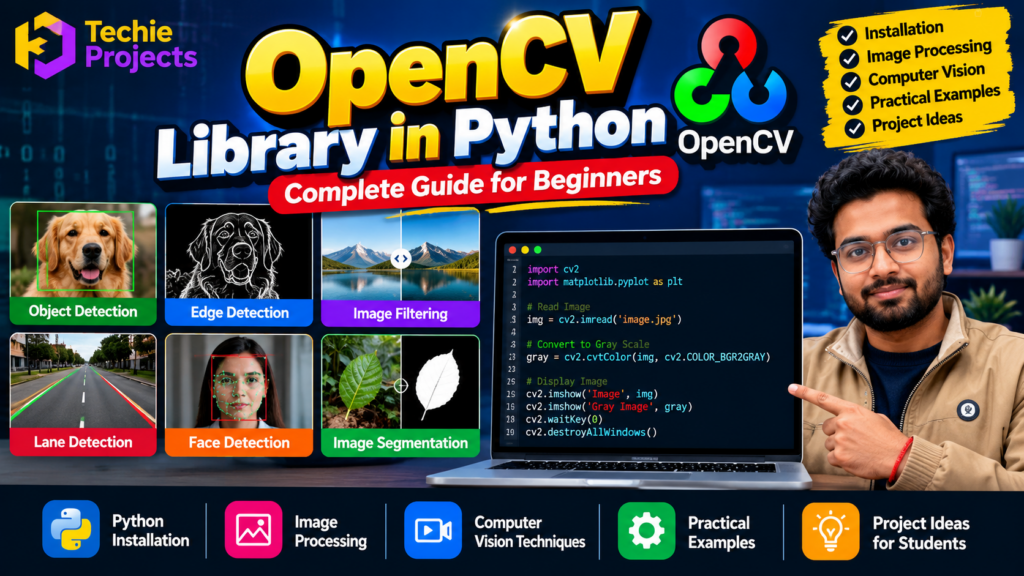
🐍 Introduction to OpenCV Library in Python
The OpenCV Library is a popular open-source computer vision library used to process images, analyze videos, detect objects, and develop intelligent visual applications. When combined with Python, OpenCV makes computer vision concepts more accessible to beginners, developers, and engineering students.
This OpenCV tutorial explains installation, essential functions, image processing techniques, practical examples, and real-world applications. Whether you are learning Python programming or developing a final-year engineering project, understanding OpenCV can help you build practical computer vision applications.
At Techie Projects, students can explore Python-based projects involving image processing, object detection, face recognition, lane detection, and other computer vision applications. You can also contact us to discuss project availability, source code, pricing, and customization options.
🎬 OpenCV Library – Project Demo Video
Explore a practical demonstration of OpenCV to understand how Python can read images, process visual information, and display the results. A working demonstration can help you connect programming concepts with applications such as object detection, face detection, image filtering, and image segmentation.
📚 What Is the OpenCV Library?
OpenCV stands for Open Source Computer Vision Library. It provides tools and algorithms for image processing, video analysis, feature detection, object recognition, and other computer vision tasks.
The library supports multiple programming languages, including Python and C++. Its Python interface is commonly used for learning, prototyping, research, and application development.
Some important capabilities include:
- 🖼️ Image reading, writing, resizing, and cropping.
- 🎨 Image filtering and color-space conversion.
- 👁️ Face and object detection.
- 🎥 Video capture and frame processing.
- 🛣️ Lane detection and visual tracking.
- 🔍 Edge detection and feature extraction.
- 🤖 Integration with machine learning and deep learning models.
These features make OpenCV useful for students who want to develop practical computer vision projects.
⚙️ How to Install OpenCV in Python
Before using OpenCV, install Python and ensure that pip is available in your environment.
Open Command Prompt or a terminal and run:
pip install opencv-pythonTo verify the installation, execute:
import cv2

print(cv2.__version__)
If the installation is successful, the program displays the installed OpenCV version.
Installation tip: If you use a virtual environment, activate it before installing the package. Avoid installing multiple OpenCV package variants in the same environment unless you understand how they interact.
💻 Your First OpenCV Program
The following example loads an image, converts it to grayscale, and displays both versions.
import cv2

image = cv2.imread("image.jpg")

if image is None:
    print("Error: Image not found.")
else:
    gray_image = cv2.cvtColor(
        image,
        cv2.COLOR_BGR2GRAY
    )

    cv2.imshow("Original Image", image)
    cv2.imshow("Grayscale Image", gray_image)

    cv2.waitKey(0)
    cv2.destroyAllWindows()
Place an image named image.jpg in the same directory as the Python script before running the program.
This example demonstrates three fundamental operations: reading an image, converting its color space, and displaying the result.
🖼️ Important Image Processing Functions
Image processing is one of the most common uses of OpenCV. These functions can help you prepare images for analysis or improve their visual characteristics.
1. Resize an Image
resized = cv2.resize(image, (300, 200))Resizing changes the dimensions of an image. It is useful when preparing images for consistent display or model input.
2. Convert an Image to Grayscale
gray = cv2.cvtColor(image, cv2.COLOR_BGR2GRAY)Grayscale conversion reduces a color image to intensity values, which can simplify certain processing operations.
3. Apply Gaussian Blur
blurred = cv2.GaussianBlur(image, (5, 5), 0)Gaussian blur can reduce image noise and smooth fine details before subsequent processing.
4. Detect Edges
edges = cv2.Canny(image, 100, 200)The Canny edge detector identifies prominent intensity changes that may correspond to object boundaries or other visual features.
👁️ Object Detection and Face Detection Using OpenCV
Computer vision applications often need to locate objects or identify regions of interest within an image or video frame.
OpenCV offers traditional detection techniques, video-processing tools, and integrations with modern deep learning models. For example, you can build a face detection application using a supported detector or combine OpenCV with a trained object detection model.
Common applications include:
- Face detection and attendance systems.
- Vehicle detection and counting.
- Helmet detection for road safety monitoring.
- Lane detection for driver assistance prototypes.
- People counting and motion tracking.
- Parking Slot Detection Using OpenCV.
Detection accuracy depends on the selected algorithm, training data where applicable, lighting conditions, image quality, and deployment environment.
🐍 Why Learn the OpenCV Library in Python?
The OpenCV Library helps beginners and developers build applications that process and analyze images and videos. When combined with Python, it provides practical tools for image enhancement, edge detection, object tracking, and computer vision experiments.
Learning the OpenCV Library can help engineering students understand how visual data is processed in real-world applications. 🚀 It is a useful starting point for exploring face detection, vehicle counting, lane detection, and other computer vision projects.
🎓 OpenCV Library Projects for Final-Year Students
The OpenCV Library can be used in a variety of academic projects involving image processing and computer vision. Students can begin with simple image operations and progress to applications that combine OpenCV with machine learning or deep learning models.
Popular project ideas include:
- 👤 Face Recognition Attendance System
- 🚗 Vehicle Detection and Counting
- 🛣️ Lane Detection Using Computer Vision
- 🪖 Helmet Detection Using Deep Learning
- 🌱 Plant Leaf Disease Detection
- 🎥 Real-Time Object Detection Using Python
These projects vary in complexity, hardware requirements, and implementation methods. Choose a project that matches your academic guidelines and technical experience.
💻 Build Practical Applications Using OpenCV
Understanding the OpenCV Library is only the beginning. Practising with Python code and developing complete applications can help you strengthen your programming and problem-solving skills.
At Techie Projects, you can enquire about available Python and computer vision projects, source code, pricing, and customization options. 📚 Before purchasing, confirm the project features, required dependencies, deliverables, and available support.
🌐 Explore Projects: https://techieprojects.com/
📲 Contact Us on WhatsApp: https://wa.me/919460060699
❓ Is the OpenCV Library Suitable for Beginners?
Yes! Beginners can start by learning how to read, resize, crop, and convert images before exploring more advanced computer vision techniques. 🧑💻 With regular practice, you can use the OpenCV Library to develop useful prototypes and understand how image processing works in Python.
If you need a project for your final-year engineering work, contact Techie Projects to discuss suitable options and customization requirements.
🎓 Best OpenCV Project Ideas for Engineering Students
Learning functions is useful, but implementing a complete application helps you understand how computer vision techniques work together.
Consider these project ideas:
1. Face Recognition Attendance System
A computer vision project that uses facial images to support an attendance workflow. A complete implementation may require a camera, a face recognition method, a database, and an interface.
2. Vehicle Detection and Counting
A project that processes road footage to detect vehicles and estimate traffic counts. OpenCV can handle video frames while a suitable detection model identifies vehicles.
3. Lane Detection System
An image processing project that identifies lane markings in road images or videos. Depending on the implementation, it may use grayscale conversion, edge detection, and line detection.
4. Helmet Detection System
A road-safety prototype that uses a trained detection model to identify helmets in images or video. Detection results depend on the quality of the model and input footage.
5. Plant Leaf Disease Detection
A project that analyzes plant leaf images using image processing and a suitable classification model. OpenCV may support image preparation while a machine learning model performs classification.
6. Real-Time Object Detection
An application that processes webcam or video input and displays detected objects. OpenCV can manage frames and visualization, while a compatible model performs object detection.
🚀 Why Choose Techie Projects for OpenCV Projects?
Building a computer vision project from scratch can be challenging when you are unfamiliar with Python libraries, datasets, model integration, or environment setup.
Techie Projects helps students explore practical engineering project options across Python, machine learning, artificial intelligence, image processing, and computer vision.
Benefits of enquiring about a project include:
- Project selection: Explore topics that align with your interests and academic requirements.
- Source code enquiries: Confirm whether source code is available for your selected project.
- Implementation guidance: Ask about installation, dependencies, and the project workflow.
- Customization options: Discuss required features and whether modifications are feasible.
- Academic learning: Study the implementation and prepare to explain the project’s methodology and results.
Project deliverables, pricing, and support vary by project. Contact us before ordering to confirm the exact package and what is included.
🛒 How to Purchase an OpenCV Project
Looking for an OpenCV-based project for your engineering coursework or personal learning? Follow these steps to enquire with Techie Projects.
- 🌐 Visit https://techieprojects.com/ and explore the available project categories.
- 🔎 Choose a relevant topic, such as face recognition, vehicle detection, or image processing.
- 📝 Share your project title and required features with our team.
- 💬 Ask about source code availability, software requirements, customization, pricing, and delivery.
- ✅ Confirm the scope and deliverables before making payment.
- 💻 Set up the project and study its implementation to understand how it works.
Need help choosing a project?
📲 WhatsApp: https://wa.me/919460060699
🌐 Website: https://techieprojects.com/
📸 Instagram: https://www.instagram.com/pythonprojects_/
Contact us with your project requirements to discuss suitable options.
🌟 Advantages of Learning OpenCV
Learning OpenCV can help students and developers:
- Develop practical image processing skills.
- Understand how computer vision applications handle visual data.
- Work with images, video streams, and camera input.
- Integrate visual processing with machine learning models.
- Build prototypes for academic projects and demonstrations.
- Explore applications in robotics, healthcare research, agriculture, manufacturing, and transportation.
The techniques required will depend on the complexity of the application. Advanced tasks may require additional knowledge of deep learning, model training, data preparation, and performance optimization.
❓ Frequently Asked Questions
What is the OpenCV Library used for?
OpenCV is used for image processing, video analysis, feature detection, object detection workflows, and other computer vision applications.
Is OpenCV suitable for Python beginners?
Yes. Beginners can start with image reading, resizing, grayscale conversion, and simple filtering before moving on to more advanced detection and tracking applications.
Is OpenCV free to use?
OpenCV is open-source software. Review the applicable license terms and any additional model or dataset licenses associated with your particular project.
Can I build a final-year project using OpenCV?
Yes. OpenCV can be used in projects involving face detection, vehicle counting, lane detection, image segmentation, and real-time visual processing. Some projects also require trained machine learning models, datasets, databases, or other libraries.
Can I purchase an OpenCV project from Techie Projects?
You can contact Techie Projects to enquire about available projects, source code, pricing, customization, and deliverables. Confirm availability and project requirements before placing an order.
Do OpenCV projects require a GPU?
Not always. Many basic image processing tasks run on a CPU. More demanding real-time or deep learning applications may benefit from a compatible GPU, depending on the model and workload.
🎓 Explore Related Projects
Explore these related project topics to discover more applications of Python and computer vision:
- Face Recognition Attendance System
- Vehicle Detection and Counting Using Python
- Helmet Detection Using Deep Learning
- Lane Detection System Using Computer Vision
- Plant Leaf Disease Detection Using Deep Learning
- Real-Time Object Detection Using Python
Contact Techie Projects to enquire about project availability, implementation details, source code, and customization options.
🏁 Conclusion
The OpenCV Library is a useful tool for learning image processing and computer vision with Python. From basic image operations to object detection and video analysis, it offers a foundation for building a wide range of practical applications.
For engineering students, combining OpenCV with Python programming and suitable machine learning models can open up many opportunities to develop meaningful projects and strengthen technical knowledge.
If you are looking for a computer vision project for learning or academic work, Techie Projects can help you explore available options and discuss your requirements.
🌐 Visit https://techieprojects.com/
📲 Enquire on WhatsApp: https://wa.me/919460060699
Start exploring computer vision and turn your Python knowledge into practical applications!