
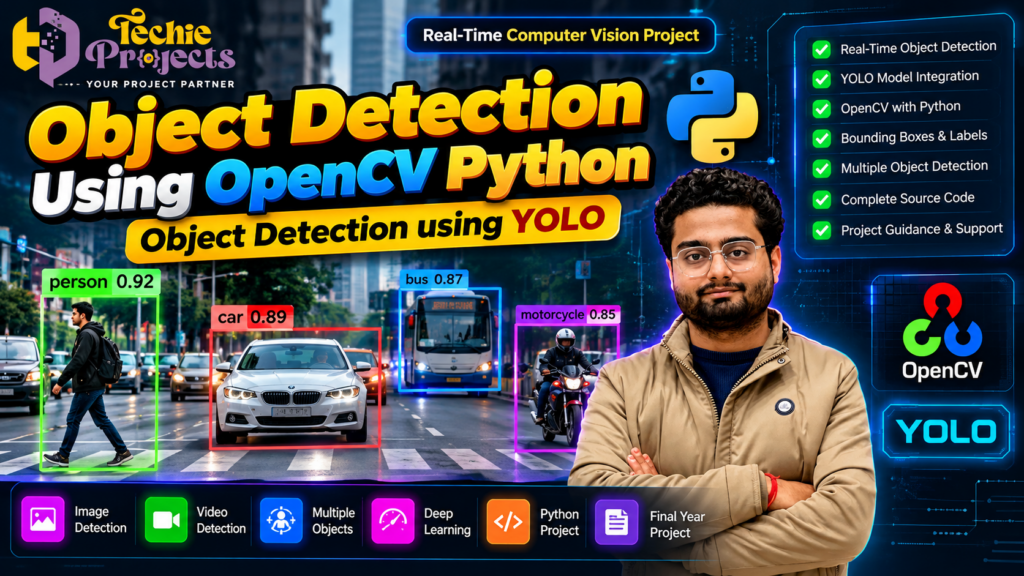
🚀 Looking for a practical AI project that can make your engineering portfolio stand out? The Object Detection Using OpenCV Python project from Techie Projects is an excellent topic to explore if you want to understand how artificial intelligence can identify people, vehicles, and other objects in images and videos. By combining Python, OpenCV, and YOLO-based object detection, this project demonstrates how computer vision can transform ordinary visual input into useful information.
If you are a B.Tech, M.Tech, MCA, BCA, or computer science student searching for a practical machine learning or final-year project, this application can help you explore deep learning, image processing, and real-time object recognition in one workflow.
Instead of spending weeks resolving library compatibility issues, configuring model weights, and troubleshooting the detection pipeline, you can enquire about the project package from Techie Projects. Ask about source code availability, installation instructions, documentation, demonstrations, and technical support before purchasing so you know exactly what is included.
🎓 Whether your goal is an academic demonstration, a computer vision learning project, or a starting point for further experimentation, this project offers an opportunity to explore how object detection works in practice.
📲 Contact Techie Projects for Project Details
Want to purchase the Object Detection Using OpenCV Python project? Contact Techie Projects to discuss your academic requirements and confirm the available package.
- 📱 WhatsApp: Enquire About This Project
- 🌐 Website: Techie Projects
- 📸 Instagram: Follow Techie Projects
- ☎️ Contact Number: +91 94600 60699
🎬 Object Detection Using OpenCV Python – Project Demo
Explore the project demonstration to understand how a computer vision system identifies objects and displays detection results using bounding boxes and class labels.
The demonstration can show how the application processes an image or video, identifies supported objects, and presents the results through a visual interface. Watch the embedded video on this page to explore the actual project workflow and available features.
🔍 What Is Object Detection Using OpenCV Python?
Object Detection Using OpenCV Python is a computer vision application that identifies and locates objects in images or video frames. It combines Python programming, image processing, and an object detection model to produce visual predictions.
Unlike basic image classification, which generally assigns a label to an entire image, object detection identifies individual objects and estimates their locations using bounding boxes.
For example, a suitable trained model may detect people, cars, buses, bicycles, dogs, and other supported classes in a street image. Each prediction can include a class label, a bounding box, and a confidence score.
OpenCV supports image and video processing, while a YOLO model can perform the object detection itself. Together, these technologies provide a practical way to build and demonstrate computer vision applications.
The project’s results depend on the selected model, its training data, image quality, hardware, and detection configuration.
🎯 Objectives of the Project
The main objective is to develop a practical application that demonstrates object detection using Python and computer vision tools.
The key objectives include:
- Loading images or video frames for analysis.
- Applying a trained object detection model.
- Identifying supported objects in the input.
- Displaying bounding boxes and class labels.
- Showing confidence scores for predictions.
- Exploring video-based or real-time detection where supported.
- Understanding the integration of Python, OpenCV, and YOLO.
- Testing detection results under different conditions.
These objectives help students understand how an AI model can be integrated into a complete software application.
🚀 Benefits of Object Detection Using OpenCV Python
Object Detection Using OpenCV Python helps students explore how computer vision can identify and locate multiple objects in images and video frames. By combining Python, OpenCV, and a compatible YOLO model, the project demonstrates important concepts in AI-based visual recognition.
Key benefits include:
- 🎯 Object Localization: Display bounding boxes around detected objects.
- 🚗 Multiple Object Recognition: Detect supported classes such as cars, people, and other objects.
- ⚡ Video Processing: Experiment with video-based detection where supported.
- 🧠 Deep Learning Experience: Understand model predictions, confidence scores, and detection thresholds.
- 🎓 Practical Learning: Explore how AI models integrate with Python applications.
⚙️ Key Features of the Object Detection Project
🎯 1. Object Detection Using YOLO
YOLO, short for You Only Look Once, is a family of object detection models designed to predict object locations and classes efficiently.
A suitable YOLO model can detect multiple objects in a single image or video frame. The available classes depend on the model and the dataset used to train it.
🟩 2. Bounding Boxes and Object Labels
The system can draw boxes around detected objects and display their predicted class labels. This makes it easier to visualize the objects identified by the model.
📊 3. Confidence Scores
Each detection may include a confidence score indicating the model’s estimated confidence in its prediction. Confidence thresholds can be adjusted to filter out weaker detections, although higher thresholds can also remove valid objects.
🖼️ 4. Image-Based Detection
Students can provide supported images to see how the model detects objects in different scenes. Images with different backgrounds, lighting conditions, and object sizes can be used for experimentation.
📹 5. Video Object Detection
The application can process video frames and display detection results over time if video support is included in the implementation.
This feature helps students understand how computer vision models operate on sequential visual input.
⚡ 6. Real-Time Detection
A compatible implementation can process frames from a camera or live video source. The actual frame rate depends on the model, image resolution, CPU or GPU capabilities, and software configuration.
🐍 7. Python and OpenCV Integration
Python connects the model with the rest of the application, while OpenCV can handle image loading, video capture, resizing, frame display, and drawing detection results.
🧪 8. Experimentation and Customization
Students can test different detection thresholds, image sizes, and input sources. Detecting custom object classes may require additional training data and model configuration.
🧰 Technologies Used in the Project
The following technologies are commonly used in this type of application. Confirm the exact implementation and package versions with Techie Projects before purchasing.
🐍 Python
Python is the primary programming language for developing the application and connecting its components. Its ecosystem includes many tools for machine learning and computer vision.
👁️ OpenCV
OpenCV supports image loading, video capture, frame processing, resizing, color conversion, and visualization of detection results.
🎯 YOLO Object Detection
A compatible YOLO model performs the object detection task. The particular version depends on the implementation and available model weights.
🔥 PyTorch
Many YOLO implementations use PyTorch for loading models and running inference. Compatible framework and dependency versions are important for reliable installation.
🧮 NumPy
NumPy supports numerical computation and array operations used in image processing and model workflows.
🖥️ Graphical User Interface
A GUI framework can be used to present input controls, video frames, and detection results. The specific interface depends on the project version.
🔄 How Does Object Detection Using OpenCV Python Work?
Understanding the workflow helps students explain the project during demonstrations and viva examinations.
Step 1: Input Image or Video
The system receives an image, recorded video, or supported camera stream.
Step 2: Image Preprocessing
The input may be resized or converted into the format expected by the detection model. Preprocessing helps ensure that the input meets the model’s requirements.
Step 3: Model Loading
The application loads the selected YOLO model and its trained weights. The environment must have compatible dependencies installed.
Step 4: Object Detection
The model analyzes the input and predicts object locations, class labels, and confidence scores.
Step 5: Detection Filtering
The application filters predictions using configured confidence thresholds. Non-maximum suppression may be used to remove overlapping duplicate detections.
Step 6: Result Visualization
OpenCV can draw bounding boxes and labels on the original image or video frame so the predictions are easy to understand.
Step 7: Display or Save Results
The processed output can be displayed on screen or saved, depending on the implemented features.
Step 8: Testing and Evaluation
The system can be tested using different images and videos to examine how object size, lighting, motion, and camera angle affect detection performance.
🎓 Why Choose This Project for Your Engineering Course?
📚 Practical Technical Learning
The project provides an opportunity to learn about model inference, image preprocessing, bounding boxes, confidence scores, and computer vision workflows.
💻 Source Code Study
If source code is included in the selected package, you can examine the program structure, understand the implementation, modify supported settings, and experiment with different inputs.
📄 Project Documentation
Academic submissions may require a project report covering the problem statement, objectives, methodology, system architecture, implementation, results, and limitations.
Ask Techie Projects whether documentation is included and whether any customization is available.
🎤 Viva and Presentation Preparation
The project offers several useful topics for discussion, including object detection, YOLO models, OpenCV, confidence thresholds, non-maximum suppression, and hardware requirements.
🧪 Experimentation Opportunities
You can compare detection results across different scenes, image resolutions, and threshold settings. These experiments help illustrate how the model’s performance changes under different conditions.
💼 Portfolio Development
A working computer vision demonstration can showcase your practical learning to faculty members, classmates, and prospective employers. Understanding the code and explaining its limitations is more valuable than presenting the output alone.
🛠️ How to Build Object Detection Using OpenCV Python
Developing Object Detection Using OpenCV Python involves connecting an object detection model with image and video processing functions. OpenCV manages the visual input and output, while a compatible YOLO model performs object detection.
The typical workflow includes:
- Install Python and the required dependencies.
- Configure OpenCV and the selected detection model.
- Load the trained model weights.
- Provide an image, video, or supported camera input.
- Run inference to identify objects.
- Draw bounding boxes and labels on the detected objects.
- Display or save the processed output.
Students can experiment with different images, lighting conditions, resolutions, and confidence thresholds to understand how these factors influence detection results.
🌍 Applications of Object Detection
🚦 Traffic Monitoring
Computer vision can support experiments involving vehicle detection, traffic analysis, and road-scene monitoring.
🏭 Industrial Automation
Object detection can help identify products, inspect components, and monitor selected processes when models are trained and validated for those tasks.
🏠 Smart Surveillance
Suitable systems can identify people or other supported objects in camera footage. Real-world deployment should account for privacy, security, and applicable laws.
🛍️ Retail Analytics
Computer vision can be used to study occupancy, product visibility, and movement patterns in suitable retail settings.
🤖 Robotics
Robotics applications can use object detection to locate relevant objects and support navigation or interaction.
🎓 Academic Research
Students can use this project as a starting point for investigating detection accuracy, inference speed, object tracking, and alternative computer vision methods.
These are potential applications; a student project does not automatically provide production-level reliability.
🛠️ Software and Hardware Requirements
Actual requirements depend on the model and supplied implementation.
Software Requirements
- Operating system: Windows 10/11 or another supported platform
- Programming language: Python
- Image processing library: OpenCV
- Detection model: Compatible YOLO implementation
- Deep learning framework: As required by the model
- Numerical processing: NumPy
- Additional packages: As specified in the requirements file
Hardware Requirements
- Computer or laptop with sufficient RAM
- Adequate storage for model weights, source code, and dependencies
- Sample images or videos, or a compatible camera
- A supported GPU for faster inference, if available
A GPU is not always required, but CPU-based processing may be slower. Check the exact requirements before purchasing.
📦 What Should You Confirm Before Purchasing?
Before ordering the Object Detection Using OpenCV Python project from Techie Projects, ask for a clear list of deliverables.
Depending on the package, enquire about:
- Project source code
- Model weights and configuration files
- Installation instructions
- Python dependency or requirements file
- Sample images and videos
- Project report and technical documentation
- Presentation slides, if available
- Project demonstration video
- Code explanation or technical guidance
- Supported Python and library versions
- Customization and troubleshooting options
Confirm the package contents, pricing, delivery timeline, and support terms before making payment.
💰 Purchase the Object Detection Using OpenCV Python Project
Looking for a computer vision project that combines Python programming, YOLO, and image processing? The Object Detection Using OpenCV Python project is worth considering if it matches your academic goals and technical interests.
Techie Projects can help you enquire about the available package and clarify which deliverables meet your requirements. Before purchasing, verify source code availability, installation instructions, documentation, and the features included in the selected version.
📲 Enquire Today
- 📲 Call/WhatsApp: +91-9460060699
- 🌎 Website: www.techieprojects.com
- 📺 Instagram: @pythonprojects_
Discuss your academic requirements with us before choosing your project package.
❓ Frequently Asked Questions (FAQs)
1. What is Object Detection Using OpenCV Python?
It is a computer vision application that uses Python and image processing tools to display the results of an object detection model on images or video frames.
2. What is YOLO used for?
YOLO is a family of object detection models that predicts object locations and classes in visual input.
3. Which programming language is used?
Python is commonly used because it supports OpenCV, deep learning frameworks, and other computer vision tools.
4. Can the project detect multiple objects?
Yes, a suitable trained detection model can identify multiple supported objects within the same image or video frame.
5. Does the project support real-time detection?
Real-time detection depends on the supplied implementation, hardware, model configuration, and camera support. Confirm these features before purchasing.
6. Is a GPU required?
Not always. Some implementations can run on a CPU, although a compatible GPU can improve inference speed.
7. Can I customize the project?
Customization depends on the available source code and model. Detecting new object categories may require annotated data and additional training.
8. Is this project suitable for B.Tech and MCA students?
It may suit students studying computer science, artificial intelligence, machine learning, or related fields, subject to their institution’s requirements.
9. Does the package include documentation?
Documentation availability depends on the selected package. Confirm whether the report, presentation slides, and installation instructions are included.
10. How can I purchase the project?
Contact Techie Projects through WhatsApp to enquire about pricing, source code, documentation, installation, and technical support.
💻 Why Purchase an Object Detection Using OpenCV Python Project?
If you need a practical computer vision project for your engineering coursework, Object Detection Using OpenCV Python is worth considering. It provides an opportunity to study object detection, image processing, and Python integration in a single application.
Techie Projects can help you enquire about the available project package, including source code availability, installation instructions, documentation, and technical support options. Confirm the included features and deliverables before purchasing so that the project matches your academic requirements.
📲 Enquire on WhatsApp: Contact Techie Projects
🌐 Explore more projects: https://techieprojects.com/
🔗 Explore Related Projects
Explore related AI and computer vision projects through Techie Projects.
- 🚗 Vehicle Detection and Counting System – Explore object detection for traffic analysis.
- 🪖 Helmet Detection and License Plate Recognition – Combine helmet detection with OCR.
- 🎯 Object Detection Using YOLOv7 – Explore another YOLO-based detection approach.
- 👤 Face Recognition Attendance System – Study face recognition workflows.
- 🚧 Pothole Detection System – Explore road-condition detection using computer vision.
- 🤖 AI Chatbot Using Python – Learn about conversational AI applications.
Visit Techie Projects to explore available AI, Python, and computer vision project options.
🏁 Conclusion
Object Detection Using OpenCV Python is a practical learning project for exploring computer vision, YOLO-based object detection, and Python application development. It demonstrates how a trained model can identify supported objects, estimate their locations, and display the results through visual annotations.
For students seeking an AI or computer vision project, it can be a useful option when its features, implementation, and deliverables match their academic requirements.
🎓 Ready to explore this project? Contact Techie Projects to confirm source code availability, documentation, installation requirements, pricing, and technical support options.