
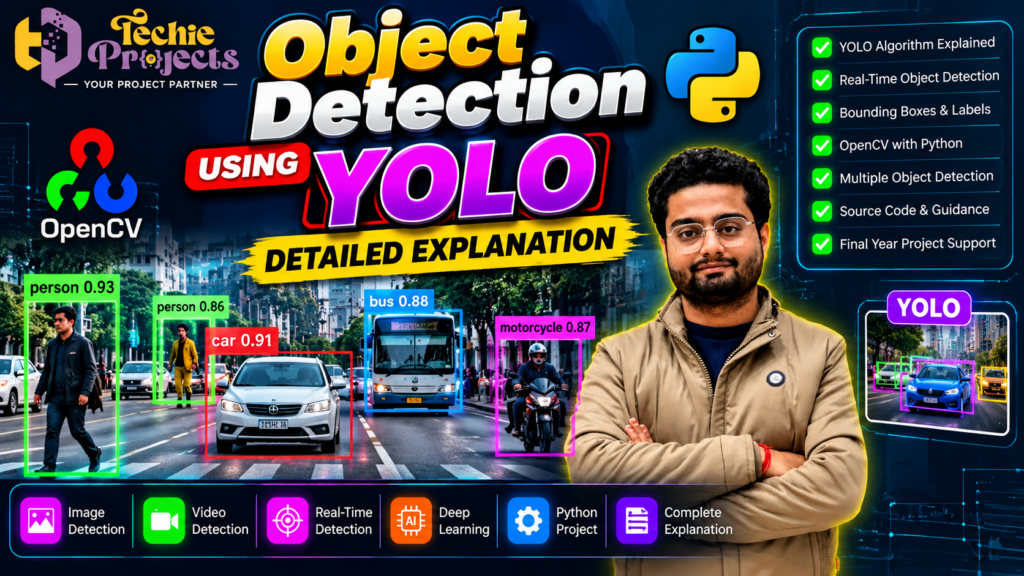
🚀 Looking for a powerful AI project for your final-year engineering submission? The Object Detection Using YOLO project from Techie Projects is an excellent option for students who want to explore artificial intelligence, deep learning, computer vision, and Python programming through a practical application. This project demonstrates how AI models can identify people, vehicles, and other supported objects in images and videos, making it an engaging topic for project demonstrations and technical presentations.
If you are a B.Tech, M.Tech, MCA, BCA, or computer science student, this project can help you understand how modern object detection systems work. Rather than spending weeks configuring model dependencies, searching for compatible libraries, and troubleshooting code, you can contact Techie Projects to enquire about the available project package.
Depending on the package offered, you may be able to obtain source code, installation guidance, documentation, and technical assistance. Before purchasing, confirm the exact deliverables, supported features, pricing, and compatibility with your computer.
🎓 Whether you need an academic demonstration, a computer vision learning project, or a foundation for further AI experimentation, this project offers a practical way to study object detection using Python and YOLO.
📲 Contact Techie Projects for Project Details
Want to explore or purchase the project? Contact Techie Projects to discuss your academic requirements and confirm the available package.
- 📱 WhatsApp: Enquire About the YOLO Project
- 🌐 Website: Techie Projects
- 📸 Instagram: Follow Techie Projects
- ☎️ Contact Number: +91 94600 60699
🎬 Object Detection Using YOLO – Project Demo
Watch the embedded project demonstration to explore how a YOLO-based computer vision system identifies objects in visual input.
The demonstration can help you understand how object labels, bounding boxes, and confidence scores are displayed on images or video frames. It also provides a useful starting point for learning about model inference and visual recognition.
Use the demo on this page to see the actual project output and evaluate whether its functionality matches your academic requirements.
🔍 What Is Object Detection Using YOLO?
Object Detection Using YOLO is a computer vision technique that identifies and locates objects within images or video frames. YOLO stands for You Only Look Once, a family of object detection models designed to predict object locations and classes efficiently.
Unlike image classification, which typically assigns a label to an entire image, object detection identifies individual objects and estimates their positions using bounding boxes.
For example, a trained model may detect cars, buses, motorcycles, people, bicycles, and other supported categories in a traffic scene. Each prediction can include an object label, a bounding box, and a confidence score.
YOLO models are commonly used in computer vision experiments because they can process images efficiently. Actual accuracy and processing speed depend on the model version, training data, input resolution, hardware, and configuration.
When combined with Python and OpenCV, a YOLO model can form the foundation of an application that captures images, processes video, and displays detection results.
🎯 Objectives of the Project
The main objective is to demonstrate how a deep learning model can identify and locate objects in visual input.
The project objectives include:
- Understanding the fundamentals of object detection.
- Loading and using a trained YOLO model.
- Processing images and video frames.
- Identifying supported objects in the input.
- Displaying bounding boxes and class labels.
- Exploring confidence scores and detection thresholds.
- Integrating object detection with Python tools.
- Testing the system under different input conditions.
- Studying the potential applications and limitations of computer vision.
These objectives help students connect theoretical AI concepts with a working software application.
⚙️ Key Features of the YOLO Object Detection Project
🎯 1. Multiple Object Detection
A suitable YOLO model can detect multiple supported objects in the same image or video frame. This makes the project useful for experimenting with scenes containing people, vehicles, and other objects.
🟩 2. Bounding Boxes and Class Labels
The system can draw bounding boxes around detected objects and display their predicted classes. These visual annotations help users understand which objects the model has identified and where they appear in the frame.
📊 3. Confidence Scores
Detection results may include confidence scores that indicate the model’s estimated confidence in its predictions. Confidence thresholds can be adjusted to control which detections are displayed.
🖼️ 4. Image-Based Object Detection
Students can test the model with supported image files and observe its predictions. Images containing different backgrounds, lighting conditions, object sizes, and viewing angles can help demonstrate the behavior of the model.
📹 5. Video Object Detection
Where supported by the implementation, the system can process video frames and display detection results over time.
This functionality helps students understand how computer vision models can be used with sequential visual input rather than still images alone.
⚡ 6. Real-Time Object Detection
A compatible implementation may support detection from a live camera or video stream. Performance depends on processing hardware, model size, image resolution, and software configuration.
🐍 7. Python Integration
Python provides the programming environment for loading the model, processing input, and displaying results. Its ecosystem includes many libraries for machine learning and computer vision.
👁️ 8. OpenCV Integration
OpenCV can support image loading, camera capture, video processing, resizing, and drawing bounding boxes. Its role is to handle visual input and output; the YOLO model performs the object detection itself.
🧪 9. Experimentation and Customization
Students can explore confidence thresholds, input resolutions, and different visual scenes. Detecting custom object categories may require annotated training data and additional model training.
Confirm which of these features are included in the particular project package before purchasing.
🧰 Technologies Used in Object Detection Using YOLO
The exact technologies depend on the model version and supplied implementation. Common components include the following.
🐍 Python
Python is widely used for AI and computer vision applications. It connects the detection model with image processing, input handling, and output visualization.
🎯 YOLO Model
The YOLO model performs the primary detection task by predicting object locations and classes. Different versions have different architectures, performance characteristics, and installation requirements.
👁️ OpenCV
OpenCV supports image and video operations such as loading images, capturing camera frames, resizing input, and displaying detection results.
🔥 PyTorch
Many YOLO implementations use PyTorch to load model weights and perform inference. Compatible Python, PyTorch, and other dependency versions are important for successful installation.
🧮 NumPy
NumPy provides numerical operations and array handling that are useful in image processing and machine learning workflows.
🖥️ Graphical User Interface
A GUI framework can provide buttons, input controls, and result displays if the supplied project includes a graphical interface. The specific interface depends on the implementation.
🔄 How Does Object Detection Using YOLO Work?
Understanding the workflow helps students explain the project during demonstrations and viva examinations.
Step 1: Input Image or Video
The application receives an image, recorded video, or supported camera stream.
Step 2: Preprocessing
The input may be resized and converted into the format expected by the model. Proper preprocessing helps ensure that the input meets the model’s requirements.
Step 3: Model Loading
The application loads the YOLO model and its trained weights. The required dependencies must be installed in a compatible environment.
Step 4: Model Inference
The input is passed to the model, which predicts possible object locations, classes, and confidence scores.
Step 5: Detection Filtering
The application filters predictions using configured confidence thresholds. Non-maximum suppression may be used to reduce overlapping duplicate detections.
Step 6: Result Visualization
Bounding boxes and class labels are drawn around detected objects. OpenCV can help display the processed image or video frame.
Step 7: Output Display
The results can be displayed on screen or saved, depending on the implemented features.
Step 8: Testing and Evaluation
Students can test the application using different images, videos, and environmental conditions to understand its strengths and limitations.
🎓 Why Choose This Project for Your Engineering Course?
📚 Practical Learning
The project introduces concepts such as object detection, deep learning inference, image preprocessing, and visual result presentation.
💻 Source Code Study
If source code is included in the package, students can inspect the program structure, understand individual functions, and experiment with supported settings.
📄 Project Documentation
Academic project reports commonly describe the problem statement, objectives, methodology, system architecture, implementation, results, and limitations. Ask Techie Projects whether documentation is included in the selected package.
🎤 Viva and Presentation Preparation
This topic offers several useful discussion points, including the YOLO algorithm, object localization, confidence thresholds, non-maximum suppression, OpenCV, and hardware requirements.
🧪 Testing and Experimentation
You can compare results across different images, video resolutions, object sizes, and lighting conditions. These experiments help demonstrate how input quality and configuration affect detection results.
💼 Portfolio Development
A computer vision project can showcase practical technical learning to faculty members, classmates, and prospective employers. Understanding the code and being able to explain its limitations is essential.
🌍 Real-World Applications of YOLO Object Detection
🚦 Traffic Monitoring
Object detection can support traffic experiments involving vehicles, pedestrians, and road-scene analysis.
🏭 Industrial Automation
Suitable models can help identify products, inspect components, and monitor processes when trained and validated for the intended task.
🏠 Smart Surveillance
Computer vision can help identify people and other supported objects in video footage. Real-world deployment must account for privacy, security, and applicable laws.
🛍️ Retail Analytics
Object detection can be used in experiments involving product visibility, occupancy, and movement patterns.
🤖 Robotics
Robotics systems can use object detection to locate objects and support navigation or interaction.
🎓 Academic Research
Students can use the project as a foundation for experiments involving detection accuracy, processing speed, model comparisons, and object tracking.
These are potential application areas. A student project does not automatically provide production-level accuracy or reliability.
🛠️ Software and Hardware Requirements
Actual requirements depend on the supplied model and application.
Software Requirements
- Operating system: Windows 10/11 or another supported platform
- Programming language: Python
- Object detection model: Compatible YOLO implementation
- Image processing: OpenCV, where used
- Deep learning framework: As required by the selected model
- Numerical processing: NumPy, where used
- Additional dependencies: As listed in the installation instructions
Hardware Requirements
- Computer or laptop with sufficient RAM
- Adequate storage for model weights, source code, and dependencies
- Images or videos for testing, or a compatible camera
- Compatible GPU for faster inference, if available
A GPU is not always essential, but CPU inference may be slower. Confirm the actual requirements before purchasing.
📦 What Should You Confirm Before Purchasing?
Before purchasing the Object Detection Using YOLO project from Techie Projects, ask for a clear list of included deliverables.
Depending on the available package, enquire about:
- Project source code
- YOLO model weights and configuration files
- Installation instructions
- Python dependency or requirements file
- Sample images and videos
- Project report and technical documentation
- Presentation slides, if available
- Project demonstration video
- Code explanation or technical guidance
- Supported Python and library versions
- Customization options
- Troubleshooting support
Confirm the package contents, price, delivery timeline, and support terms before making payment.
💰 Purchase the Object Detection Using YOLO Project
Looking for a practical artificial intelligence project for your engineering coursework? Object Detection Using YOLO is worth considering if you want to explore deep learning, Python programming, and computer vision in one application.
Techie Projects can help you enquire about the available project package and understand which deliverables match your academic requirements. Before placing an order, confirm source code availability, documentation, installation instructions, model compatibility, and any additional features you need.
📲 Enquire Today
Discuss your requirements before choosing the project package.
❓ Frequently Asked Questions (FAQs)
1. What is Object Detection Using YOLO?
It is a computer vision application that uses a YOLO model to identify and locate supported objects in images or video frames.
2. What does YOLO stand for?
YOLO stands for You Only Look Once. It refers to a family of object detection models designed to predict object locations and classes efficiently.
3. Which programming language is used?
Python is commonly used to integrate the model, process input, and display detection results.
4. Can YOLO detect multiple objects?
Yes. A suitable trained model can detect multiple supported objects in a single image or video frame.
5. Does the project support real-time detection?
Real-time detection depends on the supplied implementation, hardware, model configuration, and camera support. Confirm the feature before purchasing.
6. Is a GPU required?
Not necessarily. Some implementations can run on a CPU, although a compatible GPU can improve inference speed.
7. Can I train YOLO to detect custom objects?
Yes, with suitable annotated training data, configuration, and training resources. Custom training may require additional work beyond using a pretrained model.
8. Is this project suitable for B.Tech and MCA students?
It may be suitable for students studying computer science, artificial intelligence, machine learning, or related disciplines, subject to their institution’s requirements.
9. Does the package include a project report?
Documentation availability depends on the selected package. Confirm whether the report, presentation slides, and installation guide are included.
10. How can I purchase the project?
Contact Techie Projects through WhatsApp to enquire about pricing, source code, documentation, installation, and technical support.
🔗 Explore Related Projects
Explore related AI and computer vision project options through Techie Projects.
- 🚗 Vehicle Detection and Counting System – Explore object detection for traffic analysis.
- 🪖 Helmet Detection and License Plate Recognition – Combine helmet detection with optical character recognition.
- 👁️ Waste Detection Using OpenCV Python – Study image processing and detection integration.
- 🎯 Object Detection Using YOLOv7 – Explore a YOLO-based object detection implementation.
- 🚧 Pothole Detection System – Investigate computer vision for road-condition analysis.
- 🤖 AI Chatbot Using Python – Explore conversational AI and natural language processing.
Visit Techie Projects to explore available AI, Python, and computer vision projects.
🏁 Conclusion
Object Detection Using YOLO is a practical topic for learning about artificial intelligence, deep learning, and computer vision. It demonstrates how a trained model can locate supported objects, predict their classes, and display detection results through bounding boxes and labels.
For engineering students looking for an AI project, it offers opportunities to study model inference, image processing, and application integration. The right project package should match your academic requirements, technical environment, and learning goals.
🎓 Ready to explore this project? Contact Techie Projects to confirm the available source code, documentation, installation requirements, package price, and technical support options.
📲 Call/WhatsApp: +91-9460060699
🌎 Website: www.techieprojects.com
📺 Instagram: @pythonprojects_