
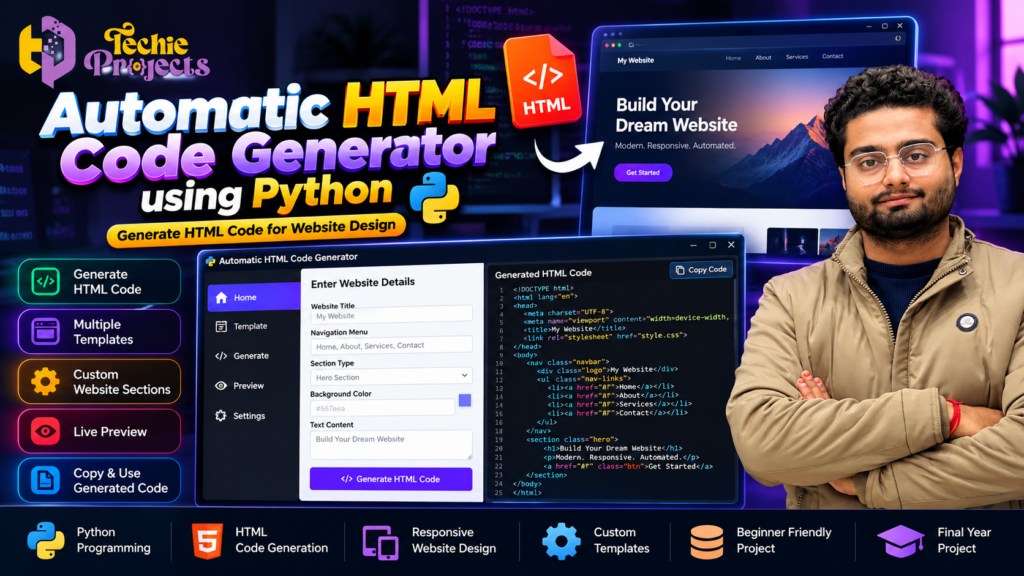
Automatic HTML Code Generator Using Python: Final Year Project
Looking for a practical Python project for your college submission, mini project, or final-year engineering demonstration? The Automatic HTML Code Generator Using Python project is a useful option for students who want to explore website development, Python programming, and automation in one application. Instead of manually writing every HTML element, this project demonstrates how a Python-based application can help generate HTML code from user-provided inputs.
At Techie Projects, we help students explore programming and software development projects for academic learning. If you want to work on a website-generation concept and understand how Python can simplify repetitive development tasks, this project is worth exploring. Contact us to enquire about the available project version, pricing, installation requirements, and deliverables before purchasing.
🎬 Automatic HTML Code Generator Using Python – Project Demo
Explore the project demonstration to understand its interface, workflow, and HTML-generation process. The video can help you see how the application accepts website-related inputs and produces HTML output.
💻 What Is an Automatic HTML Code Generator Using Python?
An HTML code generator is a software application that creates HTML markup based on predefined templates, user inputs, or selected website components. HTML, or HyperText Markup Language, is the standard markup language used to structure web pages.
In this project, Python is used to implement the generation logic. Depending on the implementation, a user may provide details such as a website title, page content, navigation links, or section preferences. The program processes the input and produces corresponding HTML code.
The main objective is to demonstrate how programming can automate repetitive tasks involved in creating the structure of a web page. It also introduces students to the relationship between a Python application and the technologies used in front-end web development.
This type of project can be useful for learners who want to understand both Python programming and the fundamentals of website creation.
🎯 Objectives of the Project
The primary objective is to develop a Python-based application that demonstrates automated HTML generation.
The project can help students explore these learning objectives:
- Understand the basic structure of an HTML document.
- Learn how Python processes user input.
- Explore how predefined templates can be used to generate markup.
- Understand the relationship between Python logic and website structure.
- Practice designing a simple application interface.
- Learn how generated HTML can be saved, opened, and tested in a web browser, if supported by the implementation.
- Develop programming and debugging skills through a practical application.
These objectives make the project suitable for students interested in Python, web development, and software automation.
⚙️ How Does the Project Work?
The general workflow of an HTML generation application can be divided into several stages.
1. User Input
The user enters the information required to create a web page. This may include a page title, headings, paragraphs, navigation labels, or other supported website elements.
The available input fields depend on the implemented application.
2. Input Processing
Python processes the supplied values and prepares them for insertion into an HTML structure. The program may use conditional statements, functions, strings, or templates to organise the information.
3. HTML Structure Generation
The application combines the processed information with HTML tags and document structure. For example, a title may be placed inside a heading element, while navigation labels may be organised into a list of links.
4. Generated Code Output
The program displays the generated HTML code or provides another supported output method. The user can then inspect the markup to understand how the page structure was created.
5. Testing the Generated Page
The generated HTML can be tested in a compatible web browser if the application provides suitable output. Students can check the page structure and identify errors or missing elements.
This workflow illustrates how a programming language can automate a repetitive development task.
🚀 Benefits of Automatic HTML Code Generator Using Python
The Automatic HTML Code Generator Using Python project demonstrates how Python can simplify the process of creating HTML structures. Instead of manually writing every repeated element, users can explore how a generator organises input and converts it into HTML markup.
Key benefits include:
- Automated code generation: Understand how Python can generate HTML from predefined structures and user input.
- Website development fundamentals: Learn how HTML elements work together to form a web page.
- Python programming practice: Explore functions, conditional statements, strings, and input processing.
- Practical project learning: Connect programming concepts with a web-development use case.
- Customisation opportunities: Investigate templates and additional website components, depending on the application’s implementation.
🚀 Key Features of an HTML Code Generator Project
The available features depend on the specific version supplied by Techie Projects. Common capabilities of this type of application may include the following.
1. Automated HTML Generation
The main purpose is to generate HTML markup using Python logic. This provides an opportunity to study how user input can be converted into a structured document.
2. User-Friendly Interface
A graphical interface can make the process easier for users who prefer entering details through forms rather than editing code directly. The exact interface depends on the application’s implementation.
3. Website Template Support
Template-based generation can help organise common page components. For example, a template may define the basic document structure and provide locations for headings, text, and navigation elements.
4. HTML Code Preview
A code-preview feature, where available, allows users to inspect the generated markup. It can be particularly helpful when learning HTML tags and document organisation.
5. Customisation Options
Some generator applications allow users to modify page content, labels, or supported design elements. Confirm which customisation options are included in the version you intend to purchase.
6. Python-Based Logic
Python provides the programming logic for handling inputs and creating output. Students can use the project to explore functions, string processing, conditional statements, and application design.
Do not assume every feature listed above is included in every version. Confirm the actual functionality before purchasing.
🧰 Technologies Used in the Project
An HTML generation application may use several technologies together.
Python
Python is the main programming language used to implement the application’s logic. Its readable syntax makes it suitable for educational projects and automation tasks.
HTML
HTML defines the structure of the generated web page. Students can learn how elements such as headings, paragraphs, lists, links, and containers organise website content.
CSS
CSS is used to style HTML pages. If styling generation is included in the implementation, CSS can help control colours, spacing, typography, and layout.
GUI Framework
A graphical interface may be implemented using a Python GUI framework such as Tkinter. The exact framework should be verified against the project files.
Code Editor and Web Browser
A Python-compatible code editor can be used to inspect or run the application. A modern web browser can be used to test generated HTML output when applicable.
💡 Why Choose an Automatic HTML Code Generator Using Python for Your College Project?
An Automatic HTML Code Generator Using Python can be a useful option for students who want to combine Python programming with basic web development. It offers a practical topic for explaining application workflow, HTML generation, and software testing during a project presentation.
The project can also provide a foundation for exploring more advanced concepts, such as template-based page creation, input validation, and CSS integration. The actual capabilities depend on the version being used.
🎓 Why Choose This Project for College?
The project combines Python programming with a practical web-development concept. This gives students an opportunity to discuss both application logic and the structure of a website.
Suitable for Python Learners
Students who already understand basic Python syntax can use the project to explore a more applied programming scenario.
Useful for Understanding HTML
Rather than studying HTML tags only in isolation, learners can examine how the application places content into a document structure.
Demonstrates Automation
The project introduces the concept of automating repetitive work through a software application. This is a valuable programming principle that can be applied in many other domains.
Supports Project Demonstrations
A working code-generation workflow can provide a clear topic for a classroom presentation or project demonstration. Students can explain the input, processing, generated output, and testing stages.
Encourages Further Development
Students may investigate additional capabilities, such as more templates, improved validation, CSS generation, or a preview window, depending on their course requirements and the scope permitted by their institution.
🏗️ Applications of an HTML Code Generator
HTML generation is relevant to several web-development and automation scenarios.
- Website prototyping: Creating basic page structures for early design experiments.
- Educational tools: Demonstrating the relationship between user input and HTML markup.
- Template-based pages: Generating repetitive page structures from predefined layouts.
- Internal tools: Producing simple HTML reports or content pages when appropriate.
- Learning and experimentation: Exploring how programming can assist with website creation.
A basic educational generator is not necessarily a replacement for a full website builder or professional web-development workflow. Its purpose depends on the features and limitations of the implementation.
📋 Software and Hardware Requirements
Before installing the application, check the exact requirements for the version you plan to use.
Software Requirements
- Python version compatible with the project.
- A compatible operating system.
- A Python code editor or IDE.
- Any additional Python packages required by the implementation.
- A web browser for testing generated HTML, where applicable.
Hardware Requirements
A typical Python educational application can often run on a standard laptop or desktop computer. The required memory, storage, and processor depend on the application and its dependencies.
Check the supplied instructions before installation to confirm compatibility with your system.
🛒 Get the Automatic HTML Code Generator Using Python Project from Techie Projects
Looking for a Python project for your college submission? Contact Techie Projects to enquire about the availability and price of the Automatic HTML Code Generator Using Python project.
Before purchasing, confirm the included source code, installation instructions, documentation, supported Python version, and other required deliverables. Package contents may vary.
Contact Techie Projects:
- 📲 Call/WhatsApp: +91-9460060699
- 🌎 Website: www.techieprojects.com
- 📺 Instagram: @pythonprojects_
Share your course, project deadline, operating system, and requirements when enquiring. This will help you determine whether the project is suitable for your academic needs.
🔍 Advantages and Limitations
Advantages
- Demonstrates Python programming through a practical application.
- Introduces HTML document structure.
- Illustrates automation of repetitive code-generation tasks.
- Can provide a useful starting point for learning about templates and web development.
- Offers opportunities for testing, debugging, and further experimentation.
Limitations
- The quality of generated output depends on the templates and logic implemented.
- Complex, responsive websites may require additional HTML, CSS, JavaScript, and development work.
- Generated code may need manual review and correction.
- Features such as live preview, multiple templates, or CSS customisation should not be assumed unless included.
- Students should understand the project and follow their institution’s rules for project submissions.
📚 Explore Related Python Projects
If you are interested in developing your programming skills further, explore related project areas on Techie Projects:
- Python programming projects
- Web development projects
- Database management projects
- Data analytics projects
- Machine learning projects
- Image processing projects
- Artificial intelligence projects
Choose a project that matches your current skills, academic requirements, and interests.
❓ Frequently Asked Questions
1. What is an Automatic HTML Code Generator using Python?
It is an application that uses Python logic to generate HTML markup from user inputs, templates, or predefined rules.
2. Is this project suitable for beginners?
It can be suitable for learners who have basic Python knowledge and want to explore HTML generation. The difficulty depends on the implementation and the student’s experience.
3. Which programming language is used?
Python is used for the application’s core logic. HTML is used for the generated page structure, while CSS may be involved if styling functionality is included.
4. Can the generated HTML be edited?
HTML markup can generally be edited in a text editor or code editor. The editing workflow and output options depend on how the application is implemented.
5. Can I use this project for a final-year submission?
Suitability depends on your course guidelines, project complexity requirements, and institutional rules. Discuss the scope with your project supervisor before selecting it.
6. How can I purchase the project?
Contact Techie Projects through WhatsApp to ask about availability, pricing, compatibility, and the exact package deliverables.
7. Does the project include documentation and installation support?
These items depend on the package being offered. Confirm what is included before making a payment.
✅ Conclusion
The Automatic HTML Code Generator Using Python project brings together Python programming, HTML structure, and the concept of automation in a practical learning application. It can help students explore how software processes user input and converts it into a structured web document.
If you are looking for a Python-based college project, contact Techie Projects to review the available version and confirm whether it matches your academic requirements. Check the included features, system compatibility, and deliverables before purchasing so you can make an informed decision.
Ready to enquire? Contact Techie Projects on WhatsApp or visit techieprojects.com to discuss the project.