
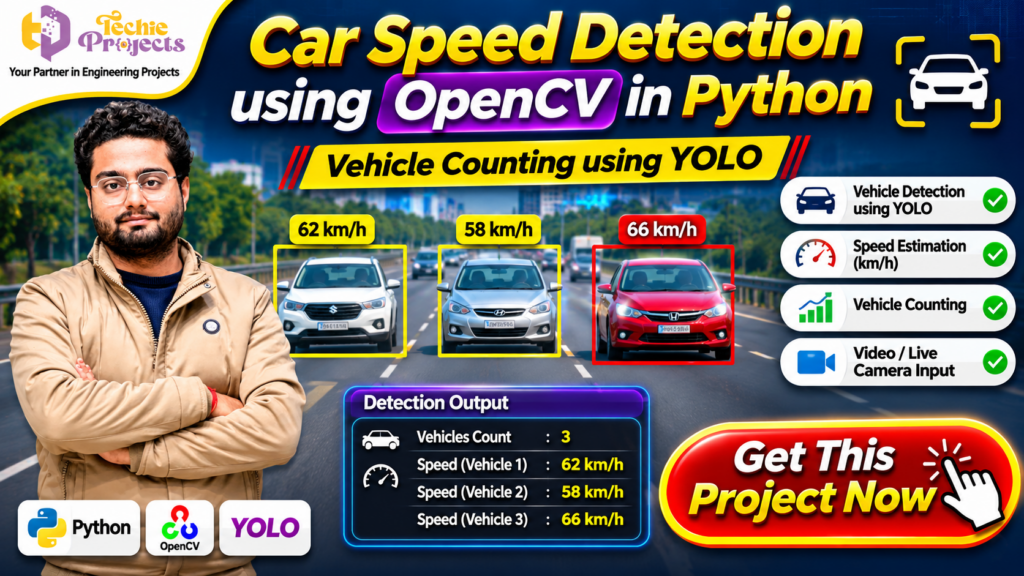
🚗 Looking for a ready-to-use Car Speed Detection using OpenCV in Python project for your final-year engineering submission? Get this practical computer vision project from Techie Projects and explore how Python, OpenCV, and YOLO can be used to detect vehicles, estimate their speed, and count traffic from video input.
Instead of spending weeks building a vehicle detection system from scratch, you can choose this project to understand the implementation, explore the source code, prepare your academic demonstration, and learn how computer vision is applied to traffic monitoring. It is suitable for students working on Python, Artificial Intelligence, Machine Learning, and Computer Vision projects.
The Car Speed Detection using OpenCV in Python project demonstrates how vehicle detection and speed estimation techniques can be combined in a traffic-monitoring application. Contact Techie Projects to enquire about project availability, source code, documentation, and implementation support.
📞 Contact Techie Projects for Project Enquiries
Want to purchase this project or know more about its implementation? Contact our team.
- 📲 Call/WhatsApp: +91-9460060699
- 🌎 Website: www.techieprojects.com
- 📺 Instagram: @pythonprojects_
🎬 Watch the Car Speed Detection Project Demo
Explore the project demonstration to understand how vehicle detection, speed estimation, and vehicle counting can work together in a Python-based application.
The demonstration provides an overview of the system interface and its computer vision workflow.
🚘 What Is Car Speed Detection Using OpenCV in Python?
Car speed detection is a computer vision application that analyses video frames to identify vehicles and estimate their movement speed. It can be developed using Python libraries such as OpenCV and object detection models such as YOLO.
The system processes video input, identifies vehicles in individual frames, and tracks their movement across a defined region. By analysing the movement of detected vehicles over time, the application can estimate their speed when suitable calibration information is available.
The Car Speed Detection using OpenCV in Python project is designed to demonstrate these concepts through a practical implementation. It combines image processing, object detection, vehicle tracking, and speed calculation techniques.
The project can also demonstrate vehicle counting, making it useful for understanding how computer vision can support traffic analysis.
🎯 Main Objectives of the Project
The primary objective is to develop a Python-based application that demonstrates vehicle detection and speed estimation using computer vision.
Important objectives include:
- Detecting vehicles from video input.
- Identifying vehicle positions using an object detection model.
- Tracking vehicle movement across consecutive frames.
- Estimating vehicle speed using configured parameters.
- Counting vehicles passing through a selected region.
- Displaying detection results on video frames.
- Understanding practical applications of OpenCV and YOLO.
This project also helps students understand the relationship between video processing, object detection, and movement analysis.
⚙️ How Does the Car Speed Detection System Work?
The application follows a sequence of image-processing and detection operations. Each stage contributes to identifying vehicles and analysing their movement.
1. 📹 Video Input
The system receives video input from a supported video file or camera source, depending on the implementation. OpenCV reads the video and extracts individual frames for processing.
Each frame represents a moment in the traffic scene. Processing multiple frames allows the application to observe vehicle movement over time.
2. 🔍 Vehicle Detection Using YOLO
YOLO is an object detection approach used to identify objects in images and video frames. In this project, it can be used to locate vehicles and generate bounding boxes around detected objects.
The detection model processes each frame and identifies supported vehicle classes. The detected locations can then be used for further tracking and analysis.
3. 🚗 Vehicle Tracking
Vehicle tracking helps the application associate detections across consecutive frames.
For example, when a car appears in one frame and moves to another position in the next frame, the tracking process attempts to identify it as the same vehicle.
This step is important because speed estimation requires movement information rather than only a single image.
4. ⏱️ Speed Estimation
Speed estimation uses the change in vehicle position over a known time interval.
A simplified speed calculation is:
Speed = Distance / Time
For a practical video-based system, the pixel movement must be converted into an estimated real-world distance. This requires calibration, such as a known distance in the camera view, along with appropriate frame timing.
The estimated speed can then be displayed near the detected vehicle.
5. 📊 Vehicle Counting
Vehicle counting records how many vehicles cross a configured line or region.
The application can use tracking information to avoid repeatedly counting the same vehicle in consecutive frames. The counting logic depends on the selected detection and tracking implementation.
6. 🖥️ Displaying Detection Results
The processed frames can display bounding boxes, vehicle labels, estimated speed values, and vehicle-count information.
This makes the output easier to understand during project demonstrations and testing.
🚗 Benefits of Car Speed Detection Using OpenCV in Python for Engineering Students
The Car Speed Detection using OpenCV in Python project is a practical learning opportunity for students interested in intelligent transportation and computer vision. It demonstrates how video processing and object detection can be combined to analyse vehicle movement.
Students can explore how a detection model identifies vehicles, how tracking follows their movement, and how speed estimation uses distance and time calculations. These concepts make the project useful for understanding the practical implementation of Python-based computer vision applications.
Another benefit of the Car Speed Detection using OpenCV in Python system is its visual output. Vehicle bounding boxes, speed labels, and counting results can help students explain the working process during academic demonstrations.
🧠 Learning Outcomes of Car Speed Detection Using OpenCV in Python
By studying this project, students can develop an understanding of several technical concepts:
- Python programming and library integration.
- Video frame extraction using OpenCV.
- Vehicle identification using YOLO.
- Object tracking across consecutive frames.
- Speed estimation using movement and time.
- Vehicle counting through detection regions.
- Displaying computer vision results on video.
The Car Speed Detection using OpenCV in Python implementation also helps students understand how multiple technologies work together to create an intelligent monitoring application.
📈 Future Enhancements for Car Speed Detection Using OpenCV in Python
The project can be extended with additional functionality depending on the available source code and development requirements.
Possible enhancements include:
- A dashboard for displaying vehicle counts and estimated speeds.
- Improved vehicle tracking for reducing duplicate detections.
- Support for additional vehicle categories.
- Video-based traffic analysis and reporting.
- Configurable detection zones for different road layouts.
- Database integration for storing traffic analysis results.
These enhancements can make the Car Speed Detection using OpenCV in Python project a useful foundation for further computer vision experiments.
🌟 Key Features of the Car Speed Detection Project
The project demonstrates several useful computer vision concepts.
🚘 Vehicle Detection
Vehicle detection identifies cars and other supported vehicle categories in video frames. Bounding boxes help show the position of each detected object.
⚡ Vehicle Speed Estimation
The system demonstrates how vehicle movement can be analysed to estimate speed. The accuracy depends on camera calibration, frame rate, tracking quality, and the implementation’s distance calculation.
🔢 Vehicle Counting
The counting component can record vehicles crossing a defined detection line or region. This feature introduces students to traffic-flow analysis.
🎥 Video and Camera Input
The application can be configured to process supported video files or camera input. The available input modes depend on the supplied project configuration.
📦 Object Detection with YOLO
YOLO provides an object detection approach for locating vehicles in frames. It helps demonstrate how deep-learning-based object detection can be used in practical computer vision applications.
🐍 Python and OpenCV Integration
Python provides the programming environment, while OpenCV supports video reading, frame processing, image operations, and visual output.
🛠️ Technologies Used in the Project
The following technologies are relevant to the project workflow:
| Technology | Purpose |
|---|---|
| Python | Main programming language |
| OpenCV | Video processing and image operations |
| YOLO | Vehicle object detection |
| Computer Vision | Vehicle identification and movement analysis |
| Machine Learning / Deep Learning | Object detection model concepts |
The exact model version, dependencies, and configuration should be confirmed with the project package before installation.
💻 Software and Hardware Requirements
Software Requirements
- Programming Language: Python
- Image Processing Library: OpenCV
- Object Detection: YOLO-based model
- Operating System: Windows 10/11 or a compatible environment
- Development Environment: VS Code, PyCharm, or another Python IDE
Hardware Requirements
- Processor: Intel Core i3 or equivalent and above
- RAM: 4 GB minimum; 8 GB or more recommended
- Storage: Sufficient space for Python libraries, model files, and video data
- Camera: Optional, if live camera input is supported
- GPU: Optional, depending on the model and processing requirements
Actual performance depends on the selected YOLO model, video resolution, hardware configuration, and software setup.
🎓 Why Choose This Project for Your Final-Year Submission?
A practical computer vision project can help engineering students demonstrate their understanding of programming and intelligent systems.
The Car Speed Detection using OpenCV in Python project provides an opportunity to explore several important topics in one application.
📚 Learn Practical Computer Vision
Students can understand how video frames are extracted, processed, and analysed. They can also explore object detection and tracking concepts.
🧠 Understand Object Detection
Working with YOLO introduces students to modern object detection workflows, including model inference and bounding-box visualisation.
🚀 Build Technical Knowledge
The project connects Python programming, image processing, object detection, and basic mathematical calculations in a practical application.
📊 Demonstrate a Real-World Use Case
Traffic monitoring is an understandable example of computer vision. Students can explain how vehicle detection and traffic analysis systems may be used in intelligent transportation research.
📝 Support Academic Preparation
The project can provide a foundation for preparing a project report, presentation, system workflow explanation, and practical demonstration. Available documentation and support should be confirmed before purchase.
🏙️ Applications of Vehicle Speed Detection Technology
Vehicle detection and speed estimation techniques have several potential applications.
1. 🚦 Traffic Monitoring
Computer vision can help analyse traffic videos and identify vehicles moving through a particular road section.
2. 🛣️ Highway Analysis
Vehicle detection and counting can support research into traffic density and movement patterns on highways.
3. 🏙️ Smart City Research
Intelligent transportation systems use data from different sources to study traffic conditions and improve urban mobility planning.
4. 📈 Traffic Data Analysis
Vehicle counts and estimated movement information can be used in academic experiments involving traffic-flow analysis.
5. 🎓 Educational Demonstrations
The project is useful for demonstrating object detection, tracking, video processing, and speed estimation concepts in engineering courses.
Note: This academic project is a demonstration system. It should not be treated as a certified speed enforcement device or used for issuing traffic penalties without appropriate validation, calibration, and regulatory approval.
🧩 Development Workflow of the Project
Understanding the development workflow helps students explain how the application is organised.
Step 1: Set Up the Python Environment
Install Python and configure the required packages. Create a suitable project environment to manage dependencies.
Step 2: Import Required Libraries
Import OpenCV and other libraries required by the selected detection and tracking implementation.
Step 3: Load the Detection Model
Load the configured YOLO model and prepare it to process video frames.
Step 4: Read Video Frames
Use OpenCV to read the selected video source and extract frames for analysis.
Step 5: Detect Vehicles
Run object detection on the frames and identify supported vehicle categories.
Step 6: Track Detected Vehicles
Use the available tracking logic to associate vehicles across frames.
Step 7: Estimate Speed
Calculate movement over time using the configured calibration and timing parameters.
Step 8: Count Vehicles and Display Results
Apply the vehicle-counting logic and display the output with detection labels and other available information.
💡 Advantages of Car Speed Detection Using OpenCV in Python
There are several reasons why this project is a useful learning exercise.
- Practical implementation: Demonstrates how computer vision concepts can be combined in one application.
- Python-based development: Introduces students to a widely used programming language.
- Video processing: Provides experience with extracting and analysing video frames.
- Object detection: Demonstrates how YOLO can identify vehicles.
- Movement analysis: Introduces the mathematical concept behind speed estimation.
- Vehicle counting: Explains how detected objects can be counted using tracking and region-based logic.
- Project presentation: Offers a visual demonstration that can support academic discussions.
🛒 Purchase Car Speed Detection Using OpenCV in Python from Techie Projects
Are you searching for a practical Python project for your final-year engineering work? Contact Techie Projects to enquire about purchasing the Car Speed Detection using OpenCV in Python project.
Get information about the available source code, project documentation, execution requirements, and technical support before placing your order.
📞 Call/WhatsApp: +91-9460060699
🌎 Website: www.techieprojects.com
📺 Instagram: @pythonprojects_
What to Confirm Before Purchasing
Ask our team about the items included in the current package:
- Python source code.
- Required model files and dependencies.
- Project execution instructions.
- Documentation or project report, if available.
- Demonstration and implementation guidance.
- Compatibility with your operating system.
- Available technical support.
Package contents and support options should be confirmed before ordering.
🎯 Who Can Purchase This Project?
This project may be suitable for:
- B.Tech Computer Science Engineering students.
- Information Technology students.
- Artificial Intelligence and Data Science students.
- Diploma engineering students.
- Students learning Python and OpenCV.
- Learners exploring YOLO and computer vision.
🔥 Get Your Car Speed Detection Project Today!
Want to develop your understanding of vehicle detection, speed estimation, and traffic analysis?
Choose the Car Speed Detection using OpenCV in Python project from Techie Projects and enquire about the available source code, documentation, and technical support.
Whether you are preparing a final-year engineering project, exploring computer vision, or looking for a practical Python application, our team can help you understand the project package.
📲 Contact Techie Projects Today
- WhatsApp: https://wa.me/919460060699
- Call: +91 94600 60699
- Website: https://techieprojects.com/
- Instagram: https://www.instagram.com/pythonprojects_/
❓ Frequently Asked Questions
1. What is Car Speed Detection using OpenCV in Python?
It is a computer vision project that processes video frames to detect vehicles and estimate their movement speed using Python and OpenCV. A YOLO-based model can be used for vehicle detection.
2. Which programming language is used?
Python is used as the primary programming language. OpenCV supports video processing, while the selected YOLO implementation performs object detection.
3. Can the project count vehicles?
Yes, vehicle counting can be implemented by tracking detected vehicles and recording when they cross a configured line or region.
4. Does the project support live camera input?
Live camera input depends on the supplied implementation and configuration. Confirm the supported input modes with Techie Projects before purchasing.
5. Is YOLO used for vehicle detection?
Yes, a YOLO-based object detection model can identify vehicles in video frames and provide bounding boxes for further processing.
6. Is the project suitable for final-year engineering students?
It can be a suitable academic project for students interested in Python, computer vision, image processing, and object detection. Students should understand the implementation and follow their institution’s project requirements.
7. Where can I purchase this project?
You can contact Techie Projects through WhatsApp at +91 94600 60699 or visit https://techieprojects.com/ to enquire about the available project package.
🔗 Explore Related Python and AI Projects
Explore more engineering project ideas from Techie Projects:
- Python Projects
- Artificial Intelligence Projects
- Machine Learning Projects
- Computer Vision Projects
- Image Processing Projects
- Deep Learning Projects
- Data Science Projects
- Final Year Engineering Projects
Visit www.techieprojects.com to explore additional project options.
🏁 Conclusion
The Car Speed Detection using OpenCV in Python project demonstrates how computer vision can be applied to vehicle detection, movement analysis, speed estimation, and traffic counting.
By combining Python, OpenCV, and YOLO-based object detection, students can explore an application that connects programming with real-world traffic-monitoring concepts.
If you are looking for a practical computer vision project for your academic work, contact Techie Projects to enquire about the source code, documentation, package details, and available support.
🚀 Start your project journey with Techie Projects — your partner in engineering projects!