
Introduction
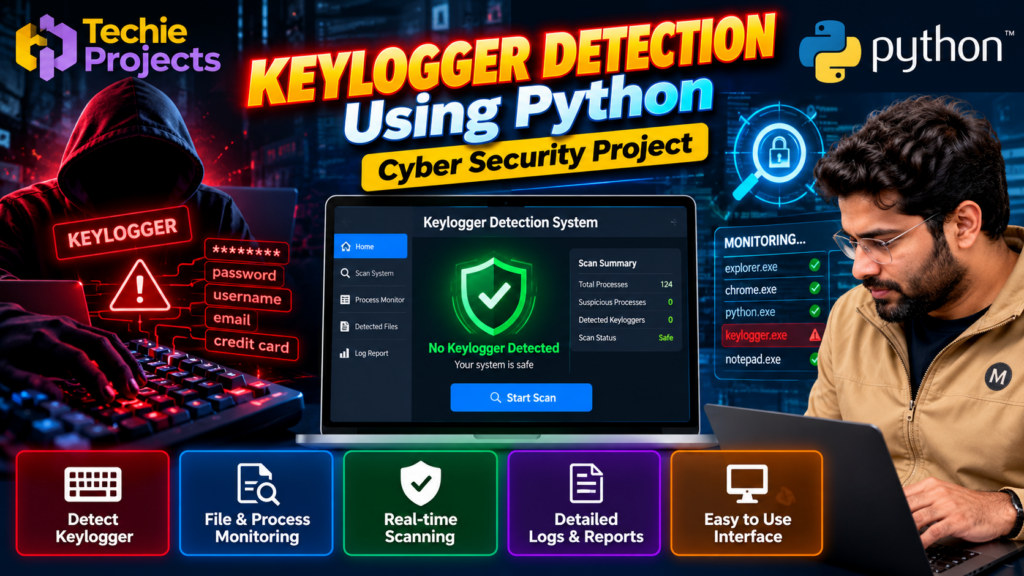
Keylogger detection using Python is a cyber security project that explores how suspicious keyboard-monitoring activities can be identified and investigated. Keyloggers are programs that record keystrokes and may be used to steal sensitive information, including passwords and personal data.
This project demonstrates how Python can support defensive security monitoring, suspicious process analysis, and security reporting. It is suitable for B.Tech Computer Science students, final-year engineering students, and learners interested in Python programming, malware analysis, and cyber security.
🎬 Project Working Demo
Watch the project demonstration to understand the interface, workflow, and key features of the Keylogger Detection Using Python project.
🎯 Objectives of the Project
The main objectives of this project are to:
- Understand how keyloggers can threaten computer security.
- Explore techniques for identifying suspicious processes and files.
- Develop a Python-based security monitoring application.
- Display detection results through a user-friendly interface.
- Generate useful information for further security investigation.
- Learn practical concepts related to malware detection and defensive cyber security.
🔍 Key Features of Keylogger Detection Using Python
The project can be designed with the following features, depending on the implementation:
1. Suspicious Process Monitoring
Monitor selected system processes and examine their names and available metadata to identify potentially suspicious activity.
2. File and Program Inspection
Inspect selected files and executable metadata for indicators that may require further security analysis.
3. Security Alerts
Display warnings when the system identifies activity that matches configured suspicious-behavior indicators.
4. Detection Logs
Maintain a record of scan results, timestamps, and relevant findings to help users review previous checks.
5. User-Friendly Interface
Provide a graphical interface that allows users to start scans, view findings, and access reports without relying entirely on command-line tools.
Note: Detection capabilities depend on the actual code, configured rules, and available system permissions. A suspicious indicator does not automatically prove that a file is malicious.
⚙️ Technologies Used
The project may use the following technologies, depending on its implementation:
- Python: Main programming language.
- Tkinter: For developing a desktop graphical user interface.
- psutil: For examining system processes and related information.
- Logging: For recording scan activity and results.
- Operating System APIs: For authorized system-level inspection where required.
Only include libraries and technologies that are actually used in your project implementation.
🛠️ Software Requirements
- Python 3
- Windows, Linux, or another supported operating system
- Visual Studio Code, PyCharm, or another Python IDE
- Required Python packages
- Sufficient permissions for the selected monitoring features
💻 Hardware Requirements
- Desktop computer or laptop
- Keyboard and mouse
- Adequate RAM for running Python applications
- Sufficient storage for the source code, dependencies, and logs
🔄 How Does the System Work?
The general workflow of a keylogger detection project can include the following stages:
- System Initialization: Load the application and its configuration.
- Process Inspection: Collect information about selected running processes.
- Indicator Analysis: Compare available information against configured detection rules.
- Result Classification: Categorize findings for further investigation.
- Alert Generation: Display relevant warnings for suspicious indicators.
- Report Generation: Save or display scan results for review.
The project should focus on defensive analysis and authorized monitoring. It should not collect users’ keystrokes or access private information without permission.
📚 Applications of Keylogger Detection
Keylogger detection techniques can support several defensive security activities:
- Personal computer security monitoring
- Cyber security education and laboratory demonstrations
- Basic malware-analysis exercises
- Endpoint security awareness
- Learning about suspicious process behavior
- Understanding defensive security tools
✅ Advantages of the Project
- Provides practical experience with Python programming.
- Introduces defensive cyber security concepts.
- Demonstrates process inspection and security logging.
- Can be extended with additional detection rules.
- Helps students understand how security monitoring applications are structured.
⚠️ Limitations
A basic Python detection tool cannot guarantee that every keylogger will be identified. Some malicious programs may hide their activity, use advanced techniques, or evade simple detection rules. False positives are also possible.
For this reason, detection results should be treated as indicators for further investigation rather than definitive proof of infection. The project is intended for educational and defensive use, not as a replacement for professional endpoint protection software.
🚀 Future Scope
The project can be extended with features such as:
- Improved behavioral detection rules
- File hash and reputation checks
- More detailed security reports
- A searchable detection history
- Optional notification support
- Integration with established defensive security tools
- Machine learning experiments using properly labeled security datasets
Any advanced feature should be implemented and tested before being advertised as part of the finished project.
🎓 Why Choose This Python Cyber Security Project?
Keylogger Detection Using Python is a useful learning project for students who want to explore computer security beyond basic programming exercises. It combines Python development, system monitoring, detection logic, and reporting in one practical application.
For final-year students, it can also provide opportunities to discuss system architecture, detection rules, testing methodology, limitations, and future improvements during a project presentation or viva.
❓ Frequently Asked Questions
1. What is keylogger detection using Python?
It is a defensive programming project that explores how Python can inspect selected system information and identify indicators associated with potential keylogging activity.
2. Is this project suitable for final-year engineering students?
Yes. It can be suitable for Computer Science and Information Technology students, depending on the project scope and their academic requirements.
3. Which programming language is used?
Python is the primary language. Additional libraries depend on the implementation.
4. Can this project detect every keylogger?
No. Detection depends on the implemented rules, system permissions, and the behavior of the software being examined.
5. Can I obtain the project source code?
Contact Techie Projects to confirm source-code availability, included features, documentation, installation requirements, and pricing before purchasing.
🛒 Get the Keylogger Detection Project
Looking for a Python cyber security project for your college assignment or final-year engineering project?
Techie Projects helps students explore practical programming and engineering project options. Contact us to check the availability of this project and discuss the deliverables that match your requirements.
📲 Call/WhatsApp: +91-9460060699
🌎 Website: www.techieprojects.com
📺 Instagram: @pythonprojects_
Before purchasing, confirm the source code, supported operating system, documentation, demonstration, and any implementation or installation support included in the package.
🔗 Explore Related Cyber Security Projects
- Vulnerability Scanning Using Python
- Malware Detection Using Machine Learning
- Intrusion Detection System Using Machine Learning
- VPN Server Using Python
- Network Traffic Analysis Using Python
Conclusion
Keylogger Detection Using Python introduces students to defensive security monitoring, suspicious-process analysis, detection rules, and security reporting. With a clear workflow and carefully tested implementation, it can serve as a practical educational project for learning Python and cyber security.
Use this project to strengthen your understanding of defensive security concepts and explore how software tools can help investigate potential threats. Detection results should always be validated, and all testing must be performed on systems you own or are authorized to assess.