
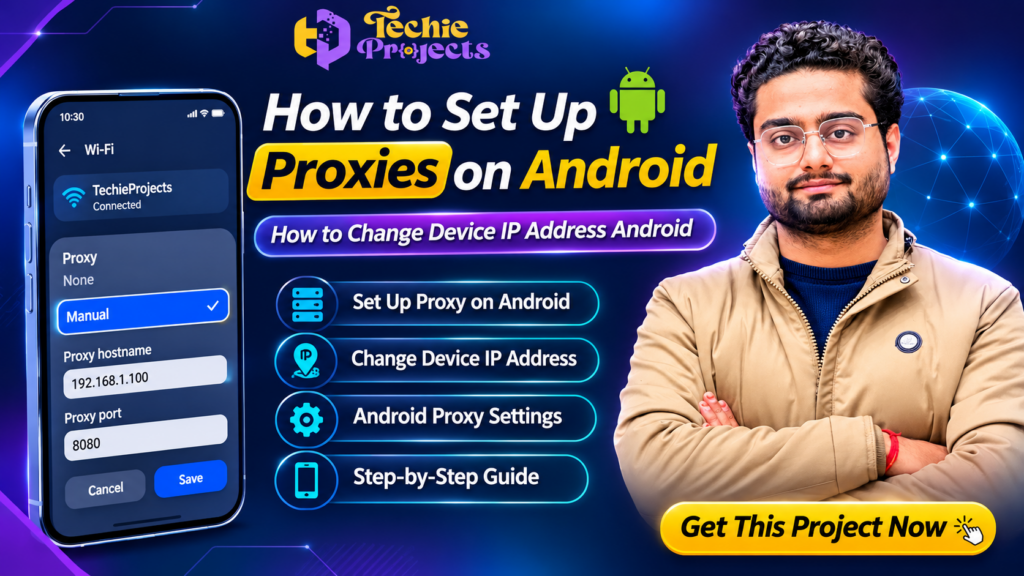
Looking for an Android application project with practical networking functionality, Java development, and real-world implementation? 🚀 Get the How to Set Up Proxies on Android Project from Techie Projects! This project demonstrates how Android proxy settings work and how users can configure a proxy connection to route supported network traffic through a proxy server.
If you are a B.Tech, B.E., BCA, MCA, M.Tech, or final-year engineering student searching for an Android application development project, this project is an excellent opportunity to explore mobile networking, Android development, and IP address configuration.
Instead of spending weeks struggling with development, debugging, and implementation, get professional project assistance from Techie Projects. We provide project solutions, source code options, technical guidance, and demonstration support to help students understand and present their academic projects.
Whether you want to learn how to set up proxies on Android, understand manual proxy configuration, or develop an Android-based networking application, this project provides a practical starting point.
📞 Contact Techie Projects for Project Enquiries
Interested in purchasing the How to Set Up Proxies on Android ? Contact us to enquire about package availability, pricing, source code, documentation, installation guidance, and technical support options.
💬 WhatsApp Enquiry: Chat with Techie Projects
📱 Contact Number: +91 94600 60699
🌐 Official Website: www.techieprojects.com
📸 Instagram: Follow Techie Projects
🎓 Project Areas: Robotics, Machine Learning, Arduino, Deep Learning, Artificial Intelligence, and Android App.
✅ Request Project Details: Share your engineering branch, preferred features, and technical requirements to enquire about the most suitable available package.
🚀 Ready to get started? Click here to enquire on WhatsApp and mention How to Set Up Proxies on Android .
Package contents, prices, hardware availability, and support options should be confirmed before purchase.
🎬 Watch the Android Proxy Setup Project Demo
Explore the project demonstration to understand the Android proxy configuration process, application interface, and practical implementation.
Contact Techie Projects to request the available project demonstration and package details.
📱 What Is an Android Proxy Setup Project?
An Android Proxy Setup Project demonstrates how proxy servers can be configured on Android devices to route supported internet traffic through an intermediary server.
A proxy server acts as an intermediary between a device and the destination server. Instead of connecting directly to a website or online service, supported network requests are forwarded through the configured proxy.
For example, when an Android device connects to a Wi-Fi network with a manually configured proxy, compatible traffic can pass through that proxy server.
The Android proxy configuration process generally involves entering:
- Proxy hostname or IP address.
- Proxy port number.
- Proxy configuration mode.
- Optional authentication credentials, depending on the proxy implementation.
This project focuses on understanding the configuration process and demonstrating how Android networking settings can be used in practical mobile application development.
🎯 Objectives of the Android Proxy Setup Project
The main objective of this project is to understand Android networking functionality and demonstrate the configuration of proxy settings.
Important objectives include:
- Android Networking: Understand how Android devices establish network connections.
- Proxy Configuration: Learn how to configure manual proxy settings.
- IP Address Understanding: Explore the relationship between proxy servers and network addressing.
- Mobile Application Development: Understand Android application development concepts.
- Java Programming: Explore Java-based application development and programming logic.
- Practical Implementation: Demonstrate proxy configuration using an Android device.
- User Interface: Develop an understandable interface for displaying configuration information.
- Technical Learning: Improve knowledge of mobile networking and internet communication.
⚙️ How to Set Up Proxies on Android Phones
Understanding how to set up proxies on Android phones is an important part of this project.
Android provides proxy configuration options for supported Wi-Fi connections. Users can configure a proxy manually by entering the server hostname and port.
Follow these general steps:
Step 1: Open Android Settings
Open the Settings application on your Android smartphone.
Navigate to the Wi-Fi or Network and Internet section, depending on your Android version and device manufacturer.
Step 2: Select Your Wi-Fi Network
Choose the Wi-Fi network to which your Android device is connected.
Open its network details or advanced settings.
Step 3: Find Proxy Settings
Locate the Proxy option in the advanced network configuration section.
Most supported Android devices provide options such as:
- None
- Manual
- Proxy Auto-Config (PAC), where supported
Step 4: Select Manual Configuration
Select the Manual option to enter proxy details.
You may need to provide:
- Proxy hostname.
- Proxy port.
- Optional bypass addresses.
Step 5: Enter Proxy Server Details
Enter the hostname or IP address of a legitimate proxy server and its corresponding port number.
For example, a local demonstration configuration might use:
- Proxy hostname: 192.168.1.100
- Proxy port: 8080
These are example values, not a working public proxy server. Actual settings must come from a properly configured proxy server.
Step 6: Save the Configuration
Save the network configuration and reconnect if necessary.
Test connectivity using a trusted website or network diagnostic tool.
Remember that Android Wi-Fi proxy settings do not necessarily route every application or all mobile data traffic through the proxy. Behavior depends on Android version, network configuration, and application implementation.
🌐 Understanding How Proxy Servers Work
A proxy server acts as an intermediary between a client device and another server.
When a supported application sends a request through a configured proxy, the proxy receives the request and forwards it to the destination.
The response then travels back through the proxy to the client.
The basic communication process is:
- An Android device connects to a network.
- The device uses the configured proxy for supported requests.
- The proxy server receives the request.
- The proxy forwards the request to the destination.
- The destination sends a response.
- The response returns to the Android device through the proxy.
Proxy servers are commonly used for network management, organizational access control, traffic routing, testing, and troubleshooting.
Types of Proxy Servers
1. HTTP Proxy
HTTP proxies are commonly used for forwarding HTTP traffic.
2. HTTPS Proxy
HTTPS proxy connections support secure tunnelling for compatible HTTPS traffic.
3. SOCKS Proxy
SOCKS proxies can support different types of network traffic depending on the client and server configuration.
4. Transparent Proxy
A transparent proxy can handle network traffic without requiring users to manually configure conventional proxy settings on their devices.
5. Residential Proxy
Residential proxies use IP addresses associated with residential internet connections. Their availability, performance, and usage policies depend on the provider.
💡 How Does Changing a Device IP Address Work?
One of the most interesting aspects of learning how to set up proxies on Android is understanding IP addresses.
An IP address is a numerical identifier used to communicate across networks.
When a device connects directly to the internet, destination services generally see the public IP address associated with its internet connection.
When supported traffic passes through a proxy server, the destination service may see the proxy server’s public IP address instead of the original connection’s public IP.
However, a proxy does not automatically change every IP address associated with an Android device.
It is important to understand the difference between:
- Local IP address assigned by a Wi-Fi network.
- Public IP address associated with an internet connection.
- Proxy server IP address.
- IP address observed by a destination service.
This distinction is particularly useful for students studying computer networks, Android development, and internet communication.
🛠️ Technologies Used in the Android Proxy Setup Project
This project introduces students to mobile application development and networking concepts.
The technology stack may include the following components, depending on the selected project implementation.
1. Java Programming Language
Java is widely used for Android application development.
Students can learn programming fundamentals, object-oriented concepts, application logic, and event handling.
2. Android Development
Android development provides the environment for building mobile applications.
Students can explore application structure, layouts, activities, and Android development tools.
3. Android Studio
Android Studio is the official integrated development environment for Android application development.
It provides tools for writing code, building applications, debugging, and testing.
4. Android Networking
Networking concepts help students understand how mobile applications communicate with remote servers.
This includes HTTP communication, connection handling, and proxy-related configuration.
5. XML
XML is commonly used for defining Android application layouts and interface elements in traditional Android development.
📚 Software Requirements
The following are typical development requirements for an Android-based project:
- Programming Language: Java.
- Development Environment: Android Studio.
- Operating System: Windows 10/11 or compatible operating system.
- Android SDK: Compatible SDK version.
- Android Device or Emulator: For application testing.
- Internet Connection: Required for network testing.
Actual requirements depend on the project package and Android version.
💻 Hardware Requirements
Recommended development hardware:
- Processor: Intel Core i3 or equivalent and above.
- RAM: 4 GB minimum; 8 GB or more recommended.
- Storage: Sufficient free space for Android Studio and SDK.
- Display: Standard laptop or desktop display.
- Android Smartphone: Optional for physical-device testing.
An Android emulator can also be used when a physical smartphone is unavailable.
✨ Key Features of the Android Proxy Setup Project
The project can help students understand several practical networking concepts.
1. Proxy Configuration
Demonstrates how proxy hostname and port details are configured.
2. Manual Proxy Settings
Explains manual configuration for supported Wi-Fi connections.
3. Android Networking Concepts
Introduces the relationship between mobile devices, proxy servers, and destination services.
4. IP Address Information
Helps students understand local IP addresses, public IP addresses, and proxy server addresses.
5. User-Friendly Interface
A clear interface can make the configuration process easier to understand and demonstrate.
6. Practical Demonstration
Students can demonstrate proxy configuration using a suitable Android device and a properly configured proxy server.
7. Educational Implementation
Provides an opportunity to understand networking concepts through practical application development.
🎓 Why Choose This Project for Your Final-Year Submission?
Selecting a practical engineering project is an important decision for students.
An Android proxy configuration project combines mobile application development with computer networking concepts.
Here are some reasons to consider this project:
Practical Learning: Students can understand how mobile devices communicate over networks.
Programming Experience: Java and Android development provide opportunities to improve programming knowledge.
Networking Knowledge: Students can explore proxy servers, IP addresses, and network configuration.
Academic Demonstration: The project offers practical concepts that can be explained during project presentations and viva examinations.
Technical Exposure: Students can learn about mobile application architecture and network communication.
Customization Opportunities: Depending on the implementation, additional interface elements, configuration validation, and network diagnostics can be explored.
🚀 Who Can Purchase This Android Project?
Techie Projects provides engineering and academic project solutions for students across different educational backgrounds.
This project may be suitable for:
- B.Tech Computer Science Engineering students.
- B.Tech Information Technology students.
- B.E. Computer Engineering students.
- BCA students.
- MCA students.
- M.Tech students.
- Android application development learners.
- Students interested in computer networking.
Whether you are preparing a mini project, major project, or practical demonstration, contact our team to discuss the appropriate implementation.
💰 Why Purchase Your Android Project from Techie Projects?
Developing a project independently can involve several challenges, including programming errors, environment configuration, debugging, and documentation.
Techie Projects aims to simplify the project development process by offering practical academic project solutions.
Benefits of Choosing Techie Projects
1. Project Development Assistance
Get assistance with understanding and implementing your selected project.
2. Source Code Availability
Discuss the availability of project source code and the supported programming technologies before purchasing.
3. Technical Support
Get assistance with installation, configuration, and understanding the project implementation according to the agreed package.
4. Project Demonstration
Request an available demonstration to understand the project’s working process.
5. Customization
Discuss additional requirements and possible modifications according to your academic guidelines.
6. Multiple Technology Domains
Explore project solutions in Artificial Intelligence, Machine Learning, Python, Java, Android, Web Development, IoT, Data Science, Computer Vision, and other technical domains.
7. Student-Focused Solutions
Our goal is to help students explore practical technologies and understand their academic projects.
📱 Complete Guide: How to Set Up Proxies on Android
Learning how to set up proxies on Android is useful for understanding mobile networking and internet communication. This Android project demonstrates the configuration process and explains how proxy servers work with supported Wi-Fi connections. Students can explore how to set up proxies on Android while learning practical concepts related to IP addresses, network communication, and Android application development.
🌐 Benefits of Learning How to Set Up Proxies on Android
Understanding how to set up proxies on Android helps students develop practical knowledge of mobile networking. A proxy server can act as an intermediary between a device and a destination server, allowing supported network requests to pass through another server.
By studying how to set up proxies on Android, students can understand proxy hostnames, port numbers, manual configurations, and network connectivity. These concepts are useful for computer science and information technology students.
⚙️ Practical Implementation of Android Proxy Configuration
The practical implementation of how to set up proxies on Android involves understanding Wi-Fi settings, proxy configuration options, and server information. Students can explore how Android handles supported proxy connections and how configuration errors affect network connectivity.
This project also explains how to set up proxies on Android using manual configuration options. It introduces the relationship between proxy servers and public IP addresses without assuming that every application uses the configured proxy.
🎓 Why Purchase the Android Proxy Setup Project?
If you want to understand how to set up proxies on Android through a practical academic project, Techie Projects can help you explore the available implementation.
Our project solutions are designed to help students understand programming concepts, application functionality, and technical implementation. You can enquire about the source code, installation guidance, project demonstration, and customization options.
Students searching for how to set up proxies on Android can contact our team to discuss the project package and available technical assistance.
💡 Learn How to Set Up Proxies on Android Through Practical Development
Reading about how to set up proxies on Android is useful, but practical implementation provides a better understanding of the configuration process. Students can explore Android development tools, Java programming, networking concepts, and application interfaces.
The project provides an opportunity to understand how to set up proxies on Android while developing knowledge of mobile networking and proxy server communication.
🚀 Get Your Android Proxy Setup Project from Techie Projects
Looking for a practical project on how to set up proxies on Android? Contact Techie Projects to discuss project availability, pricing, source code, and technical support.
Our team can help you select an appropriate Android application project according to your academic requirements. Learn how to set up proxies on Android with practical project assistance and improve your understanding of mobile application development.
📦 What Should You Confirm Before Purchasing?
Before placing an order, contact our team to confirm the exact deliverables.
Depending on the selected package, discuss the availability of:
- Complete project source code.
- Android application files.
- Installation instructions.
- Software requirements.
- Project documentation.
- Project demonstration.
- Technical implementation details.
- Customization options.
- Installation and troubleshooting assistance.
The exact deliverables, pricing, and support terms will be confirmed before purchase.
🔮 Future Scope of the Android Proxy Setup Project
The project can be extended with additional networking and application development features.
Some possible improvements include:
1. Proxy Connection Testing
Develop a feature that checks whether the configured proxy server is reachable.
2. Connection Status Monitoring
Display connection status and relevant network information.
3. Proxy Configuration Validation
Validate hostname and port inputs before attempting a connection.
4. Network Diagnostics
Include basic diagnostic information to help users understand connection problems.
5. Multiple Configuration Profiles
Allow users to manage different proxy configurations for supported network environments.
6. Improved User Interface
Create a modern Android interface with clear configuration instructions and error messages.
7. Secure Configuration Management
Explore appropriate ways to handle authentication credentials and sensitive configuration information.
These improvements provide opportunities for further learning and development.
❓ Frequently Asked Questions (FAQs)
1. What is an Android Proxy Setup Project?
It is an Android-based project that demonstrates proxy server configuration and related mobile networking concepts.
2. Can I learn how to set up proxies on Android phones through this project?
Yes. The project introduces manual proxy configuration and explains the relevant Android networking settings.
3. Which programming language is used?
Java is listed as the development language for the project. Confirm the exact implementation before purchasing.
4. Is this project suitable for final-year engineering students?
It may be suitable for students interested in Android development, computer networking, and mobile application projects. Confirm your department’s project requirements before selecting it.
5. Can I get the complete source code?
Contact Techie Projects to confirm source code availability and the deliverables included in the selected package.
6. Can I customize the project?
Customization options can be discussed according to your requirements and the technical feasibility of the requested changes.
7. Does configuring a proxy change the Android device’s IP address?
A proxy can change the public IP address observed by destination services for supported traffic. It does not necessarily change the device’s local IP address or route all application traffic.
8. How can I purchase this project?
Contact Techie Projects through WhatsApp at +91 94600 60699 to discuss pricing, availability, project demonstrations, and delivery details.
💡 Recommended Projects
Looking for more interesting Android and networking projects? Explore these related project ideas:
- Android Application Development Project.
- Android Network Monitoring Application.
- Wi-Fi Network Analyzer Using Android.
- Android VPN Management Application.
- Network Traffic Monitoring System.
- Secure File Sharing Android Application.
- Android-Based Remote Device Management System.
- Network Intrusion Detection System.
- Mobile Application for IP Address Information.
- Android-Based Security Monitoring Application.
These projects can help students explore mobile development, networking, and cybersecurity concepts.
🐍 Explore Related Python Projects
Interested in learning Python alongside Android development? Explore additional project domains and practical implementations.
- Python Machine Learning Projects.
- Artificial Intelligence Projects.
- Data Science Projects.
- Computer Vision Projects.
- Natural Language Processing Projects.
- Deep Learning Projects.
- Python Web Development Projects.
Visit www.techieprojects.com to explore more engineering projects, source code solutions, and technical resources.
📞 Get This Android Proxy Setup Project Now!
🎯 Ready to purchase your Android project? Get in touch with Techie Projects today!
If you are searching for an Android application development project involving proxy configuration, networking concepts, and Java programming, our team can help you explore the available project package.
Don’t waste valuable time searching for project solutions without understanding their implementation and deliverables. Contact our team, discuss your requirements, and select the project package that matches your academic needs.
Why wait? Start your project journey with Techie Projects!
📞 Contact / WhatsApp: +91 94600 60699
🌐 Website: www.techieprojects.com
📸 Instagram: @pythonprojects_
🎓 Techie Projects – Your Partner for Engineering Projects, Source Code Solutions, and Technical Learning.