
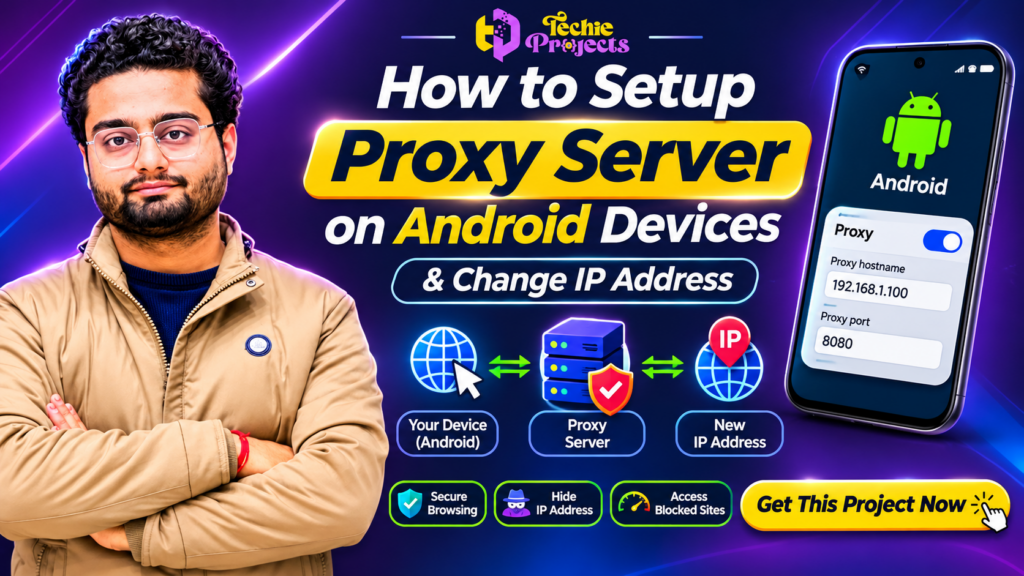
🚀 Looking to purchase an Android Proxy Server Project with practical implementation and technical guidance? Techie Projects brings you an opportunity to explore the How to Setup Proxy Server on Android Devices project, designed for students interested in Android development, computer networking, IP address configuration, and mobile security.
The How to Setup Proxy Server on Android Devices project explains how Android smartphones communicate through proxy servers and how users can configure proxy settings for supported Wi-Fi connections. Whether you are a B.Tech, BCA, MCA, or Computer Science student, this project can help you understand practical networking concepts.
Get your project from Techie Projects and enquire about the available source code, project demonstration, implementation details, and technical assistance.
📞 Contact Techie Projects for Project Enquiries
Interested in purchasing the How to Setup Proxy Server on Android Devices? Contact us to enquire about package availability, pricing, source code, documentation, installation guidance, and technical support options.
💬 WhatsApp Enquiry: Chat with Techie Projects
📱 Contact Number: +91 94600 60699
🌐 Official Website: www.techieprojects.com
📸 Instagram: Follow Techie Projects
🎓 Project Areas: Robotics, Machine Learning, Arduino, Deep Learning, Artificial Intelligence, and Android App.
✅ Request Project Details: Share your engineering branch, preferred features, and technical requirements to enquire about the most suitable available package.
🚀 Ready to get started? Click here to enquire on WhatsApp and mention How to Setup Proxy Server on Android Devices.
Package contents, prices, hardware availability, and support options should be confirmed before purchase.
🎬 Watch the How to Setup Proxy Server on Android Devices Project Demo
Watch the demonstration to understand Android proxy configuration, networking concepts, and the project workflow.
📱 Introduction to Proxy Server on Android Devices
A proxy server acts as an intermediary between a user’s device and the internet. Instead of connecting directly to a destination server, a device sends its request through a proxy server, which forwards the request according to its configuration and supported functionality.
Setting up a Proxy Server on Android devices is a useful way to understand how network communication works. Android provides proxy configuration options for supported Wi-Fi connections, allowing users to enter a proxy hostname and port.
A properly configured proxy can help organizations manage network traffic, apply access policies, and route supported web requests through a designated server.
For engineering students, this topic provides practical exposure to:
- Android application development.
- Computer networking.
- Proxy server configuration.
- IP address fundamentals.
- HTTP and HTTPS communication.
- Network security concepts.
- Mobile application testing.
The project is particularly useful for students interested in Android development, cybersecurity fundamentals, networking, and software engineering.
🎯 What Is a Proxy Server?
A proxy server is an intermediate server that receives requests from a client device and forwards them to another server.
For example, when an Android device uses a configured Wi-Fi proxy, supported application traffic may pass through the proxy rather than connecting directly to the destination.
The basic communication process is:
- A user connects an Android device to a Wi-Fi network.
- The user configures the proxy hostname and port.
- A supported application sends a network request.
- The proxy server receives the request.
- The proxy forwards the request to the destination server.
- The response returns through the proxy to the application.
This process demonstrates how proxy servers participate in network communication.
🔍 Why Are Proxy Servers Used?
Proxy servers are commonly used for:
- Network traffic management.
- Organizational internet access policies.
- Web filtering.
- Monitoring network requests.
- Routing supported application traffic.
- Testing network applications.
- Learning networking and security concepts.
A proxy does not automatically encrypt all traffic or guarantee complete anonymity. Its capabilities depend on the proxy type, configuration, and applications using it.
📲 How to Setup Proxy Server on Android Devices
Understanding how to setup proxy server on Android devices is useful for students learning mobile networking. Android provides built-in Wi-Fi proxy configuration options that allow users to enter a proxy hostname and port.
To learn how to setup proxy server on Android devices, first connect your smartphone to a Wi-Fi network. Open the network settings, select the connected Wi-Fi connection, and locate the advanced proxy configuration option. Choose Manual and enter the proxy server details provided by your administrator.
After saving the configuration, test the connection using an application that supports the configured proxy. This practical process helps students understand how proxy servers manage network requests.
Android provides built-in proxy settings for supported Wi-Fi networks. Users can configure a manual proxy by entering the required hostname and port.
Follow these steps to understand the configuration process.
Step 1: Open Android Settings
Unlock your Android smartphone and open the Settings application.
Navigate to the Wi-Fi or Network & Internet section. The exact menu names may differ depending on the Android version and smartphone manufacturer.
Step 2: Connect to a Wi-Fi Network
Select the Wi-Fi network you want to configure.
Connect to the network using the correct password if required.
Step 3: Open Network Configuration
Tap the connected Wi-Fi network or its settings icon.
Look for an option such as Edit Network, Modify Network, or Advanced Settings.
Step 4: Find the Proxy Option
Open the advanced network configuration options.
Locate the Proxy setting.
Depending on your Android version, you may see options such as:
- None
- Manual
- Automatic proxy configuration
Select Manual when you have a proxy hostname and port supplied by your network administrator or proxy provider.
Step 5: Enter Proxy Hostname
Enter the proxy server hostname or IP address in the designated field.
For example, a private local network might use an address such as:
192.168.1.100
This is only an illustrative address, not a publicly available proxy server.
Step 6: Enter Proxy Port
Enter the port number provided by your proxy administrator.
For example:
8080
The correct port depends on the proxy server configuration.
Step 7: Save the Configuration
Save the Wi-Fi network settings.
Reconnect to the network if necessary and test whether supported applications can access the internet.
If the connection does not work, verify the hostname, port, proxy authentication requirements, and server availability.
🌐 How to Change IP Address on Android Phone Using a Proxy
Many users search for ways to change their IP address on Android devices.
A proxy server can change the public IP address observed by a destination website for requests that actually pass through that proxy.
However, it is important to understand the difference between a device’s local IP address and its public IP address.
Local IP Address
A local IP address identifies a device within a local network.
For example:
192.168.1.100
It is commonly assigned by the Wi-Fi router through DHCP.
Public IP Address
A public IP address identifies the internet-facing connection used to communicate with external services.
Websites generally observe the public IP address of the connection reaching them.
Does a Proxy Change Your IP Address?
A correctly configured proxy can make supported requests appear to originate from the proxy server’s public IP address.
However, this does not mean that every application on the Android device will automatically use the proxy.
Some applications may ignore system proxy settings, and other network traffic may follow different routes.
A proxy also does not automatically hide all identifying information or provide complete online privacy.
⚙️ Main Features of the Android Proxy Server Project
The project demonstrates important networking concepts and provides an opportunity to explore Android device connectivity.
1. Android Network Configuration
Understand how Android devices connect to Wi-Fi networks and how proxy settings are configured.
2. Manual Proxy Configuration
Learn how to configure a proxy hostname and port for a supported network connection.
3. IP Address Concepts
Understand the differences between private IP addresses, public IP addresses, and proxy server addresses.
4. Network Request Handling
Explore how client requests travel through an intermediary proxy server.
5. HTTP and HTTPS Communication
Understand how HTTP proxy requests work and how HTTPS connections can be established through compatible proxies using tunnelling.
6. Network Troubleshooting
Learn to identify common connectivity problems caused by incorrect proxy settings, unavailable servers, or authentication issues.
7. Practical Android Networking
Explore how mobile devices communicate with servers over wireless networks.
🏗️ Working Process of the Proxy Server
The working process can be explained through a simple networking architecture.
Step 1: Android Device
The Android smartphone acts as the client device.
Step 2: Wi-Fi Network
The device connects to a wireless network.
Step 3: Proxy Configuration
The user configures the proxy hostname and port.
Step 4: Proxy Server
Supported requests are forwarded through the configured proxy server.
Step 5: Destination Website
The proxy communicates with the requested destination.
Step 6: Response
The response is returned to the client through the communication path.
This architecture helps students understand the relationship between mobile devices, network infrastructure, and internet servers.
💻 Technologies Used in Android Proxy Server Development
The project provides an opportunity to understand different technologies used in Android application development and networking.
Programming Languages
- Java
- Kotlin (depending on implementation)
Android Development
- Android Studio
- Android SDK
- Android application components
- Android networking APIs
Networking Concepts
- TCP/IP
- HTTP
- HTTPS
- DNS
- IP addressing
- Proxy configuration
- Client-server communication
Development Environment
- Windows 10/11
- Android Studio
- Android smartphone or emulator
- Internet connection
- Compatible proxy server for testing
The exact technologies and implementation requirements depend on the selected project version.
🎓 Why Is This Project Useful for Engineering Students?
An Android proxy server project can be a valuable learning opportunity for students pursuing computer science and information technology.
1. Practical Learning
Students can understand how networking concepts are applied in real Android environments.
2. Android Development Experience
The topic introduces mobile application configuration and Android networking.
3. Understanding Internet Communication
Students learn how client devices communicate with external servers.
4. Academic Project Preparation
The topic can be explored as a mini project, practical assignment, or final-year project concept, depending on its implementation scope and institutional requirements.
5. Technical Knowledge
Students gain exposure to proxy servers, IP addressing, network requests, and connectivity troubleshooting.
6. Project Demonstration
The working process can be demonstrated using a compatible Android device and proxy server configuration.
🛠️ Software and Hardware Requirements
The following are general requirements for exploring this topic.
Software Requirements
- Operating System: Windows 10/11
- Android Development Tool: Android Studio
- Programming Language: Java or Kotlin, depending on implementation
- Android SDK
- Compatible Android device or emulator
- Proxy server for testing
- Internet connection
Hardware Requirements
- Processor: Intel Core i3 or above recommended
- RAM: 4 GB minimum; 8 GB or more recommended
- Storage: Sufficient space for Android Studio and SDK
- Smartphone: Android device with Wi-Fi connectivity
- Network: Working Wi-Fi connection
Actual requirements may vary depending on the project implementation and development environment.
🔐 Advantages of Using a Proxy Server on Android
Proxy servers provide several useful networking capabilities.
1. Centralized Network Management
Organizations can manage supported web traffic through a central proxy infrastructure.
2. Access Control
Administrators can configure policies for supported network requests.
3. Network Monitoring
A properly configured organizational proxy can help administrators monitor permitted traffic according to applicable policies.
4. Testing and Development
Developers can use proxy tools to inspect and troubleshoot supported HTTP traffic.
5. Learning Networking
Students can understand the practical working of intermediary servers.
6. Flexible Configuration
Android Wi-Fi settings provide manual and automatic proxy configuration options, depending on the device and Android version.
🌐 Benefits of How to Setup Proxy Server on Android Devices
Learning how to setup proxy server on Android devices provides practical knowledge of mobile networking and internet communication.
Some important benefits include:
- Understanding Android Wi-Fi proxy settings.
- Learning IP address configuration.
- Exploring HTTP and HTTPS communication.
- Understanding client-server architecture.
- Learning network troubleshooting.
- Exploring mobile application development.
- Understanding proxy-based network management.
The How to Setup Proxy Server on Android Devices project is particularly useful for students who want to strengthen their networking fundamentals.
🎓 Why Choose the How to Setup Proxy Server on Android Devices Project?
The How to Setup Proxy Server on Android Devices project provides an opportunity to explore real-world networking concepts through Android devices.
Students can understand proxy hostname configuration, port settings, IP addressing, and network request handling. It can also help students prepare technical demonstrations and improve their understanding of Android application development.
If you are searching for an Android networking project with practical learning value, contact Techie Projects to enquire about purchasing this project.
⚠️ Limitations of Proxy Servers
Before using a proxy, students should understand its limitations.
- A system Wi-Fi proxy may not be respected by every Android application.
- Proxy configuration may apply only to the selected Wi-Fi network.
- Incorrect hostname or port settings can prevent internet connectivity.
- Some proxies require authentication.
- An ordinary HTTP proxy does not automatically encrypt all device traffic.
- A proxy is not equivalent to a complete VPN.
- Free or unknown proxy servers may create privacy and security risks.
Always use a trusted proxy server and avoid transmitting sensitive information through unknown services.
🧪 Testing and Implementation
Testing is an important part of understanding an Android proxy configuration project.
Students can perform the following checks:
- Verify that the Android device connects to Wi-Fi.
- Confirm that the proxy hostname is correct.
- Check the configured proxy port.
- Verify that the proxy server is running.
- Test access to a supported website.
- Compare the observed public IP address before and after configuration.
- Check whether individual applications respect the proxy settings.
- Troubleshoot connectivity and authentication issues.
These tests help students understand how proxy configuration affects supported network requests.
💼 Why Purchase Your Android Networking Project from Techie Projects?
Are you looking for a ready-to-explore Android networking project instead of starting your development journey from scratch?
Techie Projects helps engineering students explore practical software development projects across Android development, Python, Artificial Intelligence, Machine Learning, Data Science, Computer Vision, IoT, and Web Development.
Our goal is to make technical project learning more accessible to students.
When you enquire about purchasing this Android proxy server project, our team can explain the available implementation, project package, technical requirements, and support options.
⭐ Benefits of Choosing Techie Projects
- Practical engineering project solutions.
- Multiple technology domains.
- Project demonstrations.
- Technical guidance based on project availability.
- Assistance with setup and implementation.
- Project enquiries through WhatsApp.
- Solutions for B.Tech, BCA, MCA, and other technical students.
Whether you are preparing a college project or exploring Android networking, our team can help you identify a suitable project package.
🛒 Purchase How to Setup Proxy Server on Android Devices Project
Want to get started without developing everything from scratch?
Techie Projects provides engineering project solutions for students across multiple technical domains.
You can enquire about purchasing the How to Setup Proxy Server on Android Devices project and get information about:
- Project source code availability.
- Project demonstration.
- Software and hardware requirements.
- Installation and setup guidance.
- Implementation details.
- Pricing and technical support.
🎯 Ready to get started with your Android networking project?
Don’t waste unnecessary time searching through incomplete tutorials and disconnected code examples.
Contact Techie Projects to enquire about purchasing the Android Proxy Server Project and get information about the available project package.
📲 Contact / WhatsApp: +91 94600 60699
🌐 Website: www.techieprojects.com
📸 Instagram: @pythonprojects_
Our team can help you with project availability, pricing, technical specifications, and implementation-related enquiries.
💡 Recommended Projects from Techie Projects
Looking for more interesting engineering projects? Explore these related project ideas:
- Android Application Development Projects
- VPN and Network Security Projects
- Network Intrusion Detection System
- Face Recognition Attendance System
- Online Voting System Using Python Django
- Vehicle Detection and Counting Using YOLO
- Fake News Detection Using Machine Learning
- AI-Based Exam Proctoring System
- Real-Time Object Detection Using Deep Learning
- DDoS Attack Detection Using Machine Learning
🔗 Explore Related Python Projects
Students interested in programming and software development can also explore:
- Python Projects for Beginners
- Machine Learning Projects
- Deep Learning Projects
- Artificial Intelligence Projects
- Data Science Projects
- Computer Vision Projects
- Android Application Development Projects
Visit www.techieprojects.com to explore more engineering project ideas and available project solutions.
❓ Frequently Asked Questions (FAQs)
1. What is a proxy server on Android?
A proxy server on Android acts as an intermediary between supported applications and destination servers. It forwards network requests according to its configuration.
2. How can I setup a proxy server on Android devices?
Open Android Wi-Fi settings, select your connected network, open its advanced configuration, choose Manual Proxy, and enter the hostname and port supplied by your proxy administrator.
3. Can I change my IP address using a proxy server?
A proxy can change the public IP address observed by destination websites for requests routed through it. It does not necessarily change every application’s network connection.
4. Is a proxy server the same as a VPN?
No. A proxy generally handles traffic configured to use it, whereas a VPN establishes a device-level or application-level network tunnel depending on its configuration.
5. Which programming language is used for Android proxy projects?
Java and Kotlin are commonly used for Android application development. The exact programming language depends on the implementation.
6. Is this project suitable for B.Tech students?
Yes. Android networking and proxy configuration can be explored as a B.Tech computer science project, depending on the scope and requirements of the institution.
7. Can I purchase this project from Techie Projects?
Yes. Contact Techie Projects to enquire about the available Android proxy server project package, pricing, and implementation details.
8. Do I need Android Studio for development?
Android Studio is a commonly used development environment for building Android applications. Its requirements depend on the project implementation.
9. Does an Android proxy guarantee complete privacy?
No. A proxy does not guarantee complete anonymity or encrypt all device traffic. Privacy depends on the proxy provider, connection type, and application behavior.
10. How can I contact Techie Projects?
You can contact us through WhatsApp at +91 94600 60699 or visit www.techieprojects.com.
🚀 Conclusion: How to Setup Proxy Server on Android Devices
The How to Setup Proxy Server on Android Devices project is a useful learning opportunity for students interested in Android development, computer networking, and mobile internet communication.
By exploring how to setup proxy server on Android devices, students can understand Wi-Fi proxy configuration, IP addresses, network requests, and proxy server functionality.
If you want to purchase this project, contact Techie Projects today for pricing, project availability, source code details, and technical guidance.
🎓 Take the next step in your engineering project journey with Techie Projects!
📞 Contact / WhatsApp: +91 94600 60699