
Introduction
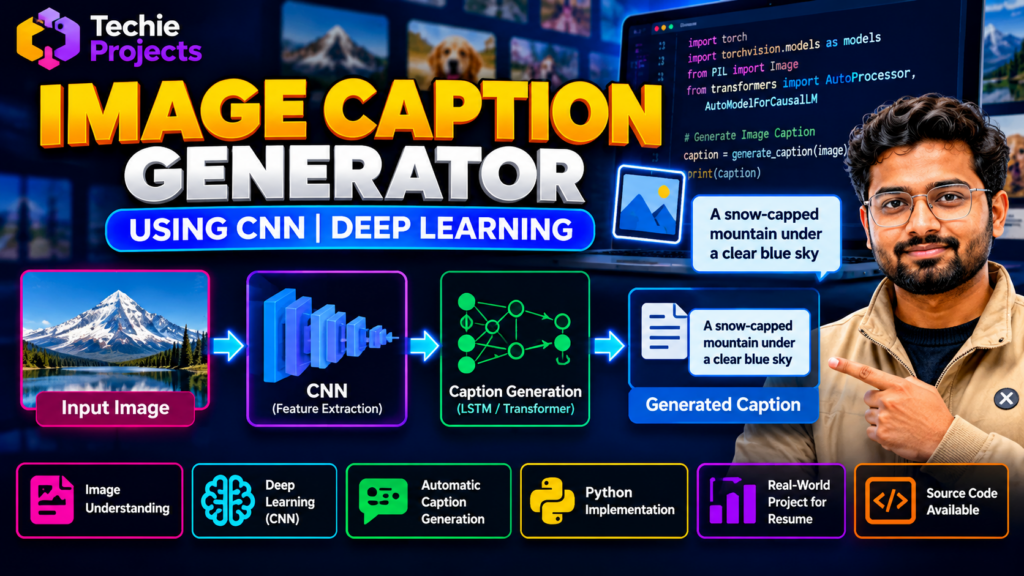
An image caption generator using CNN is a deep learning project that combines computer vision and natural language generation to produce meaningful text descriptions of images. Developed using Python and deep learning techniques, this project demonstrates how an AI application can analyze visual content and generate captions that describe objects, scenes, and activities.
This project is suitable for final-year engineering students interested in artificial intelligence, computer vision, deep learning, and natural language processing. It introduces important concepts such as image feature extraction, neural networks, text generation, model inference, and prediction output.
If you are looking for an image caption generator project with Python source code, Techie Projects can help you explore the available implementation, project features, and customization options for your academic requirements.
🎬 Image Caption Generator Using CNN – Project Demo Video
Watch the project demonstration to understand how an image is provided as input, how the deep learning model processes its visual features, and how the application generates a descriptive caption.
The demonstration offers a practical overview of the project interface and its image-to-text workflow. It can help students understand how computer vision and language generation can work together in an AI application.
🎯 Project Overview
The main objective of the image caption generator project is to demonstrate how deep learning can connect image understanding with automatic text generation.
In a typical implementation, a vision model extracts meaningful features from an image. A caption-generation model then uses those features to generate a sequence of words describing the image.
The image caption generator using CNN project demonstrates how deep learning models can extract visual features and convert image content into meaningful text descriptions.
Project details:
- Project Name: Image Caption Generator Using CNN
- Programming Language: Python
- Domain: Deep Learning, Computer Vision, and Natural Language Processing
- Project Type: Final-Year Engineering and Academic Project
- Input: An image file supported by the application
- Output: A generated text caption
- Technologies: Python and compatible deep learning libraries
The exact model architecture, supported image formats, and application features depend on the supplied implementation.
🧠 Key Features of the Image Caption Generator Project
1. Image Upload and Input Processing
The application accepts an image as input and prepares it for processing by the selected vision model.
2. CNN-Based Feature Extraction
A Convolutional Neural Network (CNN) can extract visual features such as shapes, objects, textures, and scene information from an image.
3. Automatic Caption Generation
The extracted image features are passed to a caption-generation component that produces a text description.
4. Image-to-Text Workflow
The project demonstrates how visual information can be transformed into natural-language output through connected deep learning components.
5. Python Implementation
Python provides an environment for integrating image processing, pretrained models, deep learning frameworks, and the application interface.
6. Practical AI Demonstration
Students can explore how image understanding and language generation are combined in a single application.
⚙️ How Does an Image Caption Generator Using CNN Work?
A typical image caption generator follows these steps:
- Image input: The user selects an image for caption generation.
- Image preprocessing: The image is resized, normalized, and prepared for the selected model.
- Feature extraction: A CNN or another vision encoder extracts a representation of the image.
- Feature processing: The extracted representation is passed to the caption-generation model.
- Text generation: A language model generates a sequence of words based on the visual representation.
- Caption postprocessing: The generated text is formatted for display.
- Result display: The application presents the generated caption to the user.
The quality of the caption depends on the training data, model architecture, image content, and decoding method.
💻 Algorithms and Technologies Used
Convolutional Neural Network (CNN)
CNNs are widely used in computer vision to extract meaningful representations from images. In an image captioning system, a CNN may act as the visual feature extractor.
LSTM-Based Caption Generation
Long Short-Term Memory (LSTM) networks can generate captions sequentially by predicting words based on previously generated words and image features.
Transformer-Based Models
Transformer architectures can also be used for image captioning. Depending on the implementation, they may combine a vision encoder with a language decoder or use a pretrained vision-language model.
Python Libraries
Possible technologies include:
- Python: Main programming language.
- TensorFlow or PyTorch: Deep learning frameworks.
- OpenCV or Pillow: Image loading and preprocessing.
- NumPy: Numerical operations.
- Pandas: Dataset preparation where required.
- Matplotlib: Optional visualization.
These are possible technologies for this project type. The actual libraries and algorithms included should match the supplied source code.
🖥️ Software and Hardware Requirements
Software Requirements
- Python
- VS Code, PyCharm, or another compatible Python IDE
- Required deep learning and image processing libraries
- Compatible pretrained weights or a trained caption-generation model
- A supported operating system
Hardware Requirements
- A desktop computer or laptop
- Sufficient RAM and storage for the model and dependencies
- A GPU may improve performance when training or running larger models, although some implementations can run on a CPU
Exact requirements depend on the model architecture, framework, and project package.
🎓 Applications of Image Caption Generation
Image captioning can be explored in several areas:
- Image description and content organization
- Photo library search and indexing
- Educational computer vision applications
- Assistive technology research
- Automated media description
- AI-based image understanding
- Computer vision and NLP experimentation
Real-world applications require appropriate testing, accessibility evaluation, and review of generated descriptions.
✅ Advantages of the Project
Students exploring an image caption generator using CNN can learn about image preprocessing, feature extraction, caption generation, and Python-based AI development.
- Combines computer vision with natural language generation.
- Provides practical exposure to deep learning concepts.
- Demonstrates how image features can support text generation.
- Helps students explore CNNs and language models.
- Can be extended using pretrained models and larger datasets.
- Provides an applied project for learning Python-based AI development.
🚀 Future Scope
The project can be extended in several ways, depending on the implementation:
- Support additional image formats.
- Compare CNN-LSTM and transformer-based approaches.
- Improve caption quality through model tuning.
- Add a web interface for image uploads.
- Support batch processing of multiple images.
- Evaluate captions using suitable metrics and human review.
- Explore multilingual caption generation.
Future improvements should be measured through testing rather than assuming that a different model will always produce better captions.
🛒 Purchase Image Caption Generator Project with Python Source Code
Are you searching for an image caption generator using CNN project for your final-year engineering submission or AI portfolio?
Techie Projects helps students explore practical Python, machine learning, and deep learning project options. Contact us to enquire about this project’s availability, source code, implementation details, and customization options.
What can you enquire about?
- Python source code availability
- Project workflow and implementation details
- Required libraries and setup instructions
- Model architecture and supported features
- Customization based on academic requirements
- Available documentation and demonstration support
- Current pricing and package deliverables
Before purchasing, confirm the exact features, source code contents, documentation, support, and delivery terms with our team.
Contact Techie Projects:
- 📲 Call/WhatsApp: +91-9460060699
- 🌎 Website: www.techieprojects.com
- 📺 Instagram: @pythonprojects_
Have a specific requirement? Send us a WhatsApp message to discuss the project package and available customization options.
❓ Frequently Asked Questions
1. What is an image caption generator using CNN?
It is a deep learning application that uses image features extracted by a CNN or another vision encoder to help generate a natural-language description of an image.
2. Which programming language is used in this project?
Python is commonly used because it supports deep learning frameworks, image processing libraries, and text-generation models.
3. Is this project suitable for final-year engineering students?
It can be suitable for students studying computer science, artificial intelligence, data science, and related engineering disciplines, subject to their academic requirements.
4. What is the role of CNN in image caption generation?
A CNN can extract visual features from an image. A separate caption-generation component uses those features to produce descriptive text.
5. Can I purchase the project source code?
Contact Techie Projects to confirm source code availability, pricing, included files, and any implementation support before ordering.
6. Can I customize the image caption generator?
Customization may be possible depending on the existing implementation. Contact Techie Projects to discuss additional features, interface changes, or model requirements.
7. Does the system always generate accurate captions?
No. Generated captions can omit details or incorrectly describe an image. Output quality depends on the model, training data, and image content, so results should be reviewed where accuracy matters.
🎓 Explore Related Projects
Explore these related project ideas in artificial intelligence, computer vision, and deep learning:
- Image and Video Caption Generator Using Deep Learning
- Object Detection Using YOLO and Python
- Face Recognition System Using Python
- Text Summarization Using Natural Language Processing
- Image Recognition Using Convolutional Neural Networks
Discover more ideas through our Deep Learning Projects, Machine Learning Projects, and OpenCV Projects collections.
Conclusion
An image caption generator using CNN is a practical educational project that demonstrates how computer vision and natural language generation can work together to describe visual content. It introduces students to image preprocessing, feature extraction, deep learning architectures, and text generation through a Python-based workflow.
If you are looking for a deep learning project for your final-year engineering work, contact Techie Projects to enquire about source code availability, implementation details, and customization options.
Enquire about the Image Caption Generator Project on WhatsApp