
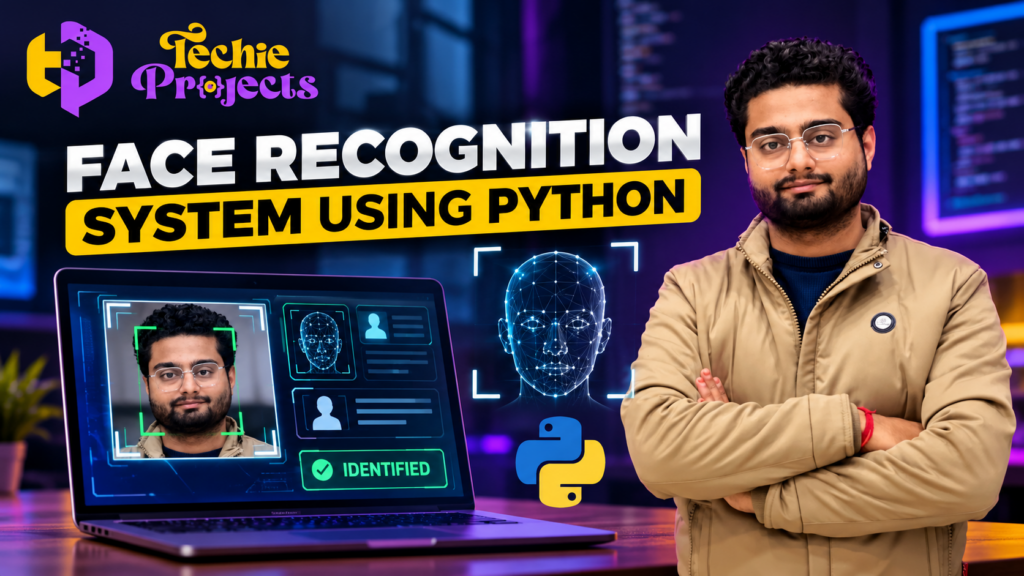
Are you looking for a practical Face Recognition System Using Python for your final-year engineering project, computer science submission, or machine learning demonstration? 🎓 Instead of spending weeks building every component from scratch, explore this project from Techie Projects to understand how real-time face detection and recognition can be implemented using Python and computer vision.
Whether you are a B.Tech CSE student, an IT student, or a beginner exploring artificial intelligence, this project can help you learn about image processing, face detection, and automated identification. It is a useful choice for students who want to demonstrate a practical application of Python programming.
🚀 Get started with your face recognition project today! Visit Techie Projects to explore project details and contact us to confirm the available source code, documentation, installation instructions, demonstration, and support options before ordering.
🎬 Project Demo
Watch the project demonstration to understand the interface and see how a Python-based face recognition application can work. The demonstration can help you evaluate whether the project matches your academic requirements and interests.
🔍 What Is a Face Recognition System Using Python?
A Face Recognition System Using Python is a computer vision application that analyzes facial images to identify or compare individuals, depending on how the system is designed. It uses image-processing techniques and face-recognition methods to process input from a webcam or image file.
The project typically follows a sequence of steps: capture an image, detect a face, extract useful facial features, and compare those features with previously registered data. If the implementation includes a recognition database, the application may display a matching identity when the comparison meets its configured criteria.
Python is widely used for this type of project because it supports libraries for computer vision, numerical processing, and application development. Libraries such as OpenCV can help developers capture webcam frames, process images, and perform face detection.
The exact recognition algorithm, database structure, interface, and features depend on the implementation selected for the project.
🎯 Objectives of the Face Recognition Project
The primary objective is to demonstrate how computer vision can be applied to facial identification in a practical software application.
Key learning objectives include:
- 📷 Capturing images or video frames using a webcam.
- 🧠 Understanding face detection and recognition concepts.
- 🐍 Applying Python programming to a real-world problem.
- 🖼️ Processing images using computer vision techniques.
- 💻 Developing or using an interface for displaying results.
- 🗂️ Understanding how registered facial data may be stored and compared.
- 📊 Testing the application under different lighting and image conditions.
These objectives make the Face Recognition System Using Python suitable for students who want to connect programming concepts with an applied computer science project.
⚙️ How Does the System Work?
The working process depends on the algorithms and components used in the implementation. A typical face recognition application may follow the workflow below.
1. 📷 Image or Video Capture
The application receives an image from a webcam, uploaded photograph, or stored dataset. For real-time applications, video frames are captured continuously.
2. 🔎 Face Detection
The system analyzes the input to locate a face. Face detection identifies the region containing a face; it does not, by itself, establish a person’s identity.
3. 🧩 Facial Feature Processing
The detected facial region is processed to generate information that can be used for recognition. The approach may involve facial landmarks, feature descriptors, or numerical representations produced by a recognition model.
4. 🗃️ Comparison With Registered Data
If the project supports identification, the extracted representation is compared with stored reference data. The system may return a matching record or report that no suitable match was found.
5. ✅ Displaying the Result
The application displays the result through its interface. Depending on the implementation, this might include a face-detection box, a recognized label, or a status message.
6. 🧪 Testing and Evaluation
The project should be tested using suitable sample images and different environmental conditions. Results may vary with lighting, camera quality, face angle, image resolution, and the recognition method.
🛠️ Technologies Used
The technologies used depend on the version of the project you choose. A Python-based implementation may use the following tools.
- Python: The main programming language.
- OpenCV: Image processing, video capture, and computer vision operations.
- NumPy: Numerical operations and array processing.
- Face recognition or machine learning libraries: Optional components for extracting and comparing facial representations.
- Webcam: A camera input device for real-time demonstrations.
- Database or local storage: Optional storage for registered users and related records.
- GUI framework: An optional interface for user interaction and displaying results.
Before purchasing, confirm the exact libraries, versions, operating system requirements, and hardware specifications for the available project package.
✨ Key Features of a Face Recognition System Using Python
A well-structured educational implementation may include several useful features.
📹 Real-Time Face Detection
The system can process webcam frames and display detected faces, depending on the implementation and hardware configuration.
👤 Face Recognition
A recognition component can compare detected facial information against registered records when that functionality is included.
🖥️ User-Friendly Interface
A graphical interface can make the project easier to demonstrate by presenting camera input, detection results, and status messages in one place.
🗂️ Face Registration
Some implementations support registering reference images or user records for later comparison. Confirm whether this feature is included in the package you intend to purchase.
📊 Visual Results
Face boxes, labels, and status indicators can make the project’s operation easier to understand during a demonstration or presentation.
🔧 Scope for Customization
Students can investigate improvements such as a more organized interface, additional registration features, better error handling, or improved evaluation procedures, depending on their academic requirements.
Note: These are common features of this project category, not a guarantee that every feature is included in the package offered by Techie Projects. Please verify the deliverables before ordering.
🎓 Why Choose This Project for Your Final Year?
A Face Recognition System Using Python can be a useful academic project because it combines several concepts in one application.
Practical programming experience: Students can explore how Python code connects image input, processing, and output.
Computer vision fundamentals: The project introduces image frames, face detection, feature processing, and recognition concepts.
Demonstration value: A working visual application can help explain the project workflow during a college presentation or viva.
Learning opportunities: Students can study the code, document the implementation, test different inputs, and propose improvements.
Customization potential: Depending on the project architecture, students may be able to explore attendance management, access-control demonstrations, or other controlled academic use cases.
A project should be selected according to your syllabus, available time, faculty requirements, and ability to explain its implementation. Do not select a project only because its title sounds advanced.
🏫 Applications of Face Recognition Technology
Face recognition is studied in several technology and research areas. Potential application areas include:
- Attendance prototypes: Exploring how face recognition might support an attendance workflow in a controlled environment.
- Access-control demonstrations: Demonstrating identity verification in a test setup.
- Personal photo organization: Grouping or searching photographs using facial similarity, where appropriate.
- Human-computer interaction: Investigating camera-based interaction systems.
- Computer vision education: Learning about detection, recognition, image processing, and model evaluation.
- Research prototypes: Evaluating recognition performance across different datasets and conditions.
Real-world deployment requires careful attention to privacy, consent, security, fairness, and applicable laws. An academic prototype should not be treated as a reliable security system without suitable evaluation and safeguards.
📋 Project Modules
Depending on the implementation, the project may be organized into modules such as these.
| Module | Purpose |
|---|---|
| Image or video input | Receives webcam frames or images |
| Face detection | Locates faces in the input |
| Feature processing | Extracts information for recognition |
| Recognition and comparison | Compares facial representations when supported |
| Data management | Handles reference images or user records, if included |
| Results interface | Displays detections and recognition outcomes |
| Testing and evaluation | Checks behavior using suitable sample inputs |
The actual modules may differ. Ask for the confirmed module list before purchasing so you can match the project with your college’s expectations.
💻 Hardware and Software Requirements
The following are common requirements for a basic Python computer vision project. The actual requirements depend on the implementation.
Software Requirements
- Python
- Compatible versions of the required Python libraries
- OpenCV, if used by the project
- A suitable code editor or IDE
- A supported operating system such as Windows or Linux
Hardware Requirements
- Laptop or desktop computer
- Webcam for real-time input, if required
- Adequate RAM and storage for the selected libraries and datasets
- Internet access for initial installation, if dependencies need to be downloaded
Check the supplied installation instructions before setting up the environment. Library compatibility can affect whether a project runs successfully on your computer.
🛒 Purchase the Face Recognition System Using Python From Techie Projects
Need a project reference for your engineering submission? Techie Projects helps students explore programming and engineering project ideas through its online project catalog.
Before ordering the Face Recognition System Using Python, discuss your requirements with us so you can make an informed decision.
What Should You Confirm Before Buying?
Ask our team to clarify:
- Whether Python source code is included.
- Whether the package includes a working implementation of face recognition or only face detection.
- Whether installation instructions and a project report are available.
- Which Python and library versions are supported.
- Whether a demonstration video is available.
- Whether customization or technical assistance is available and what it costs.
- The total price, delivery method, and expected delivery time.
These details help avoid misunderstandings and ensure the selected package fits your project requirements.
📲 Contact Techie Projects
Ready to discuss your requirements? Contact us before placing an order.
- 📲 Call/WhatsApp: +91-9460060699
- 🌎 Website: www.techieprojects.com
- 📺 Instagram: @pythonprojects_
Send your course, project title, deadline, preferred technologies, and college requirements through WhatsApp. Our team can clarify the available project package and help you determine whether it is suitable.
Take the next step: Contact Techie Projects today to check availability, pricing, deliverables, and customization options for the Face Recognition System Using Python.
🚀 Explore Related Python Projects
Interested in exploring more project ideas? Browse the Techie Projects website for other topics in computer science and engineering.
- 🔐 Image Encryption and Decryption Using Python
- 🧠 AI-Based Online Exam Proctoring System
- 📊 Fake News Detection Using Machine Learning
- 🚗 Vehicle Detection and Counting Using Computer Vision
- 🪴 Plant Leaf Disease Detection Using Deep Learning
- 🛡️ Intrusion Detection System Using Machine Learning
Availability, implementation details, and package contents may vary. Check each project page for its specific information.
❓ Frequently Asked Questions
1. What is a Face Recognition System Using Python?
It is a computer vision application that processes facial images and, when recognition functionality is implemented, compares facial information to identify or verify a person.
2. Is this project suitable for B.Tech CSE students?
It can be suitable for computer science students interested in Python, image processing, and computer vision. Confirm that its scope matches your syllabus and faculty requirements.
3. Does the project support real-time face recognition?
Real-time operation depends on the implementation, camera input, recognition algorithm, and computer performance. Confirm the functionality of the specific package before ordering.
4. Which Python libraries are used?
OpenCV and NumPy are common choices. Additional libraries may be required for face recognition, depending on the approach used.
5. Can beginners understand this project?
Beginners can use it as a learning reference if they are willing to study Python basics, image-processing concepts, and the implementation workflow. Ask whether documentation or explanation support is available.
6. Can I customize the project?
Customization depends on the code structure and the features included. Discuss any required changes with Techie Projects before purchasing.
7. How can I purchase the project?
Visit Techie Projects or contact us directly through WhatsApp to confirm pricing, availability, package contents, and delivery details.
🎯 Conclusion
The Face Recognition System Using Python is a practical project idea for students who want to explore Python programming, image processing, and computer vision in one application. It can provide a foundation for understanding face detection, facial feature processing, and recognition workflows.
If you are looking for a project package for your academic work, contact Techie Projects before ordering. Confirm the source code, documentation, installation requirements, included features, and available support so you know exactly what you will receive.
💬 Ready to get started? Visit Techie Projects or message us on WhatsApp to discuss your Face Recognition System Using Python project requirements.
Academic note: Use facial images only with appropriate permission, protect any stored personal data, and follow your institution’s project and research policies. Face recognition results can be inaccurate and should not be treated as definitive proof of identity.