
Introduction
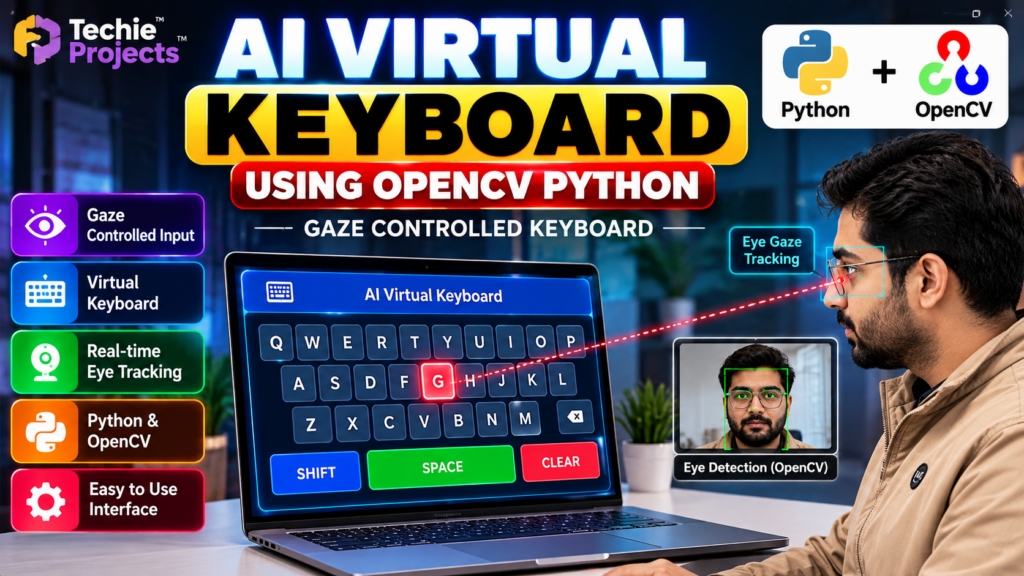
An AI virtual keyboard using OpenCV Python is an innovative computer vision project that allows users to interact with a virtual keyboard through visual input instead of relying entirely on a physical keyboard. By combining Python programming, OpenCV, and eye or gaze tracking techniques, this project demonstrates how computer vision can support alternative human-computer interaction methods.
This project is suitable for B.Tech Computer Science Engineering students, final-year students, diploma students, and learners interested in Artificial Intelligence, Machine Learning, and Computer Vision.
At Techie Projects, students can explore practical engineering projects to understand real-world applications of programming, develop technical skills, and prepare project demonstrations.
🎬 Project Demo
Watch the AI Virtual Keyboard Using OpenCV Python project demonstration to understand the interface, virtual keyboard layout, gaze-controlled interaction concept, and computer vision workflow.
The demo helps students explore the project’s functionality and decide whether it fits their academic project requirements.
What Is an AI Virtual Keyboard Using OpenCV?
An AI virtual keyboard is a software-based keyboard displayed on a computer screen. Instead of pressing physical keys, a user interacts with the on-screen keyboard using a supported input method, such as eye movement, gaze estimation, or another computer vision-based interaction technique.
OpenCV provides image-processing and camera-frame analysis capabilities that can support eye detection and visual tracking. Python connects these components and manages the application logic.
The exact capabilities depend on the project’s implementation, camera setup, tracking method, and input-control mechanism.
Objectives of the Project
The main objectives of this AI virtual keyboard project are to:
- Develop an interactive virtual keyboard interface.
- Explore computer vision techniques using Python and OpenCV.
- Demonstrate eye or gaze tracking concepts.
- Understand camera-based human-computer interaction.
- Explore alternative input methods for accessibility-focused applications.
- Build practical skills in Python programming and application development.
Key Features
1. Virtual Keyboard Interface
The application displays a keyboard layout containing letters and other supported keys. The interface can be designed to make selecting keys simple and intuitive.
2. Eye Detection and Gaze Tracking
Computer vision techniques can help detect facial or eye regions from camera frames. Depending on the implementation, gaze estimation can be used to identify the area where a user is looking.
3. Real-Time Camera Processing
OpenCV can process video frames captured by a webcam. Performance depends on the camera quality, processing method, and computer hardware.
4. Interactive Key Selection
The application can highlight a selected key and trigger an input action when the implemented selection conditions are met.
5. Python-Based Development
Python makes it possible to combine image processing, interface logic, and application functionality within one project.
Technologies Used
The technologies may include:
- Python: Main programming language.
- OpenCV: Image processing and camera-frame analysis.
- Computer Vision: Visual detection and tracking.
- Webcam: Captures live images or video.
- GUI framework: Displays the virtual keyboard, depending on the implementation.
Additional libraries may be required based on the project’s actual source code.
Software Requirements
- Operating System: Windows 10 or Windows 11, or another compatible system.
- Programming Language: Python.
- Libraries: OpenCV and any additional dependencies used by the implementation.
- Development Environment: VS Code, PyCharm, or another Python IDE.
- Camera: A compatible webcam for camera-based tracking.
Hardware Requirements
- Computer or laptop.
- Webcam or compatible camera.
- Keyboard and mouse for setup and troubleshooting.
- Sufficient RAM and processing capability to run the selected libraries.
The exact requirements depend on the implementation and the computer vision model used.
How Does the Project Work?
The general workflow of an AI virtual keyboard using OpenCV Python includes the following stages:
- Camera input: Capture frames using a webcam.
- Image processing: Process the frames with OpenCV.
- Eye or face detection: Identify relevant visual regions using the selected detection method.
- Gaze estimation: Estimate the user’s viewing direction if supported by the implementation.
- Key selection: Map the estimated gaze or cursor position to a virtual keyboard key.
- Input handling: Trigger the appropriate action according to the project’s selection logic.
- Display feedback: Show the selected key or other interface feedback.
This workflow provides a foundation for understanding camera-based interaction. Accurate gaze-controlled typing may require calibration, suitable lighting, and a reliable selection mechanism.
Applications of an AI Virtual Keyboard
Potential applications include:
- Accessibility-focused computer interfaces.
- Research into alternative input devices.
- Human-computer interaction experiments.
- Computer vision learning and demonstrations.
- Educational projects involving Python and image processing.
This project is an educational prototype and should not be treated as a certified assistive technology without appropriate usability, reliability, and accessibility testing.
Advantages
- Provides practical experience with Python and OpenCV.
- Demonstrates an interesting application of computer vision.
- Encourages exploration of alternative computer input methods.
- Can be extended with additional interface features.
- Offers a useful demonstration topic for engineering students.
Limitations
- Performance may be affected by lighting and camera quality.
- Gaze estimation can be inaccurate without suitable calibration.
- Real-time performance depends on hardware and implementation.
- Prolonged use may require ergonomic and usability testing.
- The application may not support every keyboard shortcut or text-input scenario.
Future Scope
The project can be extended with improved gaze calibration, more reliable eye tracking, additional keyboard layouts, customizable interfaces, multilingual input, and accessibility-focused usability testing.
Students can also explore combining computer vision with machine learning models where appropriate. Any extension should be based on the project’s existing capabilities and tested under realistic conditions.
Why Choose This as a Final-Year Project?
An AI virtual keyboard is a useful topic for students who want to demonstrate Python programming, image processing, and human-computer interaction in one application.
It can support a project presentation, software demonstration, and discussion of technical challenges such as camera input, tracking accuracy, interface design, and system performance.
If you need a ready-to-study project implementation, review the available project details before purchasing to confirm the source code, dependencies, documentation, and features included.
Frequently Asked Questions
1. What is an AI virtual keyboard using OpenCV Python?
It is a computer vision-based application that displays a virtual keyboard and can support camera-based interaction, depending on the implemented tracking and input methods.
2. Which programming language is used?
Python is the main programming language, while OpenCV can be used for image processing and camera input.
3. Is this project suitable for B.Tech students?
Yes. It can be suitable for Computer Science Engineering students interested in Python, computer vision, and human-computer interaction.
4. Does the project require a webcam?
A webcam is generally required for camera-based eye or gaze tracking. The precise requirements depend on the implementation.
5. Can I purchase the project source code?
You can contact Techie Projects to ask about source-code availability, project documentation, setup requirements, pricing, and implementation support.
🎓 Recommended Projects
If you are interested in computer vision and AI, explore these related project topics:
- Hand Gesture Recognition Using OpenCV Python – Explore gesture-based interaction.
- Virtual Mouse Using Hand Gestures – Investigate camera-based mouse control.
- Sign Language Recognition Using Machine Learning – Explore visual gesture recognition.
- Yoga Pose Detection and Correction Using OpenCV – Study pose estimation and classification.
- Face Recognition Attendance System Using Python – Explore face detection and recognition.
Visit Techie Projects to explore available project topics and related learning resources.
Get Your Project from Techie Projects
Looking for a project for your final-year submission, mini-project, or practical learning? Contact Techie Projects to check availability and discuss the implementation that fits your requirements.
We can help you enquire about project options, source-code availability, setup instructions, documentation, and support.
- 📲 Call/WhatsApp: +91-9460060699
- 🌎 Website: www.techieprojects.com
- 📺 Instagram: @pythonprojects_
Contact us before purchasing to confirm the current deliverables, compatibility, pricing, and support terms.
Conclusion
The AI virtual keyboard using OpenCV Python project demonstrates how computer vision can be applied to alternative computer interaction. By exploring image processing, eye detection, interface design, and Python programming, students can gain practical insight into an engaging area of software development.
If this project matches your academic goals, contact Techie Projects for current availability and purchasing information.