
Introduction
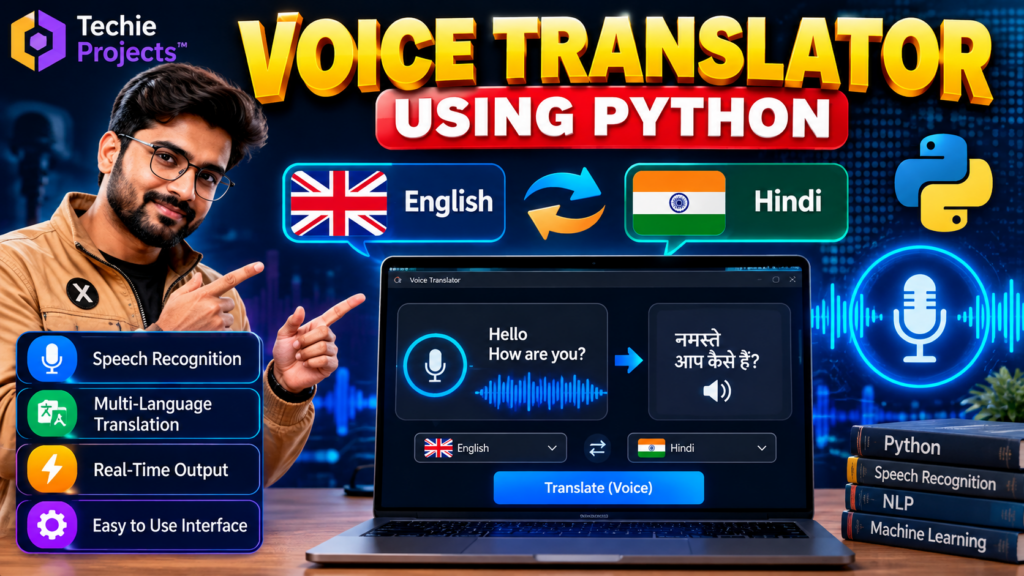
A language translator using Python is an educational software project that demonstrates how voice input, speech recognition, language translation, and speech output can be combined in one application. It is a useful project for students interested in Python programming, natural language processing (NLP), and human-computer interaction.
This project explores how a user can speak into a microphone, process the recognized words, translate the text into a selected language, and display or speak the translated result. The exact languages and functions depend on the implementation and the translation services or libraries configured in the project.
🎬 Project Demo
Watch the project demonstration to understand the interface and workflow of the voice translator. The demo can help you explore how voice commands are entered and how the translated output is presented.
🎯 Objectives of the Language Translator Using Python
The main objective is to develop a practical application that introduces students to voice-based communication and language processing.
Key objectives include:
- Accepting spoken input through a microphone.
- Converting speech into text using a supported speech-recognition tool.
- Translating recognized text into a selected target language.
- Displaying the translated text in the application.
- Providing spoken output when text-to-speech functionality is implemented.
- Demonstrating how Python libraries can be integrated into a single application.
✨ Main Features
1. Voice Input
The application can accept spoken words through a microphone when the required audio-input and speech-recognition components are configured.
2. Speech Recognition
Speech recognition converts a user’s spoken words into text. Recognition quality can vary depending on pronunciation, background noise, microphone quality, and the selected language.
3. Language Translation
A translation component converts recognized text into a selected target language. Supported languages depend on the translation library or service used by the implementation.
4. Translated Text Display
The interface can show the translated result so users can read and review the output.
5. Text-to-Speech Output
If the project includes a text-to-speech library, it can read translated text aloud. This feature can make the demonstration more interactive.
6. User-Friendly Interface
A graphical interface can bring the voice-input, language-selection, and translation functions together in one place. The final interface depends on the project’s implementation.
Benefits of a Language Translator Using Python
A language translator using Python helps students understand how speech recognition, text translation, and voice output can work together. It is a practical way to explore Python libraries, multilingual communication, and user-interface development in one educational project.
How to Improve the Language Translator Project
You can extend the project by adding more supported languages, improving error handling for unclear voice input, and providing a translation-history feature. A language translator using Python can also be tested with different accents and background-noise conditions to evaluate its limitations and identify areas for improvement.
⚙️ How the Project Works
The language translator follows a simple processing workflow:
- The user opens the application.
- The user selects the available source and target languages.
- The user speaks into the microphone.
- The speech-recognition component converts the audio into text.
- The translation component processes the recognized text.
- The translated text appears on the screen.
- If text-to-speech is supported, the application reads the translated result aloud.
This workflow helps students understand the relationship between audio processing, language translation, and application development.
🛠️ Technologies Used
The technologies may vary depending on the version of the project. Common options include:
- Python: Main programming language.
- SpeechRecognition: A Python package that can interface with supported speech-recognition engines.
- Translation library or API: Used to translate text between supported languages.
- Text-to-speech library: Such as
gTTSorpyttsx3, depending on the implementation. - Tkinter: An option for building a desktop graphical user interface.
- Audio-input support: Required for microphone-based interaction.
Confirm the actual libraries and versions in the project before installing dependencies. Some translation or recognition services require an internet connection, an API key, or service-specific configuration.
💻 Software and Hardware Requirements
Software Requirements
- Python installed on the computer
- A suitable Python IDE or code editor
- Required project libraries
- Compatible operating system
- Internet access if the configured translation or recognition service requires it
Hardware Requirements
- Laptop or desktop computer
- Microphone for voice input
- Speakers or headphones for spoken output, if implemented
- Sufficient memory and storage for the development environment
The exact requirements depend on the libraries, services, and interface used by the project.
🎓 Applications
A language translator using Python can be used as a learning prototype for:
- Exploring speech recognition and language processing
- Demonstrating multilingual communication concepts
- Practising Python library integration
- Learning about voice-enabled desktop applications
- Developing academic demonstrations of human-computer interaction
- Exploring accessibility-oriented software concepts
The application should not be assumed to provide professional-grade translation or accessibility support without appropriate testing.
✅ Advantages
- Demonstrates several useful Python programming concepts in one project.
- Provides practical exposure to speech recognition and translation workflows.
- Can be extended to support additional languages when the configured tools allow it.
- Offers opportunities to practise GUI development and error handling.
- Can be used for academic presentations and software demonstrations.
⚠️ Limitations
Speech recognition may produce errors when audio is unclear or background noise is high. Translation quality can vary with language pairs and context. Some services require internet access and may impose usage limits. Students should test the actual application and document these limitations rather than assuming every language or voice input will work perfectly.
🚀 Future Scope
Possible improvements include:
- Adding more source and target languages
- Improving microphone and audio-error handling
- Adding translation history
- Introducing a language-selection interface
- Supporting file-based text translation
- Improving accessibility and interface design
- Evaluating translation quality using suitable test examples
These are potential extensions, not guaranteed features of the current version.
🎓 Why Choose This Python Project?
This project is suitable for students who want to explore a practical combination of Python programming, speech recognition, and language translation. It can support learning about third-party libraries, application workflows, interface design, and software testing.
Before purchasing, confirm the exact deliverables you need, such as source code, documentation, setup instructions, supported languages, and demonstration files.
📲 Get the Language Translator Project
Looking for the language translator using Python project for your academic learning or demonstration? Contact Techie Projects to ask about the current version, available features, project files, setup requirements, and pricing.
📲 Call/WhatsApp: +91-9460060699
🌎 Website: www.techieprojects.com
📺 Instagram: @pythonprojects_
🔗 Explore Related Python Projects
You may also be interested in related projects covering:
- Speech recognition using Python
- Text-to-speech applications
- Natural language processing projects
- Chatbot development using Python
- E-Waste Management Using Machine Learning
Link these topics to the most relevant published project pages on Techie Projects.
❓ Frequently Asked Questions
What is a language translator using Python?
It is a Python application that demonstrates how text or speech can be translated from one language into another using suitable libraries or translation services.
Can the project translate voice input?
It can support voice input when a compatible microphone and speech-recognition component are configured. The exact functionality depends on the project version.
Does the project require an internet connection?
Some speech-recognition and translation services require internet access. Offline support depends on the selected libraries and implementation.
Can more languages be added?
Additional languages may be supported if the translation service or library provides them and the application is configured accordingly.
Is this project suitable for final-year students?
It can be a useful educational project for students studying Python, language processing, or voice-enabled applications. Students should understand the implementation and follow their institution’s rules for project submission.
How can I get the project and pricing details?
Contact Techie Projects through the WhatsApp link above to confirm the available version, included files, supported features, and pricing.
Conclusion
A language translator using Python provides a practical way to explore speech recognition, translation, and voice-based application development. By studying its workflow, technologies, limitations, and possible extensions, students can gain useful experience with Python software development.
For the current project version and purchase details, contact Techie Projects through WhatsApp.