
Introduction
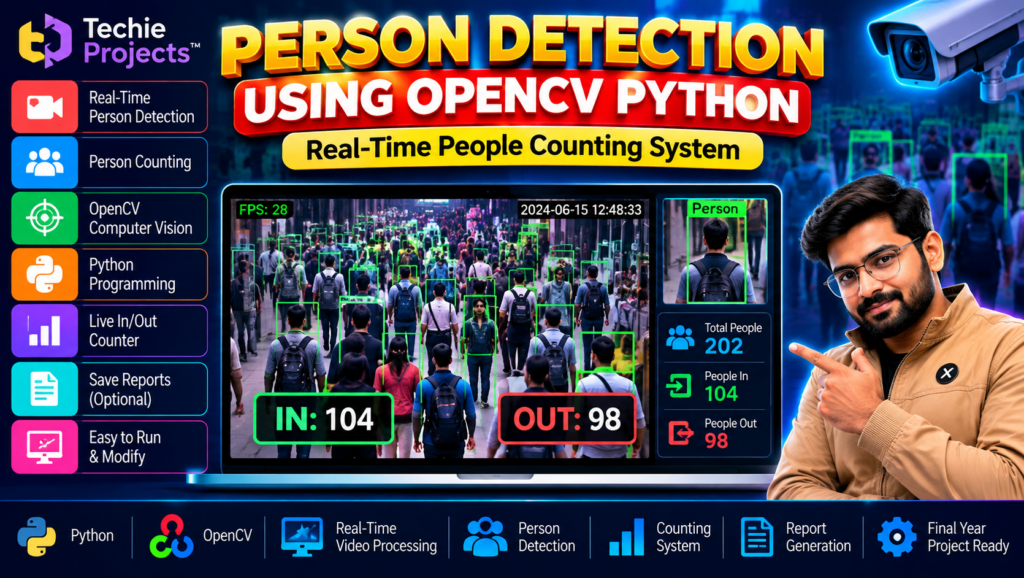
Person detection using OpenCV Python is a computer vision project that demonstrates how a computer can identify people in video frames using image processing and object detection techniques. This project is useful for students who want to explore Python programming, video processing, computer vision, and people-counting applications.
If you are a B.Tech, B.E., BCA, MCA, Computer Science, Artificial Intelligence, or Data Science student searching for a practical final-year project, this topic provides an opportunity to learn how video input can be processed to detect people and display results.
Techie Projects offers engineering project options for students interested in practical software development. Contact us to confirm the available source code, model files, documentation, installation requirements, and pricing.
🎬 Project Demo: Person Detection Using OpenCV Python
Watch the project demonstration to see how the application processes video and displays person-detection results.
The demonstrated output can help you understand the interface and workflow. The exact detection model, video input options, counting functionality, and other features depend on the supplied implementation.
🎯 What Is Person Detection Using OpenCV Python?
Person detection using OpenCV Python involves processing images or video frames to locate people. A detection model identifies regions containing people and may display bounding boxes around detected individuals.
OpenCV is a computer vision library that helps developers read video frames, manipulate images, display results, and integrate supported detection models.
A typical person detection project may use a webcam or prerecorded video as input. The application processes the frames and displays the detected people, depending on the model and implementation.
Person detection and person counting are related but different tasks. Detection identifies people in individual frames, while counting requires additional logic. Tracking people across frames or counting entries and exits may require additional functionality.
✨ Key Features of the Person Detection Project
The following features may be included, depending on the supplied version.
- Video input: Process supported video files or camera input.
- Person detection: Identify people in video frames using the implemented detection model.
- Bounding boxes: Display boxes around detected people where supported.
- Real-time processing: Process camera frames continuously if live input is implemented and the hardware supports it.
- People counting: Display the number of detected people if counting logic is included.
- Visual output: Show processed frames and detection results.
- Python integration: Connect video processing and model inference using Python.
- Extendable workflow: Provide a foundation for exploring additional computer vision functions.
Confirm the exact features before purchasing. Real-time performance, entry/exit counting, tracking, report generation, and model accuracy should not be assumed unless they are implemented and tested.
🎓 Objectives of Person Detection Using OpenCV Python
The main objectives of this project are:
- To understand the fundamentals of computer vision.
- To process images or video frames using Python.
- To detect people using a supported detection model.
- To display detection results visually.
- To explore video processing and frame-by-frame analysis.
- To understand the difference between detection, tracking, and counting.
- To practise testing and documenting a Python computer vision application.
⚙️ How Does the Person Detection System Work?
1. Video Input
The application loads a supported video file or accesses a camera if webcam input is implemented.
2. Frame Extraction
The video is processed as a sequence of individual frames. OpenCV can help read and prepare these frames for analysis.
3. Image Preprocessing
The frame is converted or resized into the format required by the detection model. The exact preprocessing steps depend on the model.
4. Person Detection
The frame is passed to a trained object detection model. The model returns detection results, such as bounding-box coordinates and confidence scores.
5. Result Filtering
The application may filter detections according to the target class and a selected confidence threshold.
6. Detection Visualization
The application draws bounding boxes and other supported labels on the video frame to show the detected people.
7. Counting or Tracking
If additional logic is implemented, the application may count detections or track individuals across frames. Simple detection alone does not provide reliable entry/exit counting because the same person may appear in multiple frames.
8. Output Display
The processed video frames and detection results are displayed to the user through the application’s interface.
🧰 Technologies Used
Python
Python is used to implement the detection workflow and connect the computer vision components.
OpenCV
OpenCV supports video capture, frame processing, image transformations, and displaying detection results.
Object Detection Model
A trained object detection model is required to recognize people. The model may use a framework such as YOLO or another compatible detection approach, depending on the supplied implementation.
NumPy
NumPy may be used for numerical operations and image-array processing.
Compatible Development Environment
VS Code, PyCharm, or another compatible Python development environment can be used to inspect and run the project.
The exact libraries, model files, and version requirements should be confirmed from the supplied source code.
💻 Software and Hardware Requirements
Software Requirements
- Windows, Linux, or another compatible operating system
- Python
- OpenCV
- Required object detection framework and model files
- NumPy and other dependencies specified by the project
- Compatible code editor
Hardware Requirements
- Laptop or desktop computer
- Compatible processor
- Sufficient RAM for the model and video input
- Storage space for source code, model weights, and sample videos
- Webcam if live camera input is required
A GPU may improve processing speed for some models, but whether it is required depends on the model, software configuration, and performance requirements.
🌟 Advantages of Person Detection Using OpenCV Python
- Demonstrates practical computer vision concepts.
- Introduces video frame processing.
- Combines Python programming with object detection.
- Helps students understand bounding boxes and detection results.
- Can be extended with tracking or counting functionality.
- Provides a foundation for further computer vision experiments.
- Offers opportunities to compare model performance and processing speed.
🏢 Applications of Person Detection
Person detection technology can be explored in various applications, including:
- People-counting demonstrations
- Crowd analysis research
- Retail footfall analysis
- Building occupancy estimation
- Video analytics prototypes
- Human presence detection
- Smart-space monitoring
- Academic computer vision experiments
These are general application areas, not a claim that the current project is suitable for every real-world deployment.
⚠️ Limitations and Important Considerations
Person detection results depend on the model, training data, lighting, camera angle, image quality, crowd density, and available computing resources.
Important considerations include:
- People may be missed when they are occluded or partially visible.
- False detections may occur in complex scenes.
- Processing speed varies with hardware and model size.
- Detection alone does not reliably identify the same person across frames.
- Counting accuracy depends on the counting method.
- Camera-based systems should respect privacy, applicable laws, and consent requirements.
Before deploying a system in a public or workplace environment, assess privacy, security, fairness, and local legal requirements.
🚀 Future Scope
Possible enhancements to the person detection project include:
- Adding person tracking across video frames.
- Implementing entry and exit counting.
- Comparing different object detection models.
- Improving performance for crowded scenes.
- Adding a dashboard for displaying counts.
- Saving results to a file when required.
- Evaluating detection speed and precision.
- Exploring edge-device deployment where supported.
These are potential improvements and may require additional development beyond the existing project.
🎓 Why Choose This Project for Your Final Year?
Person detection using OpenCV Python may be suitable for students interested in computer vision, Python programming, artificial intelligence, and video analytics.
The project offers practical learning opportunities in:
- Video input and frame extraction
- Image preprocessing
- Object detection
- Bounding-box visualization
- Model integration
- Testing and performance evaluation
- Technical documentation
Before choosing the project, confirm that the implementation, complexity, and deliverables meet your college’s academic requirements.
📦 What Is Included When You Purchase the Project?
The package contents depend on the available version. Contact Techie Projects to confirm whether it includes:
- Python source code
- Required model files or model download instructions
- Dependencies and installation instructions
- Sample input videos, if available
- Project documentation or report
- Instructions for running the application
- Available setup guidance or technical support options
Confirm the actual deliverables, model requirements, and price before placing an order.
📲 Purchase the Person Detection Using OpenCV Python Project
Looking for a person detection using OpenCV Python project for your college assignment or final-year submission? Techie Projects can help you enquire about the available implementation, source code, documentation, and pricing.
Contact us to confirm the implemented features and system requirements before purchasing.
Get Project Details and Pricing on WhatsApp
👉 Enquire About This Project on WhatsApp
🌐 Explore More Engineering Projects
📸 Follow Techie Projects on Instagram
Contact us to confirm current pricing, source code availability, model files, documentation, and setup requirements before purchasing.
🔗 Explore Related Projects
Explore these related project topics on Techie Projects:
- Crowd Counting Using YOLO
- Abnormal Activity Detection Using Deep Learning
- Vehicle Detection and Counting Using Python
- Safety Helmet Detection Using YOLO
- Intrusion Detection System Using Machine Learning
Link each project title to its relevant published article on your website.
❓ Frequently Asked Questions
1. What is person detection using OpenCV Python?
It is a computer vision application that processes images or video and identifies regions containing people using an integrated detection model.
2. Is OpenCV alone enough for person detection?
OpenCV provides video and image-processing tools, but a modern person detection application generally also requires a detection model or another detection method.
3. Can the project work with a webcam?
Webcam support depends on the supplied implementation and hardware. Confirm that live camera input is included before purchasing.
4. Does person detection automatically count people?
No. Detection identifies people in individual frames. Reliable counting, tracking, or entry/exit analysis may require additional logic.
5. Is this project suitable for final-year students?
It may be suitable for students studying Computer Science, Artificial Intelligence, Data Science, or related subjects, subject to their college requirements.
6. Does the project include source code?
Contact Techie Projects to confirm source code availability, model files, dependencies, documentation, and installation instructions.
7. How can I purchase the project?
You can contact Techie Projects on WhatsApp to enquire about pricing and availability.
📝 Conclusion
Person detection using OpenCV Python is a practical project topic for learning video processing, object detection, and computer vision with Python.
It provides a foundation for understanding how detection models process video frames and how additional functions such as tracking and people counting can be developed.
If you want to purchase this project for learning or academic purposes, contact Techie Projects to confirm the current implementation, package contents, and price.
👉 Contact Techie Projects on WhatsApp to get started.
📲 Call/WhatsApp: +91-9460060699
🌎 Website: www.techieprojects.com
📺 Instagram: @pythonprojects_