
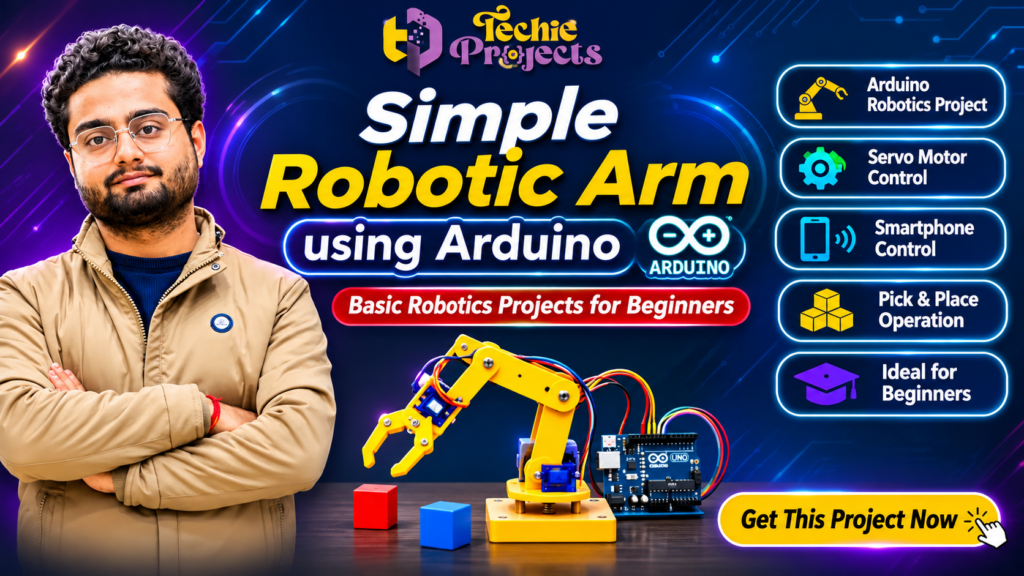
The Simple Robotic Arm using Arduino is an excellent choice for students who want to explore practical robotics, embedded systems, servo motor programming and automated pick-and-place operations.
Are you looking for a ready-to-learn Simple Robotic Arm using Arduino project for your engineering final-year project, college practical, diploma submission or robotics exhibition? 🤖 Get your robotics project from Techie Projects and explore how an Arduino-controlled robotic arm can perform pick-and-place operations using servo motors and electronic control.
Instead of spending weeks searching for circuit diagrams, components, programming examples and implementation guidance, choose a project solution that helps you understand the complete working process. Our Simple Robotic Arm using Arduino project is designed to demonstrate fundamental robotics concepts, including motor control, mechanical movement, embedded programming and automation.
🎓 Whether you are a B.Tech, B.E., diploma or polytechnic student, this project can help you explore practical robotics concepts and develop hands-on technical knowledge.
📞 Contact Techie Projects for Project Enquiries
Interested in purchasing the Simple Robotic Arm using Arduino Project? Contact us to enquire about package availability, pricing, source code, documentation, installation guidance, and technical support options.
💬 WhatsApp Enquiry: Chat with Techie Projects
📱 Contact Number: +91 94600 60699
🌐 Official Website: www.techieprojects.com
📸 Instagram: Follow Techie Projects
🎓 Project Areas: Robotics, Machine Learning, Arduino, Deep Learning, Artificial Intelligence, and Android App.
✅ Request Project Details: Share your engineering branch, preferred features, and technical requirements to enquire about the most suitable available package.
🚀 Ready to get started? Click here to enquire on WhatsApp and mention Simple Robotic Arm using Arduino Project.
Package contents, prices, hardware availability, and support options should be confirmed before purchase.
🎬 Watch the Simple Robotic Arm using Arduino Project Demo
Watch the project demonstration to understand how the robotic arm operates, how servo motors control its movements and how the system performs basic pick-and-place operations.
The demonstration helps students understand the practical implementation of Arduino-based robotics and the interaction between electronic components and mechanical structures.
Interested in getting the complete project? Contact Techie Projects for purchase details and available project support.
🤖 What Is a Simple Robotic Arm using Arduino?
A robotic arm is a programmable mechanical structure designed to perform movements similar to certain functions of a human arm. It consists of interconnected mechanical joints, motors and a control system that allows it to move objects from one location to another.
The Simple Robotic Arm using Arduino uses an Arduino microcontroller as its central control unit. Servo motors are commonly used to control the movement of different joints, allowing the arm to rotate, bend and perform gripping operations.
Arduino receives programmed instructions and generates control signals for the connected motors. Depending on the design, the robotic arm can perform basic operations such as picking up small objects, moving them and placing them at another position.
This project is an excellent introduction to embedded systems, automation, electronics and robotics engineering.
🎯 Main Objectives of the Project
The primary objective of developing a Simple Robotic Arm using Arduino is to understand how a microcontroller can control mechanical movements through electronic components.
The major objectives include:
- To develop an Arduino-controlled robotic arm.
- To understand servo motor operation and positioning.
- To implement basic pick-and-place functionality.
- To understand embedded programming concepts.
- To explore mechanical joint movement and coordination.
- To demonstrate basic industrial automation concepts.
- To develop practical knowledge of robotics and electronics.
This project provides an opportunity to combine hardware development with software programming in a single engineering application.
⚙️ How Does the Robotic Arm Work?
Understanding the Simple Robotic Arm using Arduino helps students learn how Arduino controllers communicate with servo motors to achieve accurate robotic movements.
The working principle of the Simple Robotic Arm using Arduino is based on programmed motor control.
The Arduino board processes instructions and sends control signals to the servo motors. Each motor controls a particular movement of the robotic arm.
The general working process is explained below.
1. Power Supply
The system receives electrical power through an appropriate power supply. The Arduino and motors require suitable voltage and current according to their specifications.
A separate regulated supply may be necessary for multiple servo motors to ensure stable operation.
2. Arduino Controller
Arduino acts as the main controller of the robotic arm. It processes the programmed instructions and generates the signals required to control the connected servo motors.
3. Servo Motor Movement
Servo motors provide controlled angular movement. Different motors can control the base rotation, shoulder movement, elbow movement and gripping mechanism.
4. Object Gripping
A mechanical gripper is attached to the robotic arm. It opens and closes to hold small objects during the pick-and-place operation.
5. Pick-and-Place Operation
After receiving the required instructions, the robotic arm moves towards an object, grips it, changes its position and releases it at the selected location.
Depending on the implementation, movement can be controlled through predefined instructions or an external interface.
📱 Smartphone-Controlled Robotic Arm
One interesting feature of this Arduino robotics project is the possibility of controlling the robotic arm through a smartphone.
A Bluetooth communication module can be integrated into the system to receive commands from a compatible mobile application.
The general communication process works as follows:
- The smartphone sends a control command.
- The Bluetooth module receives the command.
- Arduino processes the received instruction.
- The controller sends signals to the servo motors.
- The robotic arm performs the required movement.
This functionality makes the Simple Robotic Arm using Arduino more interactive and demonstrates the integration of embedded systems with wireless communication.
The exact control interface and supported functions depend on the project implementation.
🔩 Hardware Requirements
The hardware components required for a robotic arm depend on its mechanical design and functionality.
Common components include:
| Component | Purpose |
|---|---|
| Arduino Uno | Main microcontroller |
| Servo motors | Control robotic arm movements |
| Servo driver | Supports multiple servo channels where required |
| Bluetooth module | Wireless communication |
| Robotic arm frame | Mechanical structure |
| Gripper mechanism | Holds and releases objects |
| Power supply | Provides electrical power |
| Connecting wires | Electrical connections |
| Motor driver | Used where required by the selected motor type |
Additional components may be required depending on the selected robotic arm design.
Note: Confirm the final component list and hardware configuration with Techie Projects before purchasing.
💻 Software Requirements
The software environment used for developing an Arduino robotic arm generally includes:
1. Arduino IDE
Arduino IDE is used to write, compile and upload programs to the Arduino board.
2. Embedded C/C++
Arduino programming is based on C/C++ concepts. It is used to define motor positions, control operations and execute programmed instructions.
3. Bluetooth Control Application
A compatible mobile application can be used to send wireless commands when Bluetooth functionality is included.
4. Serial Monitor
The Arduino Serial Monitor can help developers test communication, inspect debugging messages and understand system behaviour.
⭐ Key Features of the Simple Robotic Arm using Arduino
One of the major advantages of the Simple Robotic Arm using Arduino is its expandable design, which allows students to explore Bluetooth control, automated gripping and advanced robotics functionality.
The project demonstrates several important robotics functionalities.
1. Arduino-Based Control
Arduino provides a programmable control platform for managing the robotic arm’s movements.
2. Servo Motor Positioning
Servo motors allow controlled angular movement of different mechanical joints.
3. Pick-and-Place Functionality
The robotic arm can demonstrate object gripping, lifting, transferring and releasing operations.
4. Wireless Control
Bluetooth connectivity can provide smartphone-based operation when included in the implementation.
5. Mechanical Movement
Multiple joints allow the robotic arm to perform different movements and positions.
6. Beginner-Friendly Robotics Concepts
The project introduces students to fundamental concepts of electronics, programming, motor control and automation.
7. Expandable Design
Students can explore additional functionalities, such as sensors, improved gripping mechanisms and automated movement sequences.
🏭 Applications of Robotic Arm Technology
Robotic arms are widely used in different industries because they can perform repetitive mechanical operations with controlled movements.
Some important applications include:
1. Industrial Automation
Robotic arms are used in manufacturing environments for material handling, assembly and repetitive production activities.
2. Pick-and-Place Systems
Automated arms can transfer objects between different positions in manufacturing and packaging processes.
3. Educational Robotics
Educational institutions use robotic arms to teach students about embedded systems, programming and mechanical engineering.
4. Laboratory Automation
Robotic mechanisms can assist with repetitive laboratory handling operations when appropriately designed.
5. Manufacturing Industry
Robotic arms are used for welding, painting, assembly and material handling in industrial environments.
6. Research and Development
Researchers use robotic arms to experiment with automation, motion control and intelligent robotic systems.
🎓 Why Choose This Project for Your Engineering Final Year?
If you are searching for an interesting hardware-based engineering project, the Simple Robotic Arm using Arduino is a useful option to explore.
Unlike purely theoretical assignments, this project allows students to understand how electronic signals produce physical movement.
Reasons to consider this project:
- Combines hardware and software development.
- Demonstrates practical embedded system applications.
- Introduces servo motor programming.
- Helps understand mechanical movement.
- Provides opportunities for future improvements.
- Can be demonstrated during college exhibitions.
- Supports learning in robotics and automation.
Students from Computer Science, Electronics and Communication, Electrical, Mechanical and related engineering branches can explore this project according to their academic requirements.
💡 Learning Outcomes
By developing or studying this project, students can gain practical knowledge in several technical areas.
Arduino Programming: Understand how microcontrollers execute instructions and control connected hardware.
Motor Control: Learn how servo motors operate and how their positions can be controlled.
Embedded Systems: Understand the interaction between hardware components and software instructions.
Wireless Communication: Explore Bluetooth-based communication between mobile devices and embedded systems.
Mechanical Design: Understand the importance of joint positioning, gripping mechanisms and mechanical stability.
Troubleshooting: Develop problem-solving skills by identifying wiring, power supply and programming issues.
These concepts provide a foundation for exploring advanced robotics projects.
🔥 Why Purchase Your Robotics Project from Techie Projects?
Finding a suitable engineering project can be challenging. Students often spend considerable time searching for compatible components, programming examples, implementation guidance and project demonstrations.
At Techie Projects, we focus on developing technology-based projects across multiple domains.
When you enquire about our Simple Robotic Arm using Arduino project, you can discuss your academic requirements and the available project deliverables before placing an order.
What Makes Techie Projects a Good Choice?
1. Multiple Technology Domains
We develop projects in robotics, artificial intelligence, machine learning, Python, IoT, computer vision, data science and web development.
2. Project Demonstrations
Watch available project demonstrations to understand the functionality before making a purchase decision.
3. Academic Project Support
Discuss your project requirements, implementation expectations and available technical assistance.
4. Hardware and Software Projects
Explore project solutions involving embedded systems, microcontrollers, software applications and integrated technologies.
5. Project Enquiry Assistance
Our team can help you understand the available project options and discuss the suitable solution for your academic requirements.
6. Customisation Discussion
If you need additional features or modifications, discuss your requirements with our team to check technical feasibility and availability.
If you are planning to purchase a Simple Robotic Arm using Arduino for your engineering project, contact Techie Projects to discuss pricing, hardware requirements and project availability.
🛒 Get This Simple Robotic Arm using Arduino Project Now!
Looking for a robotics project that combines electronics, programming and mechanical movement?
Get in touch with Techie Projects to enquire about purchasing the Simple Robotic Arm using Arduino project.
Instead of selecting a project without understanding its implementation, discuss the available hardware configuration, software requirements, documentation and support before confirming your order.
Why wait? Start your robotics project journey today!
📞 Contact / WhatsApp: +91 94600 60699
🌐 Website: www.techieprojects.com
📸 Instagram: @pythonprojects_
Send us a WhatsApp message with the following details:
- Project Name: Simple Robotic Arm using Arduino
- Branch: Your Engineering Branch
- College: Your College Name
- Requirement: Hardware / Software / Complete Project
- Additional Requirements: Any custom features
Our team can discuss availability, pricing and the next steps with you.
📋 Frequently Asked Questions (FAQs)
1. What is a Simple Robotic Arm using Arduino?
It is an Arduino-based robotics system that uses servo motors and a mechanical structure to perform controlled movements and basic pick-and-place operations.
2. Which Arduino board is suitable for this project?
Arduino Uno is commonly used for beginner-level robotic arm projects. Other compatible boards may also be used depending on the design and requirements.
3. Can I control the robotic arm using a smartphone?
Yes. Bluetooth communication can be integrated to receive commands from a compatible smartphone application.
4. Which motors are used in a robotic arm?
Servo motors are commonly used for controlling the angular position of robotic arm joints and the gripper.
5. Is this project suitable for beginners?
Yes. It introduces basic concepts of Arduino programming, servo motor control, electronics and mechanical movement.
6. Can this project be used for a final-year engineering submission?
It can be considered for suitable academic projects, subject to your college’s project guidelines, required complexity and evaluation criteria.
7. Can I purchase this project from Techie Projects?
Yes. Contact Techie Projects to enquire about project availability, pricing, deliverables and technical support.
8. Can additional features be added?
Additional features such as Bluetooth control, improved grippers and sensors may be possible depending on the hardware configuration and project requirements.
9. Do I need programming knowledge?
Basic Arduino programming knowledge is helpful. Students can also use the project to understand embedded programming and motor control.
10. How can I get the project price?
Contact us through WhatsApp at +91 94600 60699 and mention the project name to discuss the current price and availability.
🚀 Explore Related Robotics and Engineering Projects
Interested in exploring more technology-based projects? Check out other project categories available at Techie Projects.
- Computer Science Engineering
- Electronics and Communication Engineering
- Electrical Engineering
- Internet of Things
- Artificial Intelligence Projects
- Machine Learning Projects
- Web Development Projects
🌐 Explore more projects at www.techieprojects.com.
🎯 Conclusion
The Simple Robotic Arm using Arduino is an interesting educational project that combines mechanical design, electronics, embedded programming and automation. It provides students with an opportunity to understand how microcontrollers and servo motors work together to perform controlled mechanical movements.
From basic motor positioning to smartphone-based control and pick-and-place operations, this project introduces several important concepts used in modern robotics.
If you are planning an engineering project, diploma practical or robotics demonstration, contact Techie Projects to explore the available project solution.
🤖 Don’t just study robotics concepts—explore how they work in practice!
🛒 Get Your Project Now – Contact Techie Projects Today!
📞 Contact / WhatsApp: +91 94600 60699
Techie Projects – Your Destination for Engineering Projects, Robotics and Innovative Technology Solutions.